
Reviews & Guides · Computing & Networking
ACASIS M001Pro: I switched back to UGREEN for single-SSD speed
Reviewed: ACASIS M001ProRegional reference: ACASIS M001Pro (United States and Europe)
I measured 1,657/1,457 MB/s with one SSD in the ACASIS M001Pro, liked its Mac mini fit and cooling, but switched back to UGREEN.
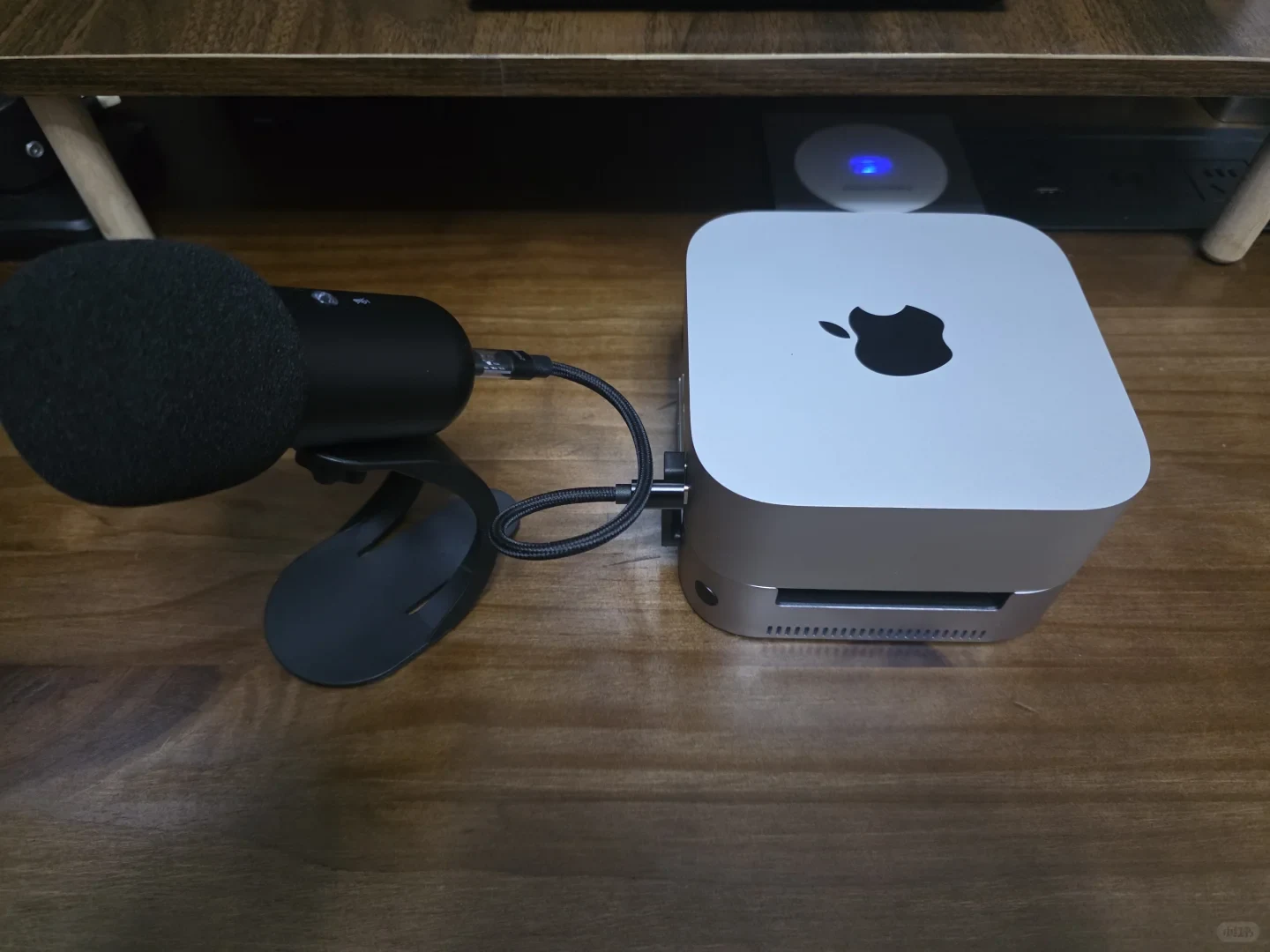
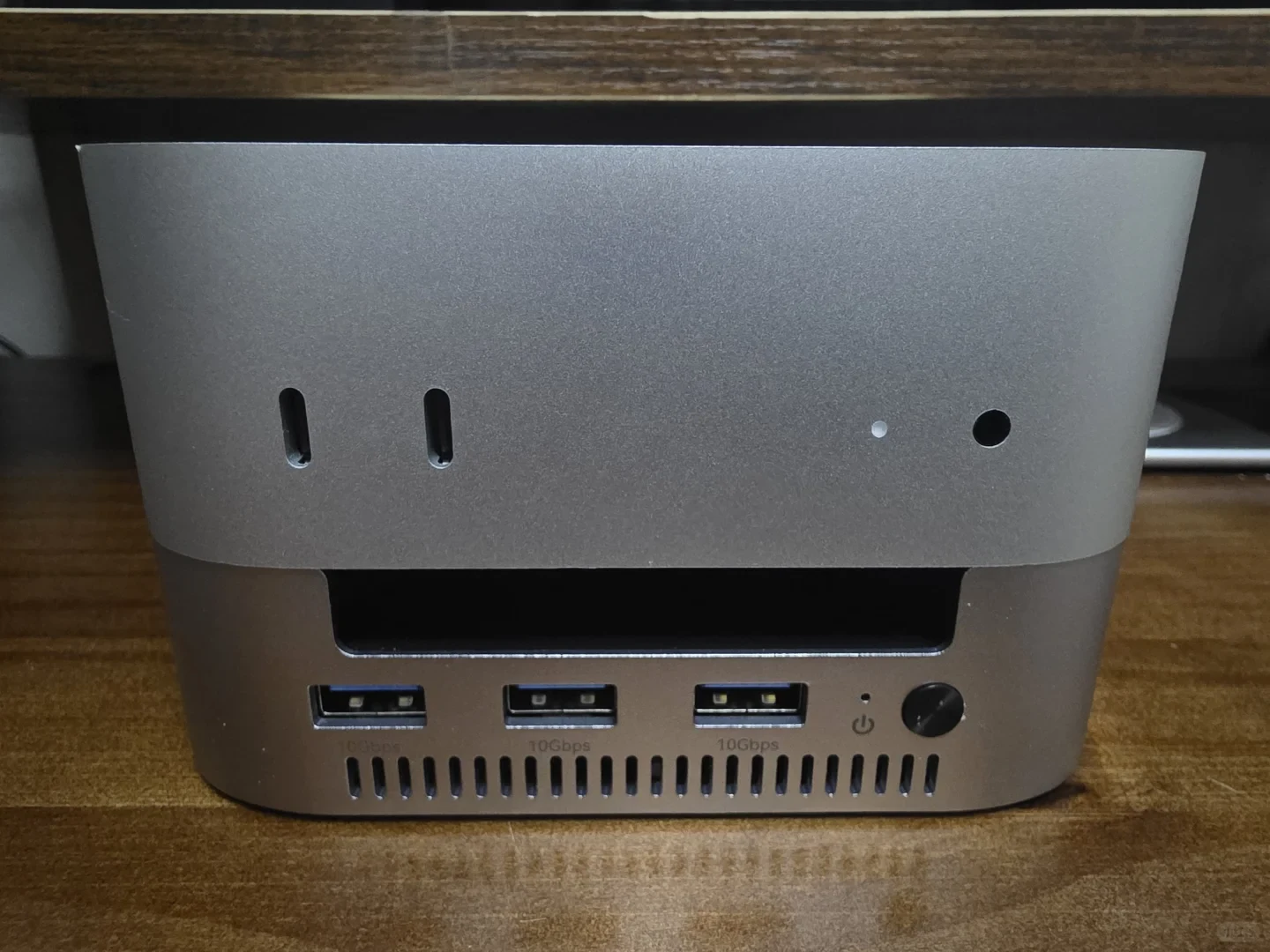
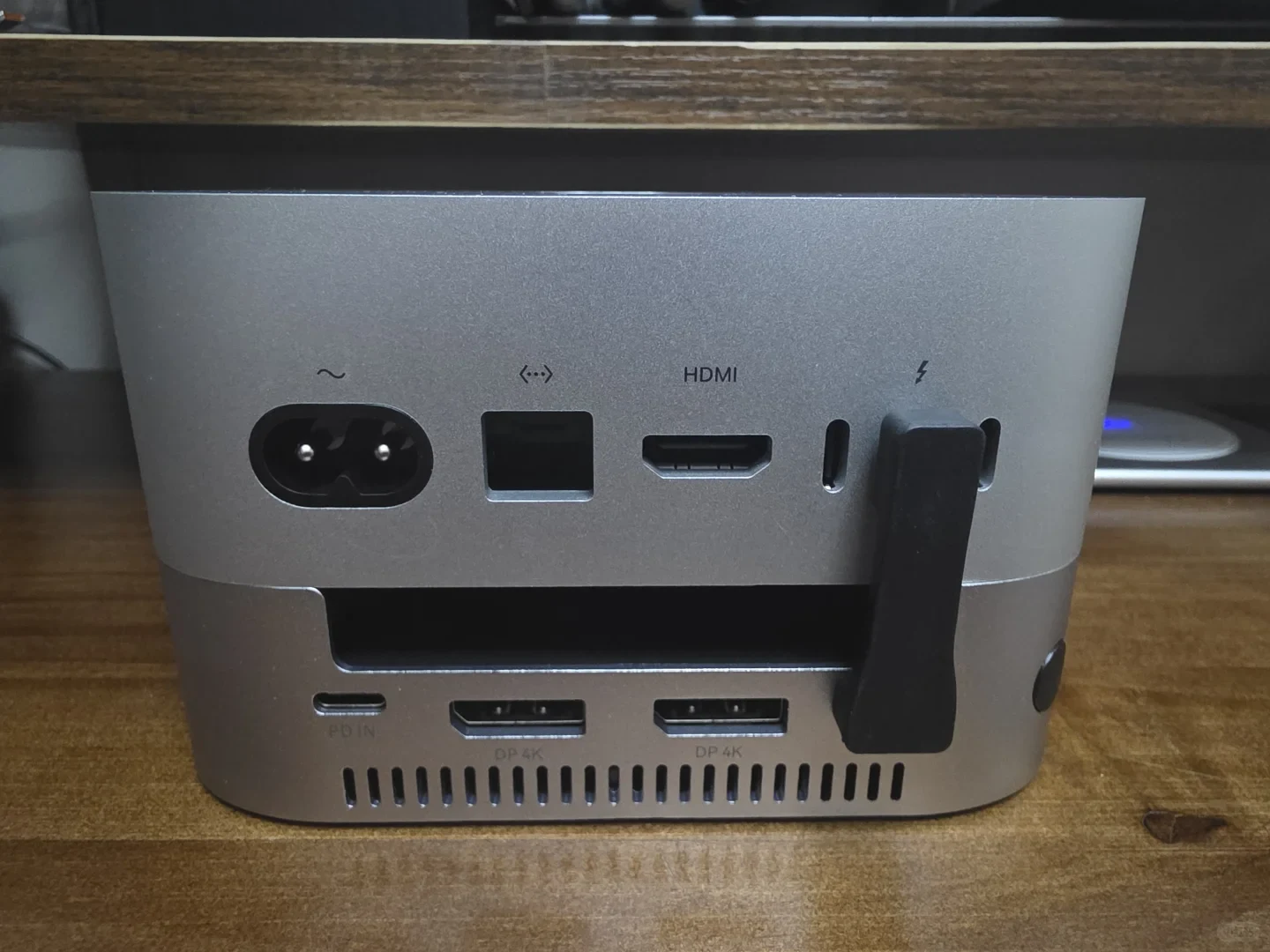
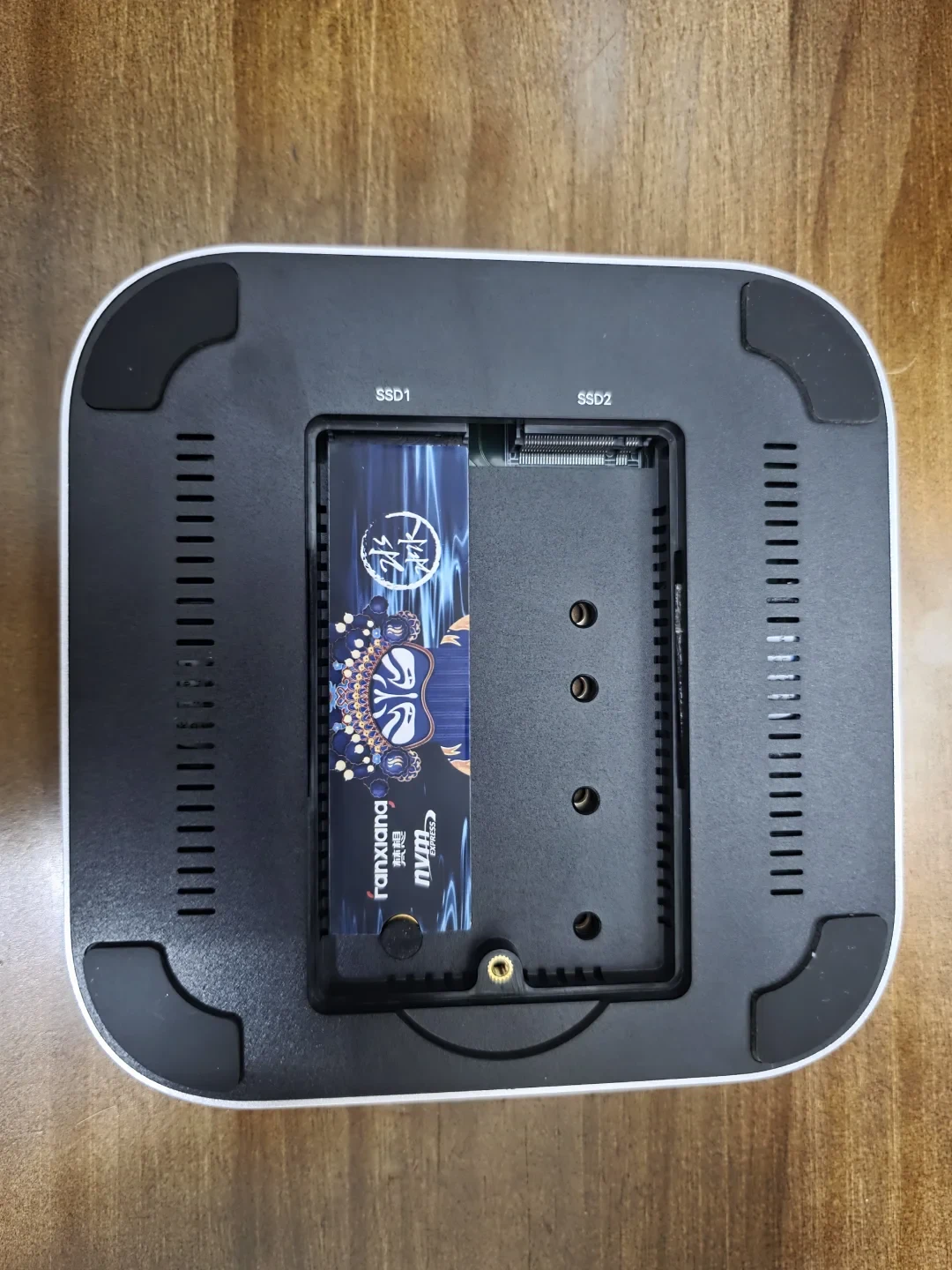
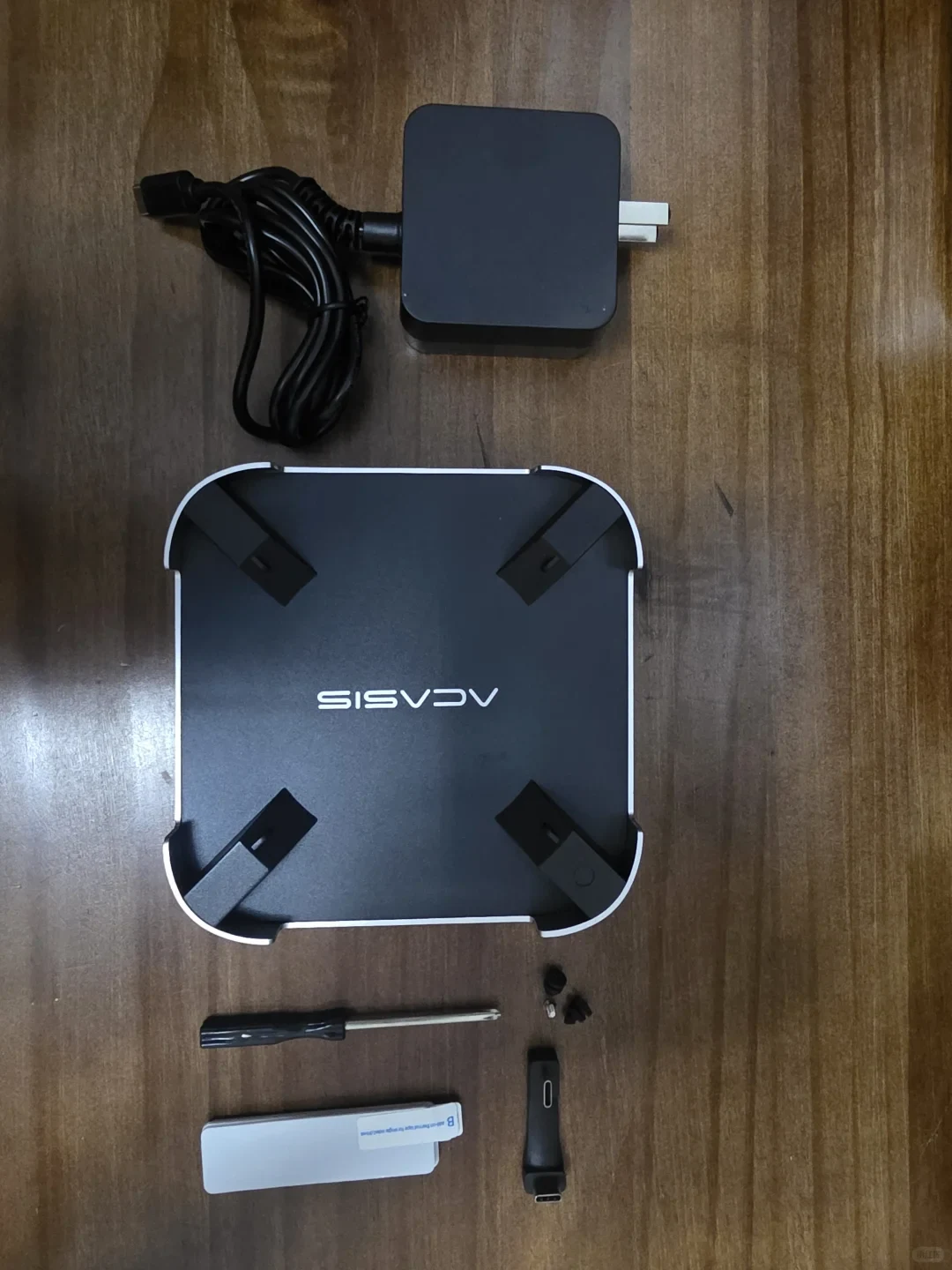
I bought the ACASIS 40 Gbps dock again.
It looks great and fits the Mac mini precisely.
It also has ventilation on two more sides than the UGREEN.
I expected it to cool better than the UGREEN.
The only downside—or at least the part I found hard to accept—was this
With just one SSD in the dock,
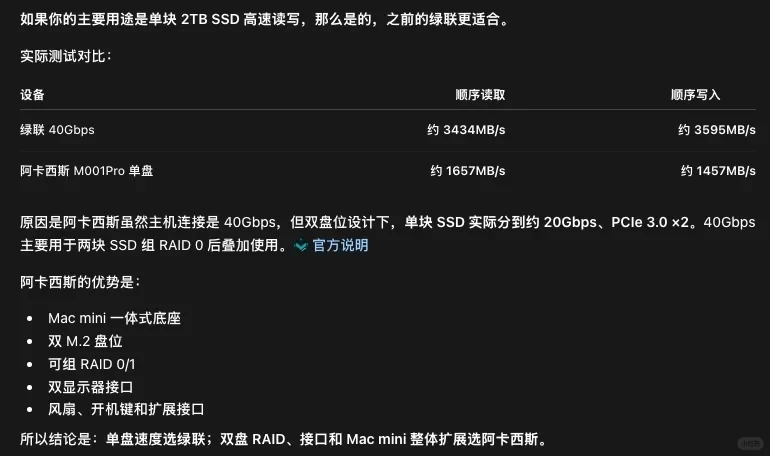
I got read/write speeds of only 1,657/1,457 MB/s.
That was less than half the UGREEN’s speed; the comparison figures are in the last image.
I took a closer look at the product information.
With one SSD, it is indeed limited to 20 Gbps.
You need to set up RAID for it to potentially reach 40 Gbps.
I don’t think I’ll be using two drives anytime soon.
I’ll switch back to the UGREEN.
P.S. I really do like how the ACASIS looks, and its cooling is effective, but the fan is fairly noticeable too. The UGREEN’s fan comes on when temperatures are high.
Source: Atomind · Xiaohongshu · 2026-10-15 · 换车阿卡西斯失败,又把绿联捡回来了. Search this Chinese title in Xiaohongshu to find the original post.
Before You Buy
Models in your region
The owner’s dock is identified as the ACASIS M001Pro, and ACASIS lists that model through its global store with US, EU and UK plug options and shipping to the United States and listed European destinations. The experience below covers a brief single-SSD test; it does not establish general transfer speeds or RAID performance.
| Model in this review | Related regional model | What to know |
|---|---|---|
| ACASIS M001Pro | ACASIS M001Pro (United States and Europe) | The owner’s model matches ACASIS’s globally listed M001Pro, with US, EU and UK plug options. The reported single-SSD result is one brief test, not a guaranteed speed for other drives or setups. |
- Model in this review
- ACASIS M001Pro
- Related regional model
- ACASIS M001Pro (United States and Europe)
- What to know
- The owner’s model matches ACASIS’s globally listed M001Pro, with US, EU and UK plug options. The reported single-SSD result is one brief test, not a guaranteed speed for other drives or setups.
Single-drive speed versus the 40 Gbps headline
The owner measured 1,657 MB/s read and 1,457 MB/s write with one SSD, then chose to return to the UGREEN because that result was less than half the comparison speed shown in the post’s final graphic. The UGREEN model is not identified, and the owner’s test conditions are not specified, so the figures describe this comparison rather than a controlled product-wide ranking.
ACASIS lists the M001Pro as a 40 Gbps model, but its official technical listing specifies up to 20 Gbps with a single SSD and up to 40 Gbps with two drives in RAID 0. Those are interface-rate claims, not promised file-transfer speeds; the owner did not test RAID, so this account cannot establish its performance in that configuration.
Fit, cooling and fan noise
The owner says the dock fits the Mac mini closely and has ventilation on two more sides than the UGREEN unit. They expected better cooling and described the ACASIS cooling as effective, but also found its fan noticeable. These are the owner’s impressions, not temperature or noise measurements.
The owner says the UGREEN fan starts when temperatures are high, while the ACASIS fan is noticeable in their experience. The post does not give operating temperatures, fan speeds or the exact UGREEN model, so it cannot establish which dock runs cooler or quieter across different workloads.
What to check before choosing a regional M001Pro
For a one-drive setup, compare the M001Pro’s single-SSD configuration and the speed your workflow needs rather than relying on the 40 Gbps headline alone. ACASIS’s official technical listing assigns up to 20 Gbps to one SSD and up to 40 Gbps to two drives in RAID 0; the owner’s choice to return to UGREEN reflects their own short single-drive comparison, not a universal result.
ACASIS lists US, EU and UK plug choices for the M001Pro and names the United States and multiple European destinations in its shipping policy. These sources establish regional availability options, not current stock or a locally stocked bundle. The global FAQ refers to an included 30 W power adapter, while the separate Japanese listing specifies 65 W; confirm the adapter and plug for the exact regional bundle before buying.
Related Reading
Reviews & Guides · Computing & Networking
GL.iNet GL-MT3600BE: I preferred native OpenWrt for plugins
I found native OpenWrt on my GL-MT3600BE left more memory available for plugins, though its LuCI-only interface took more effort to use.
Reviews & Guides · Computing & Networking
I upgraded my Tesla Wi-Fi setup from 4G to 5G with the GL.iNet MT3000
I replaced my 4G modem with a ZTE V50 and changed how I power and mount my GL.iNet MT3000 in my Tesla.
Reviews & Guides · Computing & Networking
eero Pro 7 and Pro 6E: a three-node home setup
I used two eero Pro 7 units and one eero Pro 6 to cover the whole house; the app labels the latter Pro 6E, a model detail buyers should check.