
Reviews & Guides · Computing & Networking
I upgraded my Tesla Wi-Fi setup from 4G to 5G with the GL.iNet MT3000
Reviewed: GL.iNet GL-MT3000Regional reference: GL.iNet Beryl AX (GL-MT3000) (United States)
I replaced my 4G modem with a ZTE V50 and changed how I power and mount my GL.iNet MT3000 in my Tesla.
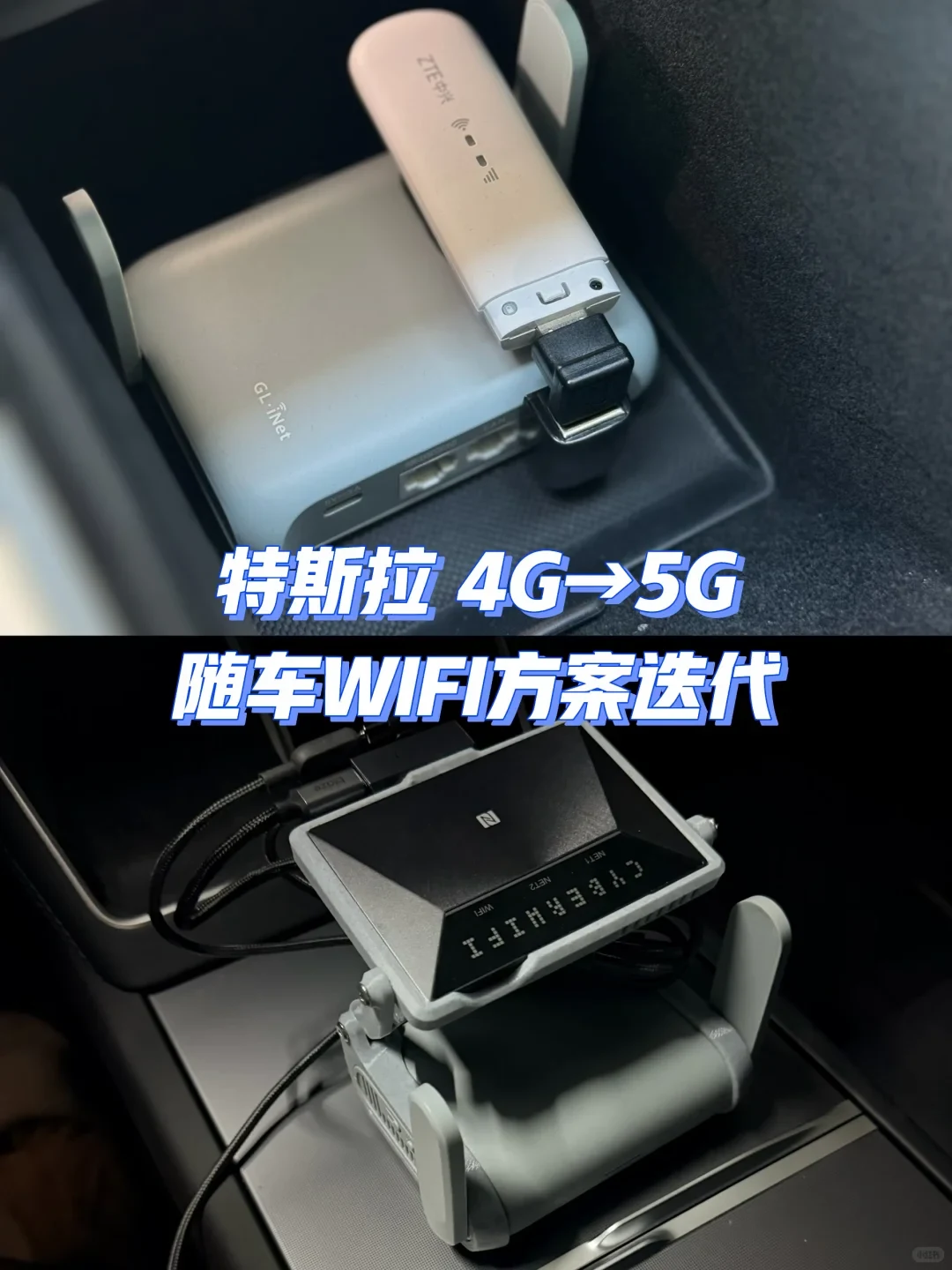
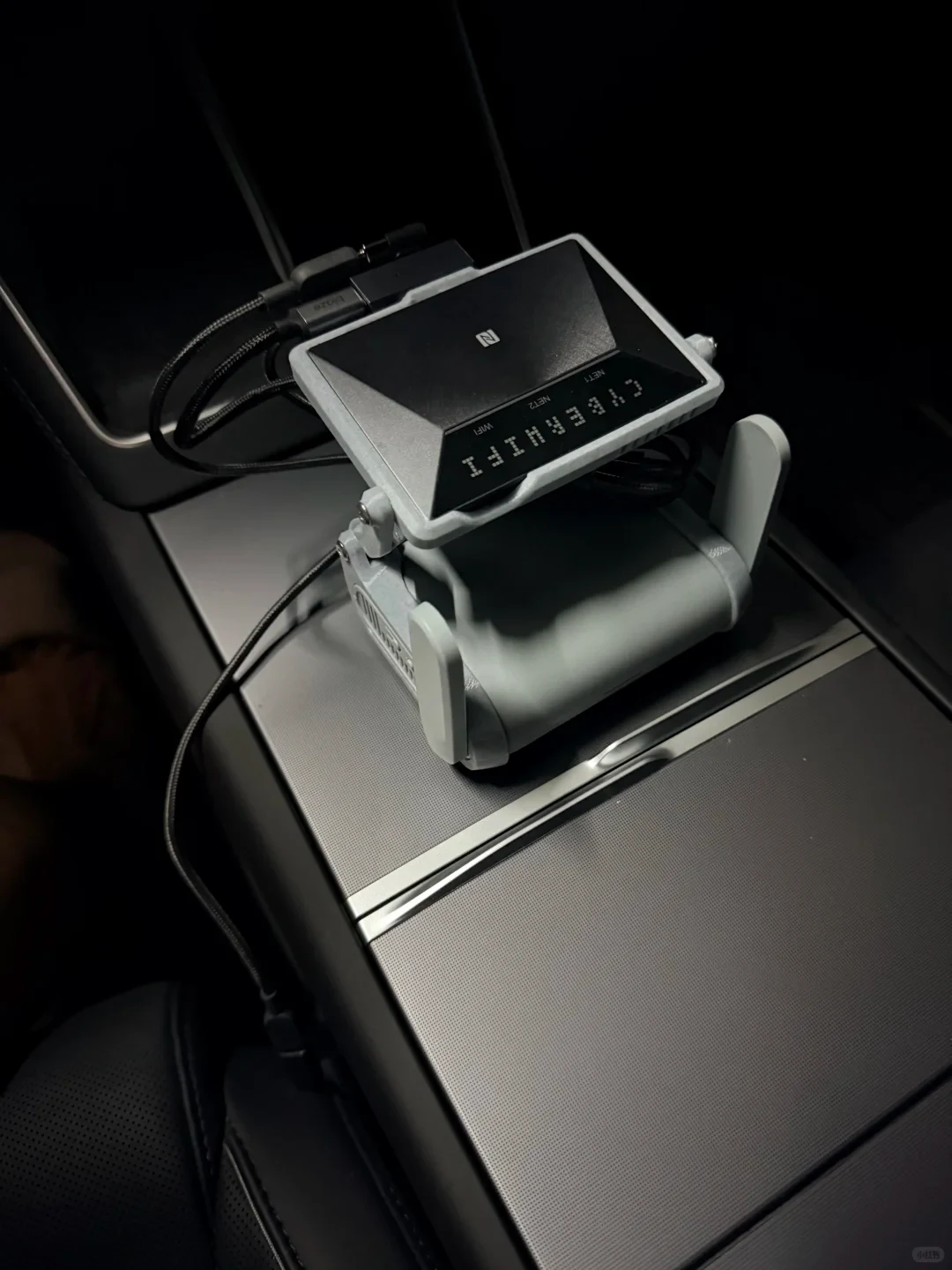
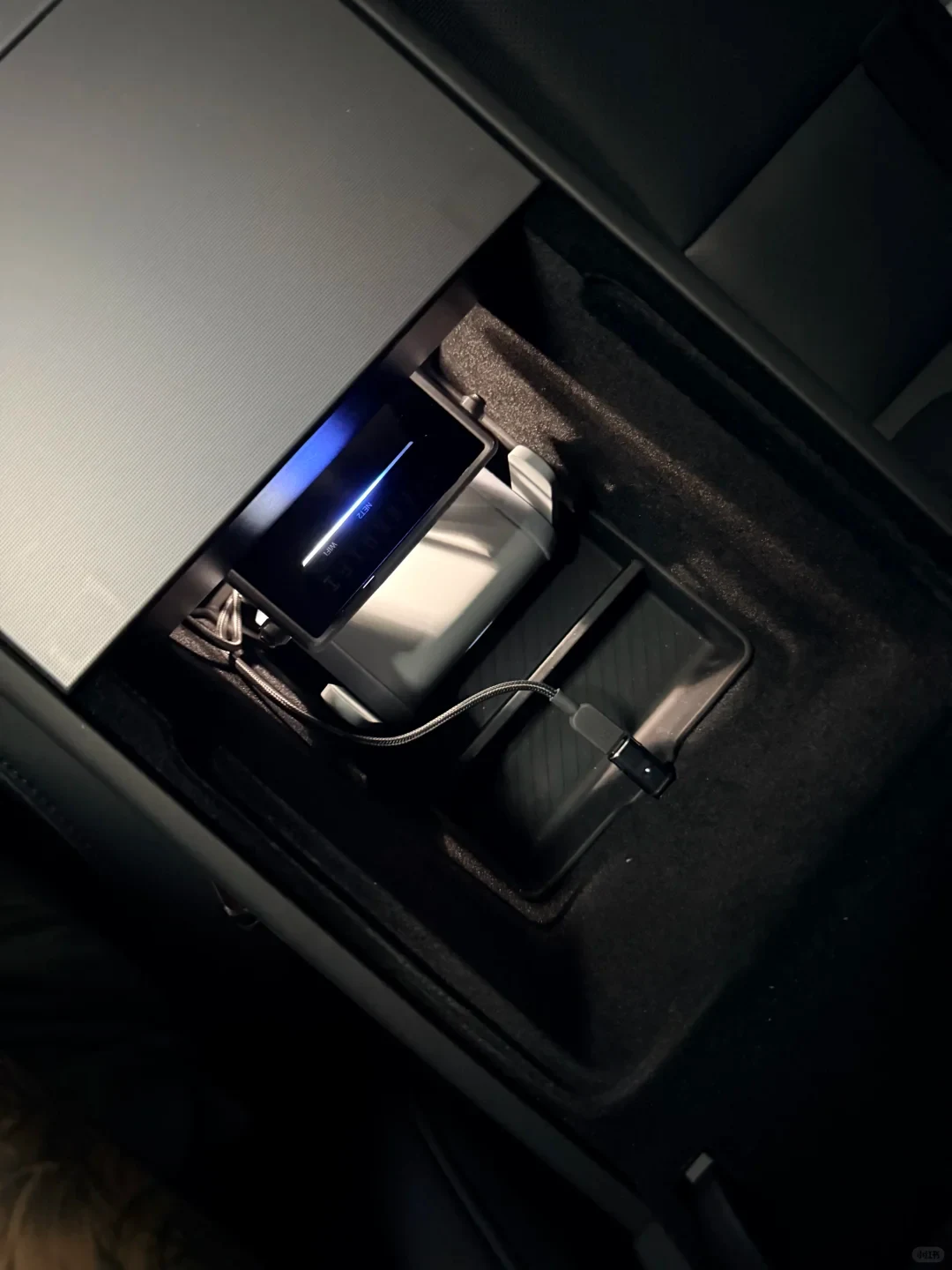
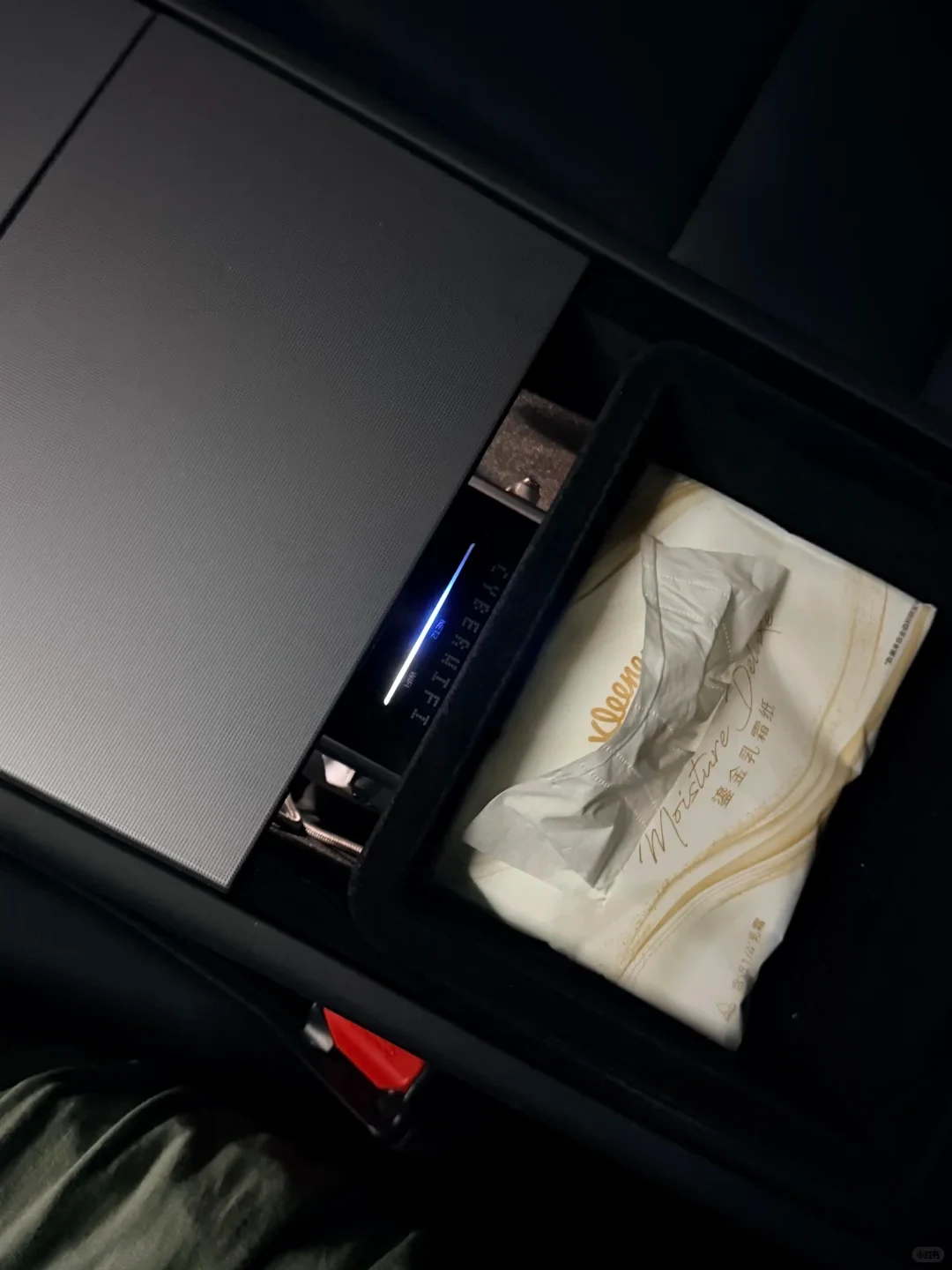
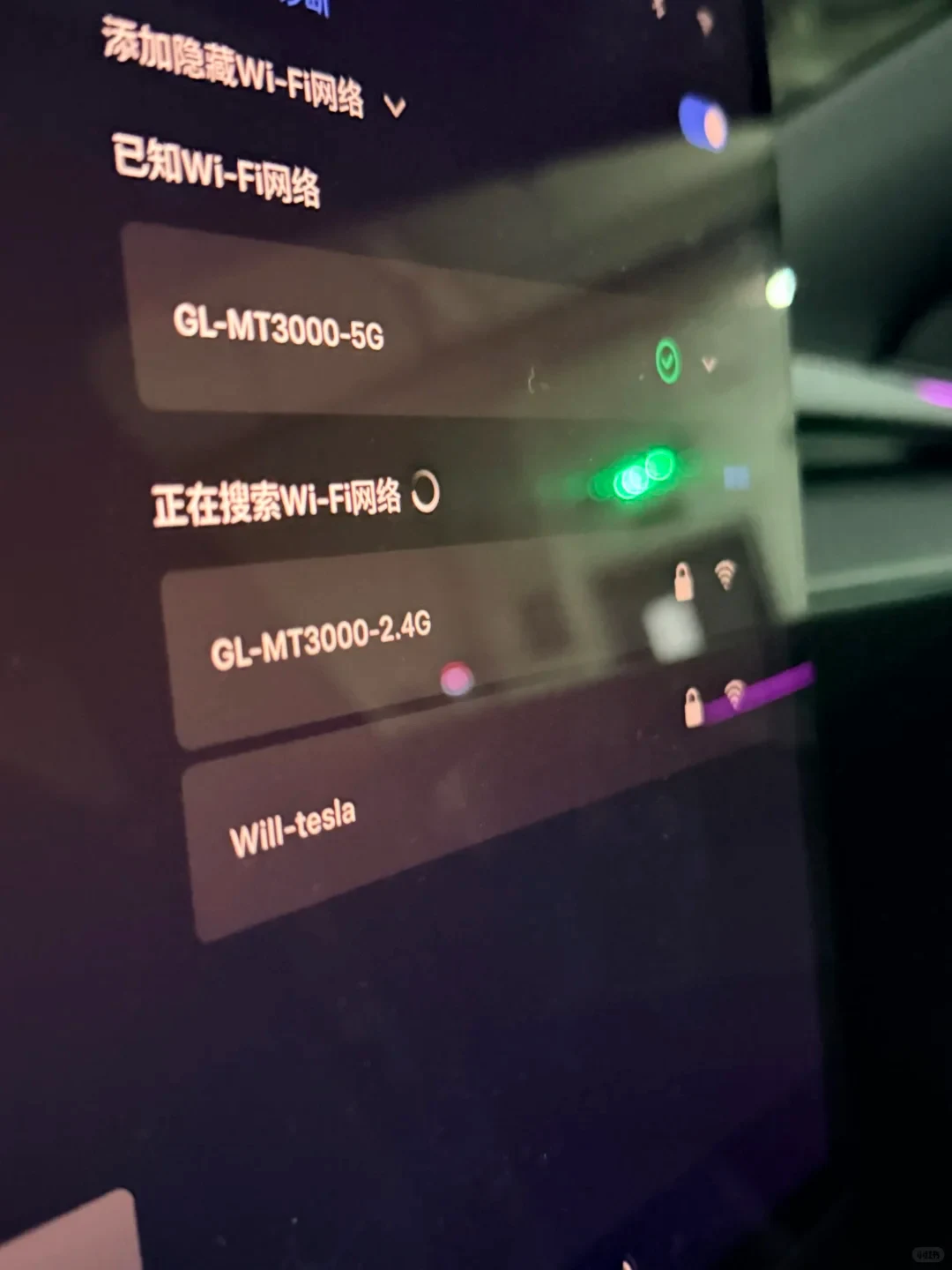
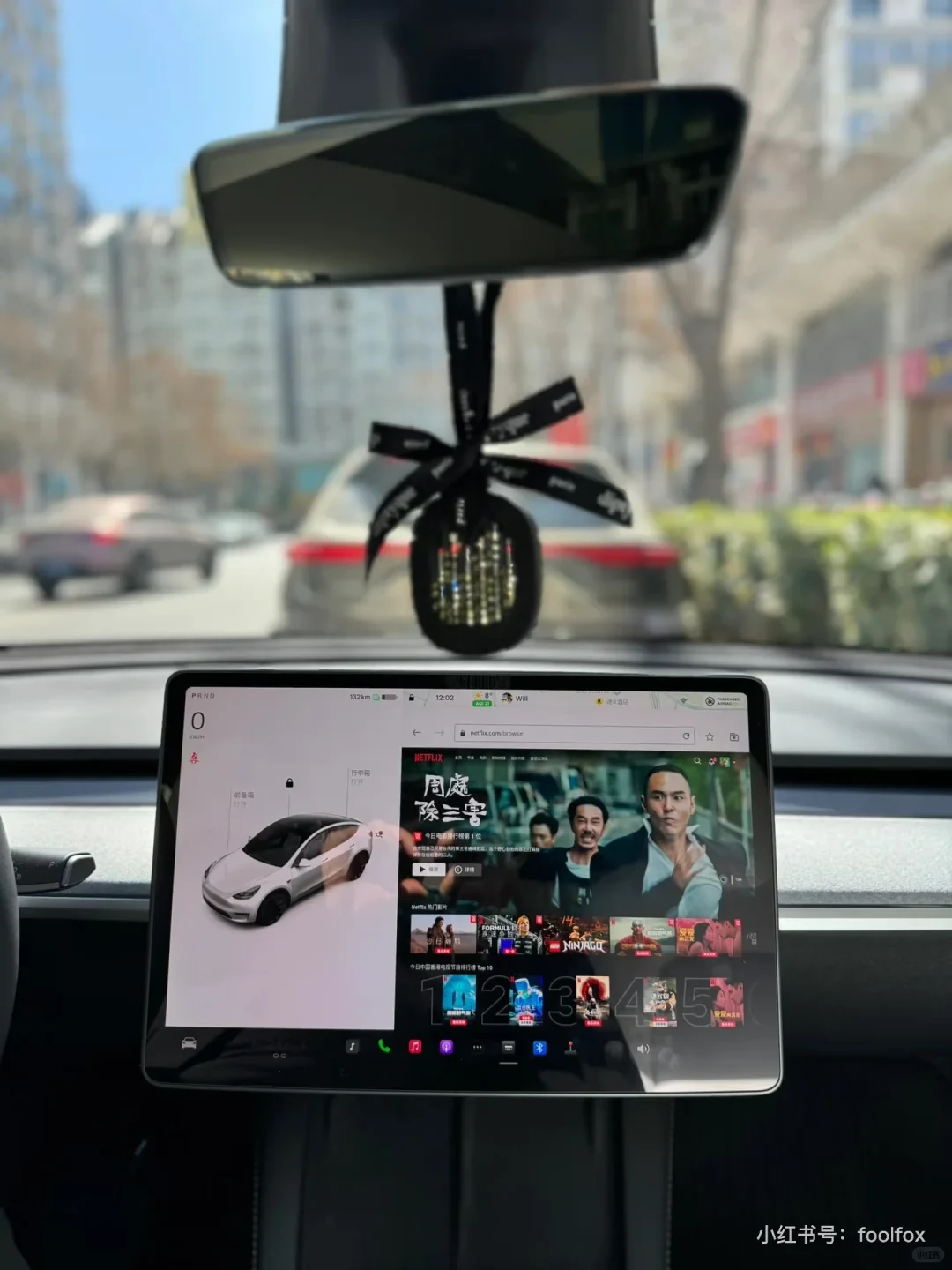

A quick note: if all you need is music and videos on iQIYI, Youku and Tencent Video, subscribe to the 9.9-yuan-per-month premium entertainment package; it’s convenient. As for why I added an MT3000 router on top of the V50, those who know, know. The main aims of this setup are:
➡️ Network support for regular OTA updates.
➡️ Watching the videos I want (with EMBY support).
The setup in my previous post already achieved these functions, but it used 4G. I’ve now upgraded it to 5G.
Main device: GL.iNet MT3000 (Luci + OP)—this is the key point.
The device I changed: I replaced my ZTE 4G USB modem with a ZTE V50.
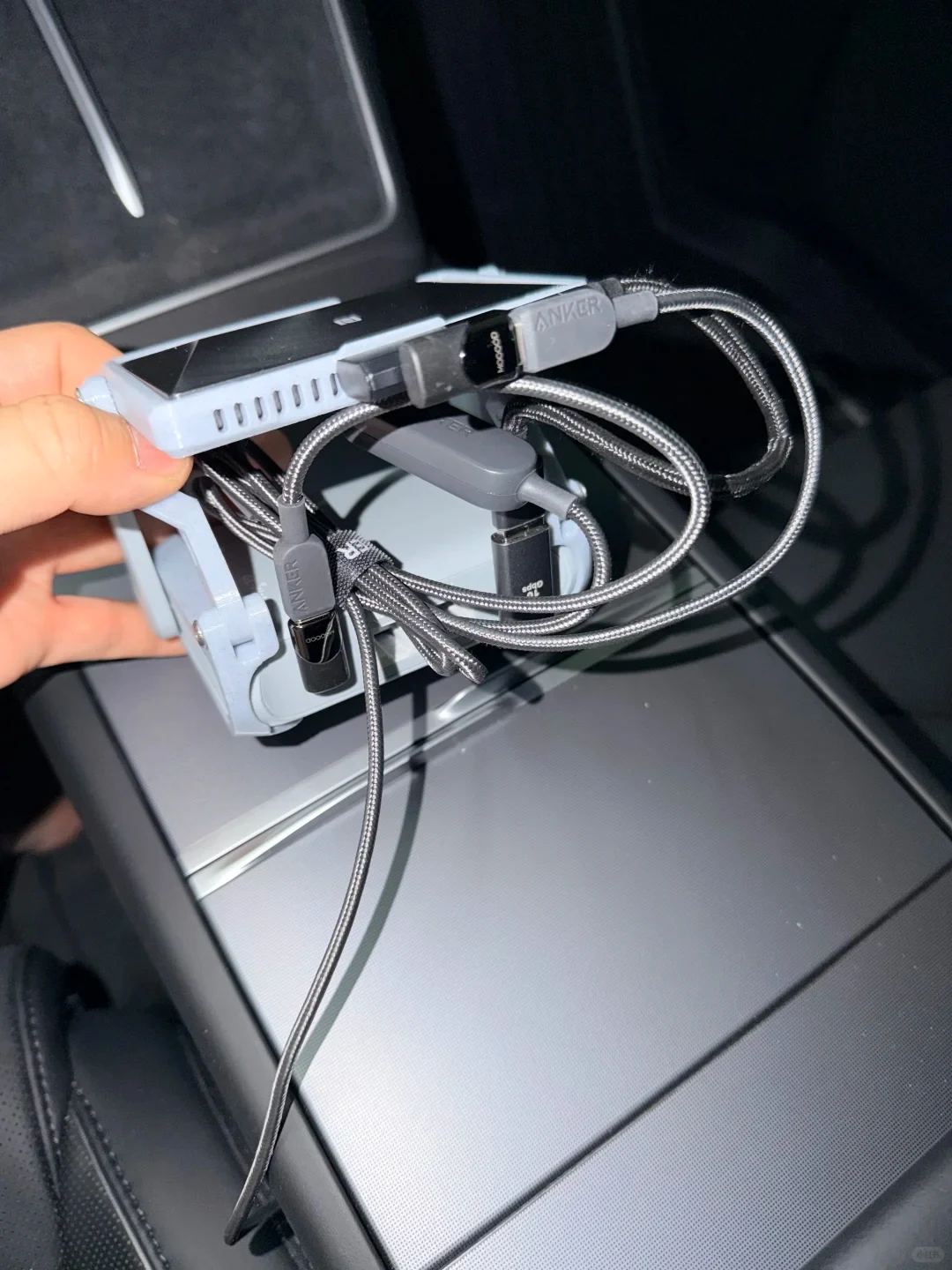
The other change was power: instead of powering the attached modem from the MT3000’s USB port, I now use an external one-to-two cable to power both the MT3000 and the V50.
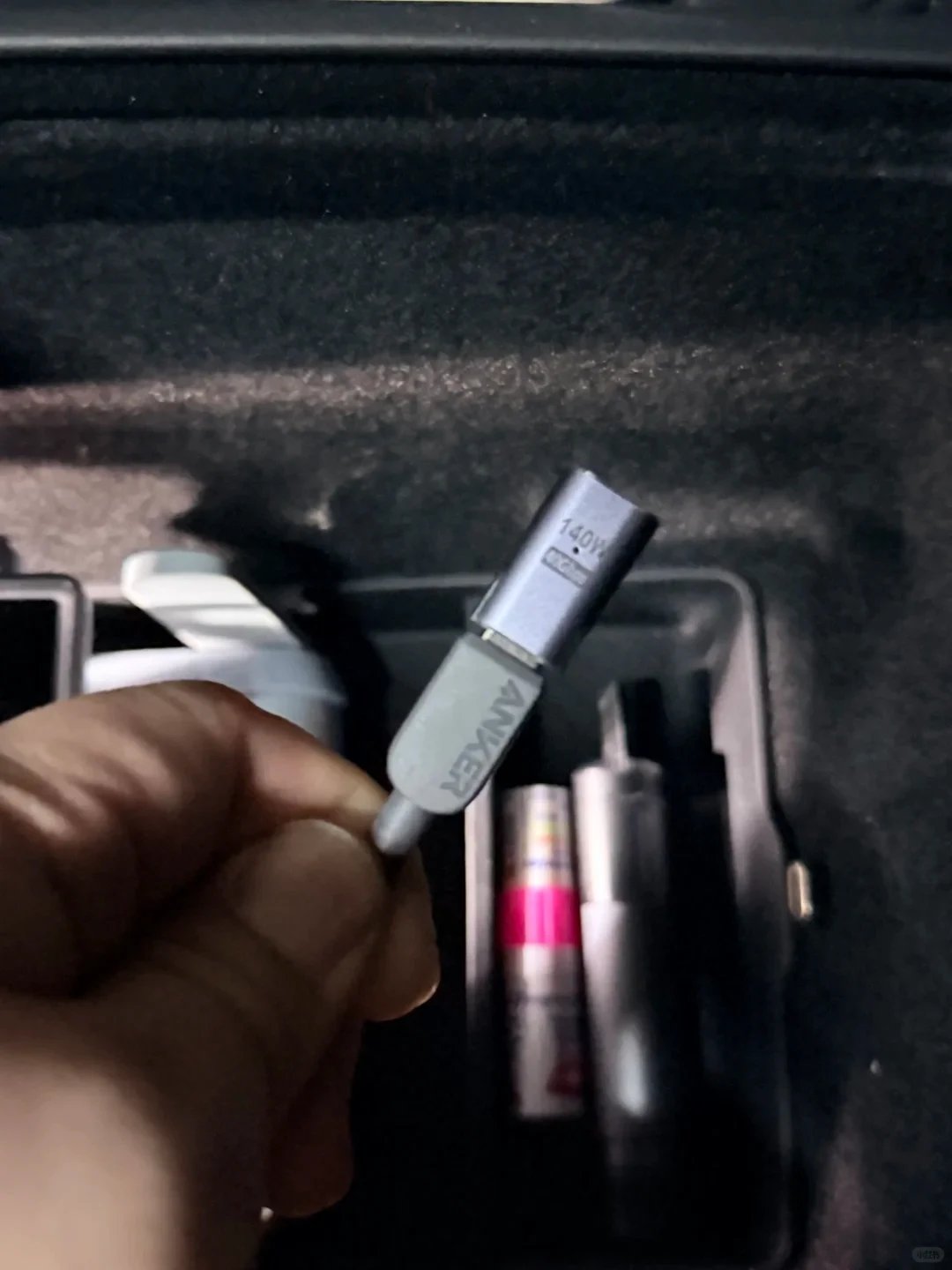
Other accessories: a 3D-printed router mount kit, a 90-degree adapter to save space, an Anker 140 W two-device cable, and a magnetic USB-C adapter so I can connect or disconnect it whenever I want.
The hardware is sorted. For the software, I open s3xy.top in the browser, switch to full screen, then open testube.app and go to the platform I want to watch.
Source: foolfox · Xiaohongshu · 2025-11-14 · 特斯拉5G随车WIFI方案迭代. Search this Chinese title in Xiaohongshu to find the original post.
Before You Buy
Models in your region
The owner identifies the router as a GL.iNet MT3000 but does not specify its regional edition or firmware build; “Luci + OP” does not establish either. The US Beryl AX is an official regional version of the GL-MT3000, but that hardware relationship does not confirm identical firmware or compatibility with the owner’s ZTE V50 setup.
| Model in this review | Related regional model | What to know |
|---|---|---|
| GL.iNet GL-MT3000 | GL.iNet Beryl AX (GL-MT3000) (United States) | The US Beryl AX is the regional version of the GL-MT3000. Its listed USB-C input is 5 V/3 A, and its USB 3.0 port is listed separately; the owner’s post does not identify the router’s regional firmware or confirm V50 compatibility. |
- Model in this review
- GL.iNet GL-MT3000
- Related regional model
- GL.iNet Beryl AX (GL-MT3000) (United States)
- What to know
- The US Beryl AX is the regional version of the GL-MT3000. Its listed USB-C input is 5 V/3 A, and its USB 3.0 port is listed separately; the owner’s post does not identify the router’s regional firmware or confirm V50 compatibility.
The power change is about the two-device layout
The owner changed from supplying power to the attached modem through the MT3000’s USB port to an external one-to-two cable supplying both the router and the ZTE V50. The post describes the wiring change but reports no measured power draw, stability results or available vehicle output. The 140 W cable description and accessory marking do not establish either device’s consumption.
For the US Beryl AX (GL-MT3000), GL.iNet lists a USB-C input of 5 V/3 A and power consumption below 8 W. Those are manufacturer specifications for the router, not measurements of the owner’s setup or confirmation that a particular car power source can run both devices.
Check firmware and modem support before copying the setup
GL.iNet’s Chinese product page says the China and overseas firmware feature sets differ and that the China model cannot switch to overseas firmware. Because the owner gives only “Luci + OP,” the router’s edition and build remain unknown; that matters when checking whether the described software setup applies to a local model.
GL.iNet GL-MT3000 · Mainland China
The global MT3000 guide lists USB tethering and cellular USB modem as internet connection options, but it does not verify the ZTE V50, third-party firmware or Tesla browser services as a supported combination. Buyers should confirm support for their specific modem and firmware rather than assume that the owner’s arrangement will transfer unchanged.
The installation prioritizes compact placement and quick disconnection
The owner chose a 3D-printed mount and a 90-degree adapter to save space, plus a magnetic USB-C adapter for easier connection and disconnection. These are the stated purposes of the accessories; the post does not give vehicle-specific clearance measurements, so buyers will need to check the fit in their own console.
Related Reading
Reviews & Guides · Computing & Networking
ACASIS M001Pro: I switched back to UGREEN for single-SSD speed
I measured 1,657/1,457 MB/s with one SSD in the ACASIS M001Pro, liked its Mac mini fit and cooling, but switched back to UGREEN.
Reviews & Guides · Computing & Networking
GL.iNet GL-MT3600BE: I preferred native OpenWrt for plugins
I found native OpenWrt on my GL-MT3600BE left more memory available for plugins, though its LuCI-only interface took more effort to use.
Reviews & Guides · Computing & Networking
eero Pro 7 and Pro 6E: a three-node home setup
I used two eero Pro 7 units and one eero Pro 6 to cover the whole house; the app labels the latter Pro 6E, a model detail buyers should check.