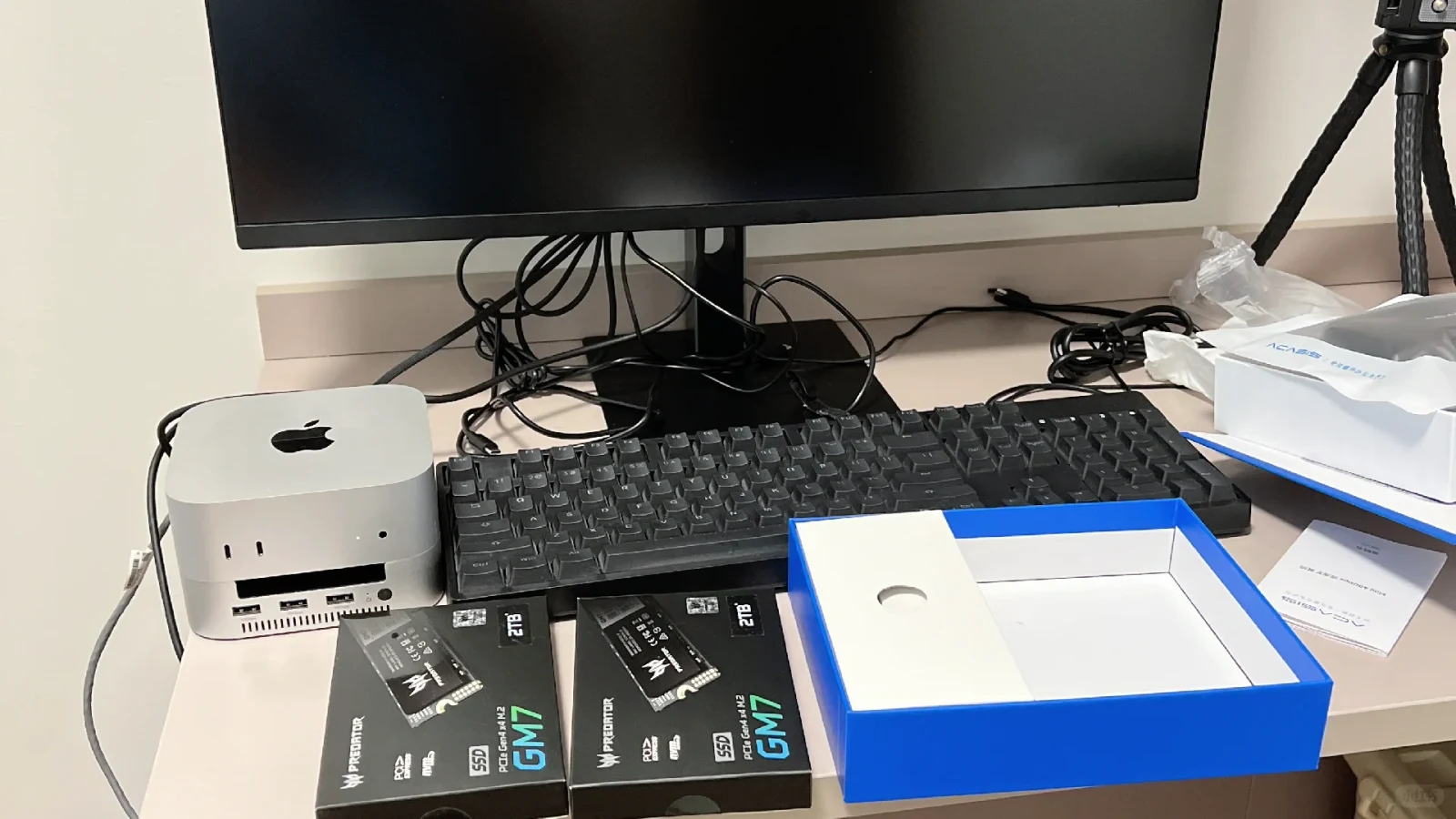
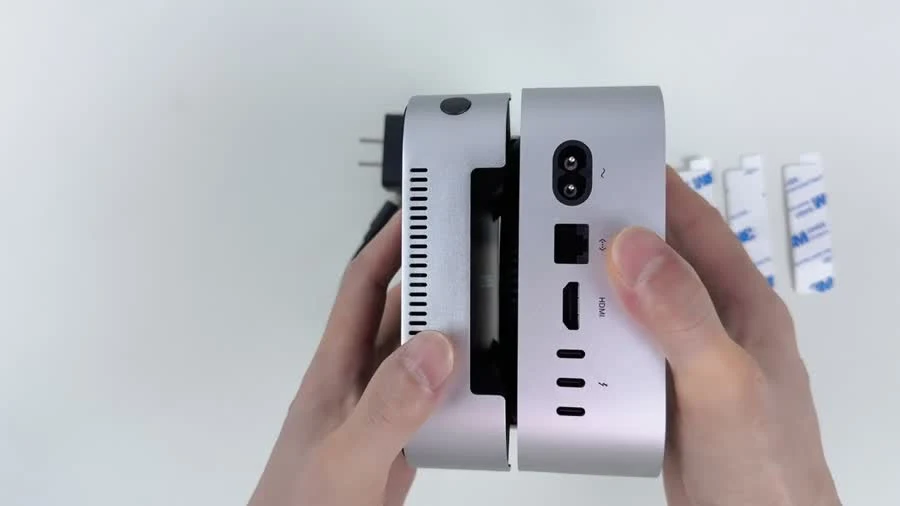
Snug fit under the Mac mini
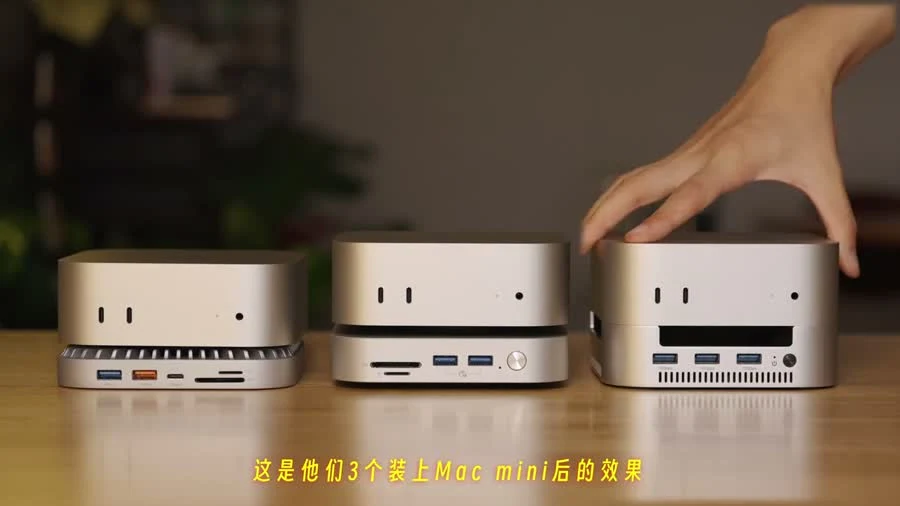
The dock lined up closely with the Mac mini. In a three-dock comparison, the M001Pro’s corner tabs kept the Mac mini steady when the presenter plugged in peripherals. [1][2]

ACASIS · Mac mini dock with dual NVMe bays
| Regional reference | Markets | Model in the reports |
|---|---|---|
| ACASIS M001Pro · 40 Gbps variant | US, EU, UK, Australia | ACASIS M001Pro |
| ACASIS M001Pro · Japanese listing | Japan |
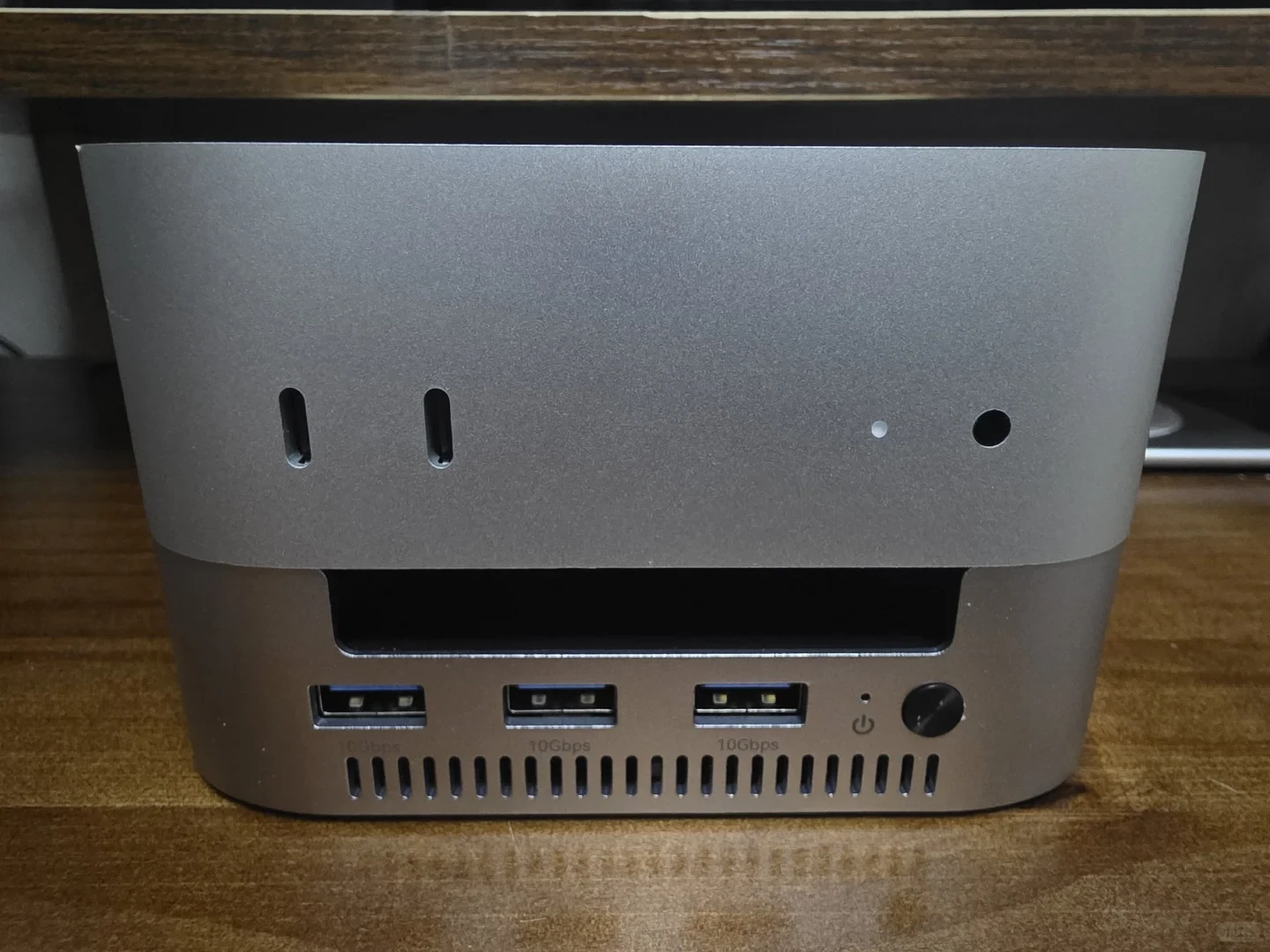
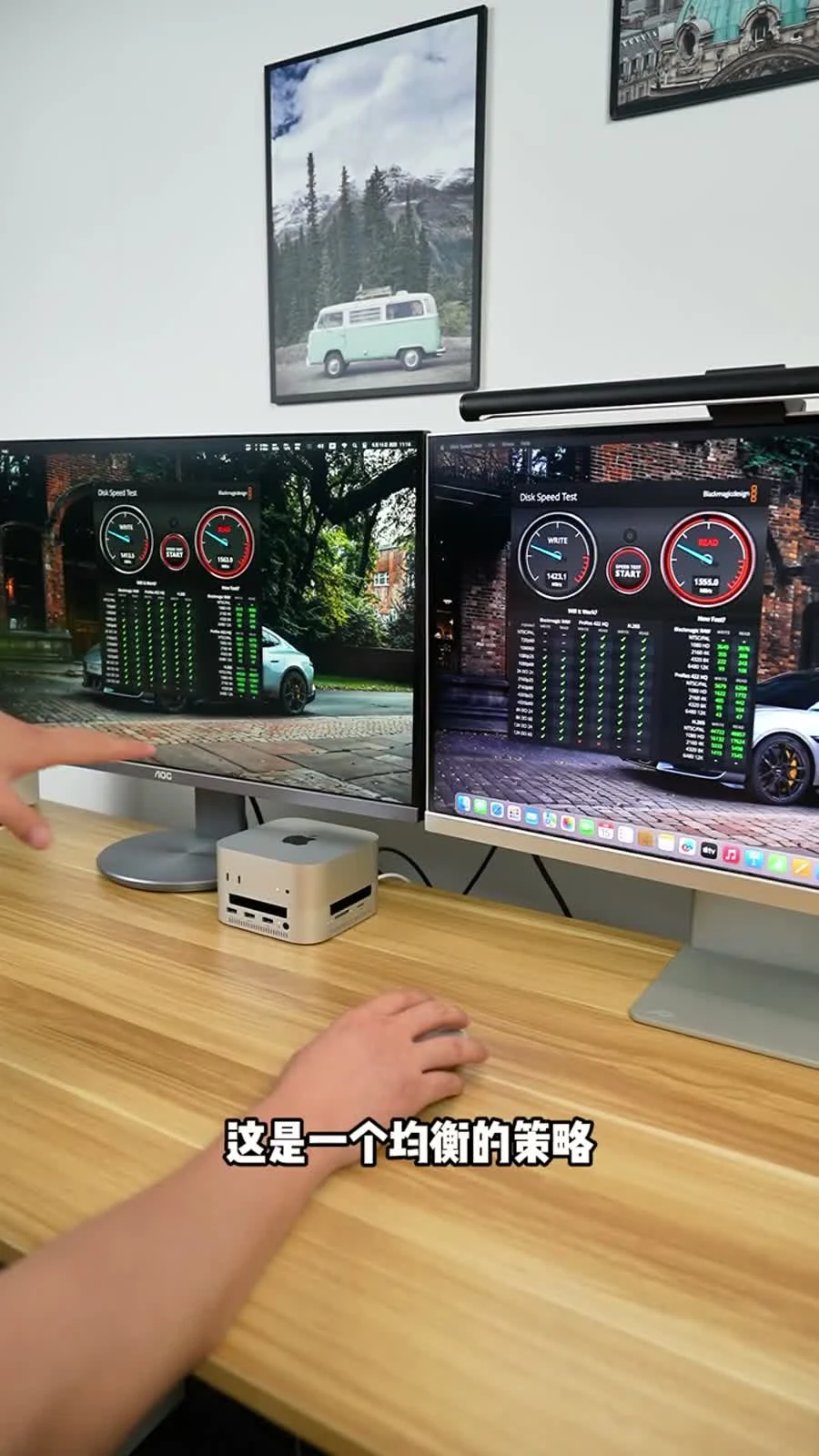
The ACASIS M001Pro fit snugly under my Mac mini and read at about 1,650 MB/s with one SSD. The fan was noticeable enough to send me back to UGREEN. Adapted from an owner review
The dock lined up closely with the Mac mini. In a three-dock comparison, the M001Pro’s corner tabs kept the Mac mini steady when the presenter plugged in peripherals. [1][2]
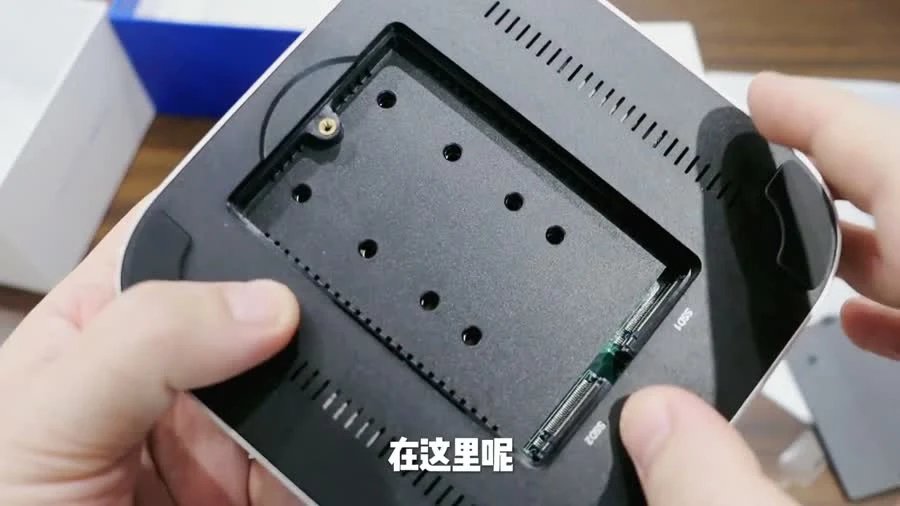
One owner found cooling effective during a short single-SSD test. After several days, another owner still felt heat around the SSD bays. [1][3]
One presenter measured about 3,173 MB/s read and 2,602 MB/s write with two Seagate SSDs in RAID 0. Another test with two 2 TB SSDs measured about 2,770 MB/s read and 2,844 MB/s write. [4][8]
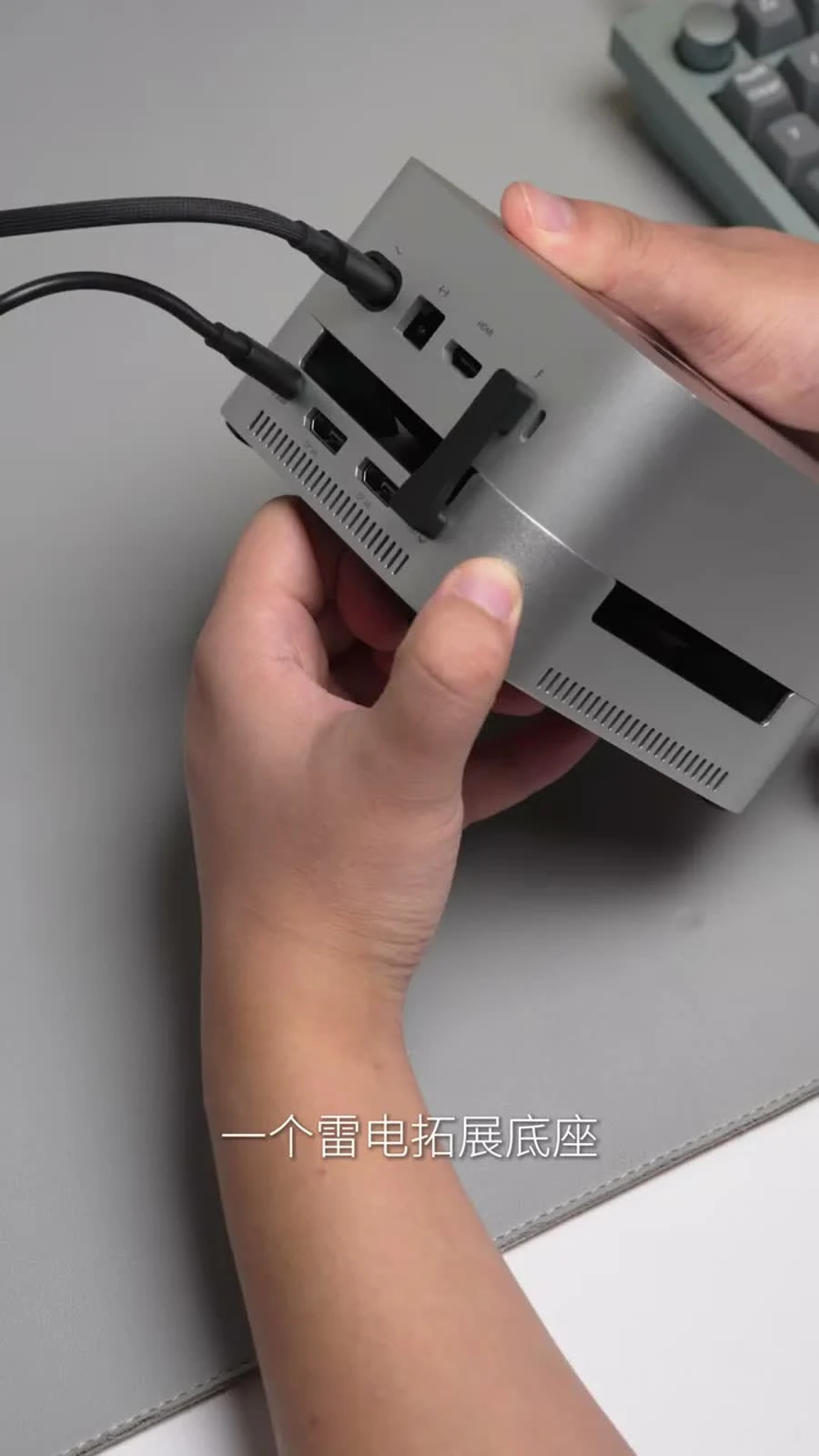
The teardown shows the dock’s spring-loaded button pressing the switch underneath the Mac mini. The presenter then used it to start the computer. [5]
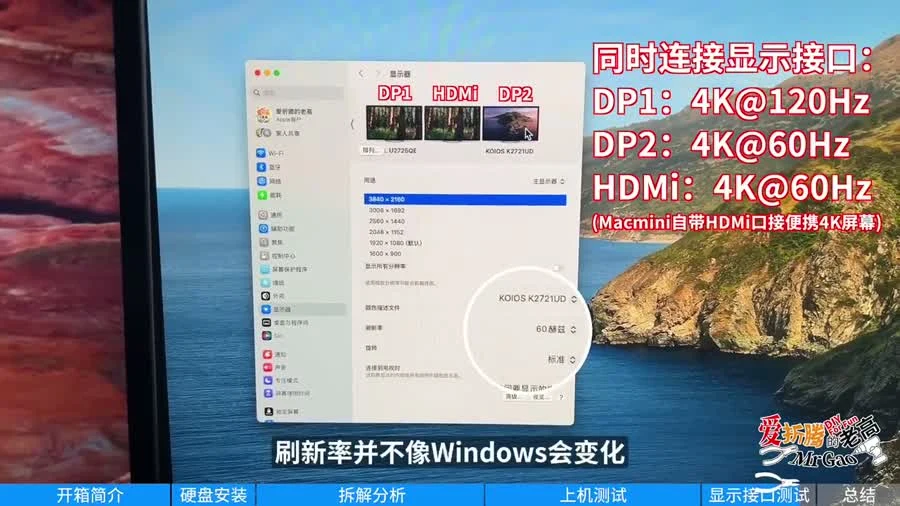
In one three-screen setup, the Dell U2725QE ran at 4K and 120 Hz. The other two ran at 4K and 60 Hz. ACASIS lists dual 4K at 60 Hz for the dock. [5]
ACASIS rates one SSD at up to 20 Gbps. Two single-drive tests reported about 1,660 to 1,690 MB/s read and about 1,460 MB/s write in their setups. [1][6]
A sound-meter test showed about 50.7 dBA close to the dock and 39 dBA at 40 cm. One owner reported that the fan ran continuously with both SSD bays empty. [1][3][4][9]
One owner kept the keyboard and mouse plugged into the monitor. They bought two SSDs for an array and found the cost excessive for their setup. [3]
A RAID 0 user cycled the dock’s power after rebooting. Another M4 Mac mini owner reported that their Samsung 990 Pro startup disk stayed visible through restarts once they switched to a single HDMI monitor. [7]
Brief test · One SSD · Mac mini
One Predator GM7 4 TB · Setup demonstration
ACASIS demonstration · Two SSDs and connected displays
SSD installation · Thermal pad and bay lights
Two SN750 SSDs in RAID 0 · Power cycle after reboot
Three Mac mini docks · One ZhiTai SSD in the M001Pro
Several days · Redmi monitor and two SSDs
Two Seagate SSDs · RAID 0 and sound meter
Sample teardown · Power button and three 4K displays