
Reviews & Guides · Computing & Networking
ACASIS M001Pro: unused ports, costly RAID plans and fan noise
Reviewed: ACASIS M001ProRegional reference: ACASIS M001Pro (US, EU and UK)
I bought the ACASIS M001Pro for my Mac mini, but its ports went unused, a two-SSD RAID felt excessive, and the fan noise bothered me.
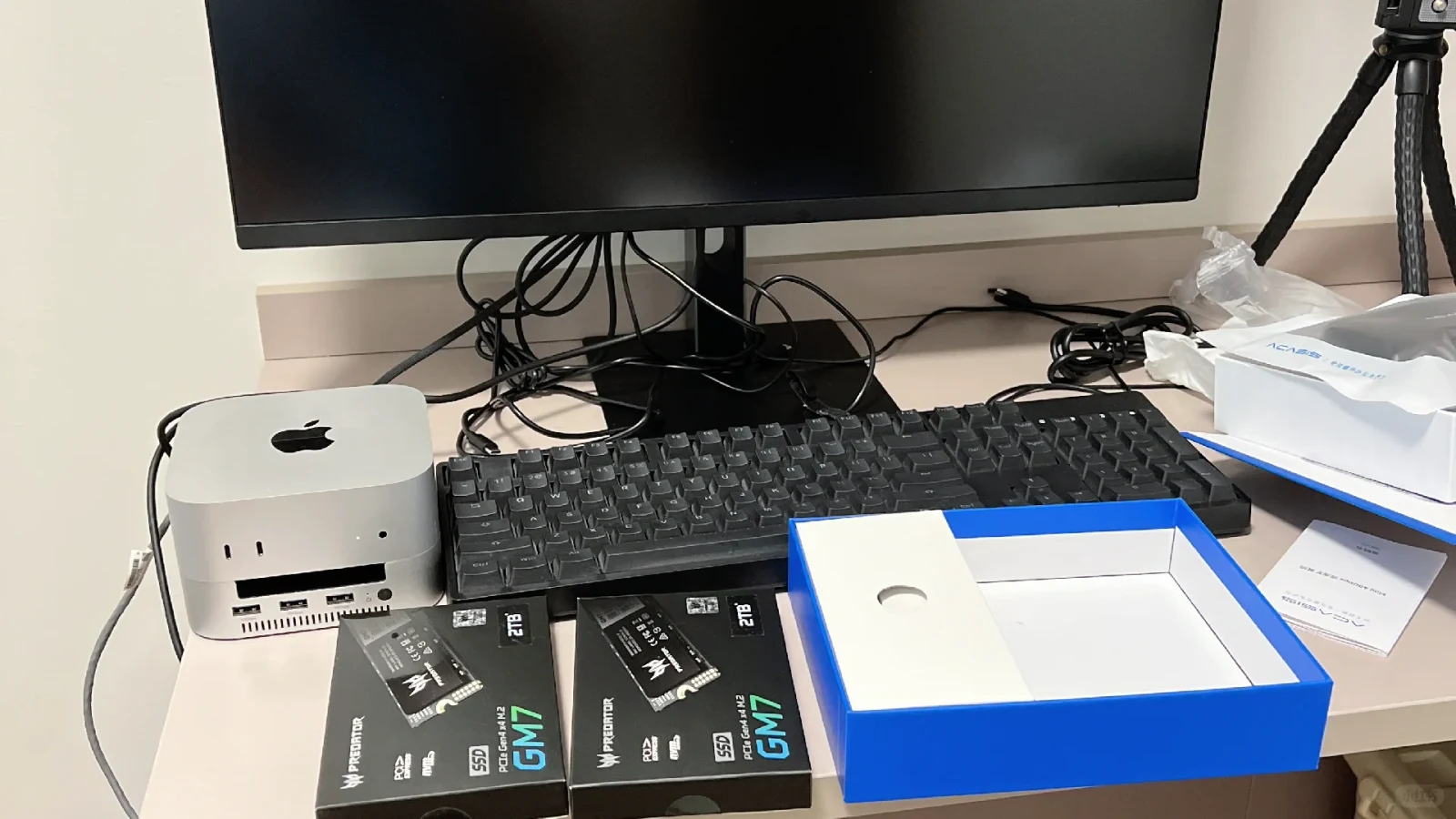
Last month, I got a Mac mini through a major shopping promotion on Pinduoduo. Around the same time, I saw this Mac mini dock launch on JD.com.
After reading the product information and reviews, it did look pretty good. I got carried away and grabbed one at launch. But after several days of actual use, I realized it really wasn’t necessary for a Mac beginner like me. I wasn’t using the ports at all! There were also a few downsides I just couldn’t put up with.
First, the good points: it has plenty of ports, supports two SSDs and can set up a disk array. It’s fast, too, and its design fits the Mac well.
But, but, but! Since buying it, I haven’t used a single port on the dock! My Redmi monitor has two built-in USB ports, so I can plug the keyboard and mouse into the monitor.
And then, and then, and then! I bought two SSDs to set up a disk array, but that felt a bit excessive for me. I chose expensive SSDs to get the most performance out of it.
Finally, finally, finally! I have to complain about this unbearable downside: the dock’s fan is kind of loud, and you can’t turn it off! My Mac mini is almost silent when it’s running, which makes the dock’s noise stand out even more. It’s annoying! And the fan doesn’t seem to cool the SSDs; the area underneath where they sit still feels really hot.
Source: 爱分享的小陈 · Xiaohongshu · 2025-06-01 · mac mini小白不建议入坑这款拓展坞🥲. Search this Chinese title in Xiaohongshu to find the original post.
Before You Buy
Models in your region
After several days with the M001Pro, the owner weighed the cost of two SSDs against how little they used the dock’s extra ports.
| Model in this review | Related regional model | What to know |
|---|---|---|
| ACASIS M001Pro | ACASIS M001Pro (US, EU and UK) | Select the 40 Gbps M001Pro on the regional product page. ACASIS lists the 10 Gbps M001 separately on the same page. |
- Model in this review
- ACASIS M001Pro
- Related regional model
- ACASIS M001Pro (US, EU and UK)
- What to know
- Select the 40 Gbps M001Pro on the regional product page. ACASIS lists the 10 Gbps M001 separately on the same page.
Check whether the ports and second SSD bay fit your setup
The M001Pro combines a multiport Mac mini dock with two M.2 SSD bays. That combination is most useful when you need the dock’s connections or plan to use both storage slots; in this owner’s setup, the monitor already provided the USB ports used by the keyboard and mouse, so the dock’s ports went unused.
Consider the cost of two drives alongside the dock. The owner bought two SSDs intending to configure a disk array, then felt that this setup was excessive for their needs. The account does not establish whether the array was completed or benchmarked, so it cannot show how fast that particular setup performed.
Understand the RAID 0 speed claim
ACASIS rates the SSD interface at up to 20 Gbps with one drive and up to 40 Gbps with two in software RAID 0. The manufacturer lists file-transfer speeds separately in MB/s. RAID 0 stripes data across both drives, so a failure in either drive can make the array unreadable.
Fan noise on a quiet desk
The fan stood out next to the owner’s nearly silent Mac mini, and the owner could not find a way to turn it off. ACASIS quotes about 52 dB for the fan system and leaves the measurement distance unspecified.
The area around the SSD bays still felt hot to the owner. The report includes no measured temperatures, so it leaves the drive temperatures and cooling effect unknown.
Related Reading

Reviews & Guides · Computing & Networking
TP-Link Deco X55 in a two-storey Australian home: Wi-Fi across 300 m²
I installed two TP-Link Deco X55 units in my 300 m², two-storey home; bedrooms that often lost Wi-Fi now had a signal throughout the house.
Reviews & Guides · Computing & Networking
TP-Link Deco X55: DNS pauses stopped for six days in access-point mode
I switched my Deco X55 to access-point mode and restored my older router to the front of the network. The DNS-like pauses stayed away for six days.
Reviews & Guides · Computing & Networking
TP-Link Deco X55 after nearly a year: six units, Teams and gaming
I’ve used six TP-Link Deco X55 units for nearly a year, including daily Teams calls and online gaming; I’ve had only one or two connectivity issues.