
Reviews & Guides · Computing & Networking
TP-Link Deco X55 in a two-storey Australian home: Wi-Fi across 300 m²
Reviewed: TP-Link Deco X55Regional reference: TP-Link Deco X55 (United States)
I installed two TP-Link Deco X55 units in my 300 m², two-storey home; bedrooms that often lost Wi-Fi now had a signal throughout the house.
A two-storey, 300-square-metre Australian house.
A solution for weak Wi-Fi: Deco Mesh.
Introduction: There may be more professional or better solutions, but this one is suitable for an electronics beginner to set up themselves and takes 10 minutes to fix poor Wi-Fi at home.
Background: My router and NBN box are in a study at one end of the house. The bedroom farthest away had a very weak signal and frequently disconnected.
You can find many TP-Link Deco Mesh models and ASUS Mesh systems by searching for “Mesh” on Amazon. Taobao also has options from Chinese brands such as Xiaomi and Huawei, but I can’t guarantee they’ll work in Australia because they require an app download. Which one to choose is a matter of personal preference. I’m using this one and am very satisfied with it so far.
A. No router: connect directly to the modem
First, this Mesh system can be used as a router. Connect it to the modem with an Ethernet cable, then download the Deco app to your phone and follow the steps to set up the main Mesh unit. Once setup is complete, it creates a Wi-Fi network. Place the other Mesh units where you think they’re suitable and plug them in; they connect automatically, with no extra steps.
B. If you already have a router
Connect the router to a Mesh unit with an Ethernet cable and follow the app’s setup steps. This gives your home two Wi-Fi networks; connect to the one from the Mesh system.
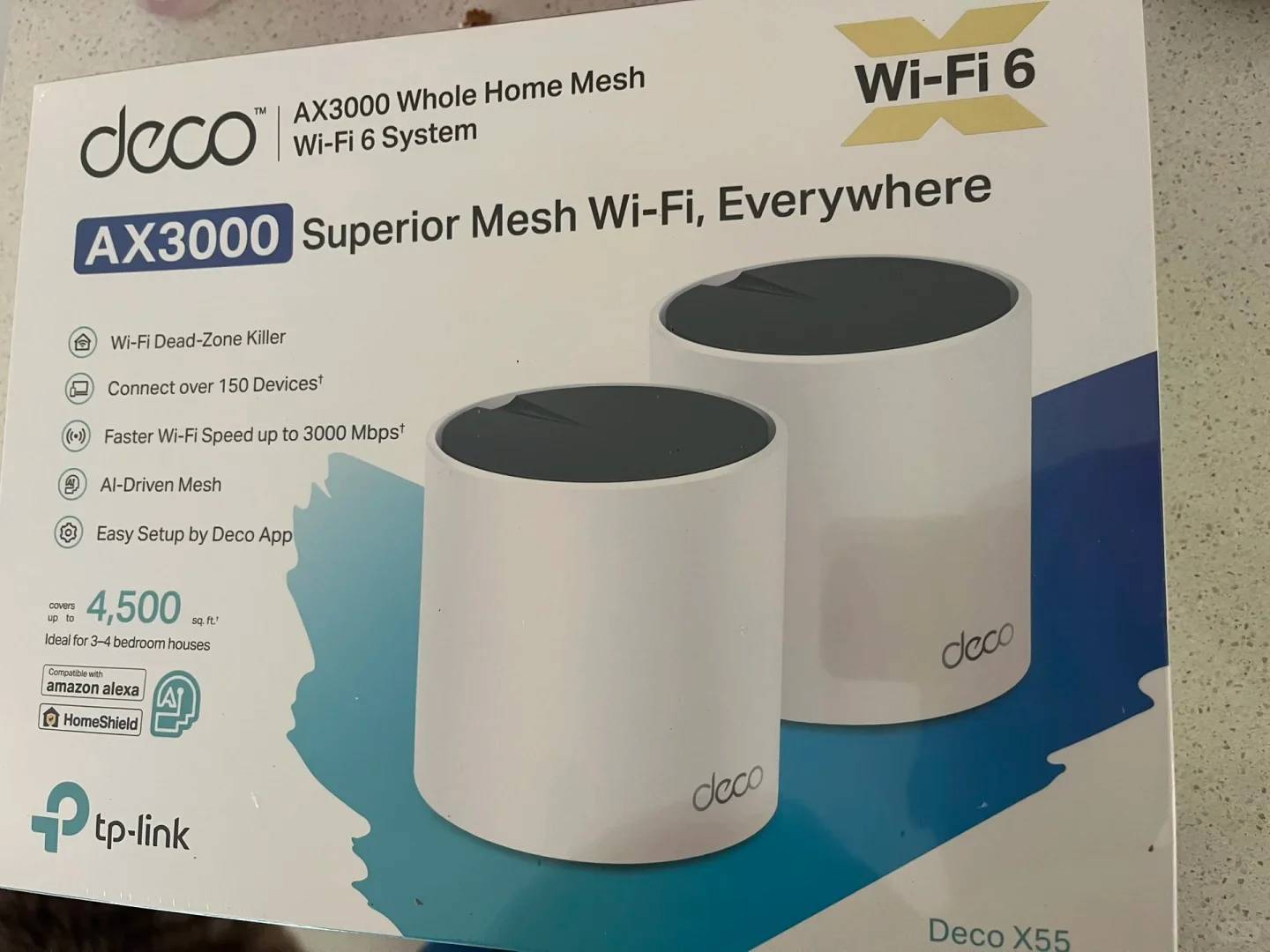
My house has 300 square metres of indoor space, two storeys and five bedrooms. I bought the two-unit Deco AX3000 shown in image 2 on Amazon for AUD $299. With one unit in the study and one in the upstairs hallway, I got full Wi-Fi coverage throughout the house without the speed dropping.
For a two-storey home, I recommend having at least two Mesh units to maximise coverage.
The cheapest options on the Australian market include Deco AC-series models, with three units costing a little over AUD $100. Those can work too; it depends on your budget and what you’re looking for.
If budget is no concern, the latest models are the Wi-Fi 7 Deco BE series: BE5000, BE10000 and BE20000.
Source: Momo · Xiaohongshu · 2025-03-13 · 🇦🇺家里Wi-Fi信号弱的解决方案(傻瓜版). Search this Chinese title in Xiaohongshu to find the original post.
Before You Buy
Models in your region
The Australian two-unit box shown in the source identifies the system as a TP-Link Deco X55 AX3000. The official evidence supplied here describes the US-market Deco X55; it confirms the X55’s Wi-Fi 6 and AX3000 specifications, but does not establish the Australian unit’s hardware version, firmware or exact regional configuration. The owner’s coverage result applies to her two-unit setup and house layout.
| Model in this review | Related regional model | What to know |
|---|---|---|
| TP-Link Deco X55 AX3000, two-unit Australian package | TP-Link Deco X55 (United States) | The box identifies the reviewed system as an X55, and the official US listing confirms the X55 as a dual-band AX3000 Wi-Fi 6 mesh system. The listing does not confirm the Australian package’s hardware version or firmware, so check regional specifications and support before purchase. |
- Model in this review
- TP-Link Deco X55 AX3000, two-unit Australian package
- Related regional model
- TP-Link Deco X55 (United States)
- What to know
- The box identifies the reviewed system as an X55, and the official US listing confirms the X55 as a dual-band AX3000 Wi-Fi 6 mesh system. The listing does not confirm the Australian package’s hardware version or firmware, so check regional specifications and support before purchase.
What the Deco X55 offers
The officially listed US Deco X55 is a dual-band AX3000 Wi-Fi 6 mesh system, with three Gigabit WAN/LAN auto-sensing ports on each unit and optional Ethernet backhaul. Those specifications apply to the US listing; the Australian package’s hardware version and firmware are not established here, so verify local specifications when those details matter to your setup.
The X55 is distinct from the X55 Pro. Do not assume specifications or features for the Pro apply to the X55; the evidence supplied here does not provide a feature-by-feature comparison between them.
Plan placement around your home
A two-unit setup gave the owner full-home Wi-Fi in her 300 m², two-storey, five-bedroom house, with one unit in the study and the other in the upstairs hall. This is one result in a particular layout, not a guarantee for other homes: the official listing notes that coverage and throughput depend on layout, building materials, placement, connected clients and backhaul.
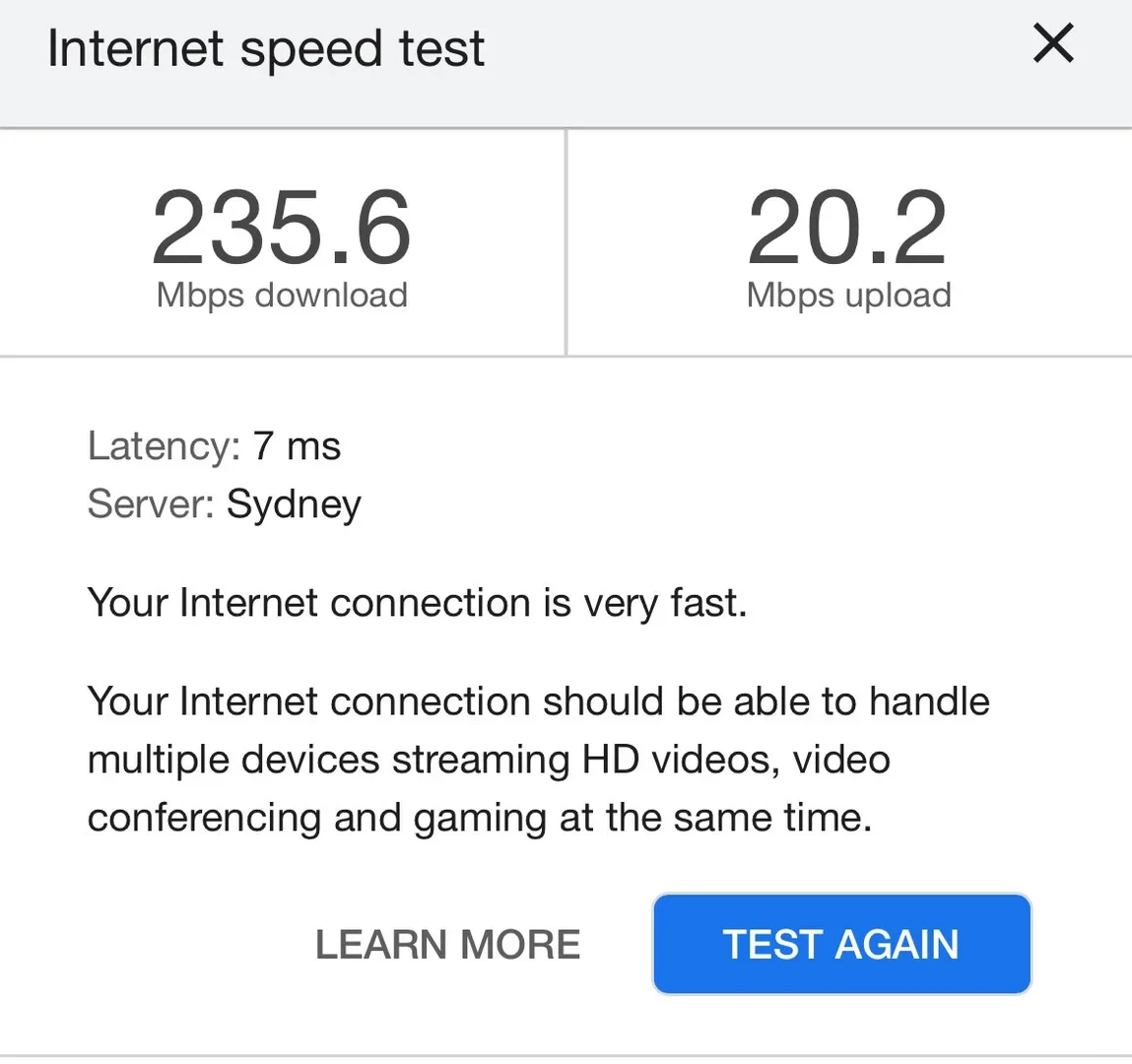
The owner recommends at least two mesh units for a two-storey house. Treat that as her placement advice rather than a universal unit count: the official listing does not promise coverage for every home of a given size, and the source does not report a controlled before-and-after speed test. Its speed-test image shows 235.6 Mbps download and 20.2 Mbps upload, but does not establish the test conditions or that those figures represent performance throughout the home.
Choose the setup that fits your existing network
The owner describes two ways to set up the system: connect the main Mesh unit to a modem and use the Deco app, or connect a Mesh unit to an existing router and follow the app’s steps. In her description, the second option leaves two Wi-Fi networks, so devices need to join the Mesh network to use it. The source does not specify the router configuration or whether any network settings were changed.
For a wired connection between units, the official US X55 listing specifies optional Ethernet backhaul and three Gigabit WAN/LAN auto-sensing ports per unit. The Australian package’s exact hardware version is unknown, so confirm that its local specifications and your intended wiring support the setup before relying on those details.