
Reviews & Guides · Computing & Networking
ASUS ROG GS7: speed recovered after a reset, but Wi-Fi issues remained
Reviewed: ASUS ROG GS7, Xiaomi Router AX6000Regional reference: ASUS ROG GS7 (China); ASUS ROG Strix GS-BE18000 (US)
I compared the ROG GS7 with my Xiaomi AX6000 at six spots. A reset and Australia mode later improved speeds, but some Wi-Fi problems remained.

Owner Reviews
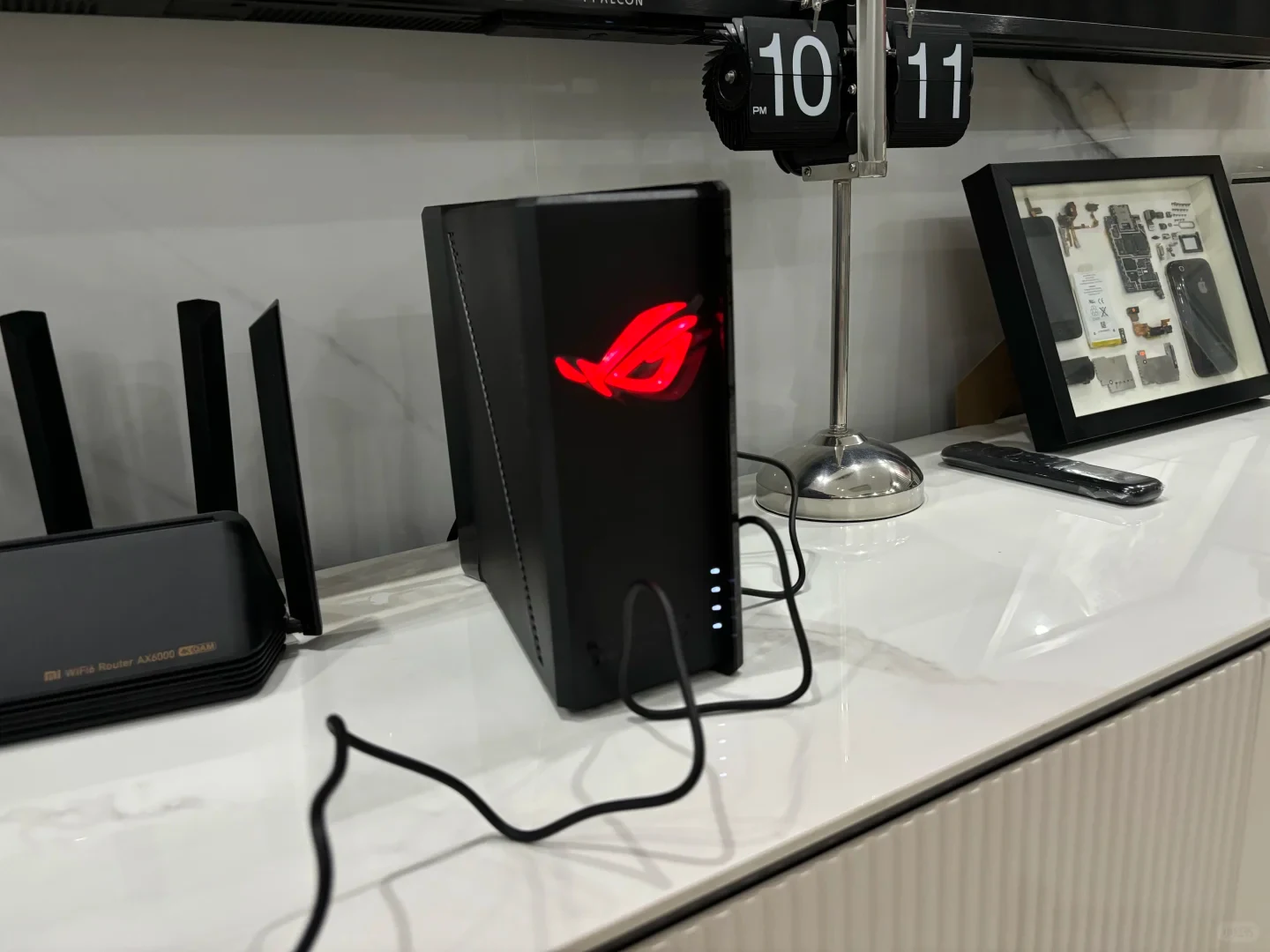
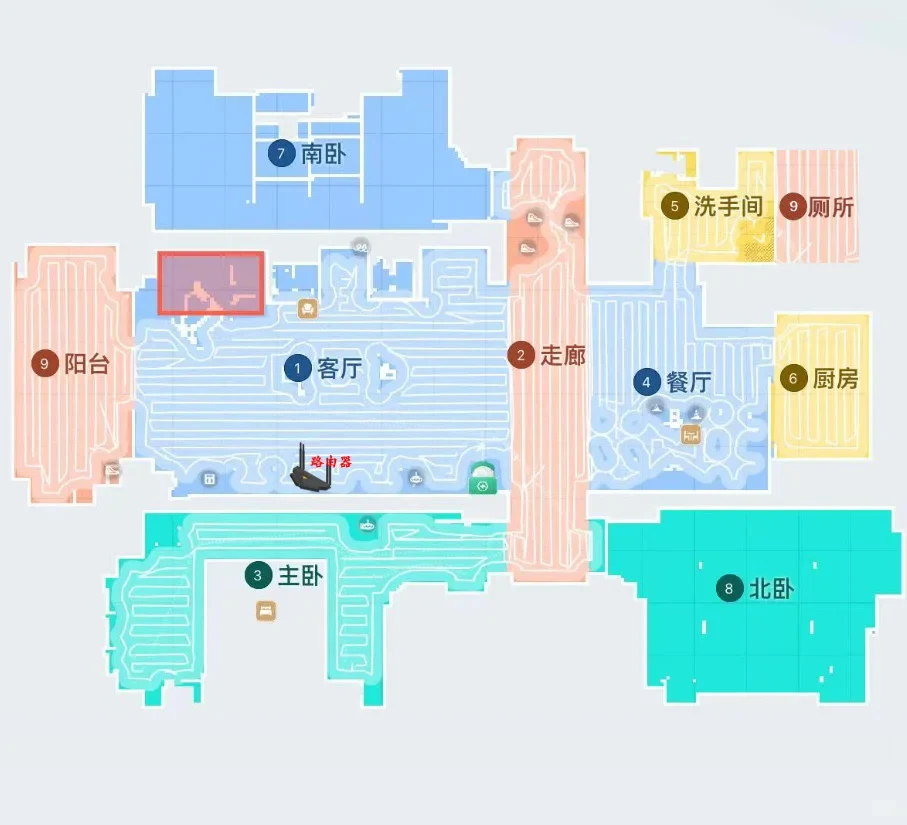
The floor plan in photo three shows my home. I kept the router in the same position and tested six locations with a Xiaomi AX6000 and the ROG GS7. The difference was pretty large. The Xiaomi is a five-year-old Wi-Fi 6 router, so I thought the ROG GS7’s signal—despite its light—would at least be better than the Xiaomi’s, even if it couldn’t match routers at the same price. I didn’t expect such a big gap: at the farthest bathroom, the GS7 even lost its connection. (Turning on Australia mode seemed to make no difference.)
Source: 度儿芹菜 · Xiaohongshu · 2026-05-26 · ROG魔盒使用体验太差了(修改:图四已道歉). Search this Chinese title in Xiaohongshu to find the original post.
Before You Buy
Models in your region
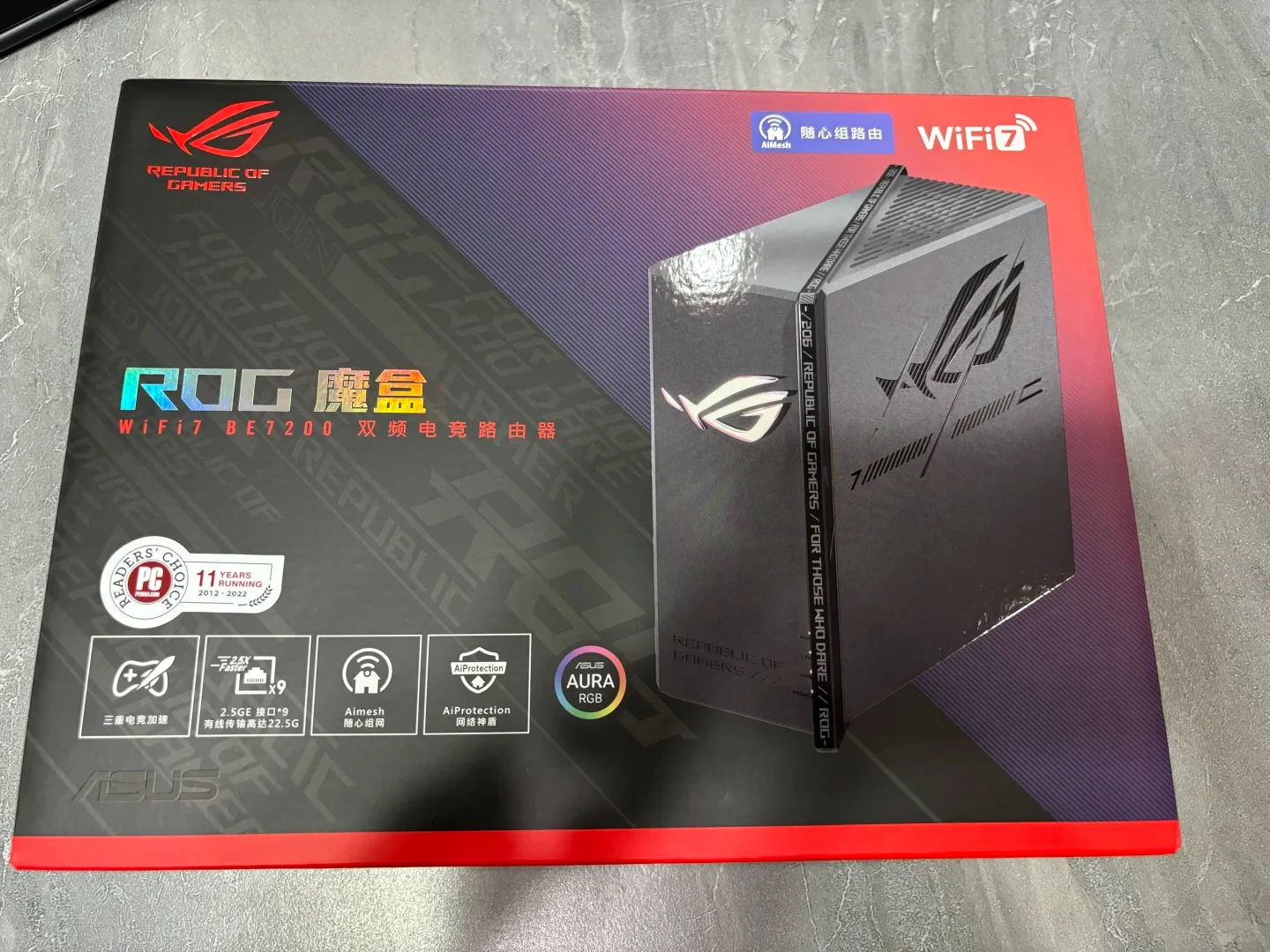
The source experience is with the China-market ASUS ROG GS7, also called ROG Mohe in China; ASUS identifies the GS7 as the China product. The US ROG Strix GS-BE18000 is a separate, related model, not a verified regional version of the GS7. The GS7’s home results do not establish how the US model performs.
| Model in this review | Related regional model | What to know |
|---|---|---|
| ASUS ROG GS7 | ASUS ROG GS7 (China) | This is the China-market model used in the six-location comparison. ASUS lists it as a dual-band Wi-Fi 7 BE7200 router with 160 MHz support; those specifications do not explain the author’s initial bathroom dropout or later speed improvement. |
| ASUS ROG Strix GS-BE18000 | ASUS ROG Strix GS-BE18000 (US) | A separate US-market ROG gaming router, not an established regional equivalent of the GS7. It is tri-band, adds 6 GHz and 320 MHz support, and has one 2.5G WAN port and seven 2.5G LAN ports; the GS7 experience does not verify its performance or regional settings. |
- Model in this review
- ASUS ROG GS7
- Related regional model
- ASUS ROG GS7 (China)
- What to know
- This is the China-market model used in the six-location comparison. ASUS lists it as a dual-band Wi-Fi 7 BE7200 router with 160 MHz support; those specifications do not explain the author’s initial bathroom dropout or later speed improvement.
- Model in this review
- ASUS ROG Strix GS-BE18000
- Related regional model
- ASUS ROG Strix GS-BE18000 (US)
- What to know
- A separate US-market ROG gaming router, not an established regional equivalent of the GS7. It is tri-band, adds 6 GHz and 320 MHz support, and has one 2.5G WAN port and seven 2.5G LAN ports; the GS7 experience does not verify its performance or regional settings.
What changed after the GS7 reset
The author’s follow-up changed the initial comparison: after restoring the GS7 to factory settings and turning Australia mode back on, the author said its signal and speed improved and exceeded the Xiaomi AX6000. The cause is unresolved—the author was unsure whether a software bug or a previous setting explained the earlier result—so the initial test and later result should be read as separate observations, not a confirmed fix.
The later results were mixed rather than a clean resolution. With band steering enabled, the author recorded 160 Mbps on an Android phone close to the router and 400 Mbps at the farthest bathroom; the router showed the phone on 2.4 GHz during the nearby slow test. Turning the phone’s Wi-Fi off and on restored speed at the same location. The author suspected band switching, but did not confirm the cause.
Other devices behaved differently: the author said an iPhone’s speed and latency were generally stable, while a TV did not reconnect to Wi-Fi automatically after a router restart. The cause of the TV issue was unknown, and the author noted that it had reconnected automatically with the previous router. During three to four hours of testing, the GS7 also disconnected once at the farthest bathroom.
Compare the same device, band and location
For a similar speed change, keep the phone and test position fixed and record the connected band before reconnecting Wi-Fi. In this account, toggling Wi-Fi at the same location brought speed back, and the router showed a 2.4 GHz connection during the slower nearby test. Those observations give a more useful support record than comparing two rooms without recording the band.
The US ROG Strix GS-BE18000 has a different configuration: it is tri-band with 6 GHz and 320 MHz support, plus one 2.5G WAN and seven 2.5G LAN ports. ASUS’s listed features do not establish shared firmware, region settings, or equivalent performance with the China GS7. Buyers should check the exact model and market rather than applying the GS7 owner’s settings or results to this separate router.
Related Reading

Reviews & Guides · Computing & Networking
TP-Link Deco X55 in a two-storey Australian home: Wi-Fi across 300 m²
I installed two TP-Link Deco X55 units in my 300 m², two-storey home; bedrooms that often lost Wi-Fi now had a signal throughout the house.
Reviews & Guides · Computing & Networking
TP-Link Deco X55: DNS pauses stopped for six days in access-point mode
I switched my Deco X55 to access-point mode and restored my older router to the front of the network. The DNS-like pauses stayed away for six days.
Reviews & Guides · Computing & Networking
TP-Link Deco X55 after nearly a year: six units, Teams and gaming
I’ve used six TP-Link Deco X55 units for nearly a year, including daily Teams calls and online gaming; I’ve had only one or two connectivity issues.