
Reviews & Guides · Computing & Networking
ASUS RT-BE88U: mesh dropouts after a year and troubleshooting results
Reviewed: ASUS RT-BE88URegional reference: ASUS RT-BE88U (US)
After a year of mesh use, I had dropouts, packet loss and buffering with my ASUS RT-BE88U. Three ISP visits did not resolve them; later speed tests looked good.

- The setup: My main router was an ASUS RT-BE88U in the living room, paired with a secondary ASUS Tianxuan gaming router in the gaming room.
- What happened: After a year of use, the network began dropping connections and losing packets, and sometimes went offline altogether. It became increasingly sluggish—even images had to buffer. Three visits from China Telecom engineers did not solve the problem.
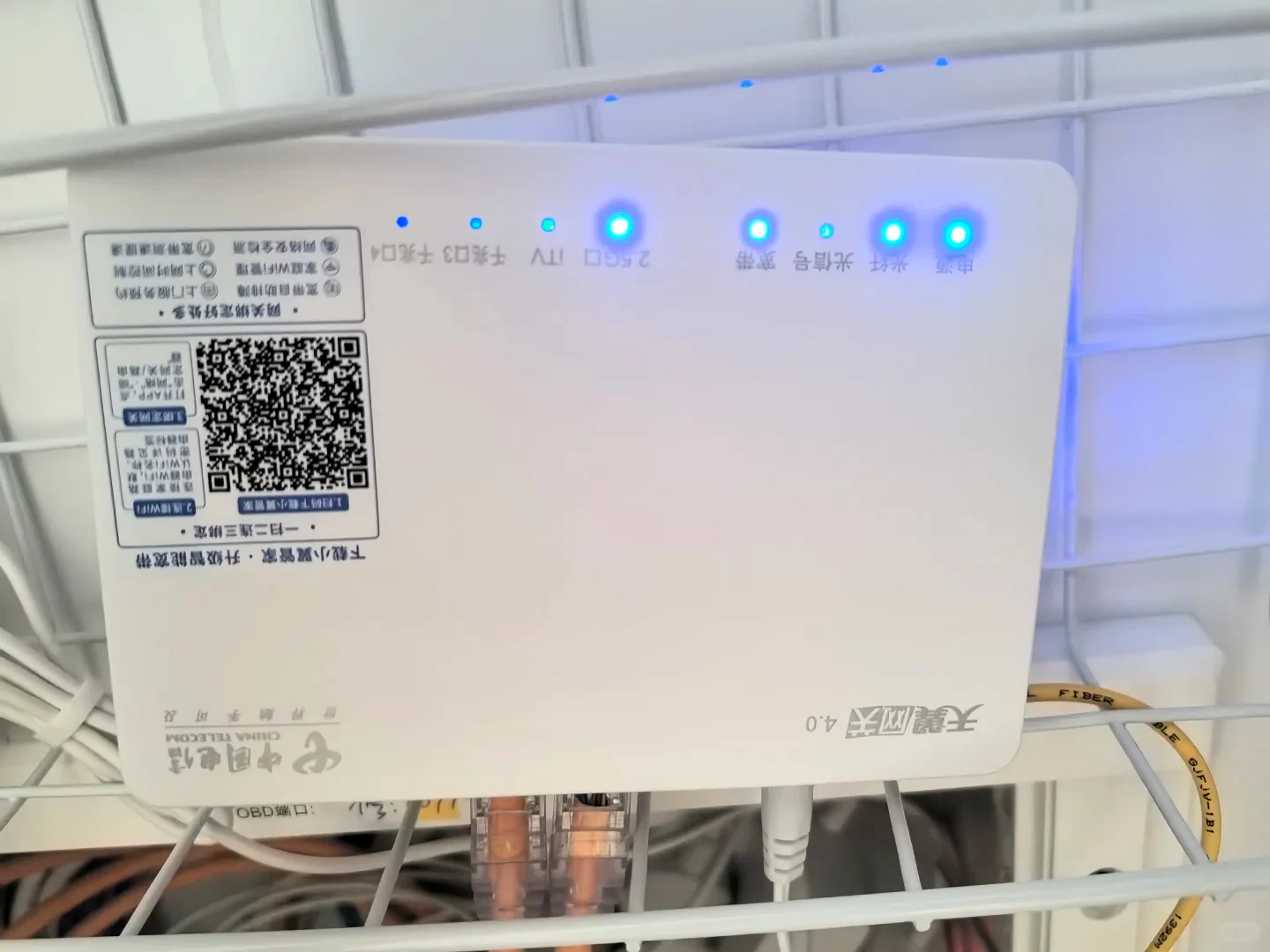
- What I tried: I checked the switch, optical modem, Ethernet cables and connectors, and China Telecom changed the PON port. I then found a firmware compatibility problem between the two routers: the BE88U has a Broadcom processor, while the Tianxuan has a MediaTek processor; the Tianxuan firmware was old, and it was a Wi-Fi 6 model from a different generation. Either replace the Tianxuan router or install Merlin firmware on the BE88U, using the source code ASUS released, then adjust the settings. If possible, also replace the optical modem with a 2.5G model (photo 3).
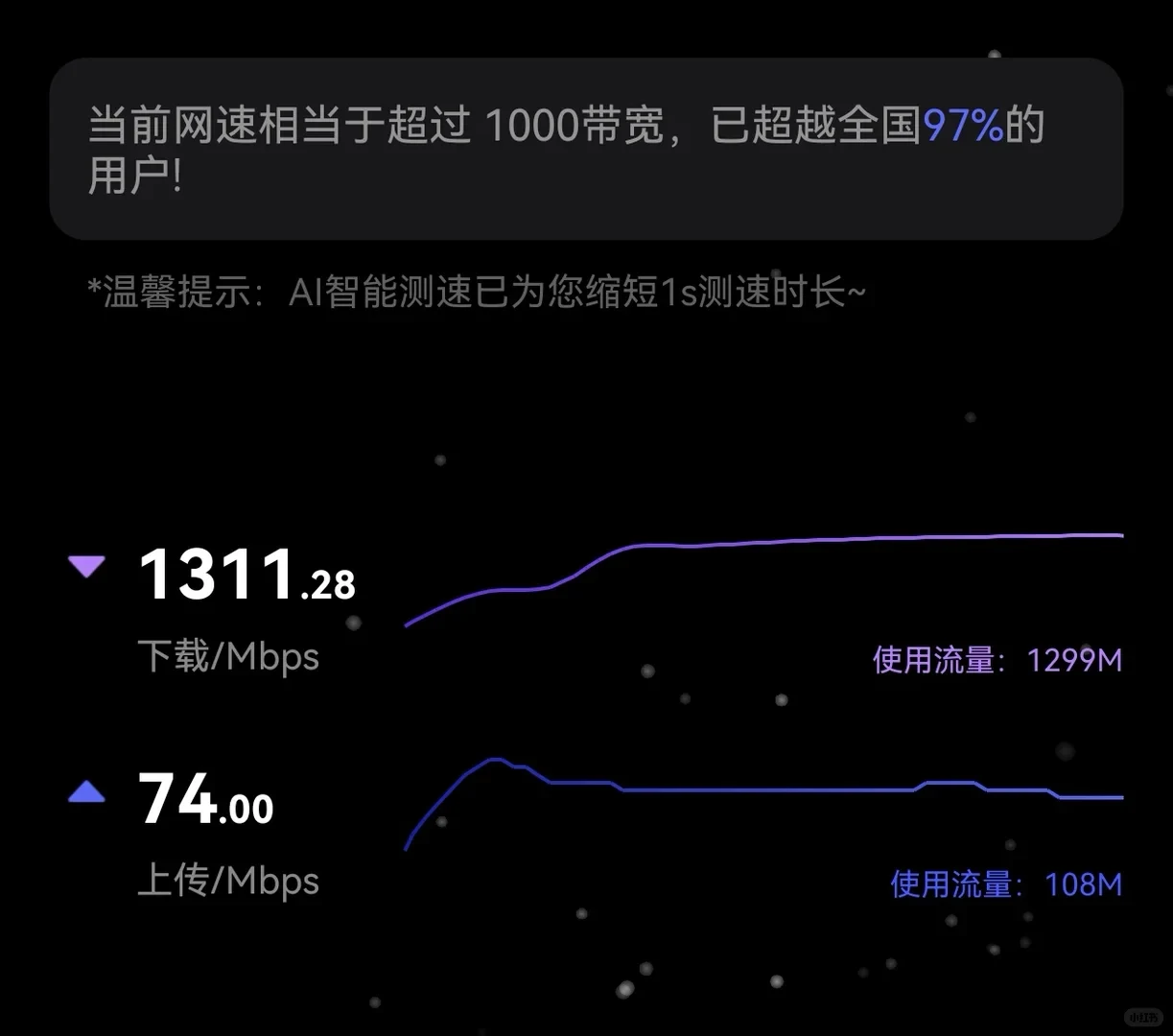
- The results: The Huaban speed test and Global Network Test results looked very good (photos 1 and 2). With a public IP address, adding a tool to access blocked sites could make it even nicer.
- My takeaway: Before setting up a home mesh network, do your research and ask knowledgeable people for recommendations. If you have children, I would avoid ASUS.
Tags: broadband, routers, Wi-Fi, mesh networking, uninterrupted internet.
Source: 软软m2n · Xiaohongshu · 2025-07-27 · 华硕路由器组网mesh丢包断流解决方案. Search this Chinese title in Xiaohongshu to find the original post.
Before You Buy
Models in your region
The owner identifies the main router as an ASUS RT-BE88U, but does not provide its complete regional SKU or firmware version. The US RT-BE88U is an official regional version of the same named model; its specifications help identify what that US model offers, but do not establish the configuration or service eligibility of the owner's unit.
| Model in this review | Related regional model | What to know |
|---|---|---|
| ASUS RT-BE88U | ASUS RT-BE88U (US) | The US RT-BE88U is the same named model as the owner’s main router, though the owner’s regional SKU and firmware are unspecified. The US version is dual-band Wi-Fi 7 without 6 GHz and supports AiMesh; those specifications do not verify the owner’s mixed-router compatibility diagnosis. |
- Model in this review
- ASUS RT-BE88U
- Related regional model
- ASUS RT-BE88U (US)
- What to know
- The US RT-BE88U is the same named model as the owner’s main router, though the owner’s regional SKU and firmware are unspecified. The US version is dual-band Wi-Fi 7 without 6 GHz and supports AiMesh; those specifications do not verify the owner’s mixed-router compatibility diagnosis.
Separate the primary router, mesh node and internet link
For an RT-BE88U mesh that becomes unstable after months of use, identify the secondary router’s exact model and both firmware versions before choosing replacements or firmware. In this case, the secondary is named only as an ASUS Tianxuan gaming router, and three ISP visits did not resolve the symptoms. Those missing identifiers prevent a model-specific compatibility check.
The owner attributed the trouble to differences in processor platform, Wi-Fi generation and firmware between the two routers. That is the owner's explanation, not an independently verified diagnosis: the supplied official RT-BE88U specification does not establish that mixed Broadcom and MediaTek hardware caused these symptoms.
Two speed tests are not proof of a lasting fix
The screenshots show favorable results in two tests: one records 8 ms ping, 1,335.39 Mbps download and 71.07 Mbps upload; the other records 1,311.28 Mbps download and 74.00 Mbps upload. The account does not provide a before-and-after comparison, a packet-loss measurement or follow-up showing that the dropouts stopped, so these results do not establish that the underlying problem was cured.
What the US RT-BE88U offers
The US RT-BE88U is a dual-band Wi-Fi 7 router with 2.4 GHz and 5 GHz bands, but no 6 GHz band. ASUS lists AiMesh support for primary-router and node roles, along with router, access-point, bridge and repeater modes. Those features describe the US model; they do not show that AiMesh caused or would resolve the owner's reported instability.
For wired connections, the US model has one 10GbE port, one 10G SFP+ port, four 2.5GbE ports and four 1GbE LAN ports. Photo 3 shows a gateway with a labeled 2.5G port; that label alone does not establish the negotiated link speed or the broadband service rate. Check the actual link status before assuming an optical-modem upgrade will address mesh dropouts.
Firmware choices need model-specific verification
Asuswrt-Merlin is separate from ASUS’s official firmware releases. Its current supported-device list includes the RT-BE88U, but model support today does not establish which build was available or used for this July 2025 account. Confirm the exact model, firmware file and secondary-node compatibility before installing a different firmware; the account does not document those details or a lasting cure.
ASUS RT-BE88U (Asuswrt-Merlin supported device) · Global
The account does not say which option was carried out, identify a firmware file or describe the settings changed. Treat the proposed replacement, firmware installation and possible 2.5G optical-modem upgrade as options the owner raised, not as confirmed steps or a verified repair.
Related Reading

Reviews & Guides · Computing & Networking
TP-Link Deco X55 in a two-storey Australian home: Wi-Fi across 300 m²
I installed two TP-Link Deco X55 units in my 300 m², two-storey home; bedrooms that often lost Wi-Fi now had a signal throughout the house.
Reviews & Guides · Computing & Networking
TP-Link Deco X55: DNS pauses stopped for six days in access-point mode
I switched my Deco X55 to access-point mode and restored my older router to the front of the network. The DNS-like pauses stayed away for six days.
Reviews & Guides · Computing & Networking
TP-Link Deco X55 after nearly a year: six units, Teams and gaming
I’ve used six TP-Link Deco X55 units for nearly a year, including daily Teams calls and online gaming; I’ve had only one or two connectivity issues.