
Reviews & Guides · Computing & Networking
ASUS RT-BE88U: Wi-Fi dropouts and password-protected file sharing
Reviewed: ASUS RT-BE88URegional reference: ASUS RT-BE88U (US)
I had repeated Wi-Fi dropouts on my ASUS RT-BE88U, including its 2.4GHz IoT network. Its password-protected Samba and FTP access also suits my work-managed computer.
Owner Reviews
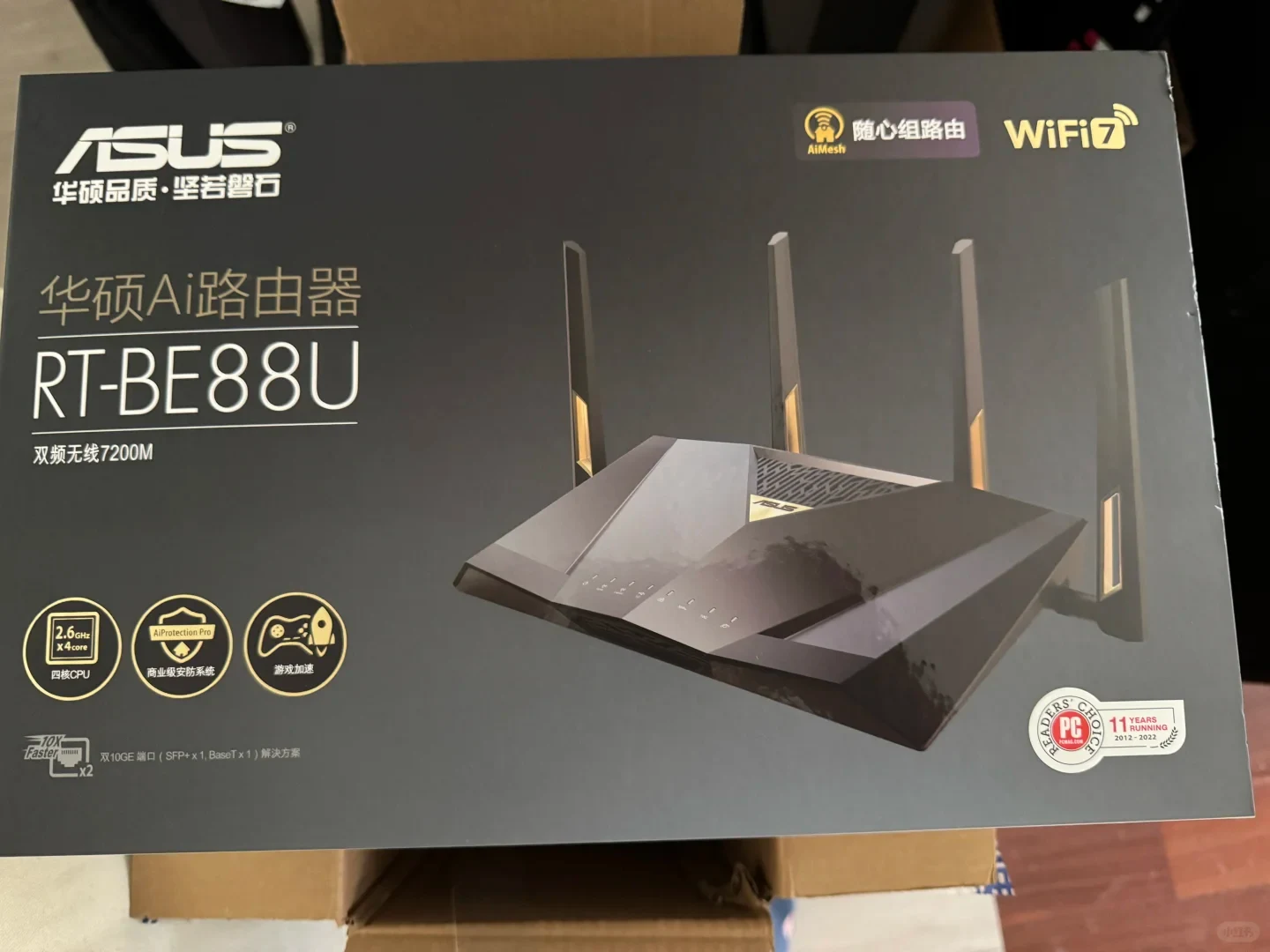
I’m now using the ASUS BE88U I just bought, but I’m still within the seven-day return period. Because it has dropped the connection several times, I’m considering whether to return it and switch to the Xiaomi 10 Gigabit Router.
First, my home network setup: I live in a small apartment, so I don’t currently need a mesh system, but I do need a stable connection. I sometimes work from home, and a sudden disconnect during a meeting would be a nightmare. Most of my smart-home devices are also Xiaomi products.
Before this router, I used a Xiaomi Router Pro (Xiaomi R3P), which is why the Xiaomi 10 Gigabit Router is one of my alternatives. I’ll describe my R3P experience and explain my dilemma as a non-expert. I’ll skip shared specifications such as a 10G port plus an SFP port and the current lack of 320MHz support. My modem is already in bridge mode.
1. ASUS BE88U
Reasons I’m unhappy with it and considering a switch
- With the default settings, the Wi-Fi inexplicably dropped out. It wasn’t just the main network: the separate network I had configured for 2.4GHz IoT devices went down too. That’s hard for me to put up with.
- Even changing a single setting and applying it restarts the Wi-Fi. Couldn’t the changes be queued and applied with one restart? It’s not a major issue, since I don’t change settings all the time.
Reasons I like it more than my previous Xiaomi setup and don’t want to give it up
- There’s a lot to explore. Even the official firmware—not a modified version—offers plenty, including network monitoring and records of the websites accessed by individual clients. The firewall also looks fairly comprehensive.
- It can serve as a lightweight NAS. Samba can be configured to allow or disallow guest access. My work computer is managed through a domain and has group policies that prevent anonymous Samba access, so I appreciate that the BE88U lets me set passwords and permissions for different users. It can also provide password-protected FTP.
---------
2. Xiaomi 10 Gigabit Router
I haven’t bought it, but I’m considering switching
- It has a built-in Mijia smart-home hub gateway. Buying one separately would cost around 300 yuan.
- When I used the Xiaomi R3P, even a loss of internet was resolved by restarting the modem—back when I wasn’t using bridge mode. Its Wi-Fi was very stable.
But I’m also worried about possible problems if I switch
- I know it’s possible to use SSH to configure password access for Samba on a Xiaomi router. But that’s a fairly technical step, and I worry I could break something. The default setup is anonymous guest access.
- Maybe the R3P was so stable because Xiaomi’s firmware barely received updates. Both routers are cut-down Wi-Fi 7 models, and I wonder whether they might both be unstable. If firmware updates are too slow, I don’t know what longer-term use will be like.
Source: 光跑不瘦德里克 · Xiaohongshu · 2025-07-10 · BE88U vs 小米万兆. Search this Chinese title in Xiaohongshu to find the original post.
Before You Buy
Models in your region
The source account concerns a newly purchased ASUS RT-BE88U, confirmed by the package photo; the official US listing identifies an RT-BE88U with dual-band Wi-Fi 7 and a specified set of wired ports. The listing does not establish that US and Chinese firmware or wireless channels are identical. The Xiaomi 10 Gigabit Router is only a possible alternative in the account, not a product the author bought or tested.
| Model in this review | Related regional model | What to know |
|---|---|---|
| ASUS RT-BE88U | ASUS RT-BE88U (US) | The US listing identifies the same-named RT-BE88U family as a dual-band 2.4/5GHz Wi-Fi 7 router with one 10GbE WAN/LAN port, one 10G SFP+ port, four 2.5GbE ports and four 1GbE ports. The source confirms the Chinese-market unit’s model name, but not identical regional firmware or wireless channels. |
- Model in this review
- ASUS RT-BE88U
- Related regional model
- ASUS RT-BE88U (US)
- What to know
- The US listing identifies the same-named RT-BE88U family as a dual-band 2.4/5GHz Wi-Fi 7 router with one 10GbE WAN/LAN port, one 10G SFP+ port, four 2.5GbE ports and four 1GbE ports. The source confirms the Chinese-market unit’s model name, but not identical regional firmware or wireless channels.
Stability during work matters in a small apartment
The RT-BE88U has a broad set of wired connections, including 10GbE, SFP+, 2.5GbE and gigabit ports in the US listing. In this small apartment, however, the immediate decision was whether to keep a new router whose main Wi-Fi and separate IoT network had both disappeared during use.
The owner describes a small apartment without a current need for mesh and prioritizes connection stability for remote work and Xiaomi smart-home devices. That context makes the reported loss of both the main Wi-Fi and the separately configured 2.4GHz IoT network especially relevant, but it does not establish how the router performs in other homes.
Check the symptoms before troubleshooting a Wi-Fi dropout
During the next dropout, compare a wired device with a Wi-Fi device and note whether both network names disappear. ASUS’s troubleshooting guidance separates wireless symptoms from a loss of wired internet access. Record the firmware version and whether settings were being applied, since this owner also noticed Wi-Fi restarting after configuration changes.
Password-protected file sharing can matter more than a router’s extras
The RT-BE88U’s configurable Samba access was a practical advantage for this owner: their work-managed computer’s group policies blocked anonymous Samba access, while the router let them set user passwords and permissions. The owner also valued password-protected FTP. These are reported features of their unit, not a confirmation that every regional firmware version offers the same options.
The owner also liked the official firmware’s network monitoring, client website records and firewall interface, while finding that applying even one setting restarted Wi-Fi. If frequent configuration changes matter to your setup, account for that interruption; the author noted that they did not change settings often.
Treat the Xiaomi 10 Gigabit Router as an untested alternative
The Xiaomi 10 Gigabit Router was under consideration, not a tested comparison product. The author’s positive stability experience was with the earlier Xiaomi R3P, so it cannot establish the newer model’s reliability. The built-in Mijia hub and the author’s concerns about Samba setup and future firmware updates are reasons they were weighing the switch, not verified findings about the unpurchased router.
Related Reading

Reviews & Guides · Computing & Networking
TP-Link Deco X55 in a two-storey Australian home: Wi-Fi across 300 m²
I installed two TP-Link Deco X55 units in my 300 m², two-storey home; bedrooms that often lost Wi-Fi now had a signal throughout the house.
Reviews & Guides · Computing & Networking
TP-Link Deco X55: DNS pauses stopped for six days in access-point mode
I switched my Deco X55 to access-point mode and restored my older router to the front of the network. The DNS-like pauses stayed away for six days.
Reviews & Guides · Computing & Networking
TP-Link Deco X55 after nearly a year: six units, Teams and gaming
I’ve used six TP-Link Deco X55 units for nearly a year, including daily Teams calls and online gaming; I’ve had only one or two connectivity issues.