
Reviews & Guides · Computing & Networking
UGREEN DXP4800 Plus: questioning a 30W power draw after six months
I measured 30W from my UGREEN DXP4800 Plus with one hard drive and one M.2 drive, despite modest CPU and memory use; I compare it with my Synology.
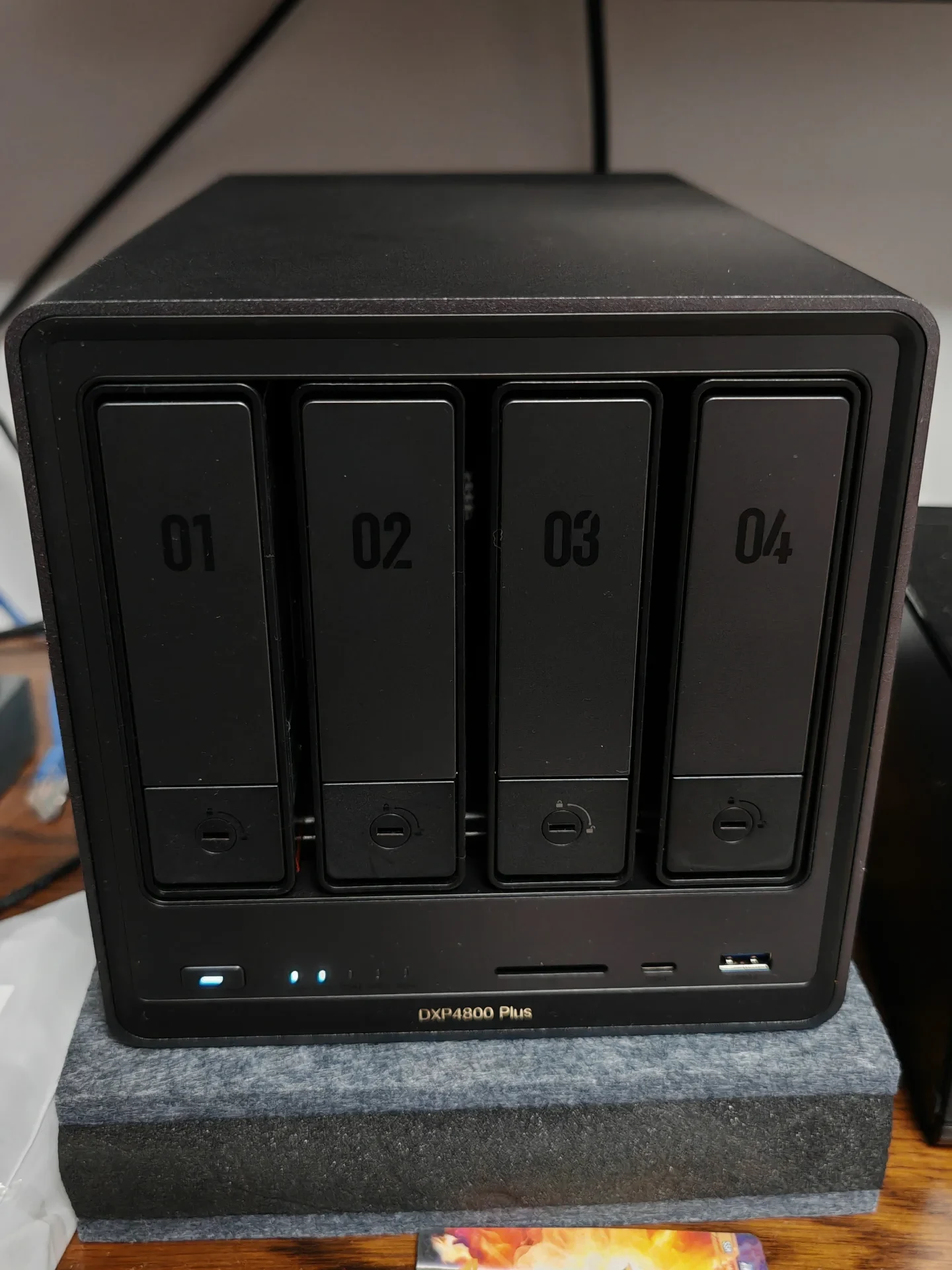
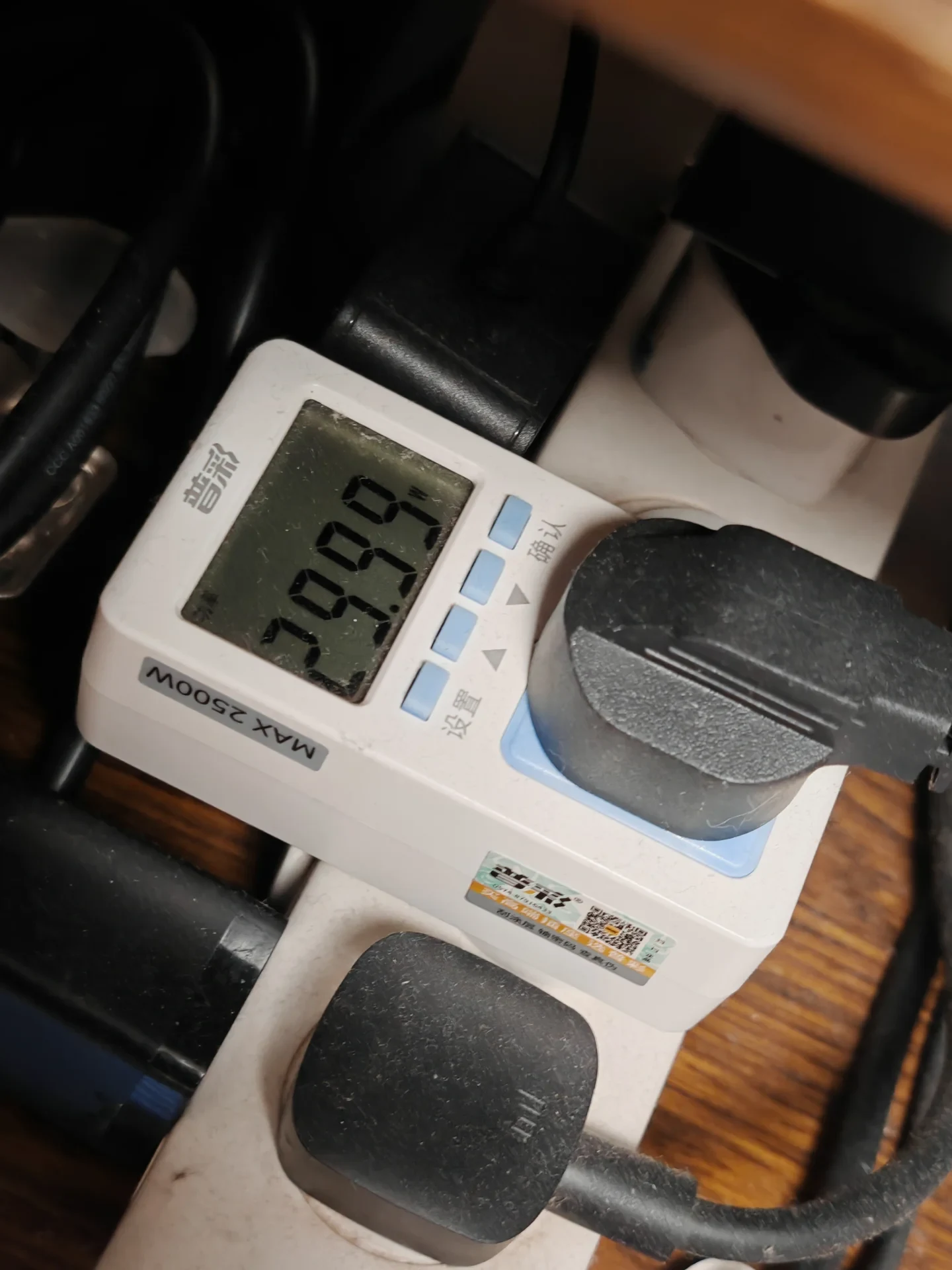
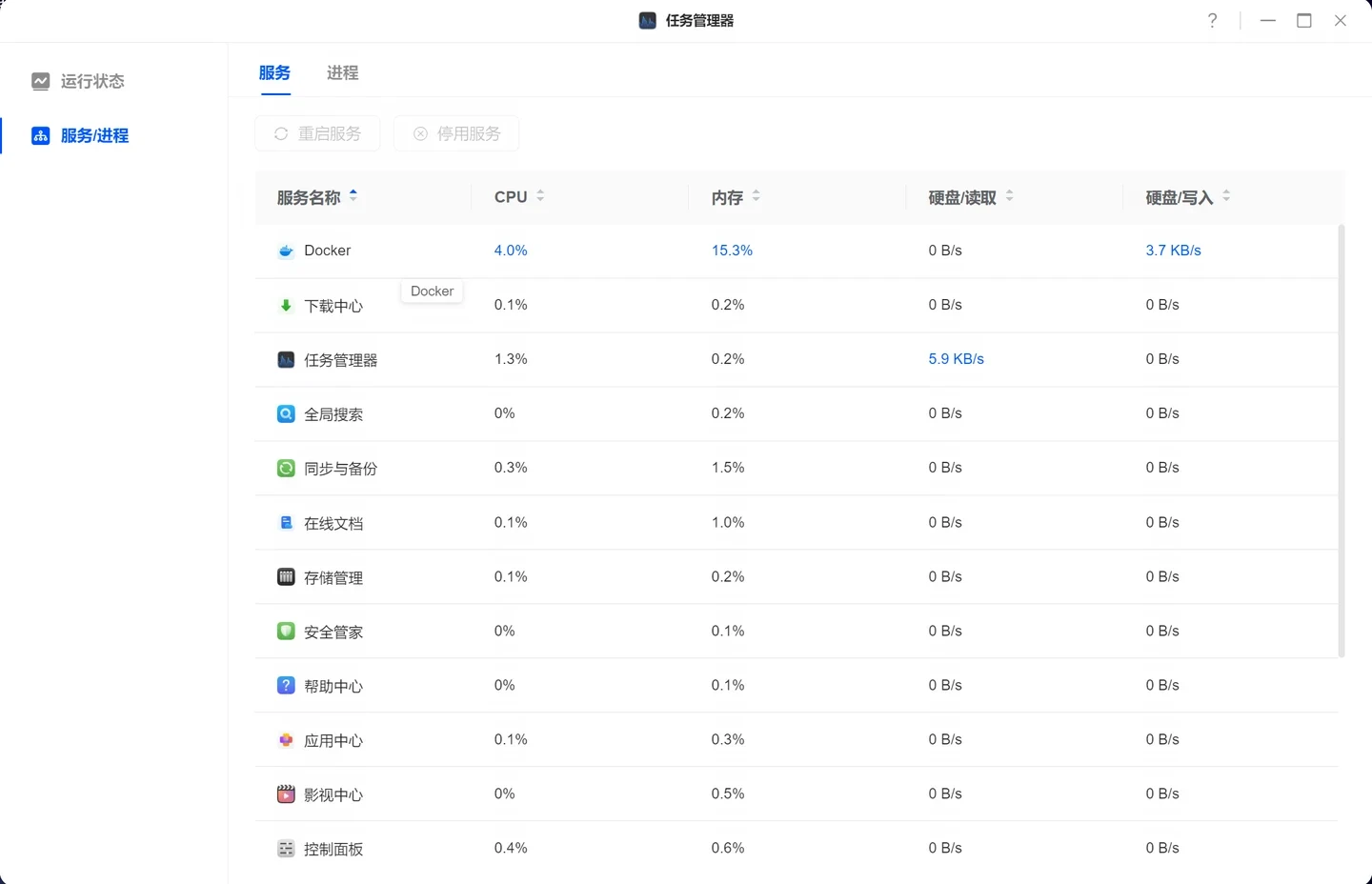
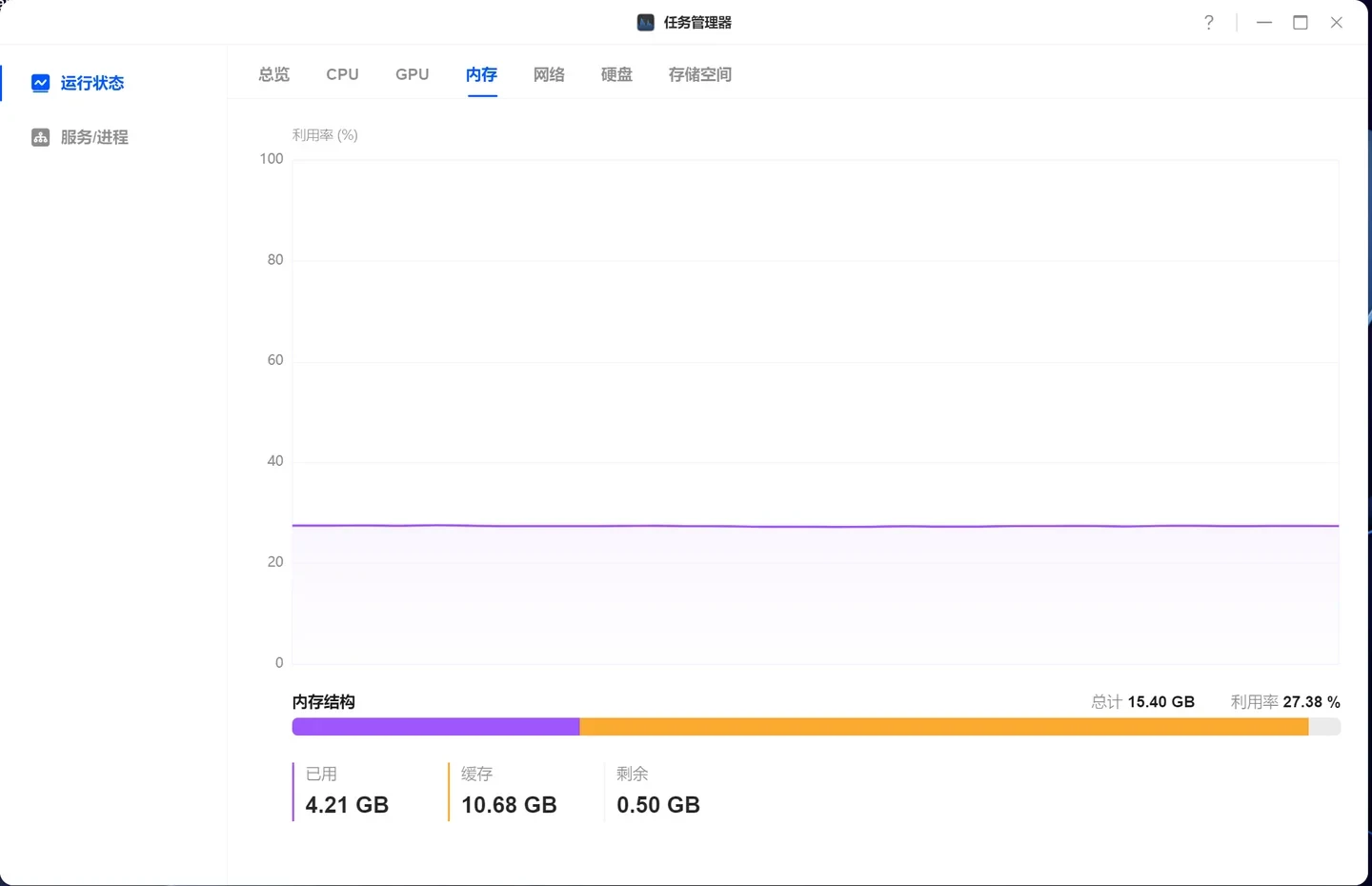
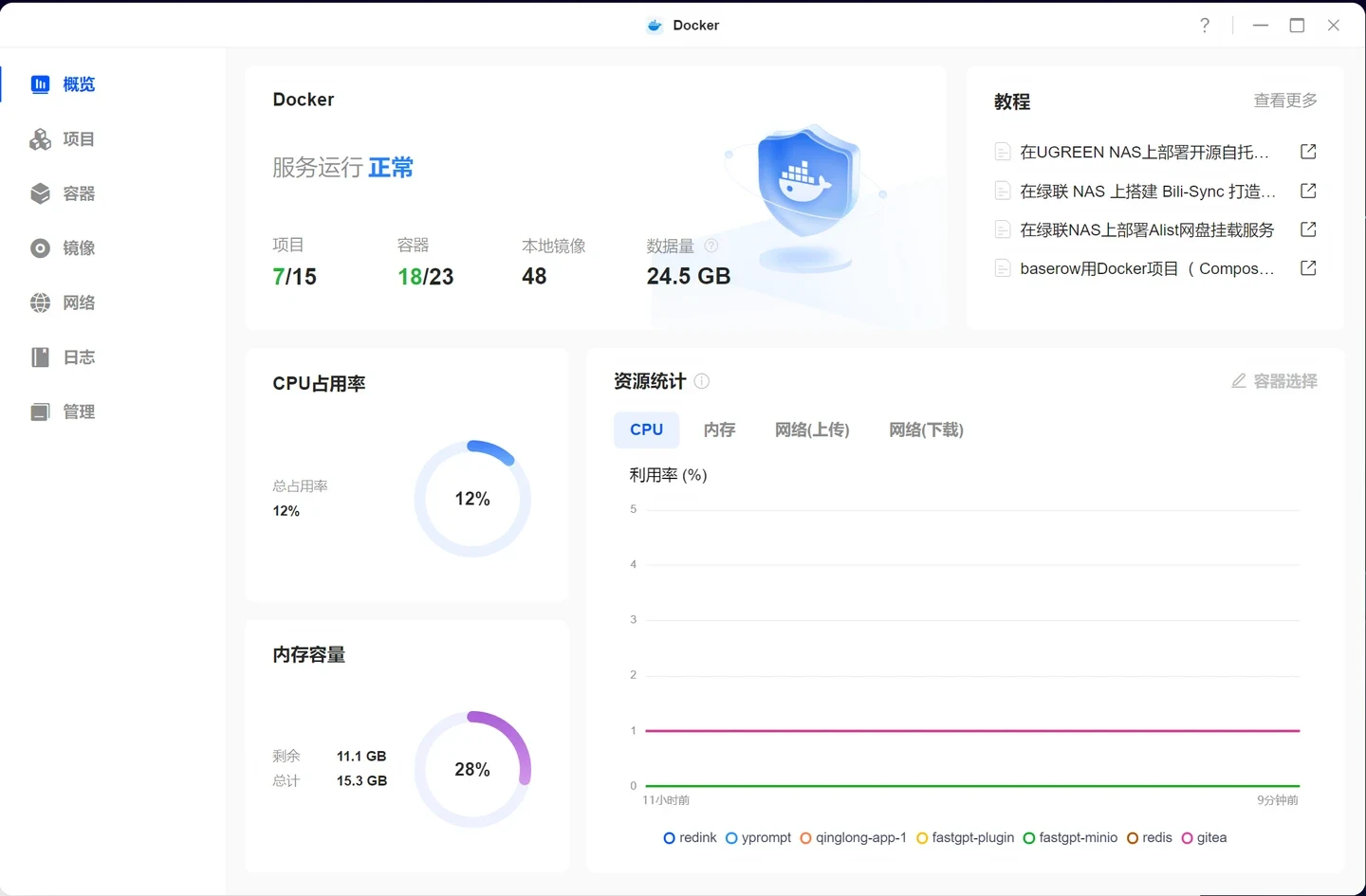
I have been using the UGREEN NAS 4800 Plus for six months. Today I suddenly checked its power consumption and found it was quite high: 30W. I only have one mechanical hard drive and one M.2 drive installed, so in theory the power draw should not be this high. I previously used a Synology with two hard drives, an 8TB drive and another 8TB drive, and its standby consumption was only 12W.
I am running several common applications in Docker, but judging from the CPU and memory usage, the system should not be drawing 30W either.
The Docker applications are QingLong, FastGPT, MinIO, Gitea, a prompt manager, Sun Panel, Lucky and New API.
How much power does everyone else’s system use? Is mine consuming too much? Is there still room to optimize it?
Source: 韭菜熟了 · Xiaohongshu · 2025-12-01 · 绿联nas 耗电这么高吗. Search this Chinese title in Xiaohongshu to find the original post.
Before You Buy
Models in your region
The owner identifies the device as a UGREEN NAS 4800 Plus; UGREEN’s US listing identifies the corresponding product as the NASync DXP4800 Plus, US SKU 35260. The owner’s 30W meter reading cannot be diagnosed from the post because the measurement state, drive activity and workload at that moment are not fully recorded.
| Model in this review | Related regional model | What to know |
|---|---|---|
| UGREEN NAS 4800 Plus | UGREEN NASync DXP4800 Plus (US) | This is the product used by the owner, but the source does not provide a complete regional SKU. UGREEN’s US evidence identifies the corresponding product as the NASync DXP4800 Plus, so exact accessory or regional configuration matching remains unconfirmed. |
- Model in this review
- UGREEN NAS 4800 Plus
- Related regional model
- UGREEN NASync DXP4800 Plus (US)
- What to know
- This is the product used by the owner, but the source does not provide a complete regional SKU. UGREEN’s US evidence identifies the corresponding product as the NASync DXP4800 Plus, so exact accessory or regional configuration matching remains unconfirmed.
What the 30W reading shows
The owner measured 30W after six months of use with one mechanical hard drive and one M.2 drive installed. That is a single reported reading, and the source does not state whether the drives were active, hibernating or handling a particular workload, so it cannot establish the device’s normal idle consumption or prove a fault.
UGREEN lists 42.36W during drive access and 18.12W in hibernation for the US DXP4800 Plus, based on lab testing with a Seagate 2TB hard drive. The owner’s 30W result falls between those conditional reference points, but different drives, workloads and power states prevent a direct like-for-like comparison.
Docker workload and comparison limits
The owner runs eight Docker applications, including QingLong, FastGPT, MinIO, Gitea, Sun Panel, Lucky and New API, and reports that CPU and memory usage did not appear high enough to explain 30W. The screenshots and account show resource monitoring, but they do not provide a controlled power measurement for each application or workload.
The owner compares this reading with a previous Synology system containing two 8TB mechanical drives, which reportedly used 12W in standby. That comparison is useful as personal context, but the source does not identify the Synology model, its measurement conditions or whether both systems used the same power meter and standby state.
What buyers should verify
The US DXP4800 Plus provides four SATA bays and two M.2 slots, while the owner used only one mechanical drive and one M.2 drive. The unused bays do not establish lower consumption, because UGREEN says installed drives, workloads and hibernation affect power use; buyers should therefore treat the owner’s 30W result as a configuration-specific observation.
For a meaningful optimization check, the missing facts are the drive models, whether hibernation was active, the exact Docker activity and the meter’s measurement point. Without those details, the account shows that the owner saw 30W, but cannot identify which component or operating state caused it.
Related Reading

Reviews & Guides · Computing & Networking
eero 7: a 2Gbps fibre test before ordering eero Pro 7
I tested eero 7 on a new 2Gbps fibre line and saw 1.2Gbps wired but 470Mbps Wi-Fi before returning it; I later ordered eero Pro 7.

Reviews & Guides · Computing & Networking
eero Pro 7: Four-node mesh owner review with ad blocking
I replaced my eero Max 7 with four eero Pro 7 units and found ad blocking worked across phone browsing and Samsung Tizen, though not every YouTube ad.

Reviews & Guides · Computing & Networking
NETGEAR Orbi RBR850: 800+ Mbps at home after replacing Nighthawk RAX120
I replaced my NETGEAR RAX120 with a three-node Orbi 850 system and saw over 800 Mbps throughout my home, including about 900 Mbps in the living room.