
Reviews & Guides · Computing & Networking
UGREEN DXP4800 Plus: two-way sync across a multi-PC file library
I consolidated over 700GB of files on my UGREEN NAS4800 Plus and synced them across computers. Setup was painful, but daily updates worked well.
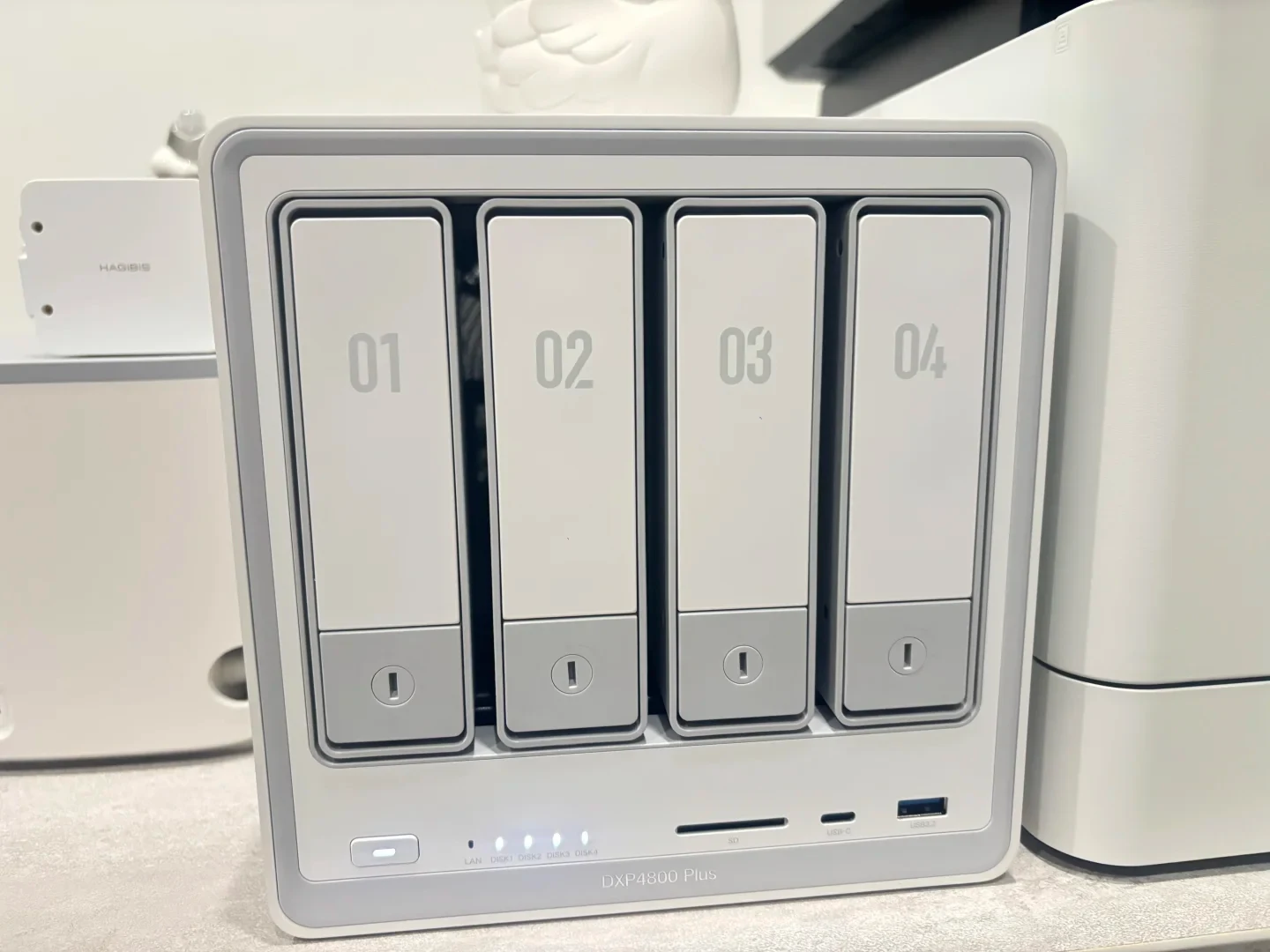
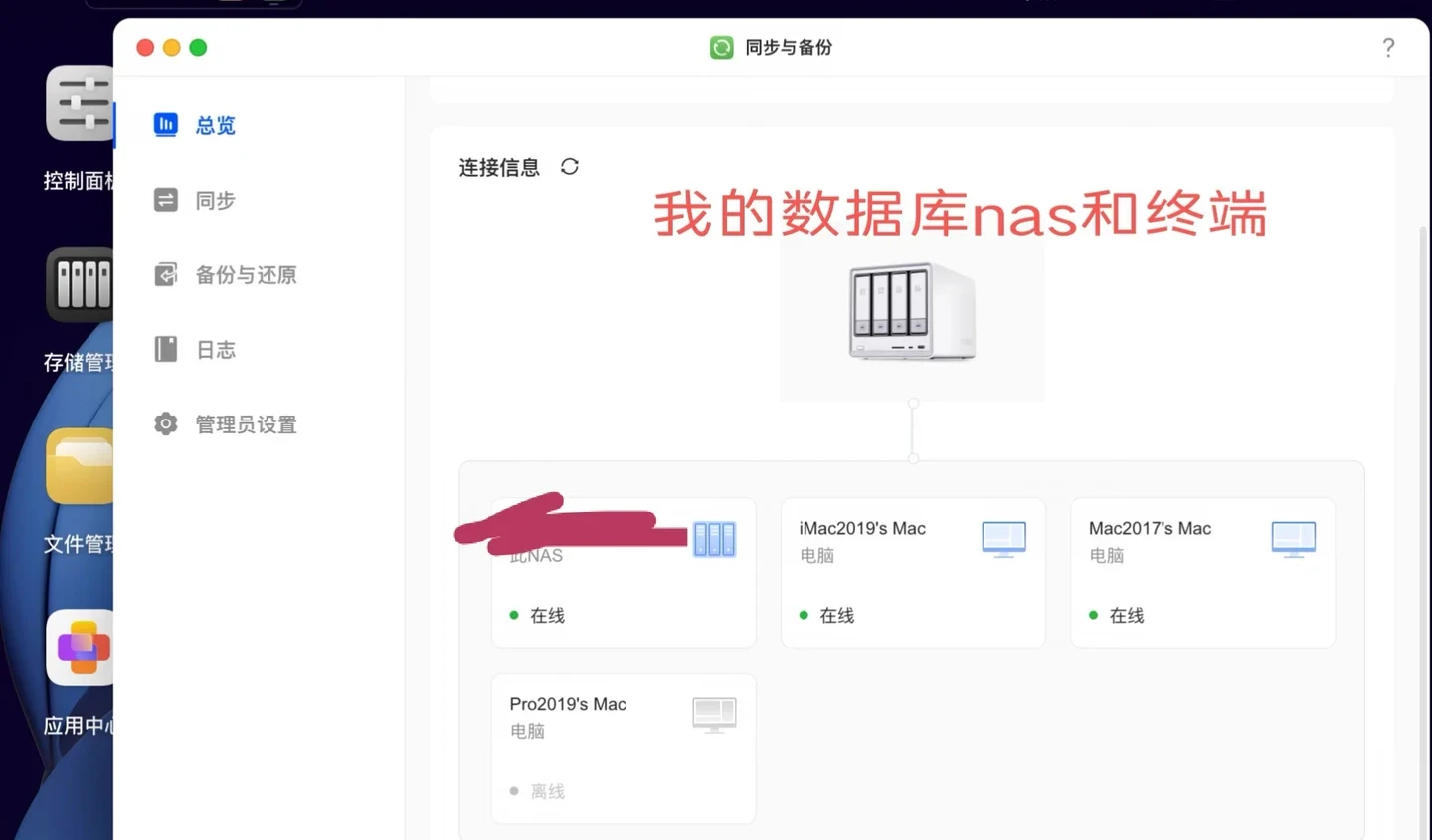


I bought a NAS because I struggled to back up data scattered across multiple sources. I wanted to build a complete database, with different devices accessing parts of it, so that changes made either in the database or on a device could be updated in real time. So far, it has fully met my expectations.
- Building the database: The files on my various computers added up to 1.6 TB, although a large portion was duplicated. Because the modification times differed, manually organizing everything was basically impossible. I uploaded all of it, then moved and consolidated the files by overwriting duplicates. Uploading took a long time, but because I usually keep things organized, the cleanup was fairly quick. I ended up with a database of more than 700 GB. Note that files with names that are too long, and files or folders containing “/”, cannot be uploaded; their names must be changed.
- Multiple backups: To protect the data, I created an original database backup on the NAS that is not included in later synchronization, as well as backups between different drives containing the original backup and the updated database. I am also considering making regular backups to an external hard drive.
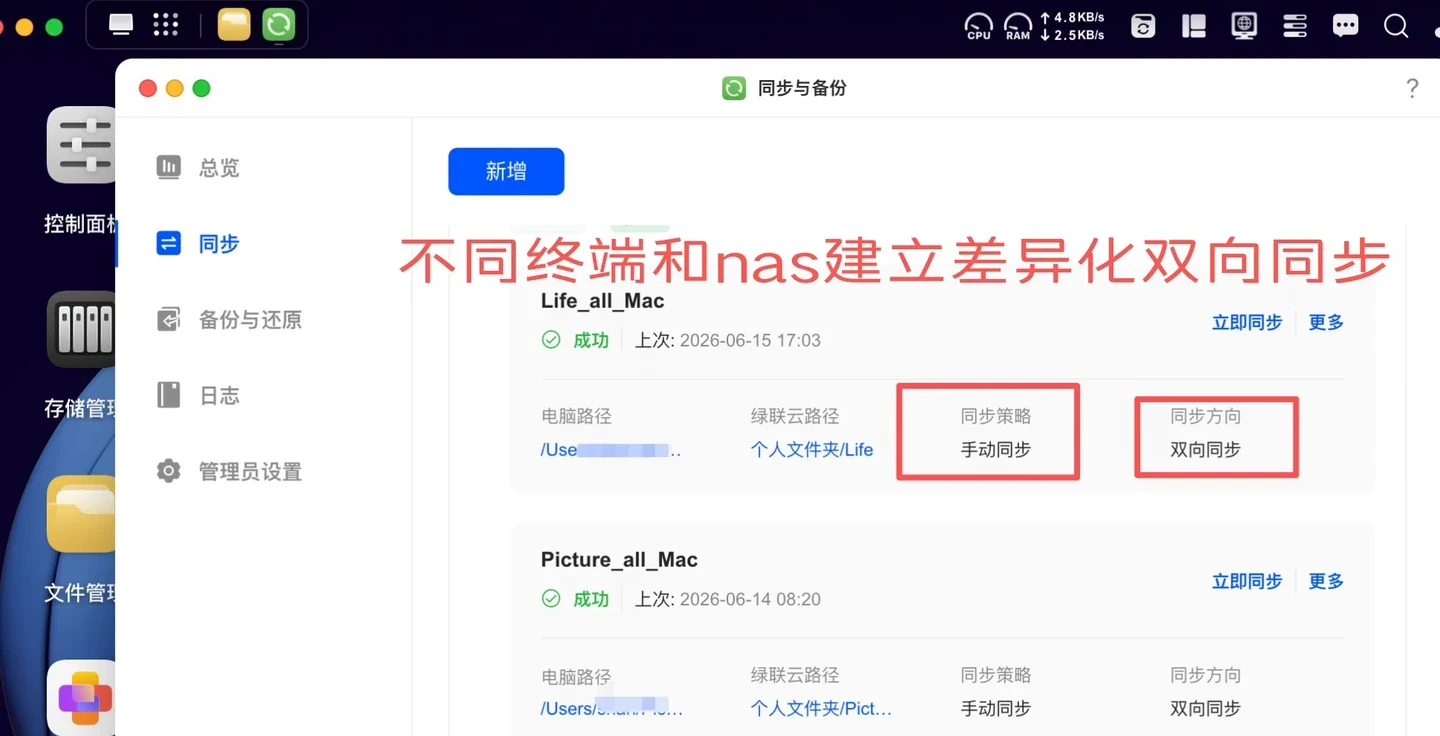
- Synchronization: Depending on the use case, each computer accesses different folders in the database, and I use “two-way sync” to update the database and the computers. This avoids human errors or redundant work during manual synchronization. Establishing synchronization was very slow at first, but once it was set up, synchronization for individual changes was very fast. I initially used “manual sync” because I was worried that synchronization would consume memory or cause errors and lose files. It has worked well in my tests so far, and I will probably switch to “real-time sync” later.
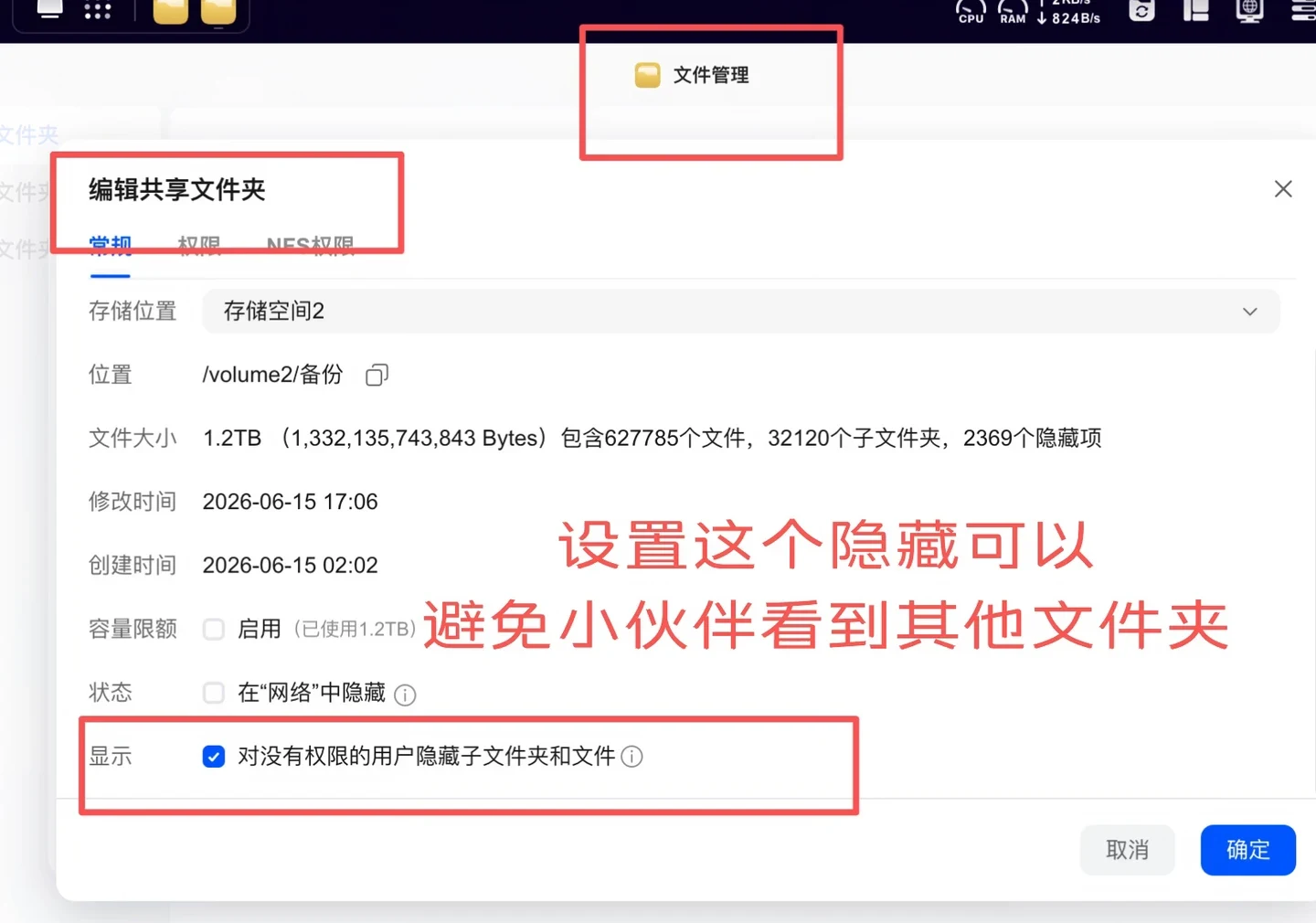
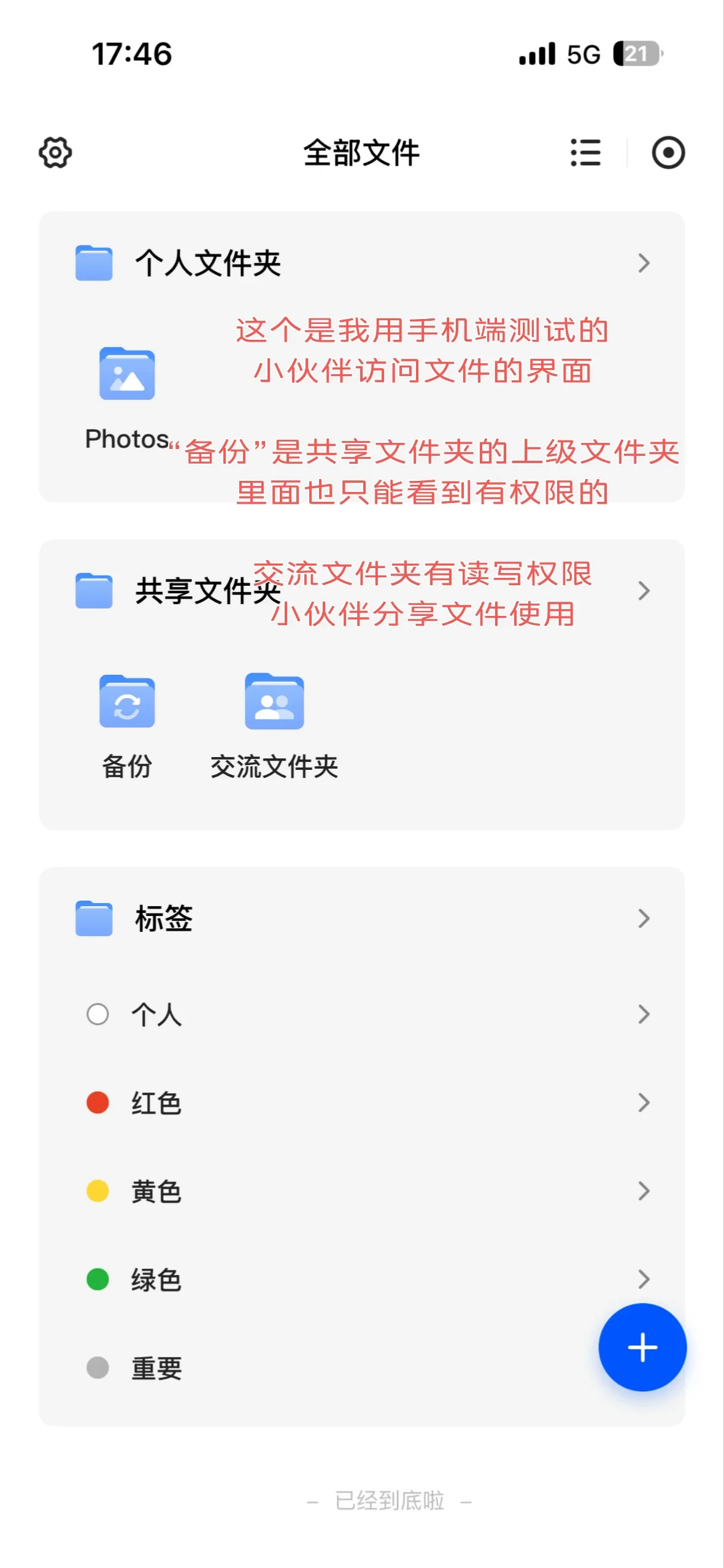
- Sharing: Some of my files are useful references for my work colleagues, so I configured sharing. Instead of using a direct sharing link, I created a user account and set folder permissions for read-only sharing. To limit network usage, I applied a 20 MB/s limit. I also created a discussion folder with read and write access, making it convenient for them to share new material with me.
- Overall impression: Setting up the database, synchronization and backups was very painful at first. Transferring a large amount of data was slow, and the system software had some bugs, so I had to repeat the process several times before everything was finally complete. But later use was genuinely excellent. Some bloggers recommend one-way sync, but once it is configured, two-way sync is very friendly for someone particular about keeping things organized.
- Problems I encountered and suggestions for UGREEN NAS @UGREEN UGREEN
“Synchronization and backup”: When synchronizing, if the corresponding folder is moved, the path cannot be adjusted simply by changing it; synchronization or backup will become unusable. However, when a synchronization task is active, the source location can be adjusted. Backups have a similar problem. If I recreated a two-way sync in this situation, the storage space occupied by the folder on the computer became much larger, but I could not see the corresponding files; there were probably many hidden files. I also found that using one-way sync to copy a folder could result in missing files or empty folders. The problem seemed random, so I did not test it further.
Source: qinmo · Xiaohongshu · 2026-06-15 · NAS4800plus使用情况-数据管理和共享. Search this Chinese title in Xiaohongshu to find the original post.
Before You Buy
Models in your region
The source calls the device NAS4800 Plus, while UGREEN’s US product listing identifies the same product as the UGREEN NASync DXP4800 Plus. The US listing specifies four SATA bays, two M.2 slots, 10GbE and 2.5GbE networking, 8GB DDR5 memory, and flexible access permissions; the exact drive configuration used by the owner is not stated.
| Model in this review | Related regional model | What to know |
|---|---|---|
| UGREEN NAS4800 Plus | UGREEN NASync DXP4800 Plus (US) | The owner’s NAS4800 Plus is identified by UGREEN’s US product listing as the same product as the US UGREEN NASync DXP4800 Plus. That US model has four SATA bays, two M.2 slots, 10GbE plus 2.5GbE, and 8GB DDR5 RAM; the owner’s installed drives and exact configuration are unknown. |
- Model in this review
- UGREEN NAS4800 Plus
- Related regional model
- UGREEN NASync DXP4800 Plus (US)
- What to know
- The owner’s NAS4800 Plus is identified by UGREEN’s US product listing as the same product as the US UGREEN NASync DXP4800 Plus. That US model has four SATA bays, two M.2 slots, 10GbE plus 2.5GbE, and 8GB DDR5 RAM; the owner’s installed drives and exact configuration are unknown.
Two-way sync matched the owner’s multi-computer setup
The owner used different computer folders as working subsets of one central database, then relied on two-way synchronization to carry changes in both directions. That approach delivered the intended result for this account, but it required a slow initial build and repeated setup before becoming dependable in daily use.
UGREEN’s current US documentation for the same DXP4800 Plus supports one-way and two-way synchronization, with manual and real-time options. It also warns that two-way deletions can propagate, so buyers should test a small folder first and keep an independent backup before applying this workflow to essential files.
Plan the database and backups before moving large datasets
The owner consolidated 1.6 TB of computer data into a database exceeding 700 GB, but the process required renaming files with overly long names or with “/” in their names because those items could not be uploaded. This makes a preliminary filename check useful before a large migration.
The owner kept an original backup outside later synchronization and created another backup between drives, with a possible future copy to an external hard drive. That separation matters because synchronization is not a substitute for an independent recovery copy, especially when two-way deletion can propagate.
Sharing permissions can separate read-only and collaborative folders
For work colleagues, the owner created a user account and assigned read-only access to selected folders rather than distributing a direct sharing link. A separate read-write discussion folder supported incoming material, while a 20 MB/s limit was used to control network usage; this is the owner’s configuration, not a stated default.
The US product evidence lists flexible access permissions, which supports this type of account-and-folder permission workflow. The post does not establish how the owner’s 20 MB/s limit maps to every regional interface or network condition, so buyers should confirm the control in their local software.
Treat moved folders and one-way copies as checks before rollout
The owner reported that moving a synchronized folder could invalidate synchronization or backup, while recreating a two-way task appeared to leave much more occupied space with files that were not visible. The owner also reported intermittent missing files or empty folders when using one-way sync for copying, but did not continue testing, so these observations do not establish a universal failure pattern.
Current UGREEN documentation describes a hidden #SyncVersion folder that can retain deleted-file versions, which may help explain why storage use and visible files do not always match after synchronization changes. The documentation does not prove that the owner’s earlier software bugs still occur, so test path changes and small one-way jobs before moving essential data.
The US hardware supports demanding networked storage, with conditional power figures
For the US UGREEN NASync DXP4800 Plus, UGREEN’s specification lists a Pentium Gold 8505 processor, four SATA bays, two M.2 slots, one 10GbE port, one 2.5GbE port, and 8GB of DDR5 memory. Those hardware details describe the regional product, not the owner’s installed drives or measured workload.
UGREEN lists 42.36 W during drive access and 18.12 W in hibernation in its US FAQ, based on lab testing with a Seagate 2TB drive. Installed drives, workload and hibernation behavior change consumption, so these figures cannot diagnose the owner’s setup or predict every household’s power use.
Related Reading

Reviews & Guides · Computing & Networking
eero 7: a 2Gbps fibre test before ordering eero Pro 7
I tested eero 7 on a new 2Gbps fibre line and saw 1.2Gbps wired but 470Mbps Wi-Fi before returning it; I later ordered eero Pro 7.

Reviews & Guides · Computing & Networking
eero Pro 7: Four-node mesh owner review with ad blocking
I replaced my eero Max 7 with four eero Pro 7 units and found ad blocking worked across phone browsing and Samsung Tizen, though not every YouTube ad.

Reviews & Guides · Computing & Networking
NETGEAR Orbi RBR850: 800+ Mbps at home after replacing Nighthawk RAX120
I replaced my NETGEAR RAX120 with a three-node Orbi 850 system and saw over 800 Mbps throughout my home, including about 900 Mbps in the living room.