
Reviews & Guides · Computing & Networking
Xiaomi Mi Router AX9000: repeated 1 Mbps dropouts and a temporary fix
Reviewed: Xiaomi Mi Router AX9000Regional reference: Xiaomi Mi Router AX9000 (Spain)
I had repeated dropouts on my Xiaomi Mi Router AX9000, with downloads falling to 30 Mbps after a port-speed change; changing channels restored speed.
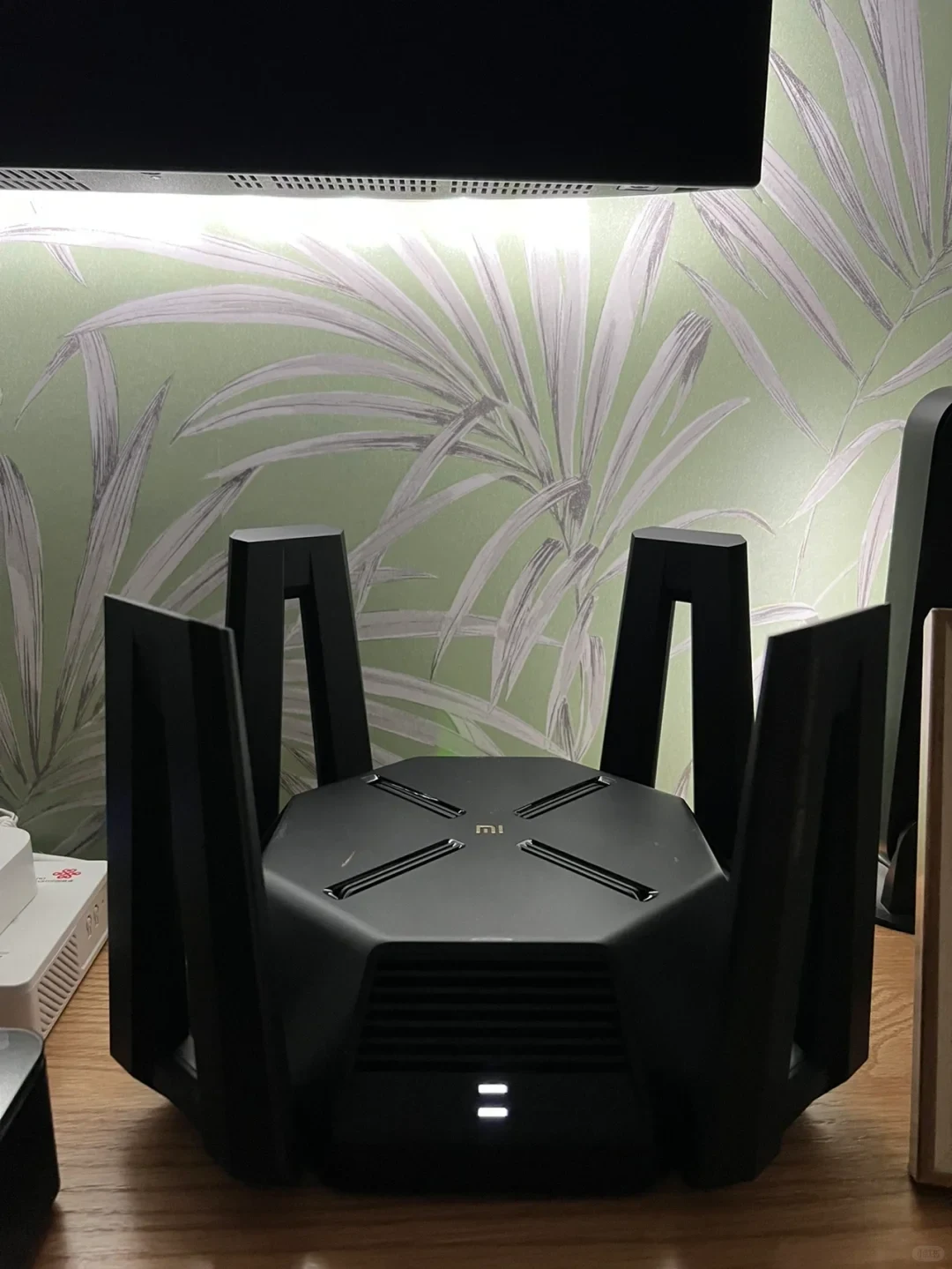
After I bought it, I noticed a problem: the connection would drop from time to time, and videos and images would not load. Speed tests showed only 1 Mbps. Sometimes restarting fixed it; other times, changing the channel did. But it happened too often—sometimes several times a day. I later looked up troubleshooting advice online and replaced the original cable. That helped for two days, then the problem returned. Someone suggested forcing the port speed, so I changed it from 2.5G to 1G. It worked normally, but when I downloaded something, it was very slow. A speed test showed just 30 Mbps. I manually changed the channel again, and the speed returned to normal.
I wonder if anyone else has had the same problem and can help figure out what is going on. My previous Huawei router, which cost a few hundred yuan, worked better...
Source: Sduck · Xiaohongshu · 2022-07-29 · 关于小米ax9000断流的问题. Search this Chinese title in Xiaohongshu to find the original post.
Before You Buy
Models in your region
The owner’s account identifies the router as a Xiaomi AX9000, and Xiaomi Spain lists the Mi Router AX9000 as the same model. The Spanish specifications help describe its listed ports and Wi-Fi bands, but the source does not establish firmware parity between the Chinese unit and the Spanish version.
| Model in this review | Related regional model | What to know |
|---|---|---|
| Xiaomi Mi Router AX9000 | Xiaomi Mi Router AX9000 (Spain) | Xiaomi Spain lists the same model name, with one 2.5GbE WAN/LAN port, one gigabit WAN/LAN port, three gigabit LAN ports, and 2.4 GHz plus two 5 GHz bands. The owner’s port-speed and dropout experience is from a Chinese-market unit; firmware parity with Spain is unconfirmed. |
- Model in this review
- Xiaomi Mi Router AX9000
- Related regional model
- Xiaomi Mi Router AX9000 (Spain)
- What to know
- Xiaomi Spain lists the same model name, with one 2.5GbE WAN/LAN port, one gigabit WAN/LAN port, three gigabit LAN ports, and 2.4 GHz plus two 5 GHz bands. The owner’s port-speed and dropout experience is from a Chinese-market unit; firmware parity with Spain is unconfirmed.
Ports and Wi-Fi bands on the Spanish model
The Spanish Mi Router AX9000 has five Ethernet ports: one 2.5GbE WAN/LAN port, one gigabit WAN/LAN port, and three gigabit LAN ports. Its Wi-Fi bands are 2.4 GHz and two 5 GHz bands. These are listed specifications, not evidence that the owner’s changes resolved the dropouts.
Check the negotiated Ethernet link rate separately from the internet speed test. A 1 Gbps link setting and a 30 Mbps test describe different things. Keep the test device and location fixed if you compare the results before and after changing channels.
Record the next dropout before restarting
When videos and images stop loading, note the time and try the same connection on a wired device if one is available. Record the Wi-Fi band and channel before changing settings. A wired comparison can help narrow down where to look when a cable swap or channel change brings only temporary relief.
If the problem returns, share the recorded test results and the installed firmware version with support. Xiaomi lists the AX9000 in Spain under the same model name, but the account gives no firmware build for comparison.
Related Reading

Reviews & Guides · Computing & Networking
TP-Link Deco X55 in a two-storey Australian home: Wi-Fi across 300 m²
I installed two TP-Link Deco X55 units in my 300 m², two-storey home; bedrooms that often lost Wi-Fi now had a signal throughout the house.
Reviews & Guides · Computing & Networking
TP-Link Deco X55: DNS pauses stopped for six days in access-point mode
I switched my Deco X55 to access-point mode and restored my older router to the front of the network. The DNS-like pauses stayed away for six days.
Reviews & Guides · Computing & Networking
TP-Link Deco X55 after nearly a year: six units, Teams and gaming
I’ve used six TP-Link Deco X55 units for nearly a year, including daily Teams calls and online gaming; I’ve had only one or two connectivity issues.