
Reviews & Guides · Computing & Networking
ZTE Nebula MAX SR1010 in a wiring cabinet: a cooler-feeling network setup
Reviewed: ZTE Nebula MAX SR1010Regional reference: ZTE AX3000 Pro (UK and Europe)
I made the Nebula MAX my cabinet’s main router and used the BE5100 as a wired node. The Nebula MAX felt warm, and the BE5100 felt cooler than before.

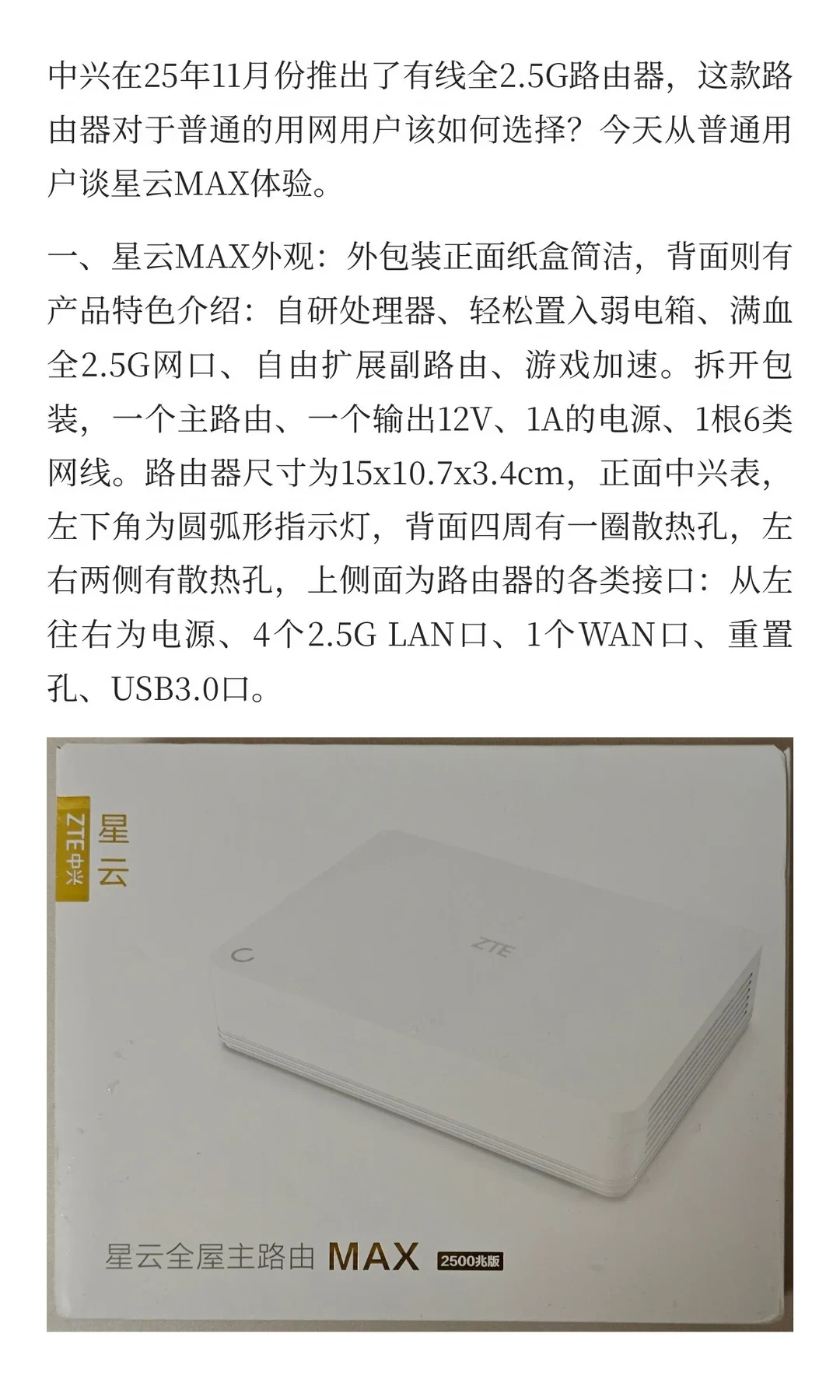


ZTE launched an all-wired, 2.5G router in November 2025. How should an everyday home-network user choose one? Here is my experience with the Nebula MAX from an ordinary user’s perspective.
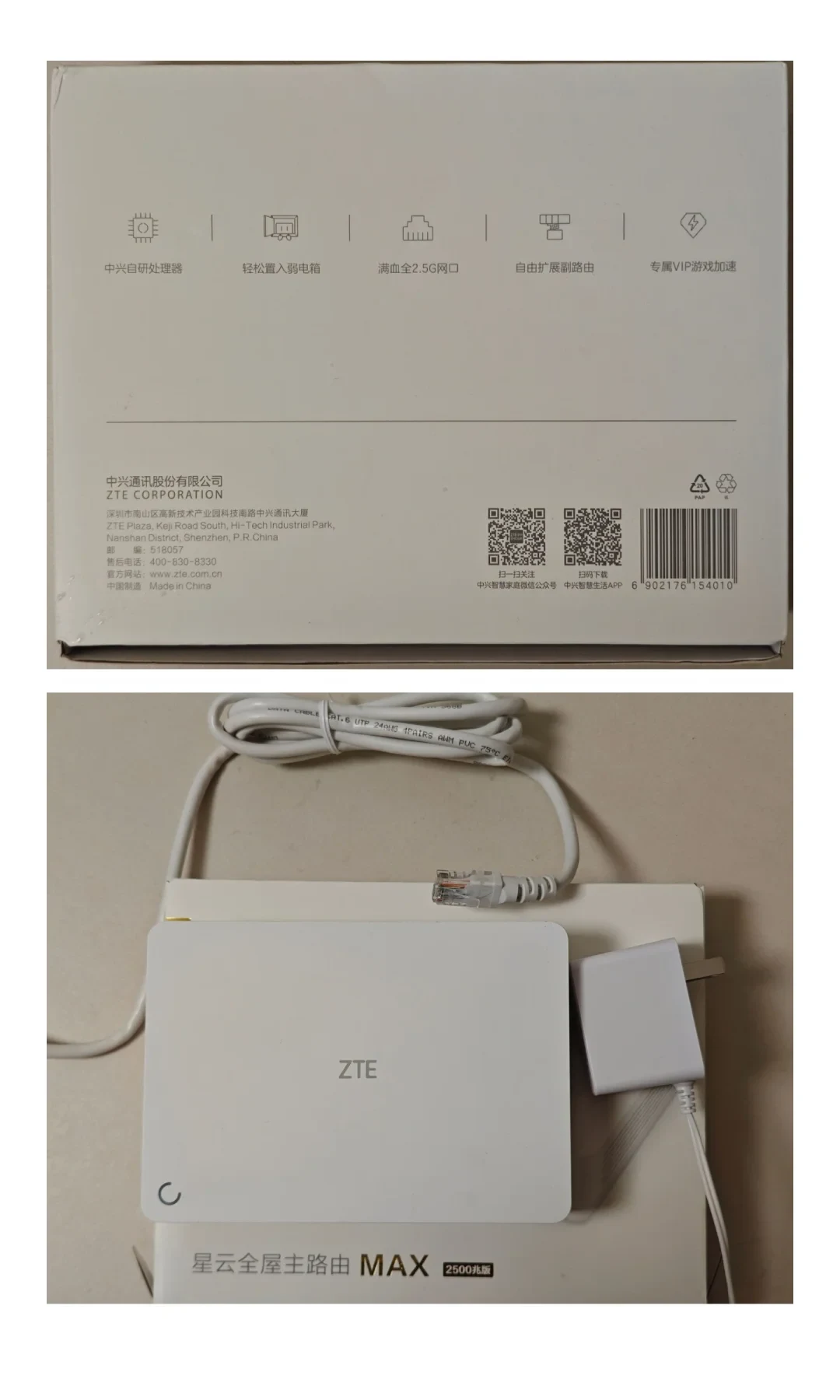
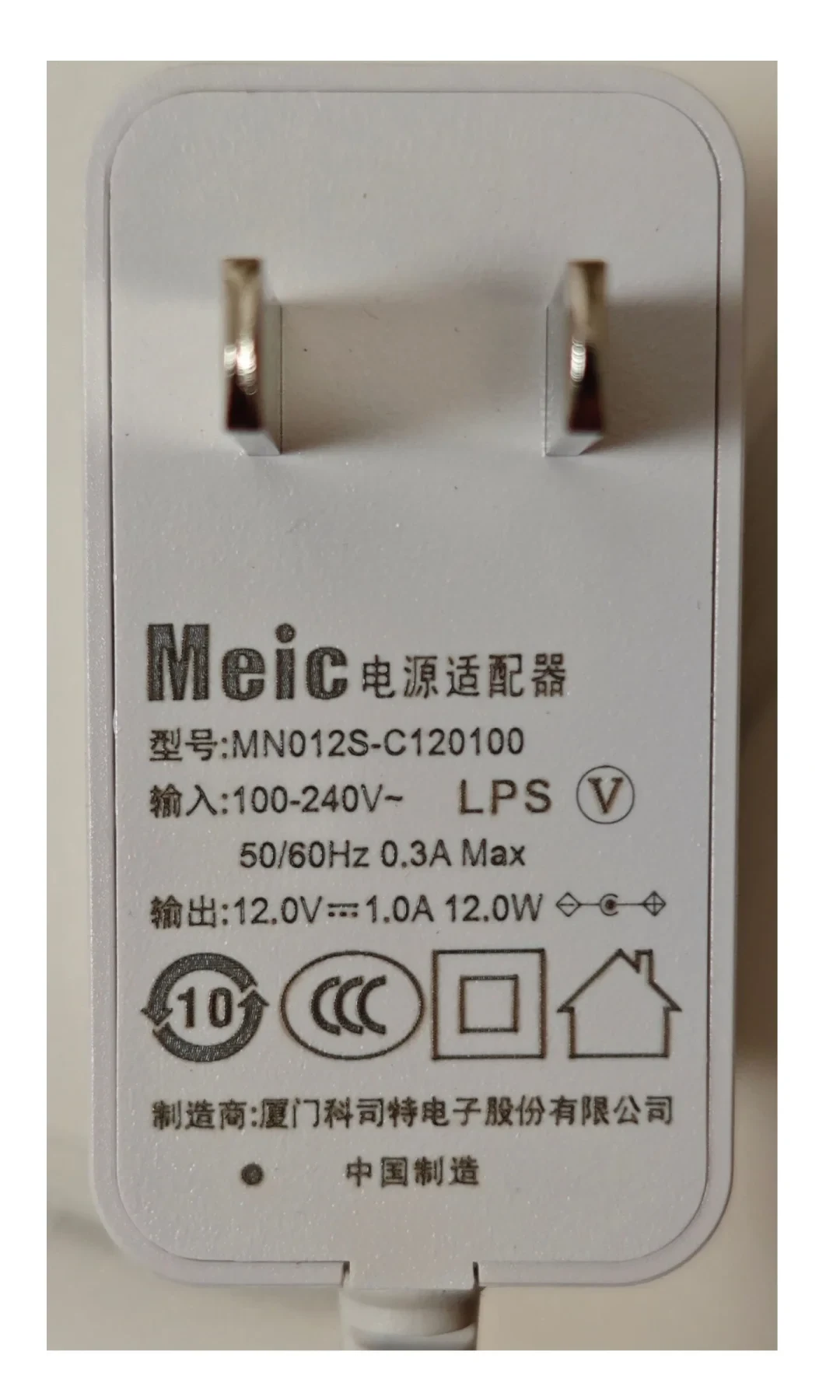
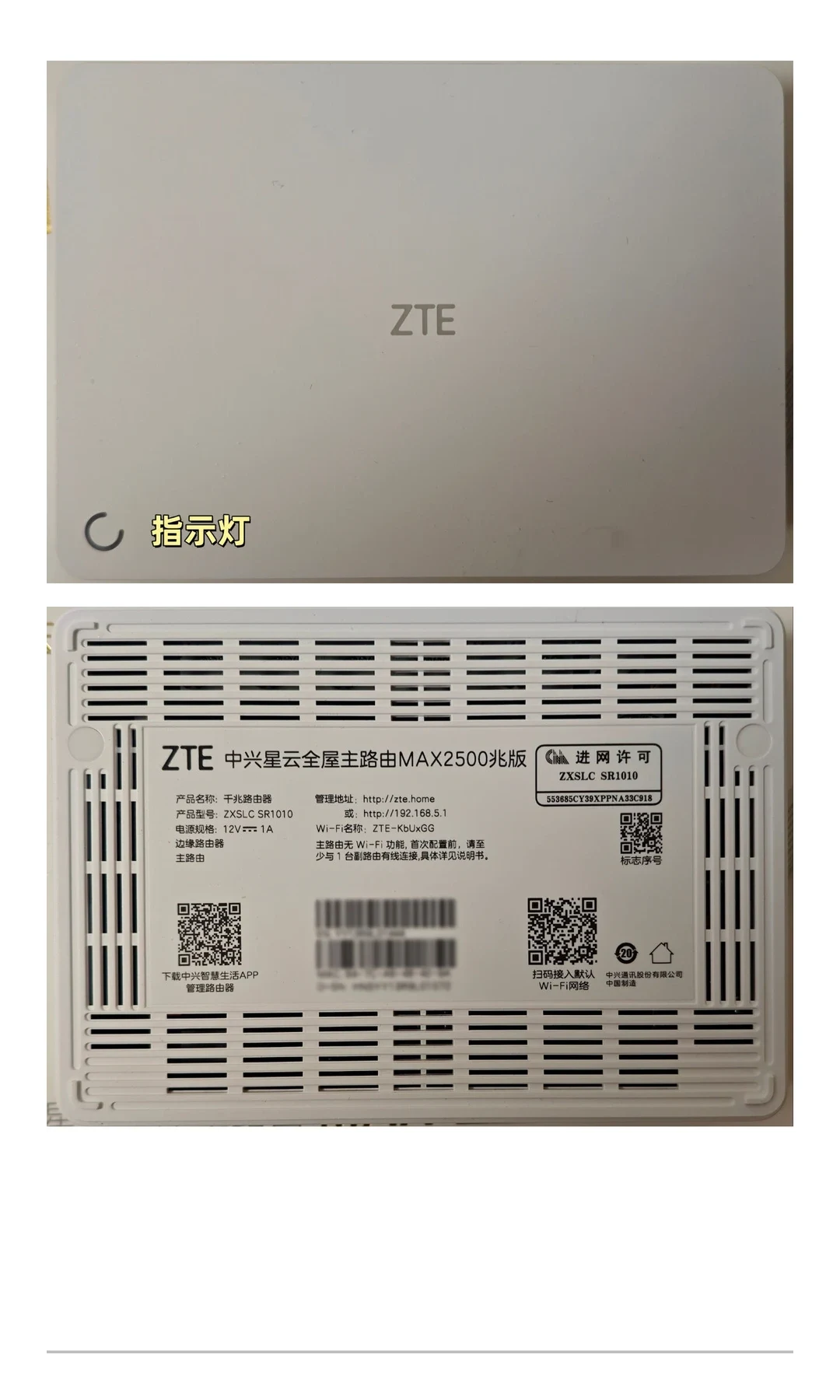
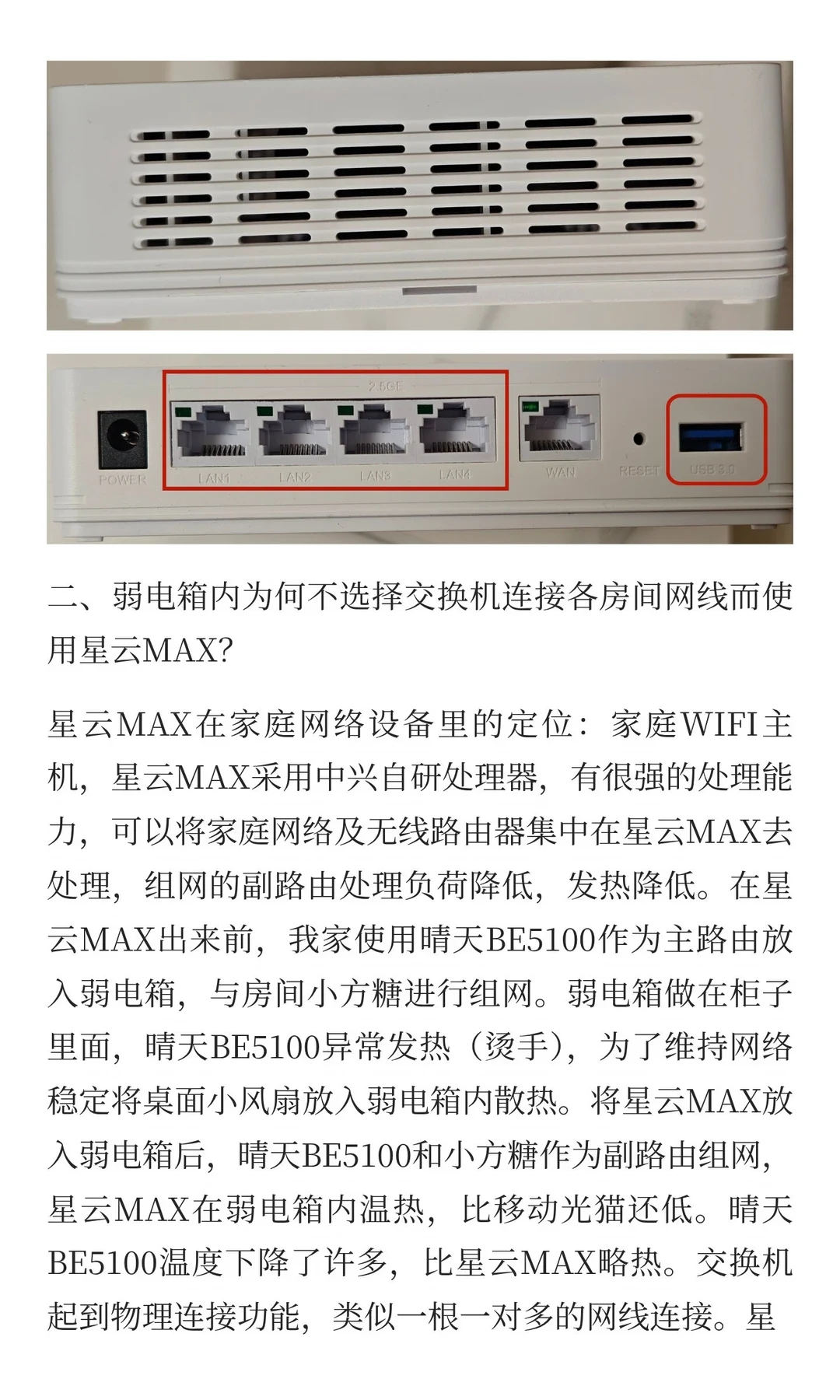
- Nebula MAX design: The outer box is simple, with product features described on the back. The router measures 15 × 10.7 × 3.4 cm. It has a ZTE logo on the front and a curved indicator light at the lower left. Ventilation holes are on the back and sides. The ports are on top: from left to right, power, four 2.5G LAN ports, one WAN port, a reset hole, and a USB 3.0 port.
Why use the Nebula MAX in the wiring cabinet instead of a switch to connect the room Ethernet cables?
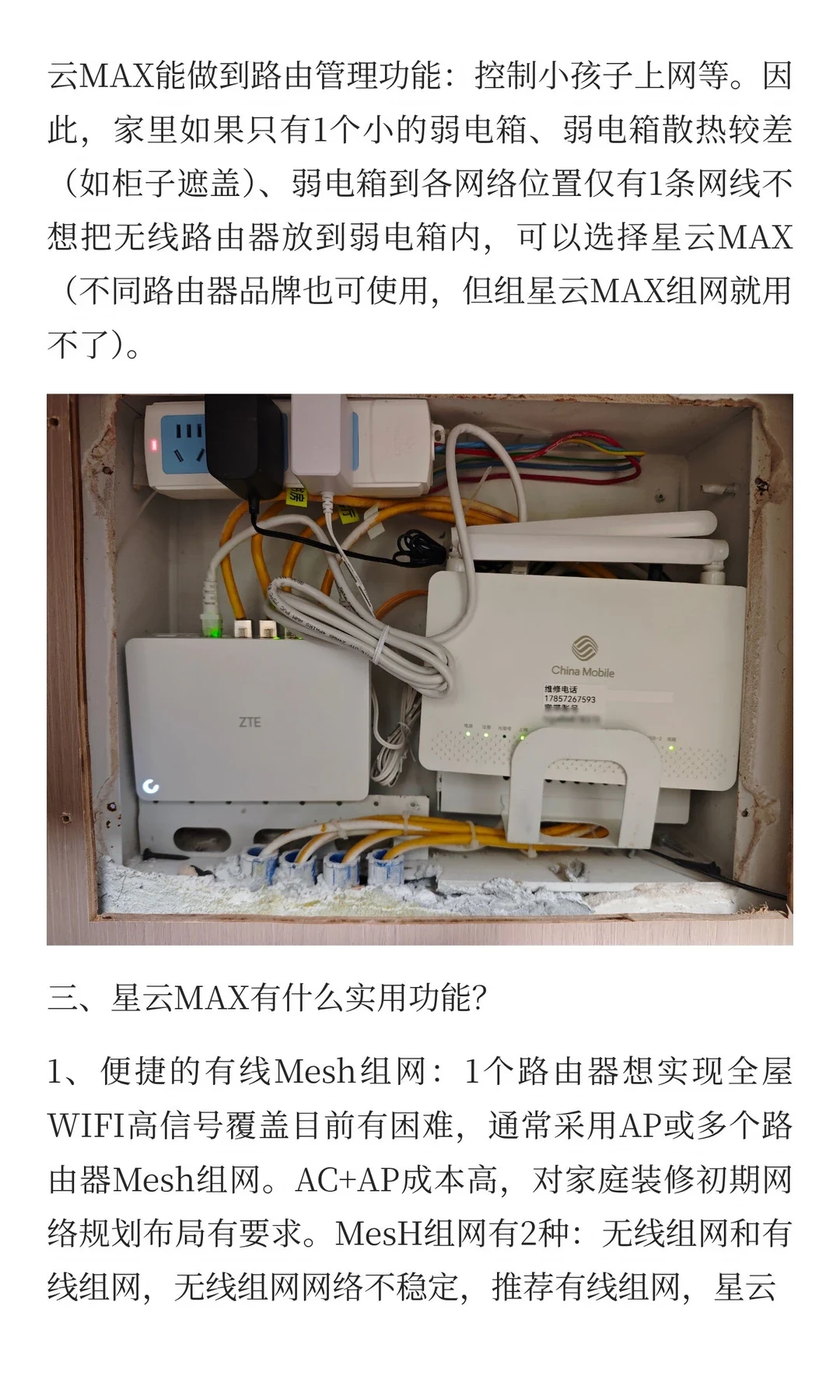
The Nebula MAX’s role in a home network is as the main Wi-Fi system host: it handles the central network workload, reducing the load and heat on secondary routers. Before I got it, I used a Qingtian BE5100 as the main router in the cabinet and meshed it with a Xiaofangtang. The cabinet is inside a cupboard, and the Qingtian BE5100 became unusually hot to the touch. To keep the network stable, I put a small desktop fan in the cabinet for cooling. After I put the Nebula MAX in the cabinet and used the Qingtian BE5100 and Xiaofangtang as secondary mesh routers, the Nebula MAX felt warm—less hot than my China Mobile optical modem. The Qingtian BE5100’s temperature dropped considerably, though it felt slightly warmer than the Nebula MAX. A switch only provides physical connections; the Nebula MAX also provides router management functions.
So, if your home has just one small, poorly ventilated wiring cabinet, one Ethernet cable to each network point, and you do not want to put a router in the cabinet, you could consider the Nebula MAX.
- What useful features does the Nebula MAX have?
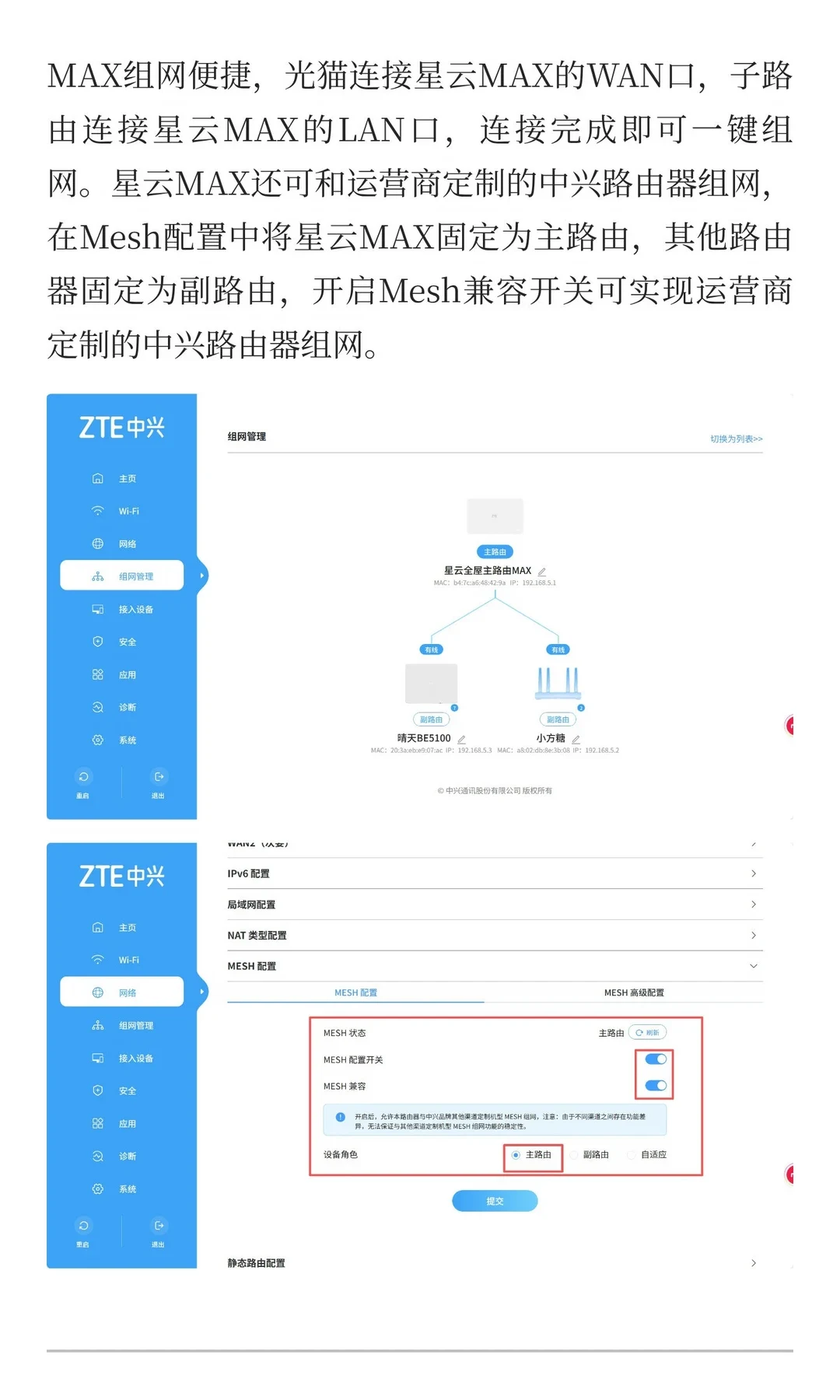
- Convenient wired Mesh networking: Mesh networking can be wireless or wired. I find wireless networking unstable and recommend a wired connection. Setting up Mesh with the Nebula MAX is convenient: connect the optical modem to the Nebula MAX’s WAN port and the secondary router to a LAN port, then start one-touch Mesh setup. The Nebula MAX can also mesh with ZTE routers customized for internet service providers.
- A range of functions:
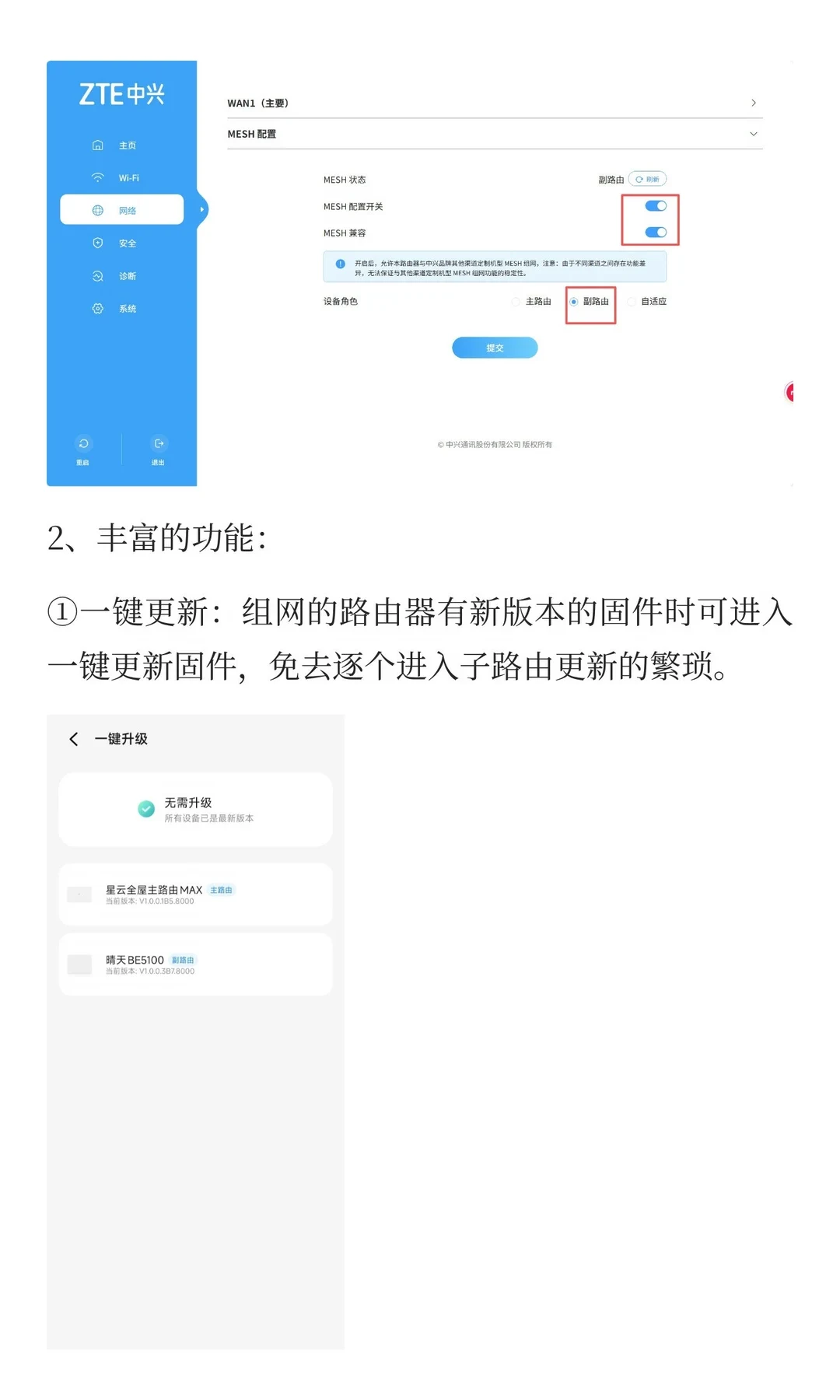
- One-touch firmware updates.
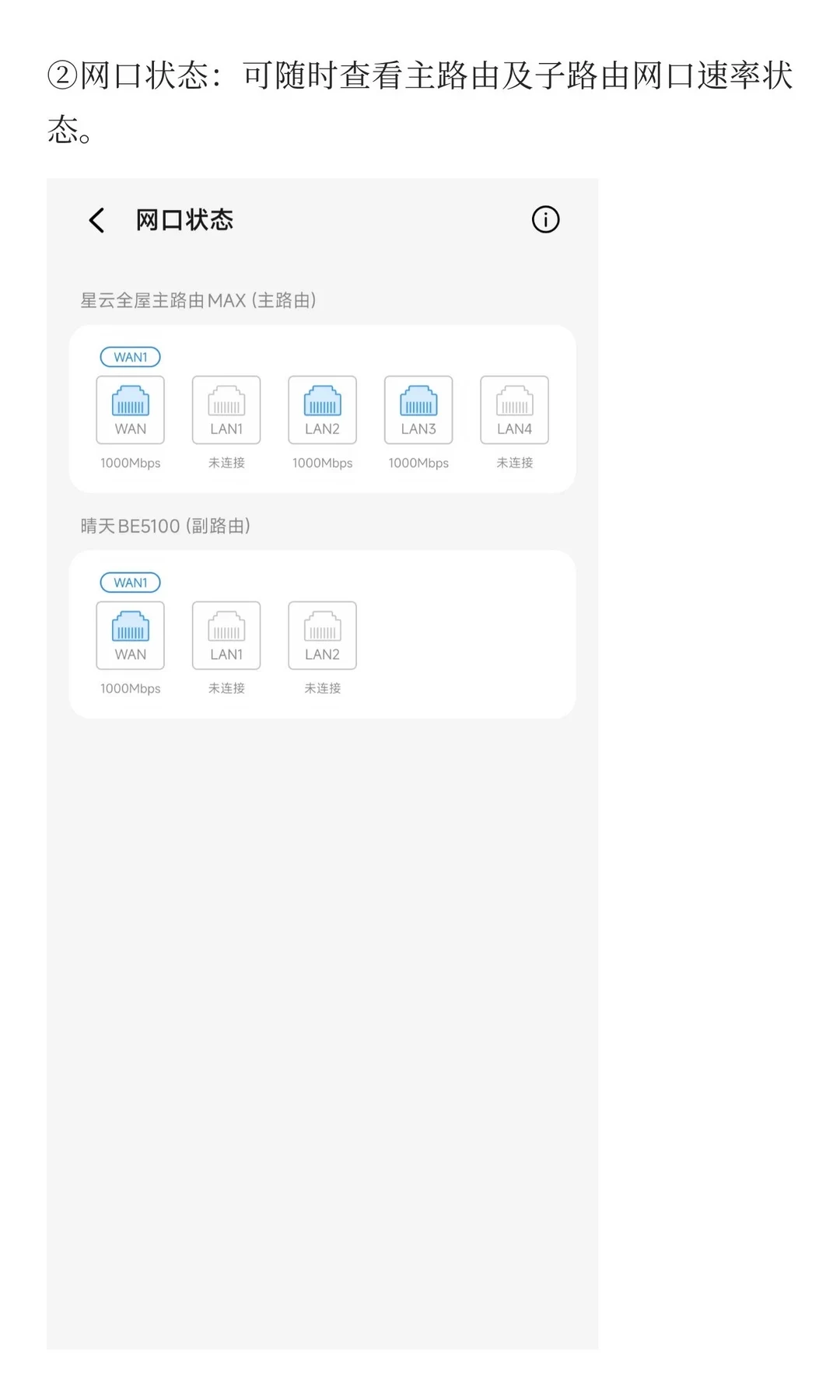
- Ethernet port status checks.
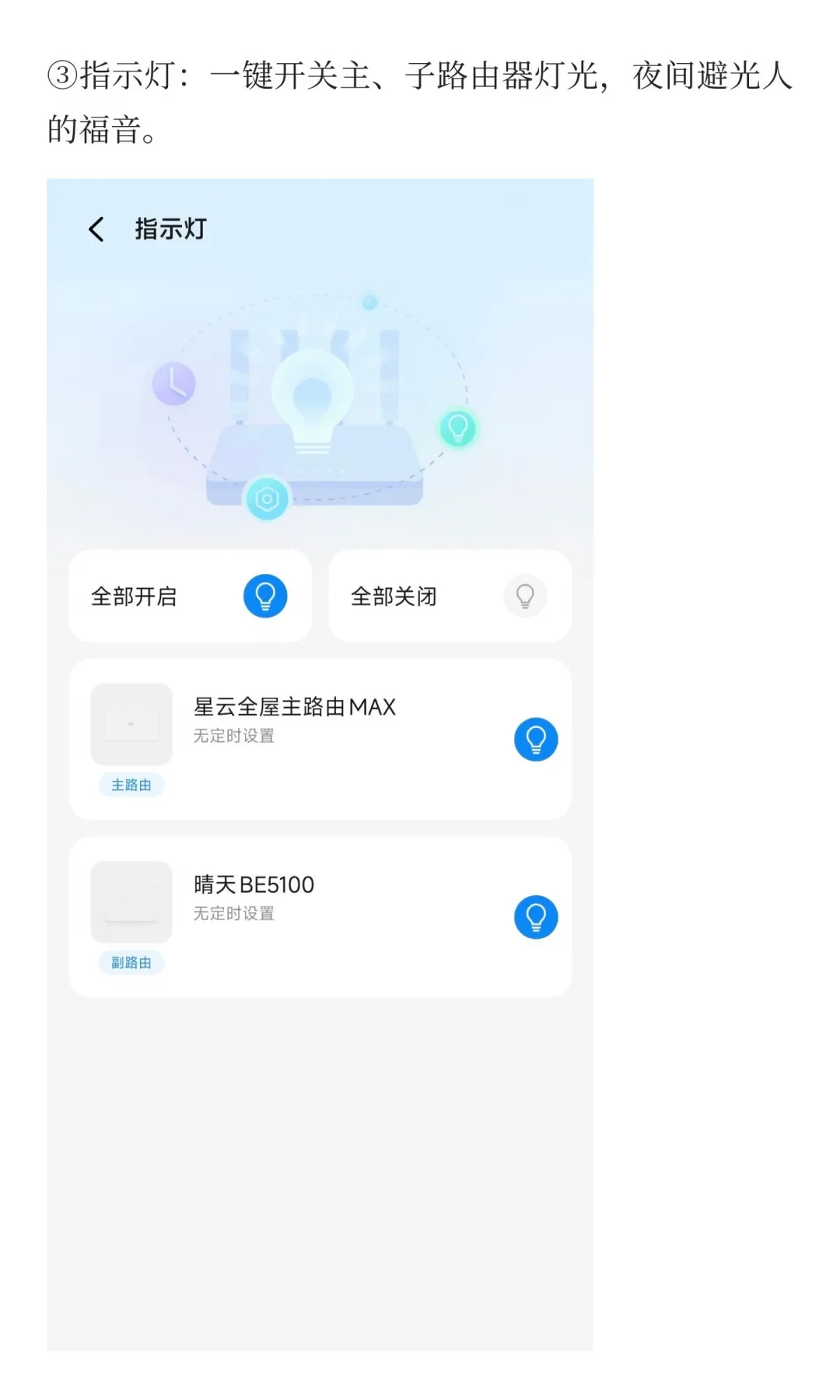
- One-touch indicator-light control.
- App acceleration for games and video.
- A range of plugins, including game plugins, NodeLittle, and Beirui Pugongying.
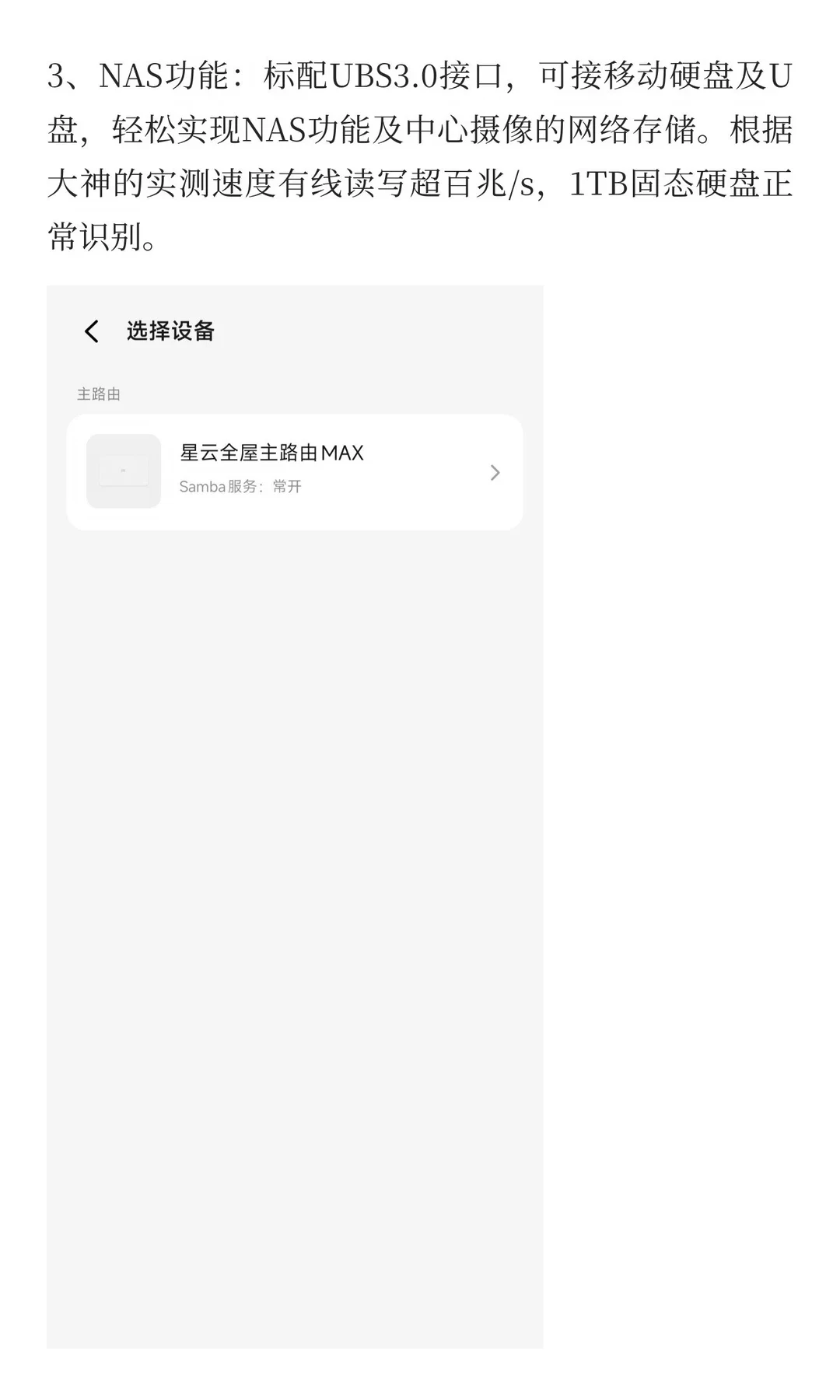
- NAS functions: The included USB 3.0 port can connect an external hard drive or USB drive for NAS functions and central network storage for cameras. According to tests by experienced users, wired read and write speeds exceed 100 MB/s, and a 1 TB solid-state drive is recognized normally.
- Network problems encountered when using the Nebula MAX for Mesh: See my other post, “ZTE Router Lag and Slow Loading: General Ways to Reduce the Problems.”
- Future network upgrades: When upgrading from Wi-Fi 7 to Wi-Fi 8, you only need to replace the secondary router; the Nebula MAX automatically syncs the Wi-Fi name and password. The Nebula MAX should last at least five years, really saving us money.
In summary, the Nebula MAX suits people with a small, poorly ventilated wiring cabinet who need all 2.5G ports, NAS functions, or one-touch Mesh setup, or who are looking for high value for money.
Source: 掌心的温度 · Xiaohongshu · 2025-12-05 · 普通用户星云MAX体验. Search this Chinese title in Xiaohongshu to find the original post.
Before You Buy
Models in your region
The reviewed product is the wired ZTE Nebula MAX SR1010, identified by its model label; it is not a Wi-Fi router and needs at least one wired secondary router for initial setup. ZTE’s UK and Europe-listed AX3000 Pro is a separate wireless router, not an established regional equivalent, so the owner’s cabinet and Mesh experience should not be assumed to apply to it.
| Model in this review | Related regional model | What to know |
|---|---|---|
| ZTE Nebula MAX SR1010 | ZTE AX3000 Pro (UK and Europe) | The reviewed Chinese-market unit is the wired Nebula MAX SR1010, with no Wi-Fi; it needs a wired secondary router for initial setup. The UK and Europe-listed ZTE AX3000 Pro is a separate wireless product, not a confirmed regional equivalent. |
- Model in this review
- ZTE Nebula MAX SR1010
- Related regional model
- ZTE AX3000 Pro (UK and Europe)
- What to know
- The reviewed Chinese-market unit is the wired Nebula MAX SR1010, with no Wi-Fi; it needs a wired secondary router for initial setup. The UK and Europe-listed ZTE AX3000 Pro is a separate wireless product, not a confirmed regional equivalent.
A wired hub still needs Wi-Fi nodes
The Nebula MAX SR1010 is a wired main router, not a standalone wireless access point: its label says it has no Wi-Fi and requires at least one wired secondary router for initial setup. That matches the owner’s arrangement, with the Nebula MAX as the main unit and the Qingtian BE5100 and Xiaofangtang as wired nodes. ZTE’s UK and Europe-listed AX3000 Pro is a separate wireless model; the supplied evidence does not establish shared hardware, firmware, thermal performance, or Mesh compatibility.
Use wired nodes and account for cabinet ventilation
A wired Nebula MAX setup may suit a home with Ethernet runs to each room and a small wiring cabinet, provided a wired secondary router is available. In this owner’s cabinet, moving the Qingtian BE5100 from the main-router role to a wired secondary-node role coincided with a noticeable drop in its felt heat; the Nebula MAX felt warm. This is one person’s tactile comparison, not a measured temperature test, and it does not establish that the same result will occur in every cabinet.
The SR1010 has four 2.5G LAN ports and one WAN port, according to the owner’s description. Its USB 3.0 port can connect external storage, but the account’s read/write speed above 100 MB/s and normal recognition of a 1 TB SSD are attributed to other users’ tests, not to measurements by this owner. Buyers who need verified transfer performance should seek tests of their own drive and network setup.
Plan Mesh setup and future changes
For the owner’s wired Mesh arrangement, the optical modem connects to the Nebula MAX WAN port and the secondary router connects to a LAN port; the owner describes completing setup with one-touch Mesh. The account also says the system can work with some ZTE routers customized for internet service providers, but it does not identify those models or establish compatibility with the UK and Europe AX3000 Pro.
The owner says the Nebula MAX can sync the Wi-Fi name and password when replacing a secondary router during a future Wi-Fi 7-to-Wi-Fi 8 upgrade. That is a stated future-upgrade expectation, not a demonstrated Wi-Fi 8 test. The owner also points to a separate post about network lag and slow loading, so the account does not establish that the Nebula MAX prevents those problems.
Related Reading

Reviews & Guides · Computing & Networking
TP-Link Deco X55 in a two-storey Australian home: Wi-Fi across 300 m²
I installed two TP-Link Deco X55 units in my 300 m², two-storey home; bedrooms that often lost Wi-Fi now had a signal throughout the house.
Reviews & Guides · Computing & Networking
TP-Link Deco X55: DNS pauses stopped for six days in access-point mode
I switched my Deco X55 to access-point mode and restored my older router to the front of the network. The DNS-like pauses stayed away for six days.
Reviews & Guides · Computing & Networking
TP-Link Deco X55 after nearly a year: six units, Teams and gaming
I’ve used six TP-Link Deco X55 units for nearly a year, including daily Teams calls and online gaming; I’ve had only one or two connectivity issues.