
Reviews & Guides · Computing & Networking
AOOSTAR AG03 with RTX 2080 Ti: FurMark ran, but the laptop froze in use
Reviewed: AOOSTAR AG03Regional reference: AOOSTAR AG03 Thunderbolt 5 & OCuLink eGPU Dock (United States / European Union / United Kingdom)
My AOOSTAR AG03 recognizes the RTX 2080 Ti and runs FurMark normally, but my HP Zhan X 258V freezes randomly and its touchpad stops responding.
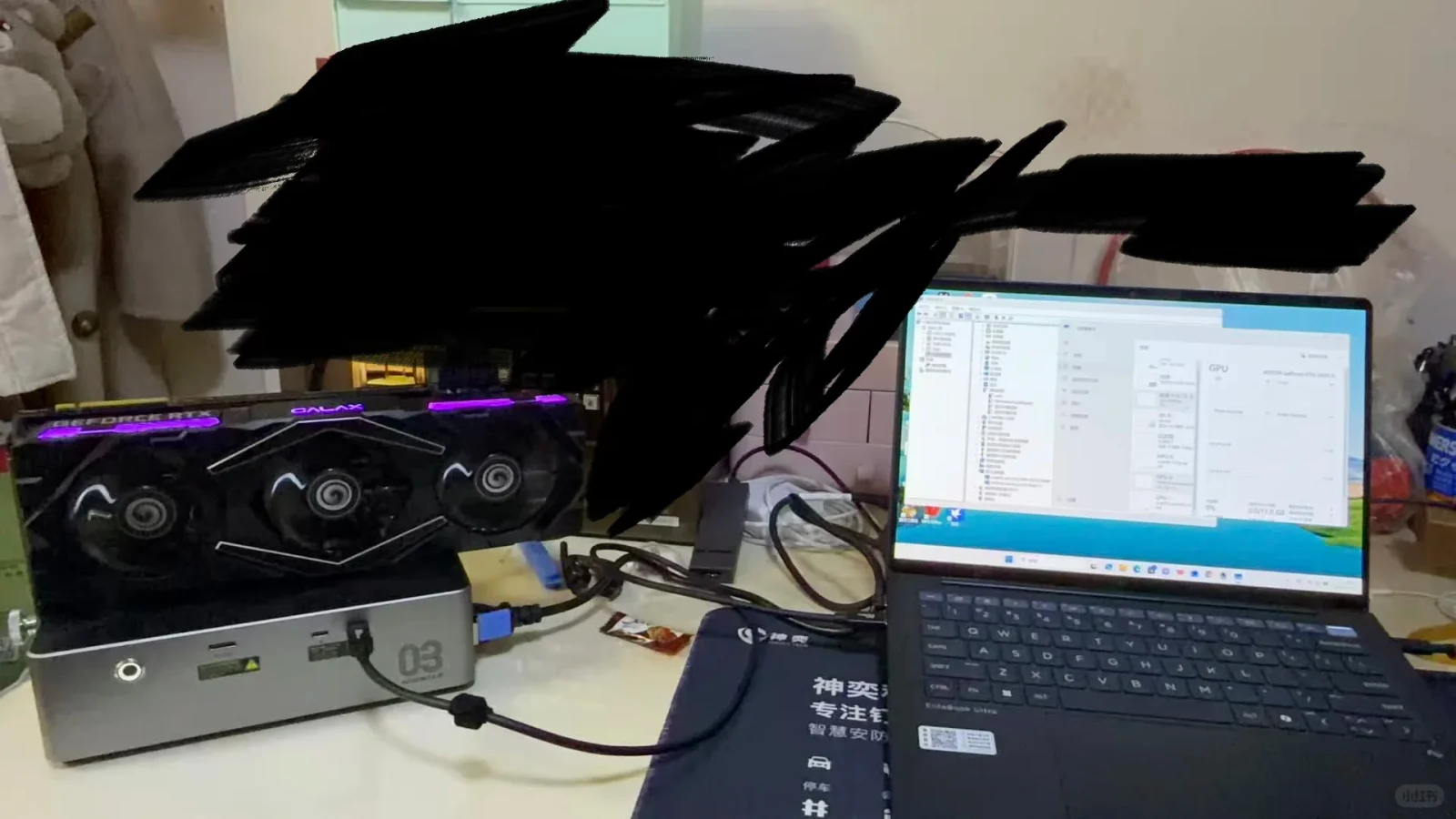

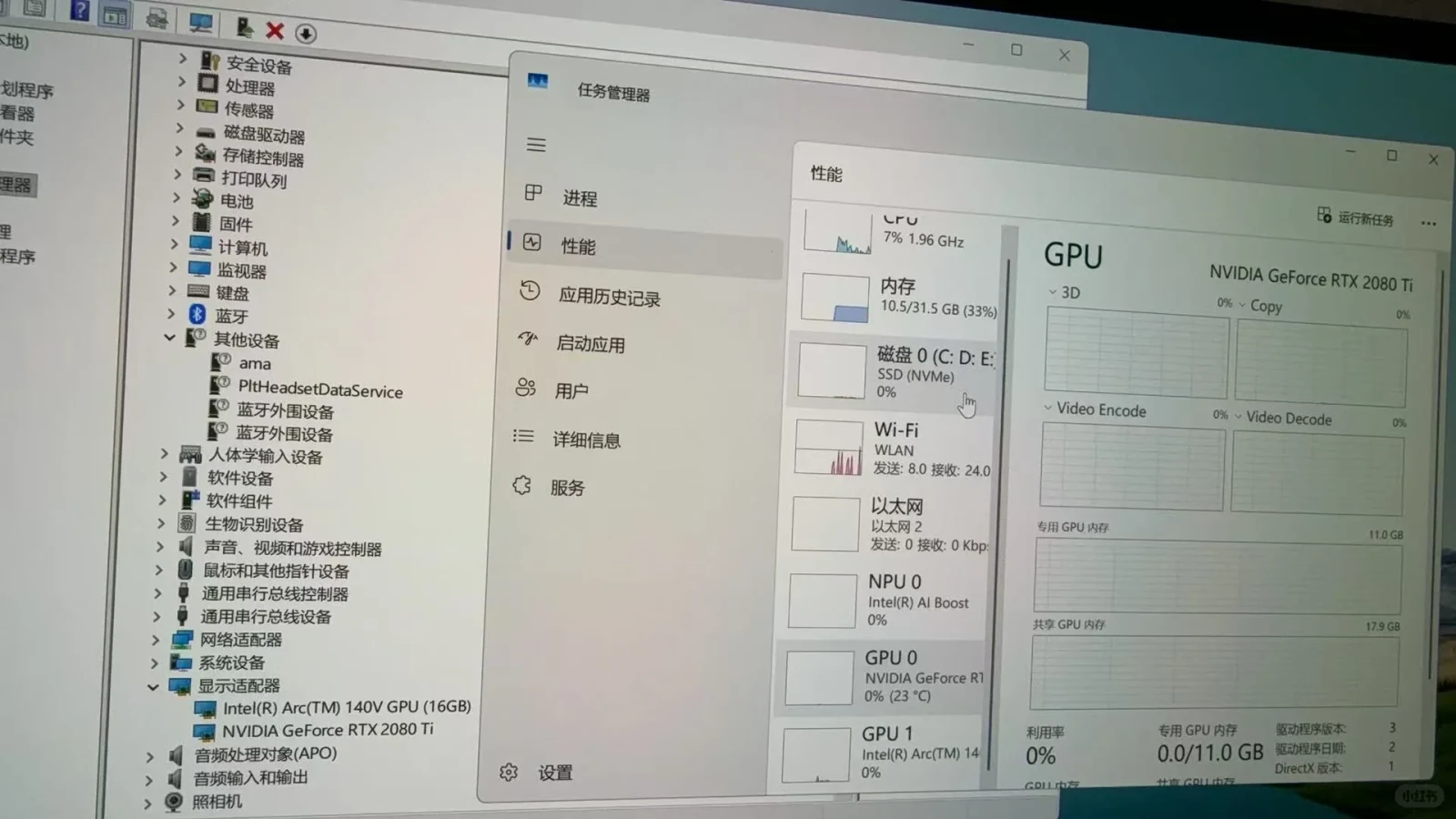
Could someone help me figure this out?
Laptop: HP Zhan X 258V, with a Thunderbolt 4 port.
EGPU dock: AOOSTAR AG03 + RTX 2080 Ti.
After I installed the driver, the GPU was recognized and FurMark ran normally. But the laptop freezes randomly during use, and the touchpad stops responding—even pressing anywhere on its surface gets no response.
I tried uninstalling and reinstalling the driver with DDU, disabling PCIe power management, and setting maximum performance in the NVIDIA Control Panel, but it still freezes.
Is there anything else I can try?
Source: momo 不吃香菜 · Xiaohongshu · 2026-01-02 · 笔记本外接显卡坞随机卡死. Search this Chinese title in Xiaohongshu to find the original post.
Before You Buy
Models in your region
The owner identifies the dock as an AG03; the photograph’s “03” marking, two Thunderbolt ports and OCuLink connector match the AOOSTAR AG03 family. AOOSTAR lists a US/EU/UK version, but its current listing does not establish compatibility with this HP Zhan X 258V and RTX 2080 Ti combination. The owner’s successful GPU recognition and FurMark run do not show that the setup is stable in everyday use or reveal why it freezes.
| Model in this review | Related regional model | What to know |
|---|---|---|
| AOOSTAR AG03 | AOOSTAR AG03 Thunderbolt 5 & OCuLink eGPU Dock (United States / European Union / United Kingdom) | The owner’s dock is identified as an AG03 in the post and matches the AOOSTAR AG03 family shown in the photograph. AOOSTAR’s US/EU/UK listing is for the AG03 Thunderbolt 5 & OCuLink eGPU Dock; it does not confirm compatibility with the owner’s HP Zhan X 258V and RTX 2080 Ti setup. The exact power-supply revision is also unknown. |
- Model in this review
- AOOSTAR AG03
- Related regional model
- AOOSTAR AG03 Thunderbolt 5 & OCuLink eGPU Dock (United States / European Union / United Kingdom)
- What to know
- The owner’s dock is identified as an AG03 in the post and matches the AOOSTAR AG03 family shown in the photograph. AOOSTAR’s US/EU/UK listing is for the AG03 Thunderbolt 5 & OCuLink eGPU Dock; it does not confirm compatibility with the owner’s HP Zhan X 258V and RTX 2080 Ti setup. The exact power-supply revision is also unknown.
A successful stress test did not prevent random freezes
The owner reports that the RTX 2080 Ti was recognized and FurMark ran normally, yet the laptop still froze randomly during use and the touchpad stopped responding. Those observations establish that the GPU was detected and the test ran; they do not diagnose the cause or prove everyday stability.
The owner tried a DDU driver reinstall, disabled PCIe power management, and selected maximum performance in the NVIDIA Control Panel, but reports that the freezes continued. The post ends by asking for help, so no fix or confirmed cause is established.
Use the correct port and check host support
AOOSTAR’s US/EU/UK product page describes its current AG03 as a Thunderbolt 5 and OCuLink eGPU dock with a JHL9480 controller and specifies a particular Thunderbolt 5 computer-icon port for eGPU use. The laptop is identified as an HP Zhan X 258V with Thunderbolt 4, but the official listing does not confirm this host and RTX 2080 Ti combination as compatible. Do not treat the listing’s Thunderbolt 5 requirements as proof that the setup is supported.
The exact power-supply revision, host cable and firmware are not shown, so the post cannot establish whether those details contributed to the freezes. AOOSTAR lists regional adapter options; buyers should check the correct power configuration for their market and confirm host and GPU compatibility for the specific dock version before purchase.
The AG03’s front round button selects the connection mode. Check the instructions for the specific dock revision before relying on it to power the dock off. That control information does not explain the freezes.
Related Reading

Reviews & Guides · Computing & Networking
TP-Link Deco X55 in a two-storey Australian home: Wi-Fi across 300 m²
I installed two TP-Link Deco X55 units in my 300 m², two-storey home; bedrooms that often lost Wi-Fi now had a signal throughout the house.

Reviews & Guides · Computing & Networking
TP-Link Deco X55: DNS pauses stopped for six days in access-point mode
I switched my Deco X55 to access-point mode and restored my older router to the front of the network. The DNS-like pauses stayed away for six days.
Reviews & Guides · Computing & Networking
TP-Link Deco X55 after nearly a year: six units, Teams and gaming
I’ve used six TP-Link Deco X55 units for nearly a year, including daily Teams calls and online gaming; I’ve had only one or two connectivity issues.