
Reviews & Guides · Creative Tools
Bambu Lab P1S Combo: planning my first 48 hours of prints
I mapped out 48 hours of starter prints for my Bambu Lab P1S, from a scraper and waste bin to AMS protection, risers and a first figurine.
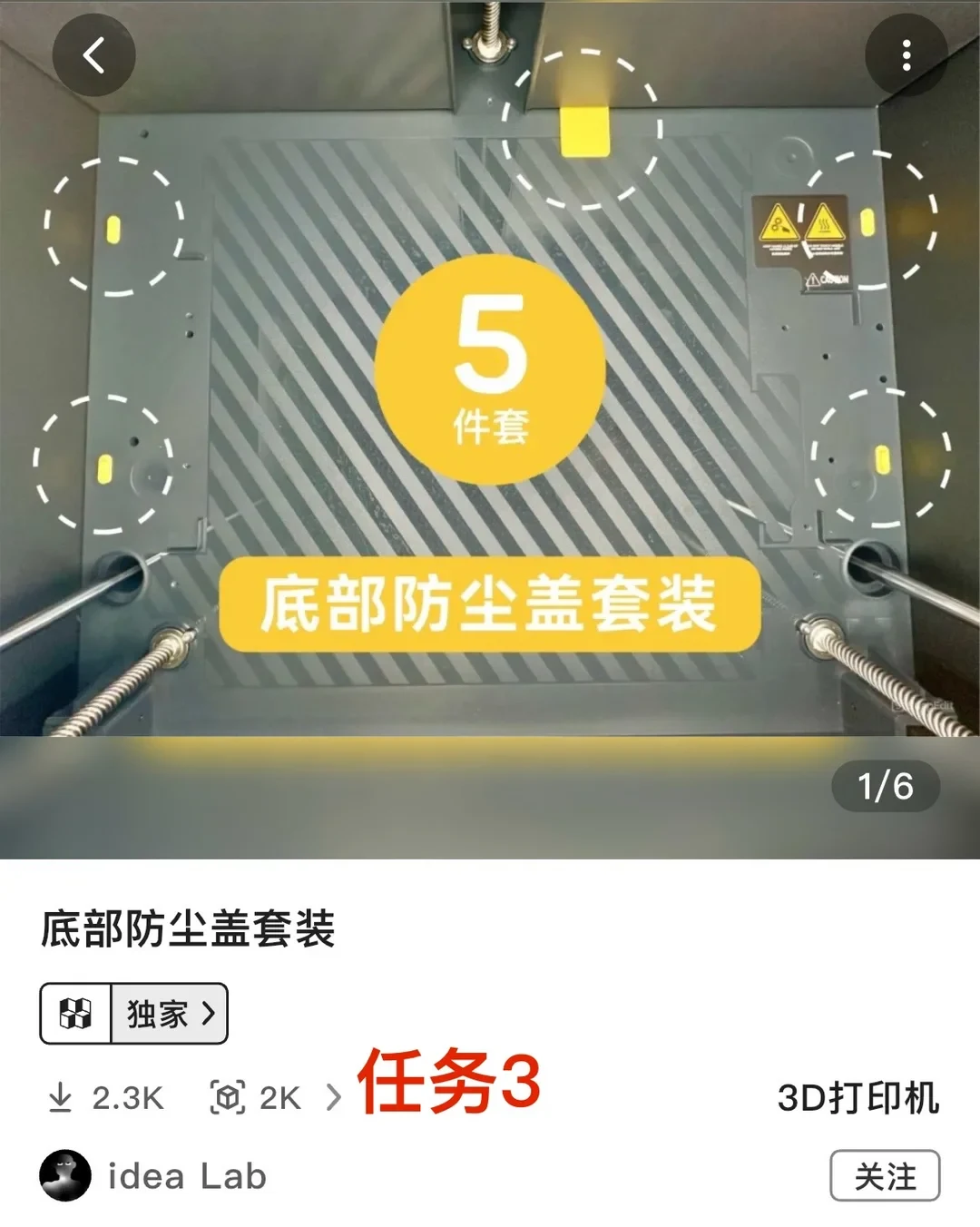
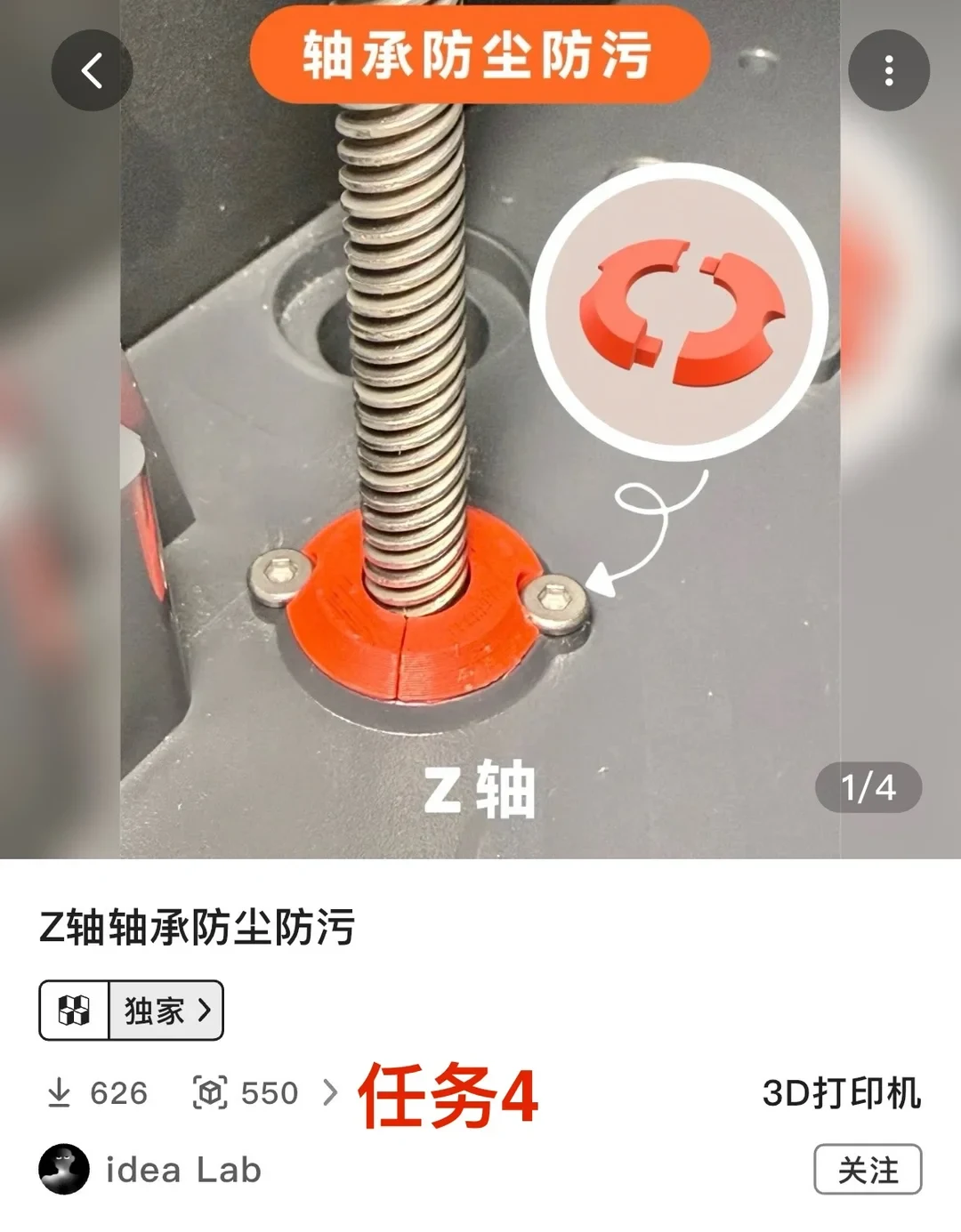
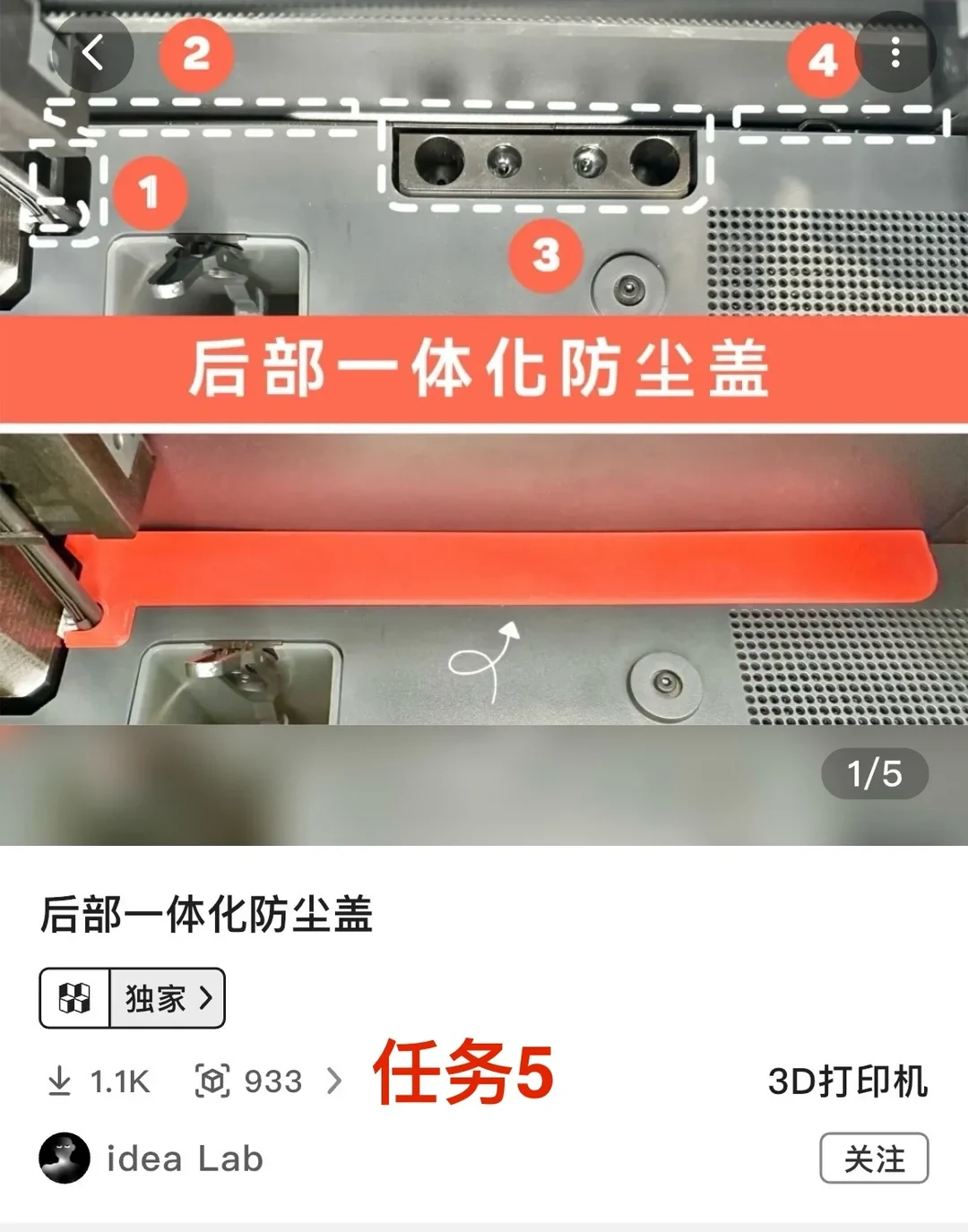
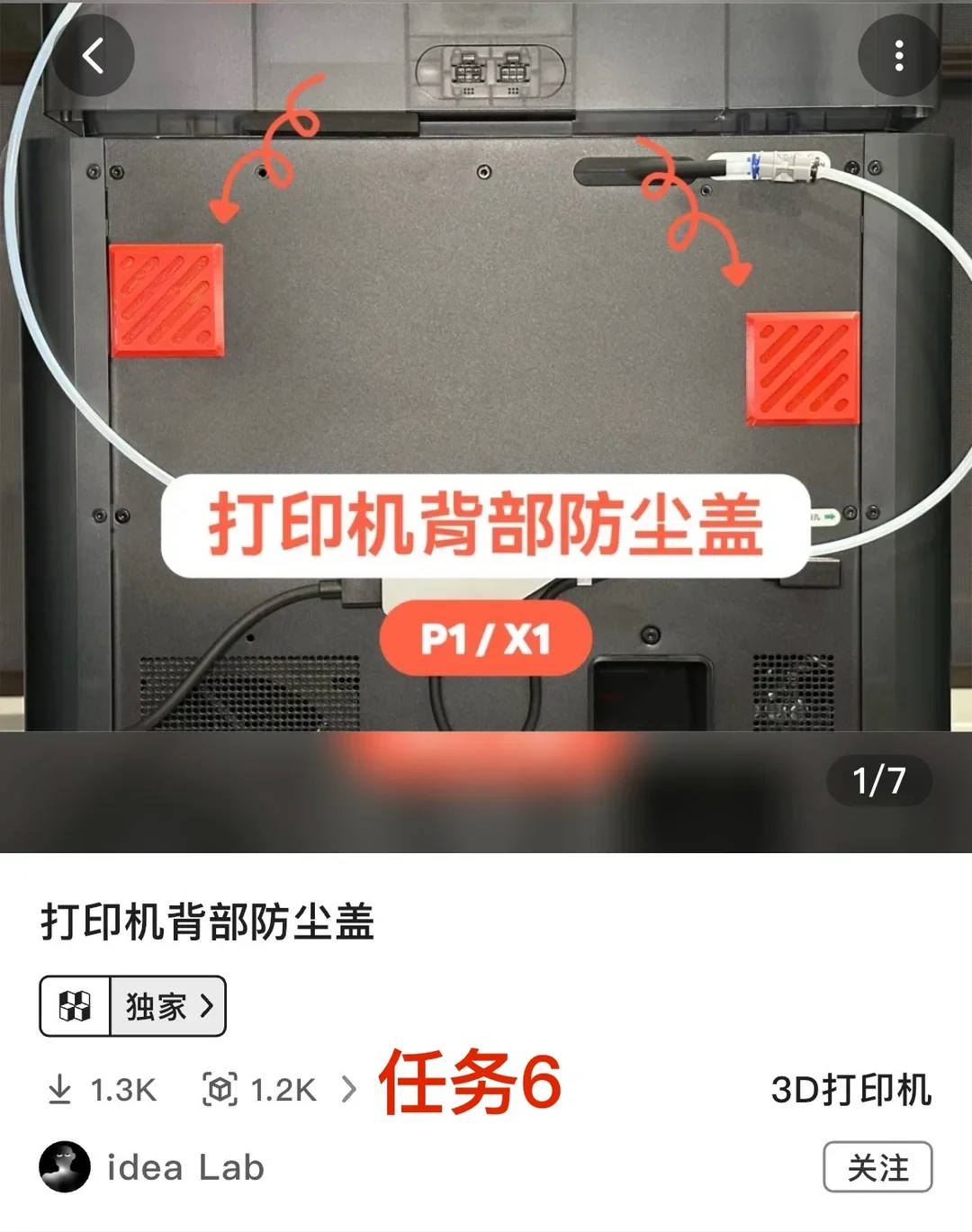
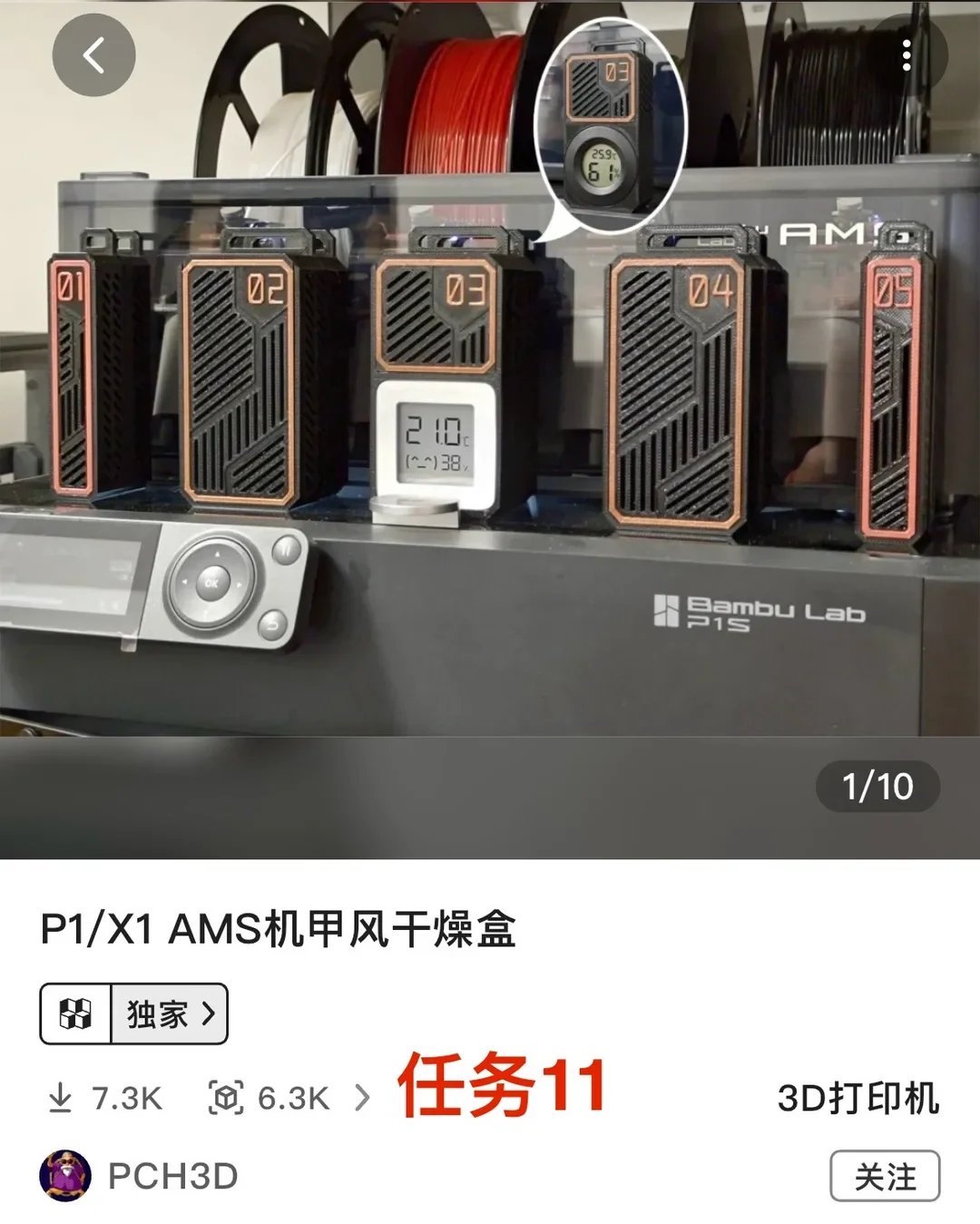
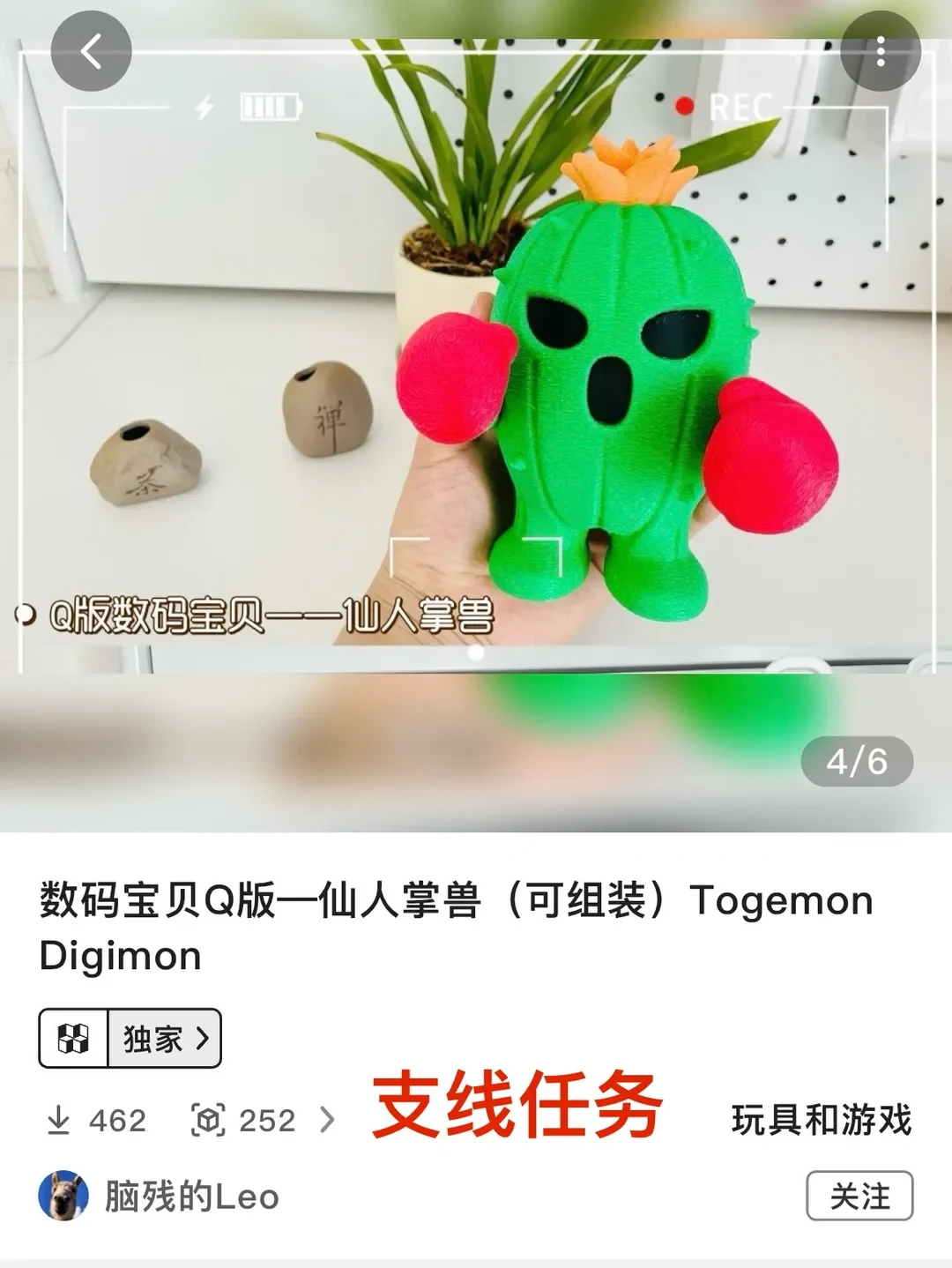
In my previous post, I wrote about the accessories worth buying for the P1S 3D printer; you can look it up if you need it. This time, I’m talking about the beginner tasks to complete after your Bambu Lab P1S arrives. This beginner task list is something I put together myself, so if you disagree, go with what works for you. The full route takes 48 hours and uses 1,253 g of filament. Once you finish these tasks, I believe you’ll have learned the whole printing process. Without further ado, let’s get started!
First, download the Bambu Handy app, Bambu Lab’s official app, and scan the QR code to bind your 3D printer. Then you can start the beginner tasks. Let’s go!
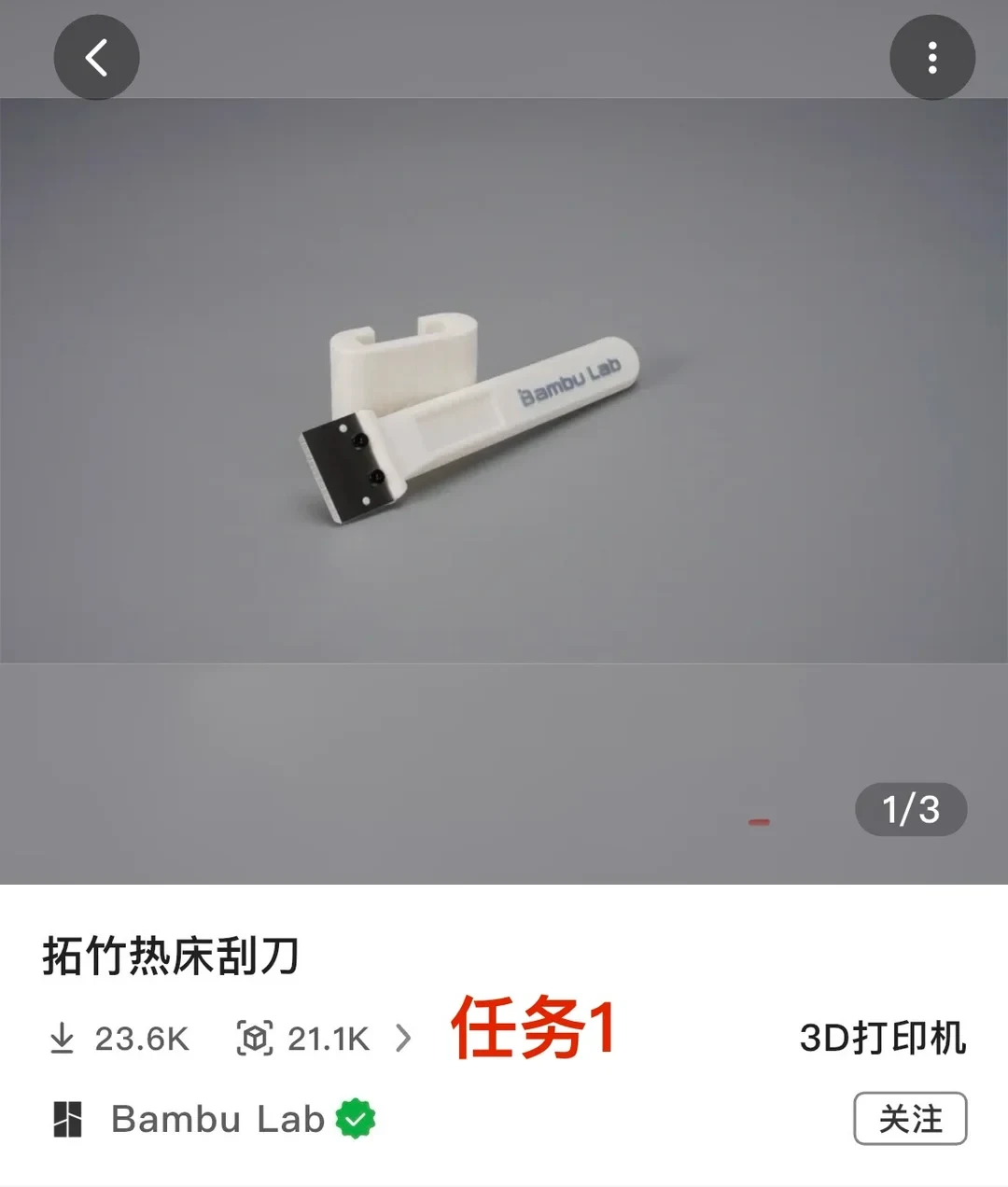
Task 1: Scraper. Completion time: 1.7 hours. Filament: 37 g. The first thing to print is a scraper. If you don’t print one, it will be difficult to remove the later prints from the build plate.
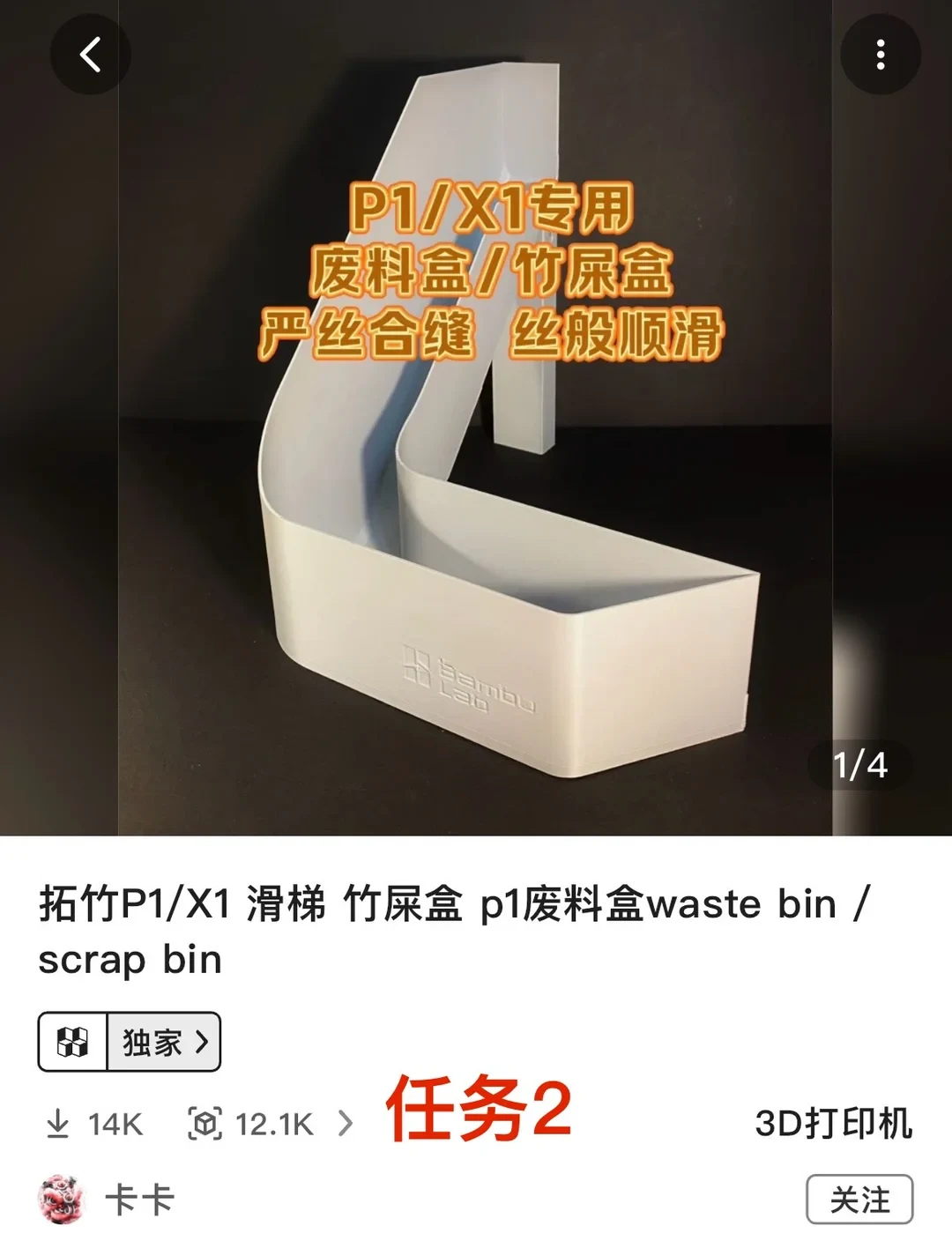
Task 2: Filament-waste box. Completion time: 2.6 hours. Filament: 116 g. The machine will eject waste later, so you need a box to catch it. You can print any waste box you like. The designs shown above are ones I printed and thought were fairly good; you can copy them or choose something you prefer.
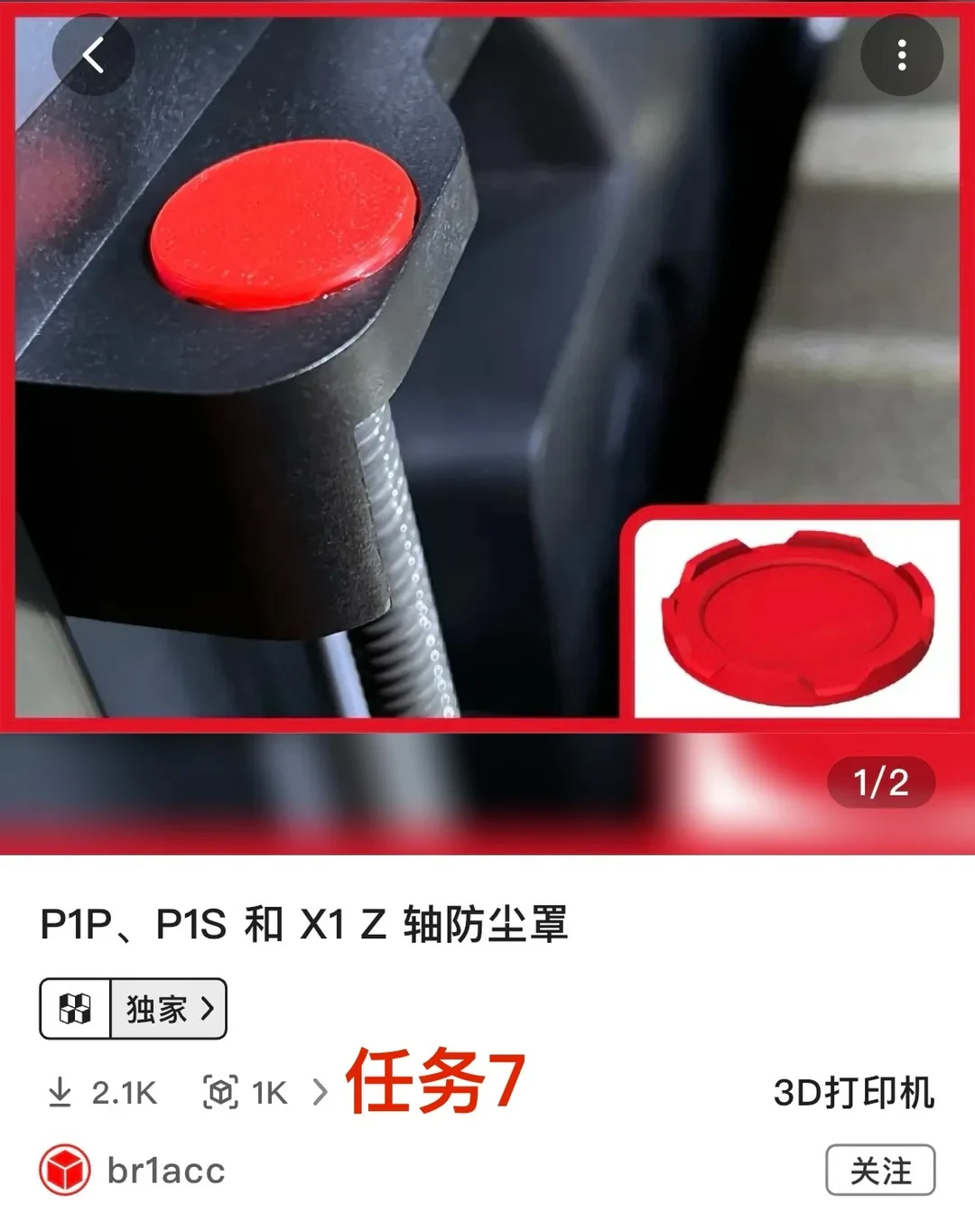
Tasks 3–7: Various dust covers. Completion time: 1.5 hours. Filament: 25 g. If you look closely at the P1S, you’ll notice that it has many gaps, and filament waste could easily fall inside. I don’t think this is a very sensible design, so the only option is to print dust covers to block the gaps.
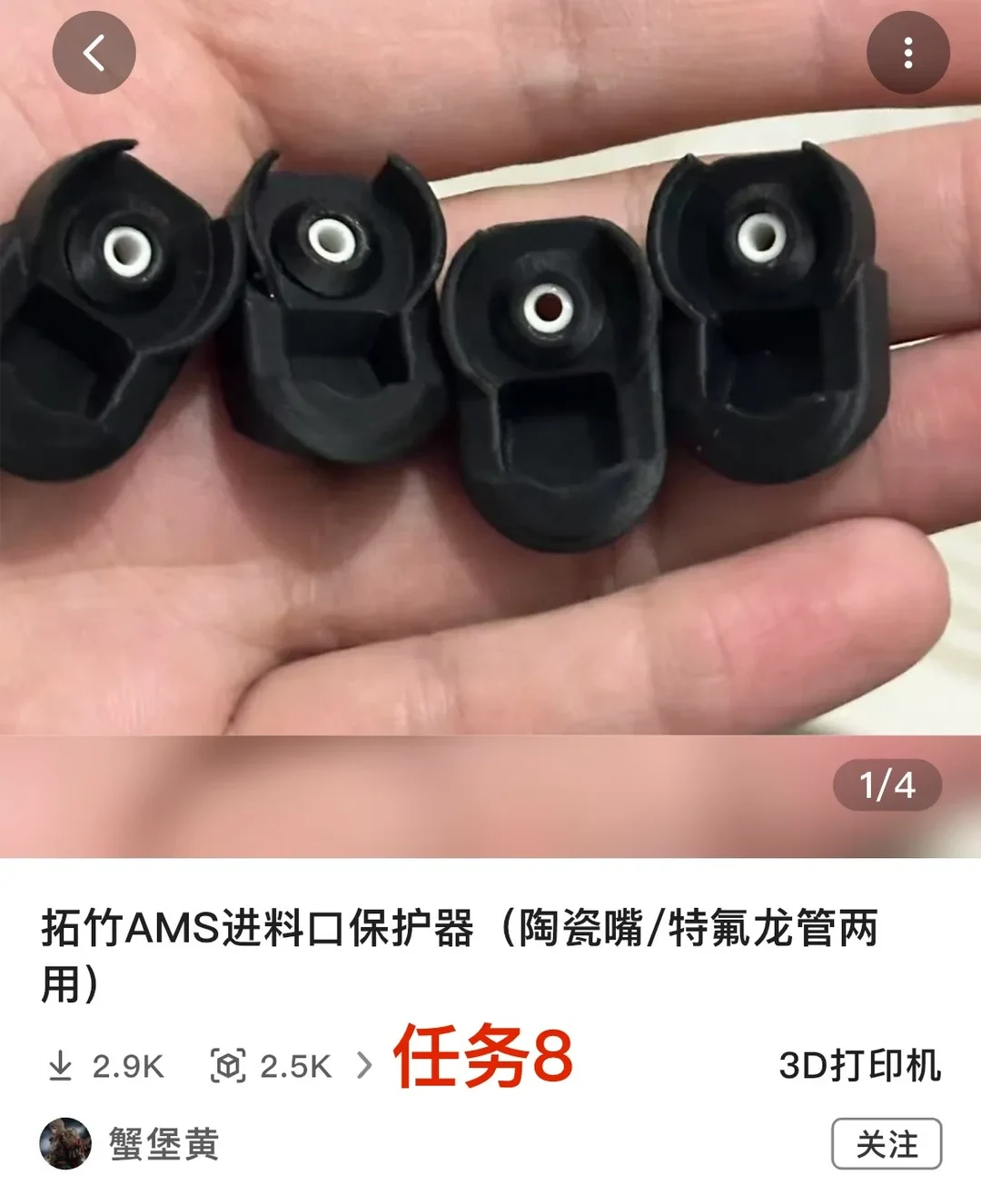
Task 8: AMS filament-inlet protector. Completion time: 1.1 hours. Filament: 9 g. Use it together with the ceramic eyelet I bought for the previous post, and clip it onto the AMS inlet. It can effectively help prevent wear on the inlet. Remember to clip it on tightly: I didn’t do that the first time, and it started slipping when filament was fed.
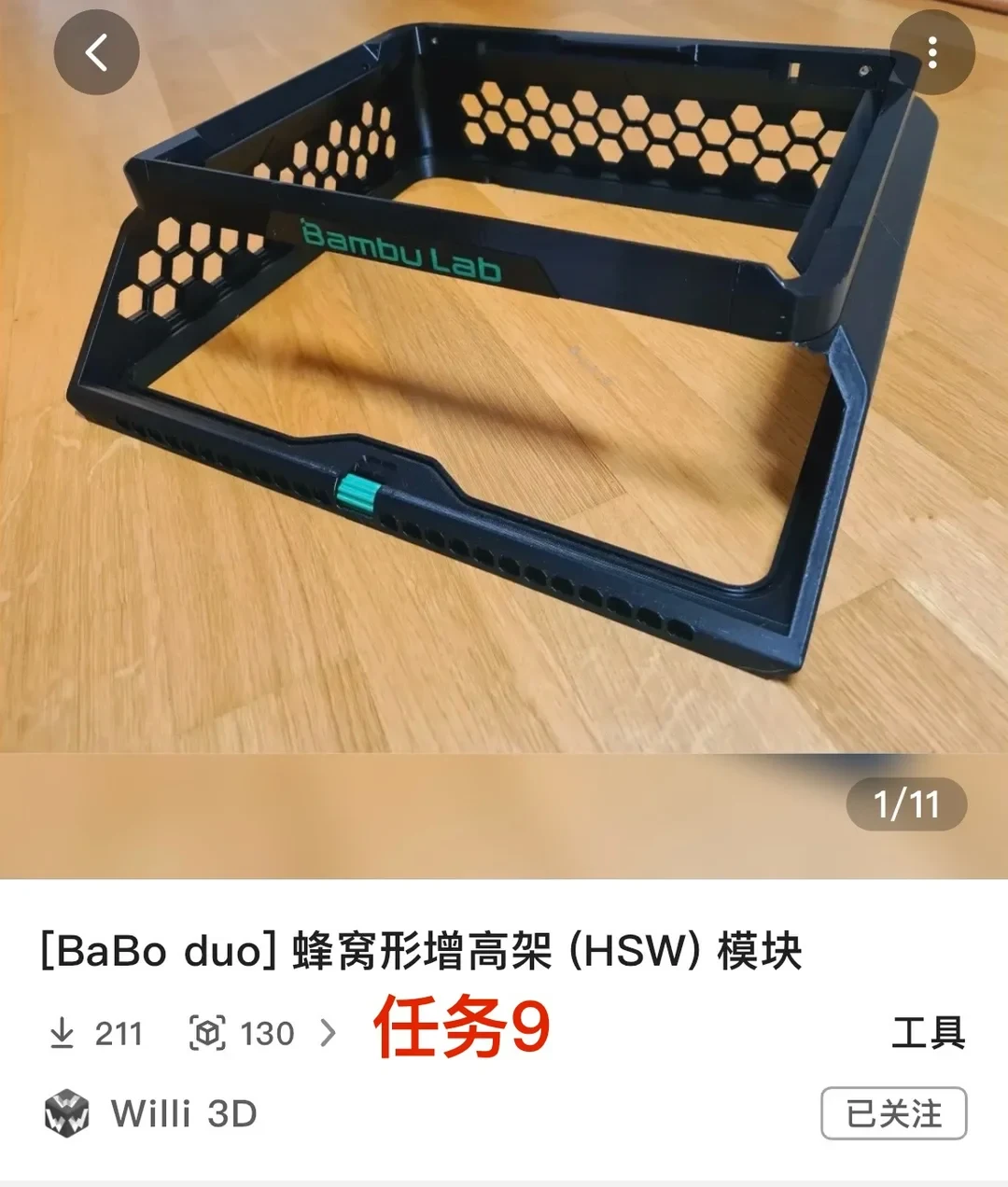
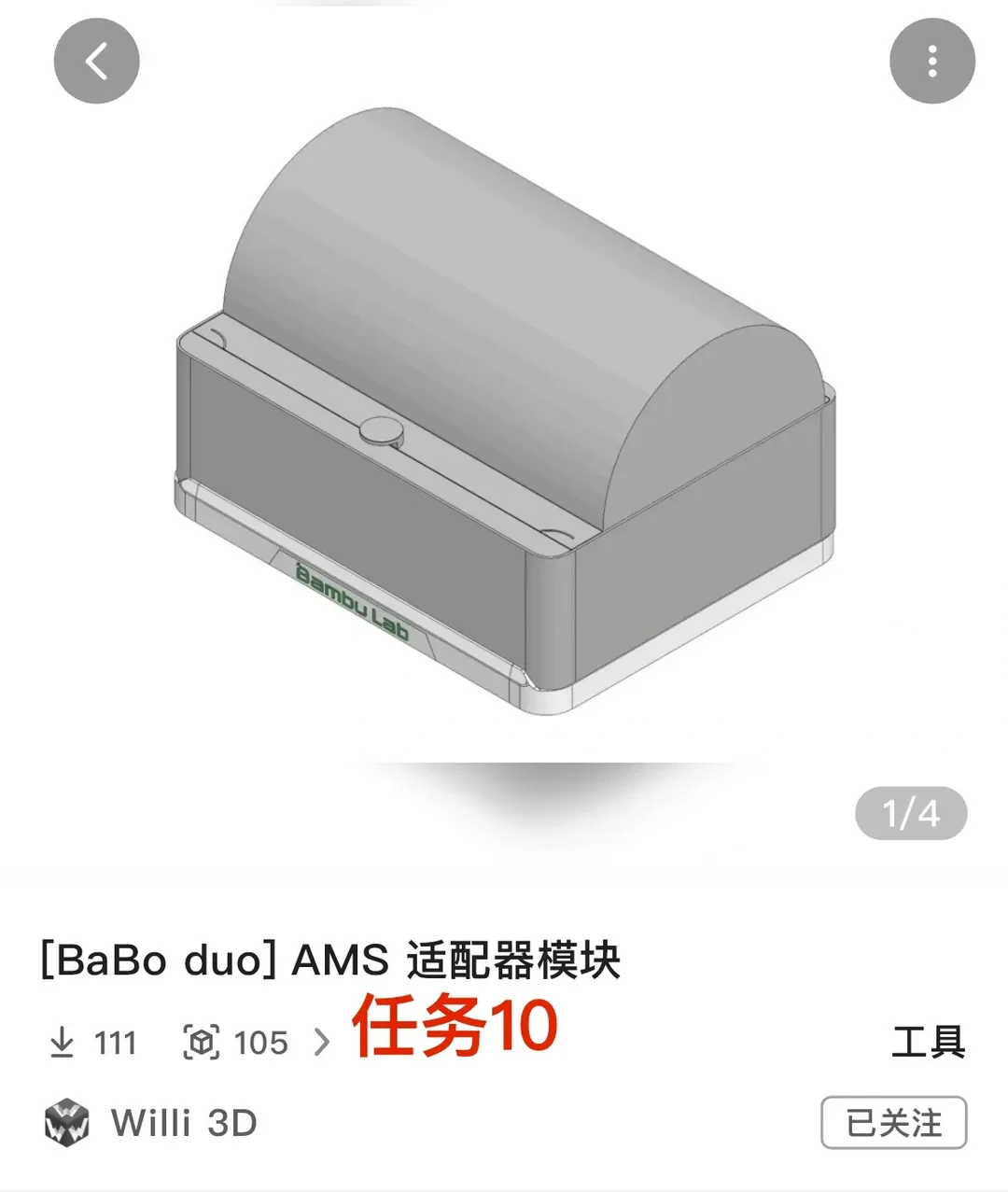
Tasks 9–10: AMS cooling riser. Completion time: 30 hours. Filament: 844 g. Its main purpose is to raise the glass lid to address heat dissipation around the AMS. The original tube above the print head also rubbed against the glass top, and the riser can prevent that. I recommend printing one. If you think it takes too long, you can ask someone else to print it or buy one online. But since you bought a 3D printer, printing it yourself seems more appropriate.
Task 11: AMS drying box. Completion time: 11.1 hours. Filament: 222 g. Used with the molecular-sieve desiccant and temperature-and-humidity meter I bought for the previous post, it can help keep the filament in the AMS dry.
That’s it. If you follow my task list, the total printing time comes to exactly 48 hours. In two days, it takes you from a complete beginner through the whole 3D-printing process. After that, you can print whatever you want.
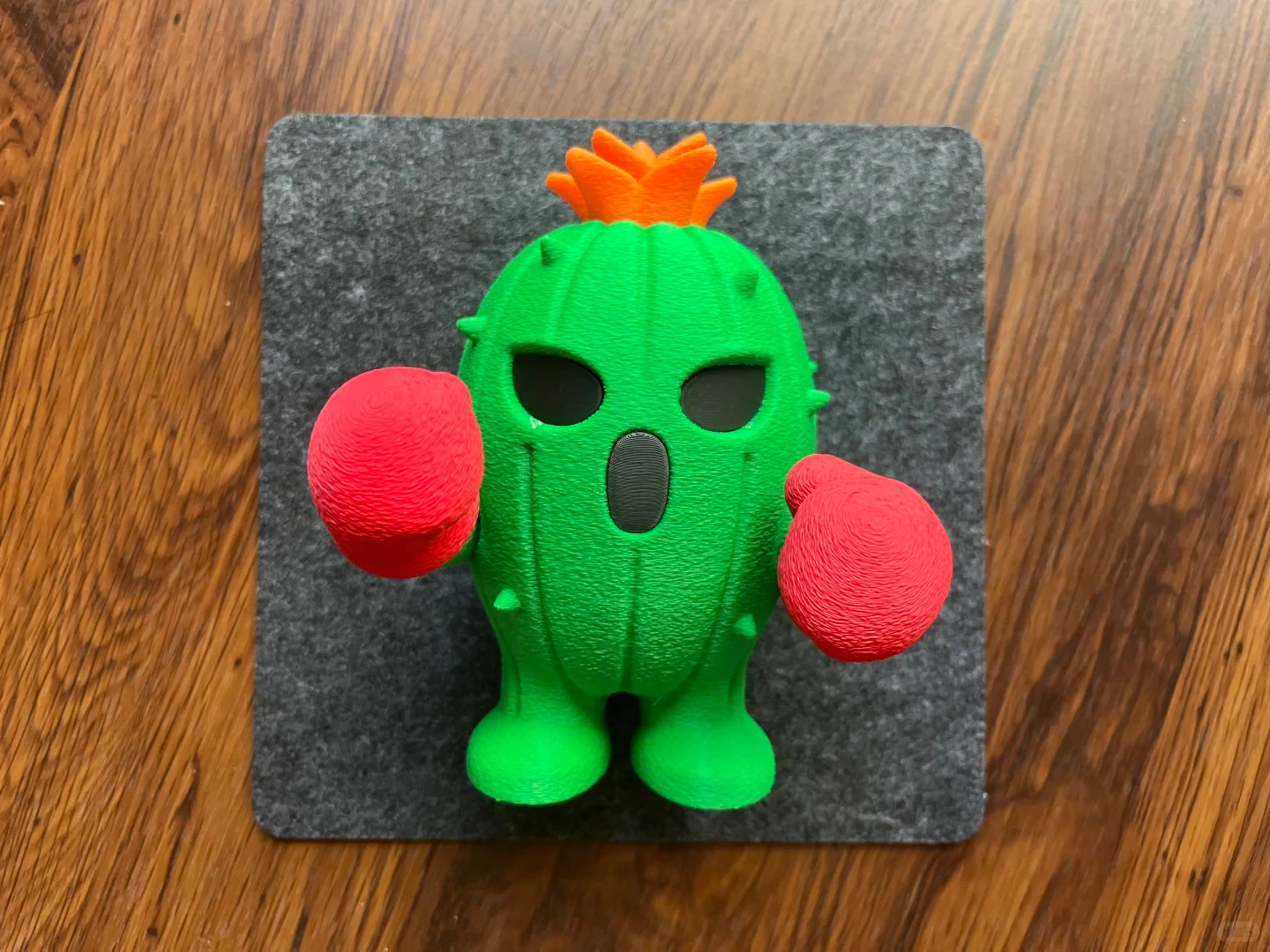
By the way, if the filament included with your machine is orange and green, and you also bought red and black filament, you can add a side quest: Togemon. The result turned out pretty well. As a first 3D-printed figurine, I think it’s quite good: it uses little support, is easy to remove, and is simple to assemble. If you like it too, you can give it a try.
Next, I’ll share attractive and interesting model figurines I print after getting the 3D printer. If you’re interested, follow me before you go. Love you!
Source: Papa酱 · Xiaohongshu · 2025-07-07 · 拓竹P1S 3D打印机到手必做的48小时新手任务. Search this Chinese title in Xiaohongshu to find the original post.
Before You Buy
Models in your region
The owner identifies the machine as a Bambu Lab P1S but does not provide a full configuration or model number. For the US market, the official listing distinguishes the P1S, P1S Combo and AMS 2 Pro Combo; the regional match below is therefore the P1S Combo listing, not proof that the owner’s machine included every listed component.
| Model in this review | Related regional model | What to know |
|---|---|---|
| Bambu Lab P1S Combo | Bambu Lab P1S Combo (US) | The US P1S Combo is a related configuration, but the owner’s exact bundle is unknown. The listing distinguishes it from the P1S and AMS 2 Pro Combo; the owner’s older AMS accessory experience does not establish AMS 2 Pro compatibility. |
- Model in this review
- Bambu Lab P1S Combo
- Related regional model
- Bambu Lab P1S Combo (US)
- What to know
- The US P1S Combo is a related configuration, but the owner’s exact bundle is unknown. The listing distinguishes it from the P1S and AMS 2 Pro Combo; the owner’s older AMS accessory experience does not establish AMS 2 Pro compatibility.
What the owner’s 48-hour plan covers
The owner’s plan is a self-made onboarding route, not a manufacturer requirement. It starts with the Bambu Handy app and printer binding, then moves through a scraper, a waste box, dust covers, an AMS inlet protector, a cooling riser, an AMS drying box and finally a small figurine. The stated total is 48 hours and 1,253 g of filament, while the individual task figures in the account add practical context to the time and material commitment.
Accessory choices are owner-selected
The waste box, dust covers, AMS protector and riser are projects the owner selected and printed for this setup. The US official listing describes the P1S as an enclosed printer with cooling fans and an activated carbon filter, but it does not make these printed parts official requirements. Treat the owner’s 48-hour route as a project list and check current documentation before adding parts that affect clearance or airflow.
The owner’s first AMS protector did not stay in place because it was not clipped on tightly. That is a specific installation lesson from this account, not a universal failure rate. The owner also pairs the protector with a ceramic eyelet and pairs the drying box with molecular-sieve desiccant and a temperature-and-humidity meter; those accompanying accessories come from the owner’s earlier purchase list and are not identified here as included with the regional model.
Time and material trade-offs
The AMS cooling riser is the largest commitment in the owner’s sequence at 30 hours and 844 g of filament, compared with 11.1 hours and 222 g for the drying box. The owner says the riser raises the glass lid, addresses the reported AMS heat issue and prevents rubbing between the tube above the print head and the glass top. This printed riser is the owner’s choice rather than an official requirement; verify fit, clearance and airflow before printing or installing one.
For a buyer planning to follow this route, the owner’s totals show that the starter projects require substantial time and filament beyond simply unboxing the printer. The owner presents outsourcing or buying the long riser as alternatives, while recommending self-printing it as part of learning the machine; that recommendation is personal rather than a regional product requirement.
A first figurine after the setup prints
The optional Togemon side project uses the owner’s orange, green, red and black filament combination. The owner reports that this first figurine had little support, was easy to remove and was simple to assemble. Those are the owner’s observations of this print, not a general performance claim for every model or filament combination.
Related Reading
Reviews & Guides · Creative Tools
Bambu Lab P1S extruder jam: owner repair walkthrough for P1S buyers
I fixed my Bambu Lab P1S extrusion jam by clearing the filament path, cleaning the drive gear and testing the hot end step by step.
Reviews & Guides · Creative Tools
Bambu Lab P1S: a first-week owner guide to printed accessories
I spent a week with the Bambu Lab P1S and mapped out useful printed accessories, including a waste bin, scraper and exhaust adapter, plus installation cautions.
Reviews & Guides · Creative Tools
Bambu Lab A1 Combo: Two Months of Easy Multicolor 3D Printing
I used the Bambu Lab A1 Combo for two months: four-color printing was easy to start, detailed, and convenient, though it wasted some filament.