
Reviews & Guides · Creative Tools
Bambu Lab P1S extruder jam: owner repair walkthrough for P1S buyers
I fixed my Bambu Lab P1S extrusion jam by clearing the filament path, cleaning the drive gear and testing the hot end step by step.
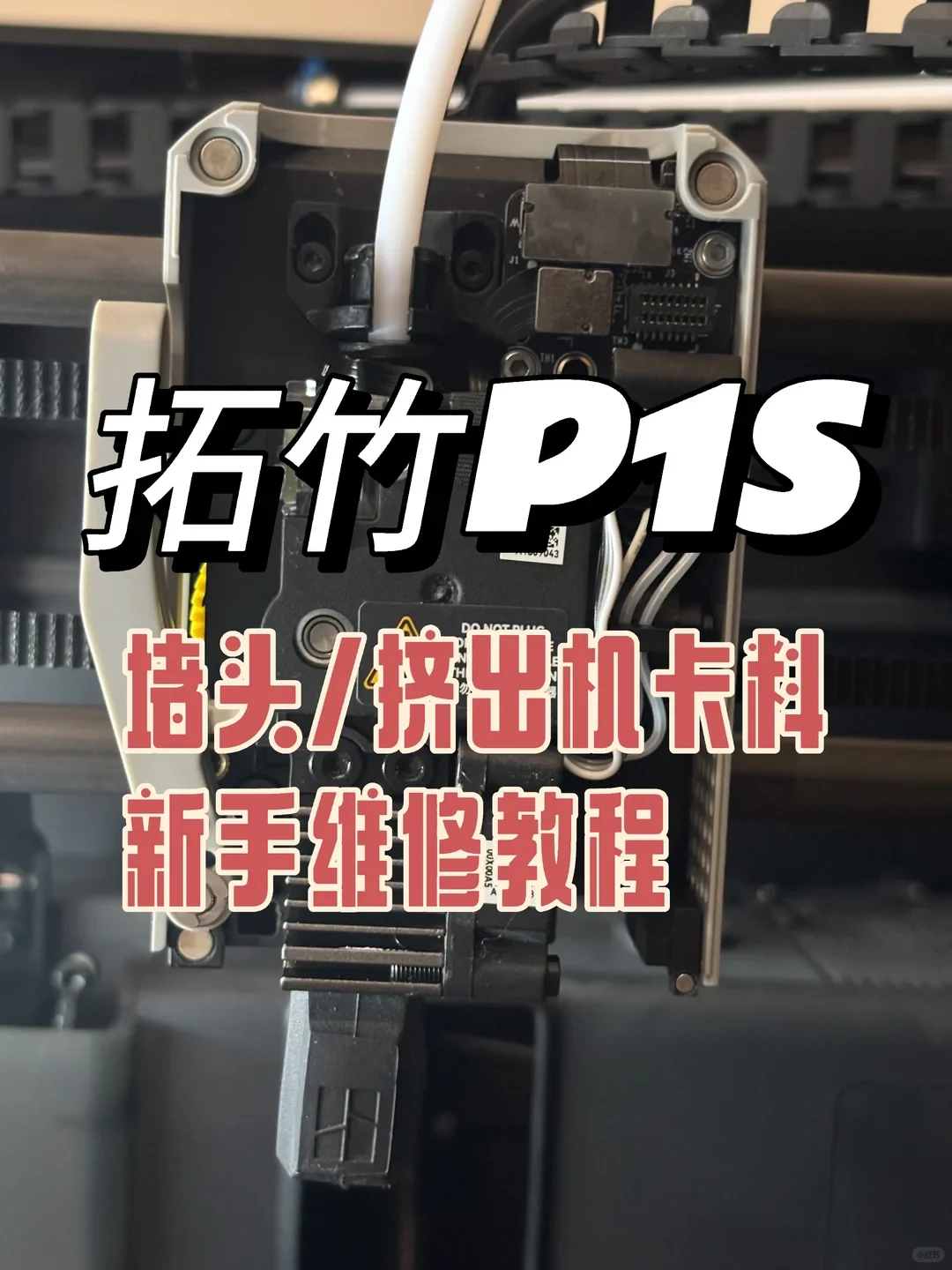
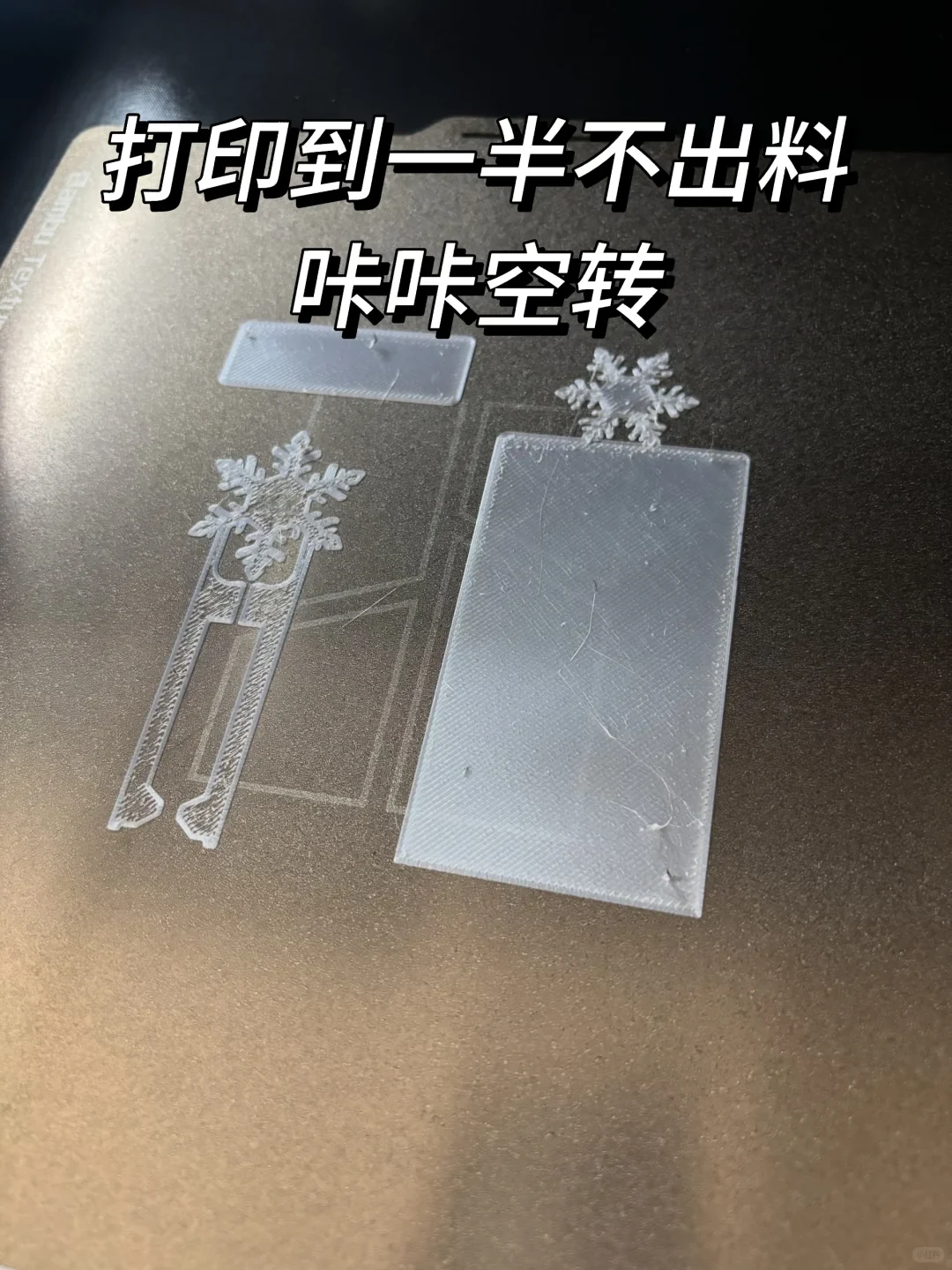
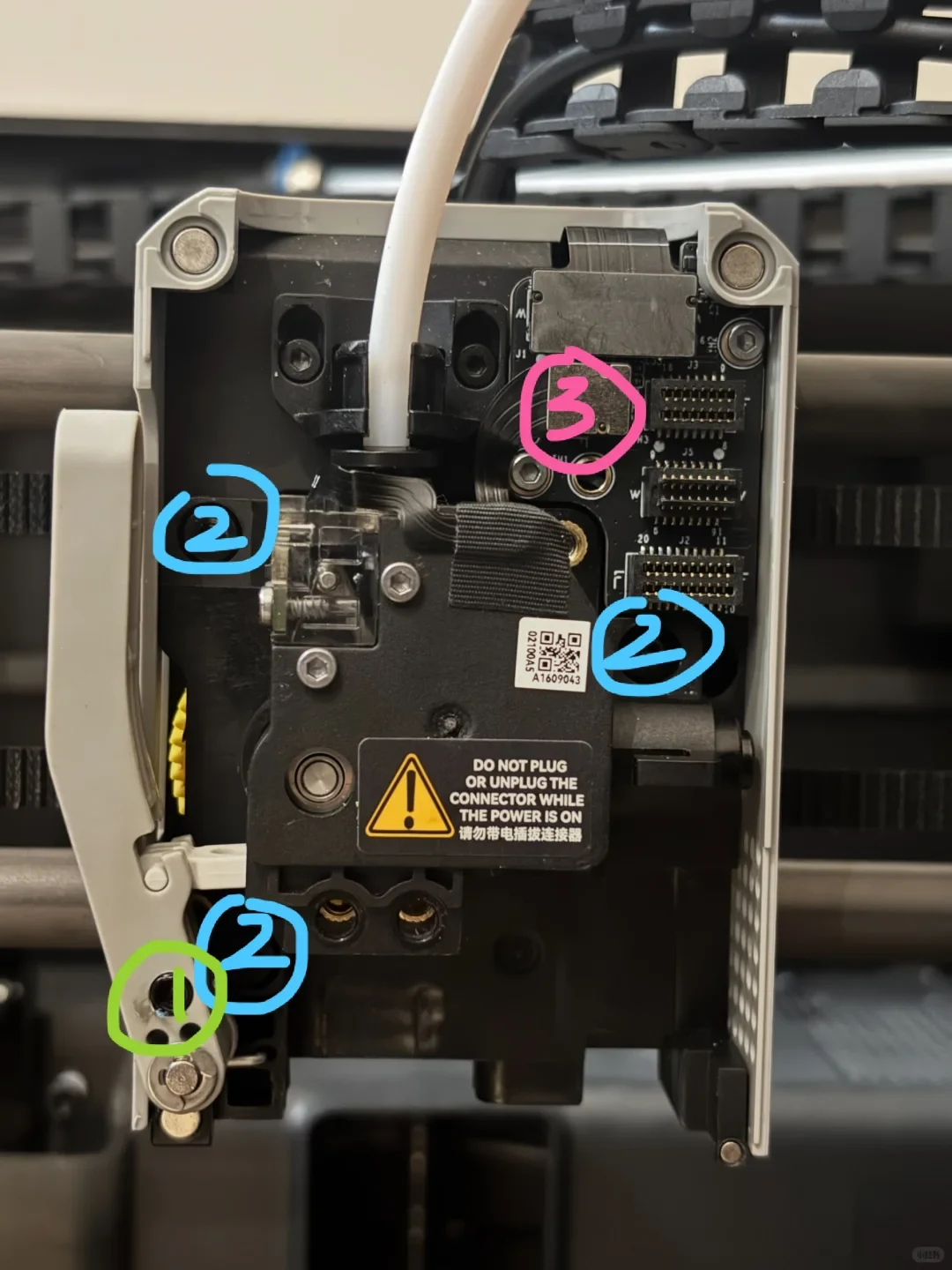
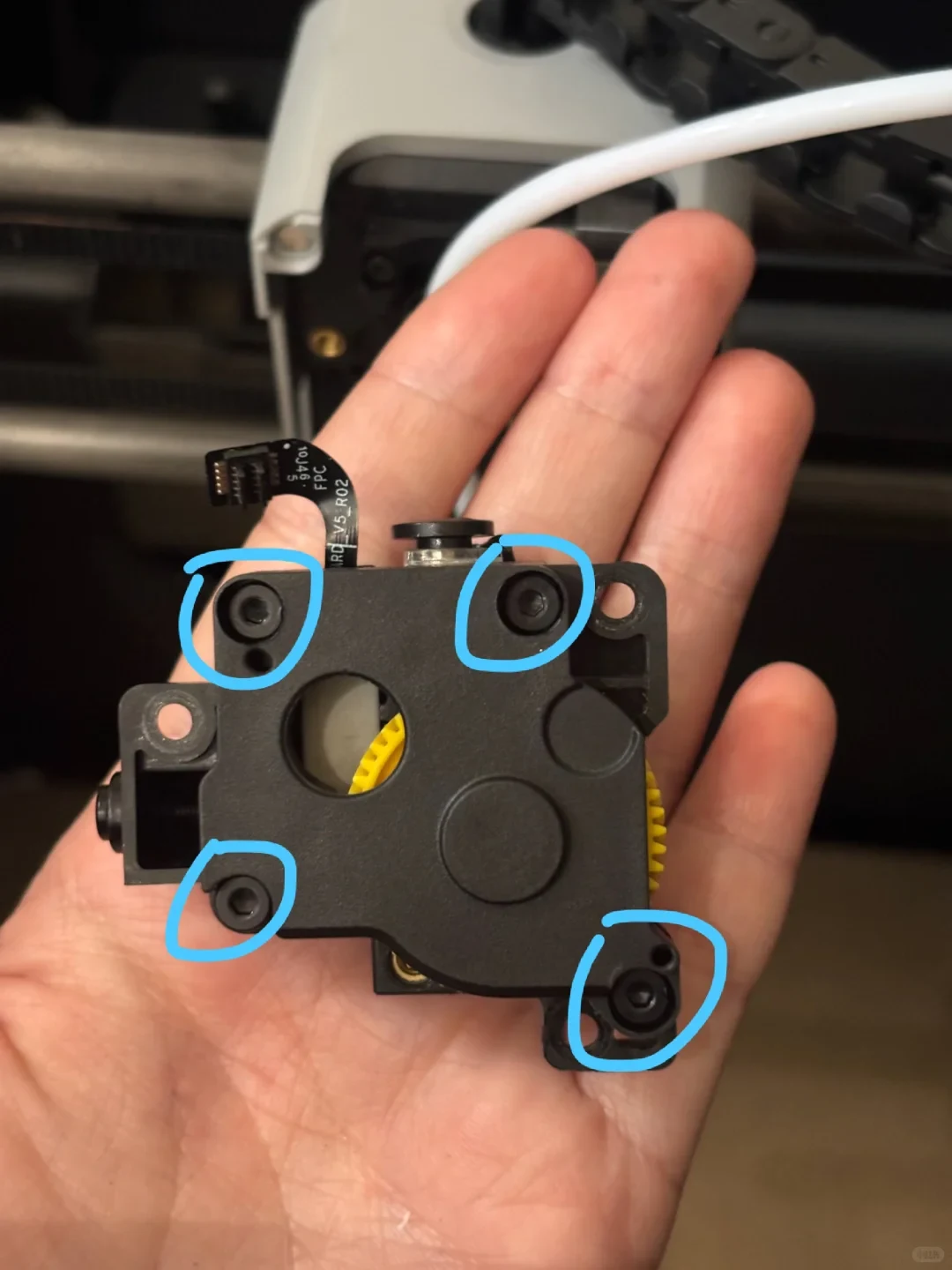
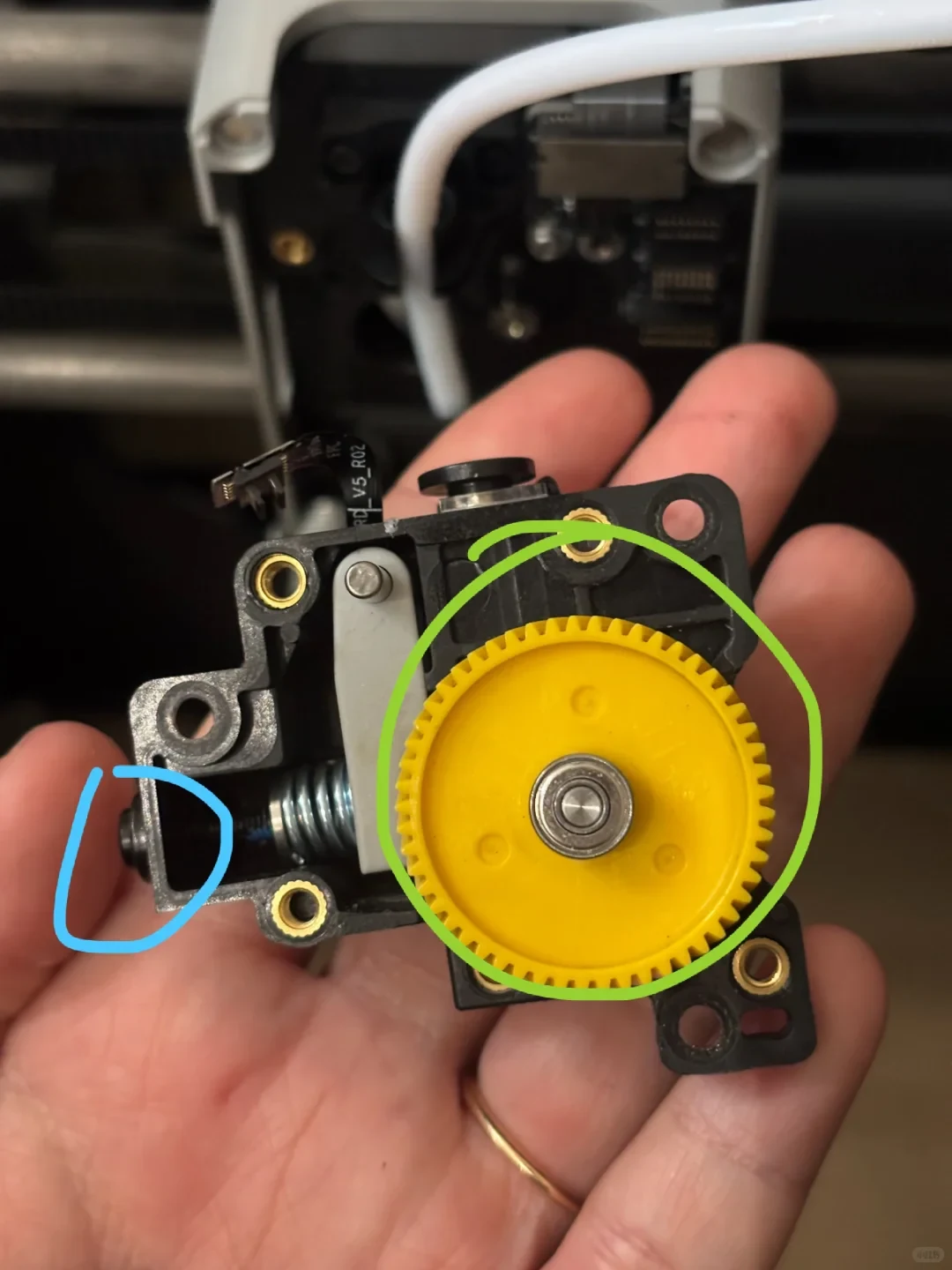
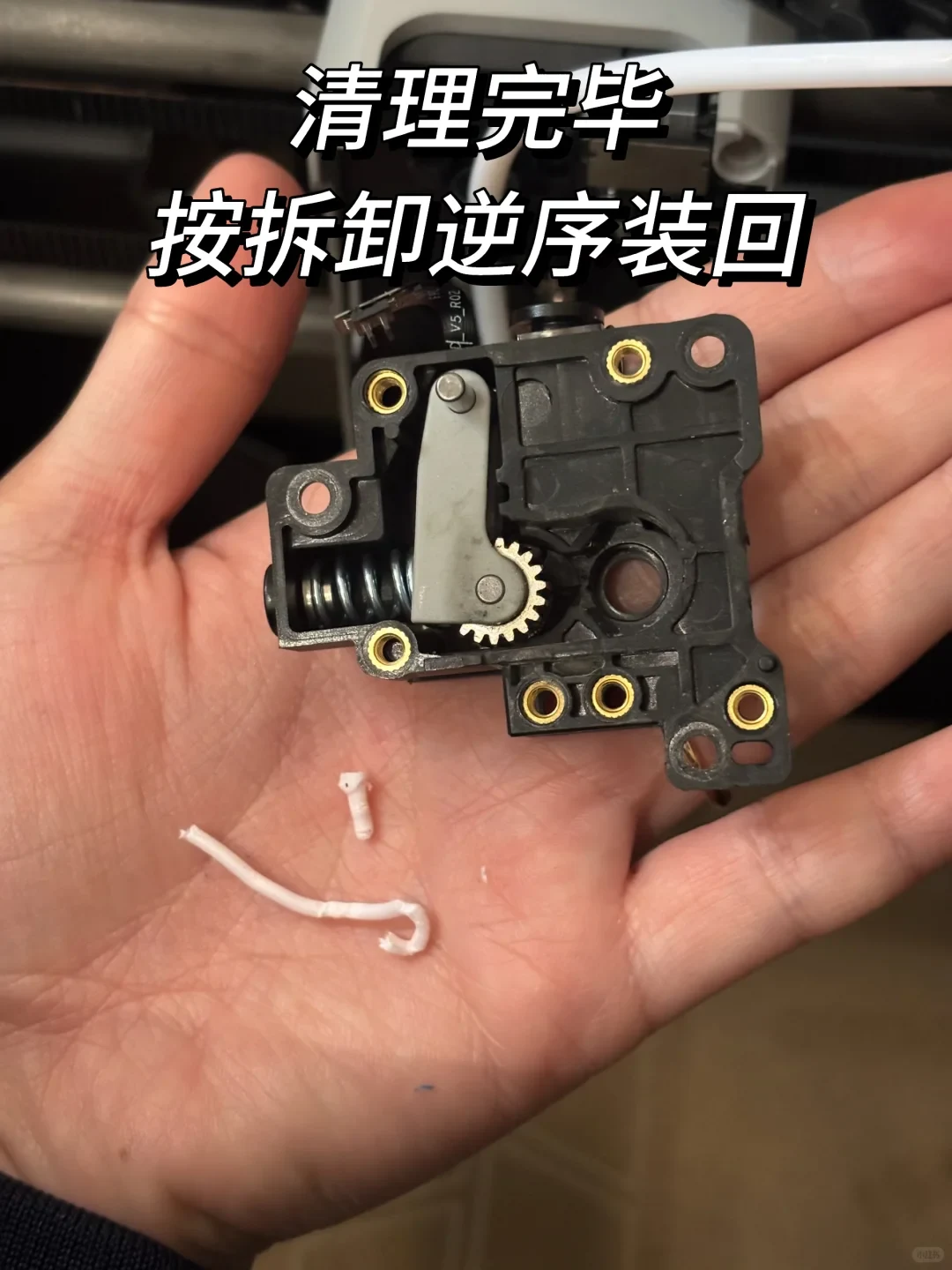
Who hasn’t experienced this? The printer stopped feeding halfway through a print, clicked while idling, and showed filament loading and unloading errors. It was genuinely frustrating.
Don’t panic. Today I’ll walk you through it step by step so even beginners can repair it in one go!
Follow the steps in order. The photos in this post go all the way through the most complicated third step.
✅ Step 1: Safety preparation (required)
- Turn it off, unplug the power cable, and wait until it has cooled completely.
- On the screen, unload the filament, heat to 220°C for PLA, and try to retract it.
- If it retracts successfully, simply change the filament to finish. If it will not retract, move on to clearing the blockage.
✅ Step 2: Quick clearing without disassembly (solves 90% of problems)
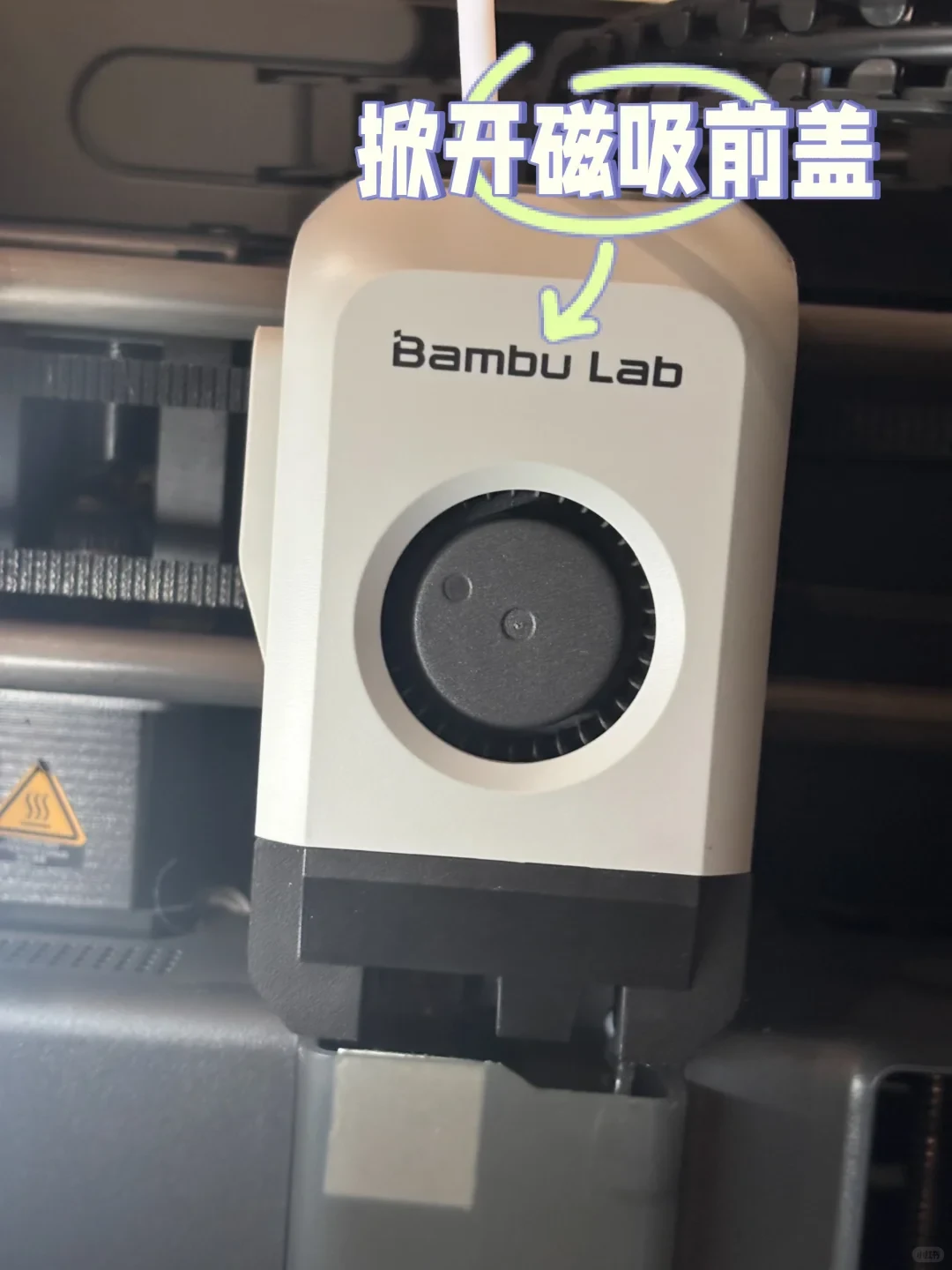
- Lift off the toolhead’s magnetic front cover.
- Press and hold the black quick-release clip, then pull the filament tube straight out.
- Use tweezers to pull the remaining filament out of the tube in one piece.
- Cut the tube end square, insert it fully, and fasten the clip.
- Replace the front cover, heat the printer, and test extrusion.
✅ Step 3: Deep cleaning for a gear-side filament jam (remove the extruder)
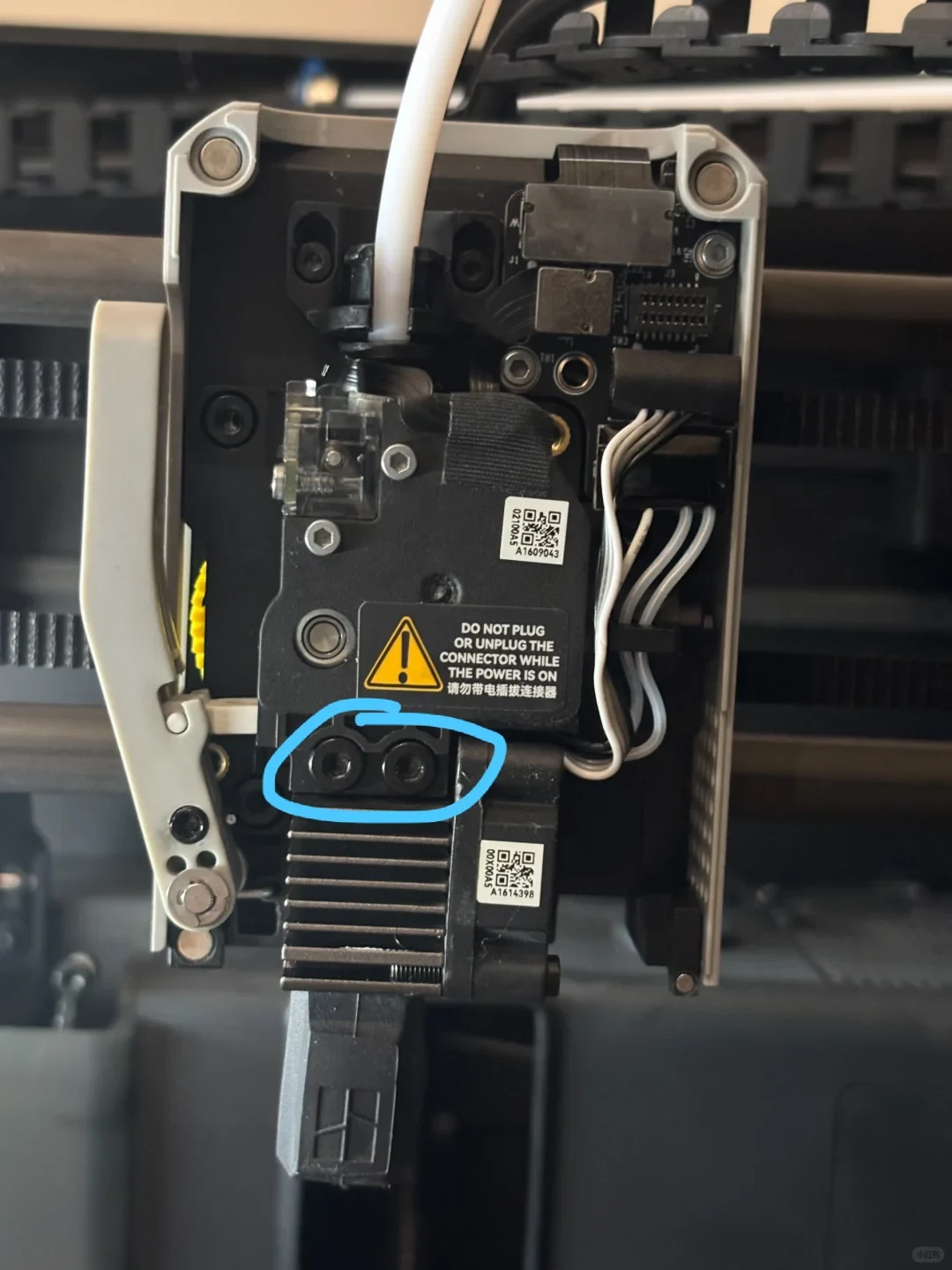
- Remove the two screws securing the nozzle assembly and take it off.
- Loosen the filament-pressure arm screw.
- Remove the four screws from the extruder housing.
- Remove the screw on the left side of the gear, then pull the gear out.
- Use needle-nose pliers to remove the filament wound around the gear.
- Wipe the gear and chamber with a lint-free cloth until no scraps remain.
- Reinstall the pressure wheel and tighten the screw moderately—do not overtighten it.
✅ Step 4: Clear a hot-end blockage
- Heat the hot end to 220°C.
- Gently push the melted filament out through the nozzle with a cleaning needle.
- Cool it to 80°C, then quickly perform a cold pull to remove the remaining filament.
- Test extrusion: a smooth result means it is repaired.
✅ Reassemble and test
- Reassemble in the reverse order, and make sure the wires are connected in the correct order.
- Power it on, heat it, and manually feed 50 mm of filament.
- Even extrusion with no slipping means success.
📌 Prevention tips
• Keep filament sealed and dry to prevent moisture bubbles.
• Cut the tube end square and insert it fully.
• Periodically clean the nozzle with cleaning filament.
• Stop immediately when you hear clicking; do not force the print.
Personally tested and effective! Follow these steps and you won’t need to contact after-sales service every time your P1S jams.
Save this for later, and may your prints run smoothly!
Source: 芷嫣妈妈的露台家 · Xiaohongshu · 2026-03-10 · 拓竹P1S挤出机卡料🔥新手一次解决!. Search this Chinese title in Xiaohongshu to find the original post.
Before You Buy
Models in your region
The owner’s account identifies the printer as a Bambu Lab P1S. The US listing also identifies Bambu Lab P1S as a regional product, while separately listing P1S Combo and AMS 2 Pro Combo; Combo refers to a printer-and-AMS bundle rather than a separate printer model.
| Model in this review | Related regional model | What to know |
|---|---|---|
| Bambu Lab P1S | Bambu Lab P1S (US) | This is the same P1S identified in the owner’s repair account and the US listing. The official page describes an enclosed chamber with cooling fans and an activated carbon filter, but it does not verify the owner’s repair procedure or its claimed success rate. |
- Model in this review
- Bambu Lab P1S
- Related regional model
- Bambu Lab P1S (US)
- What to know
- This is the same P1S identified in the owner’s repair account and the US listing. The official page describes an enclosed chamber with cooling fans and an activated carbon filter, but it does not verify the owner’s repair procedure or its claimed success rate.
What the owner actually experienced
The owner encountered a mid-print extrusion failure marked by no filament output, clicking, idling and feed errors, then worked through the filament path, drive gear and hot end before testing the printer again. This is one person’s reported repair outcome, not a controlled test of every P1S jam.
The photographs show the P1S toolhead opened around the extruder, gears, wiring and filament remnants. They document the components visible in the repair, but the images alone do not establish how long the printer had been used, the original filament type or whether every step was completed exactly as written.
Important safety limitation in the sequence
The owner’s instructions contain an internal conflict: step 1 says to unplug the printer and wait for it to cool, while the next step tells the reader to use the screen to unload filament and heat to 220°C. An unplugged printer cannot perform that screen-controlled heating, so the account does not provide a coherent safe order for those actions.
The account also gives 220°C for PLA, 80°C for a cold pull and a claimed 90% success rate without supporting measurements or model-specific verification. Those figures should be treated as the owner’s unverified instructions, not as established Bambu Lab requirements; the supplied US listing identifies the P1S but does not validate this repair method.
What to check before opening the extruder
The owner’s progression is practical as a troubleshooting framework: first check whether filament can retract, then inspect the accessible tube and front cover, and only afterward move to the gear mechanism and hot end. The account does not establish that these are the manufacturer’s required stages or that they cover every jam cause.
If the accessible tube is removed, the owner says to pull out remaining filament, make the cut square, reinsert the tube fully and secure the clip. That advice is specifically useful when the obstruction is in the tube path; it cannot confirm a clear drive gear or hot end without the later inspection and extrusion test.
Reassembly and buying context
The owner’s final check is to reconnect the parts, heat the printer, manually feed 50 mm of filament and look for even extrusion without slipping. Because the source gives no measured extrusion force, temperature validation or repeat count, this remains a simple reported functional check rather than a performance measurement.
For US buyers, the official listing distinguishes the P1S from P1S Combo and AMS 2 Pro Combo, while describing the P1S as enclosed and equipped with cooling fans and an activated carbon filter. The listing does not identify the owner’s accessories or confirm that bundle differences change this repair experience.
The owner’s prevention advice focuses on dry filament, a fully seated tube, periodic cleaning and stopping when clicking begins. These measures may help avoid forcing filament through a suspected blockage, but the source does not quantify how much they extend service life or prevent future jams.
Related Reading
Reviews & Guides · Creative Tools
Bambu Lab P1S: a first-week owner guide to printed accessories
I spent a week with the Bambu Lab P1S and mapped out useful printed accessories, including a waste bin, scraper and exhaust adapter, plus installation cautions.
Reviews & Guides · Creative Tools
Bambu Lab P1S Combo: planning my first 48 hours of prints
I mapped out 48 hours of starter prints for my Bambu Lab P1S, from a scraper and waste bin to AMS protection, risers and a first figurine.
Reviews & Guides · Creative Tools
Bambu Lab A1 Combo: Two Months of Easy Multicolor 3D Printing
I used the Bambu Lab A1 Combo for two months: four-color printing was easy to start, detailed, and convenient, though it wasted some filament.