
Reviews & Guides · Computing & Networking
CalDigit TS3 Plus and Belkin Thunderbolt 3 Dock Pro: heat and a return
Reviewed: CalDigit TS3 Plus, Belkin Thunderbolt 3 Dock ProRegional reference: CalDigit TS3 Plus (US/EU); Belkin Thunderbolt 3 Dock Pro F4U097 (Italy/EU)
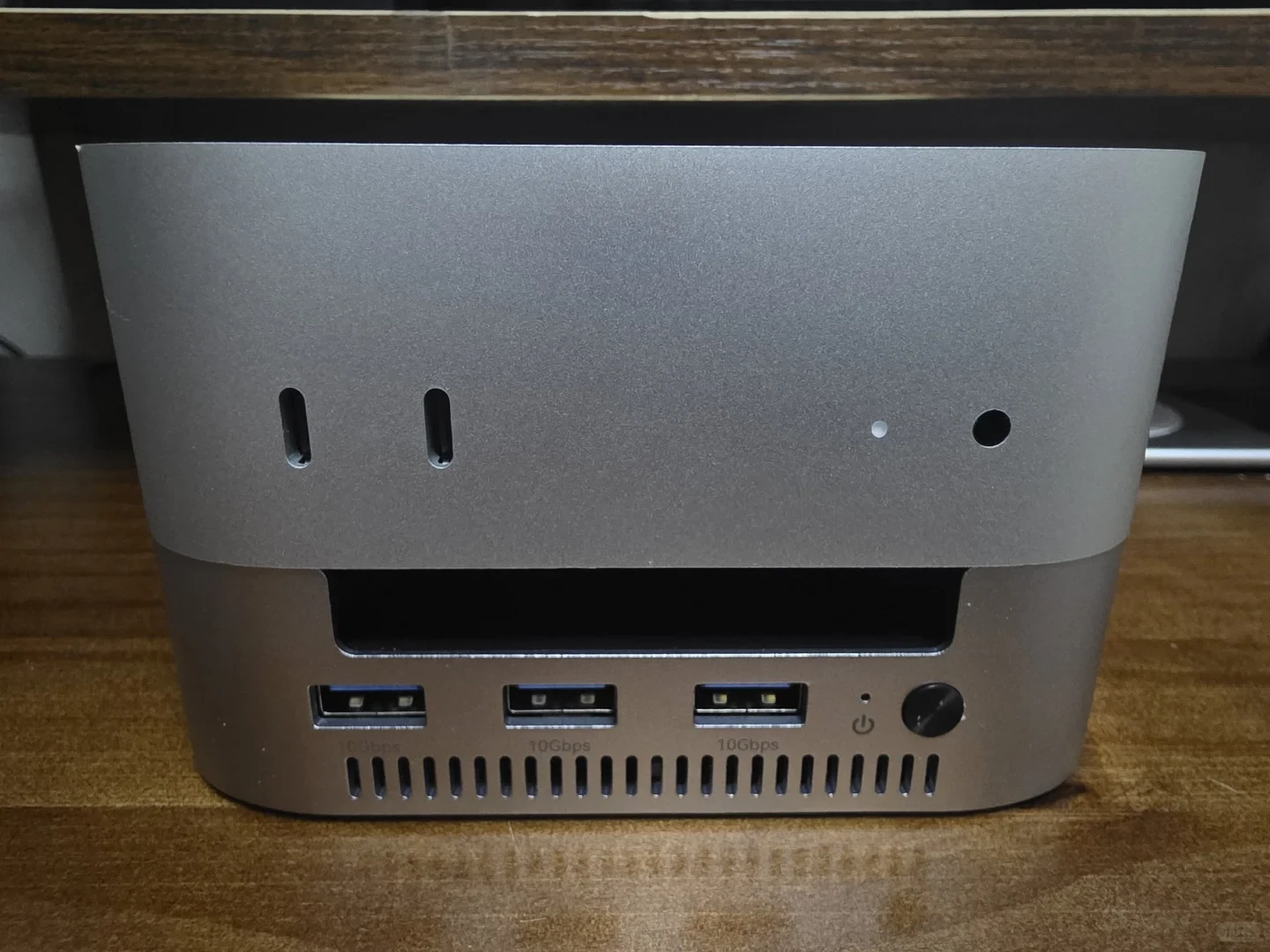
I returned the CalDigit TS3 Plus over an unspecified quality-control issue and used Belkin’s Thunderbolt 3 Dock Pro; both felt hot when I swapped SD cards after long use.

Why a dock is useful
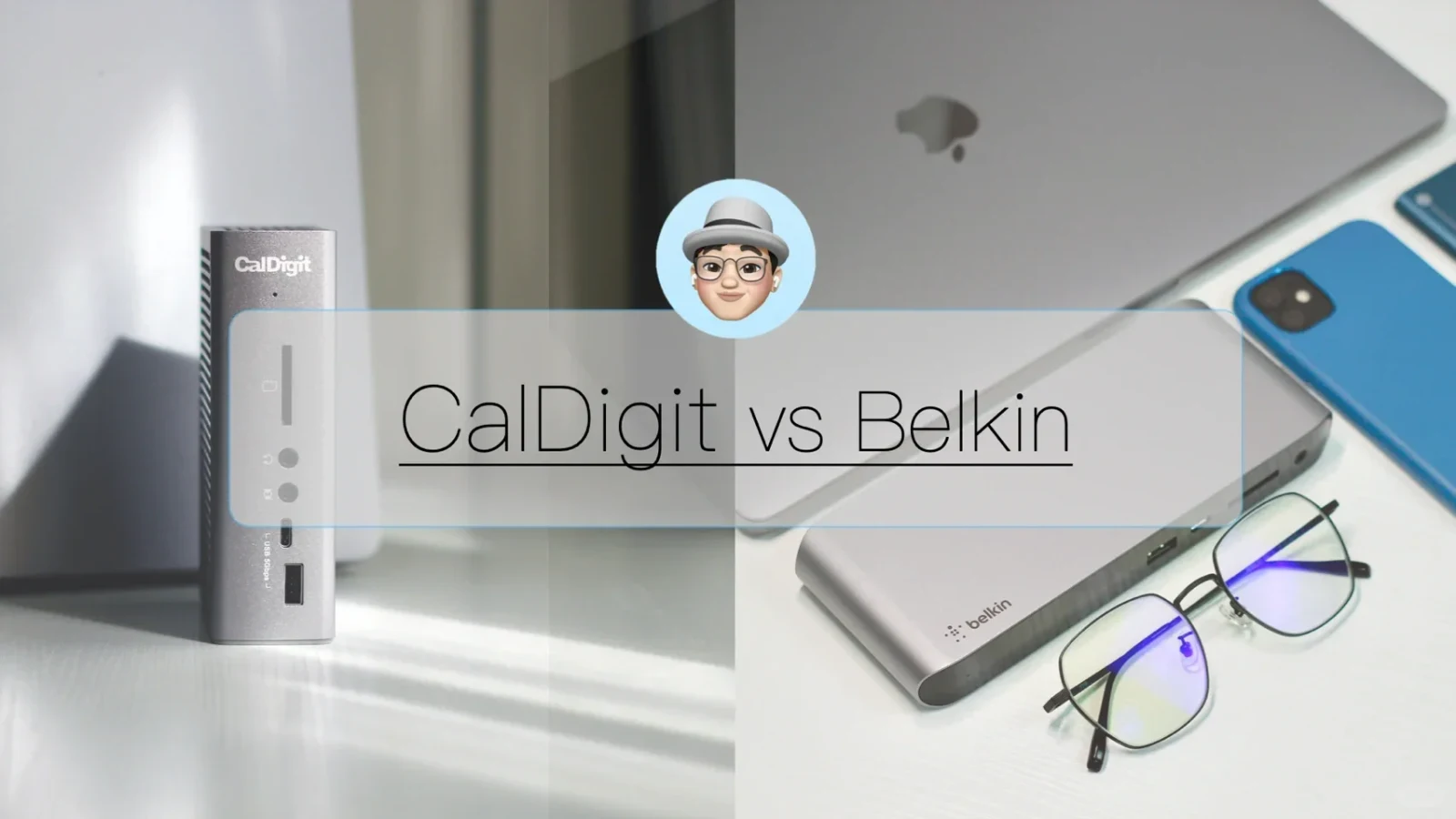
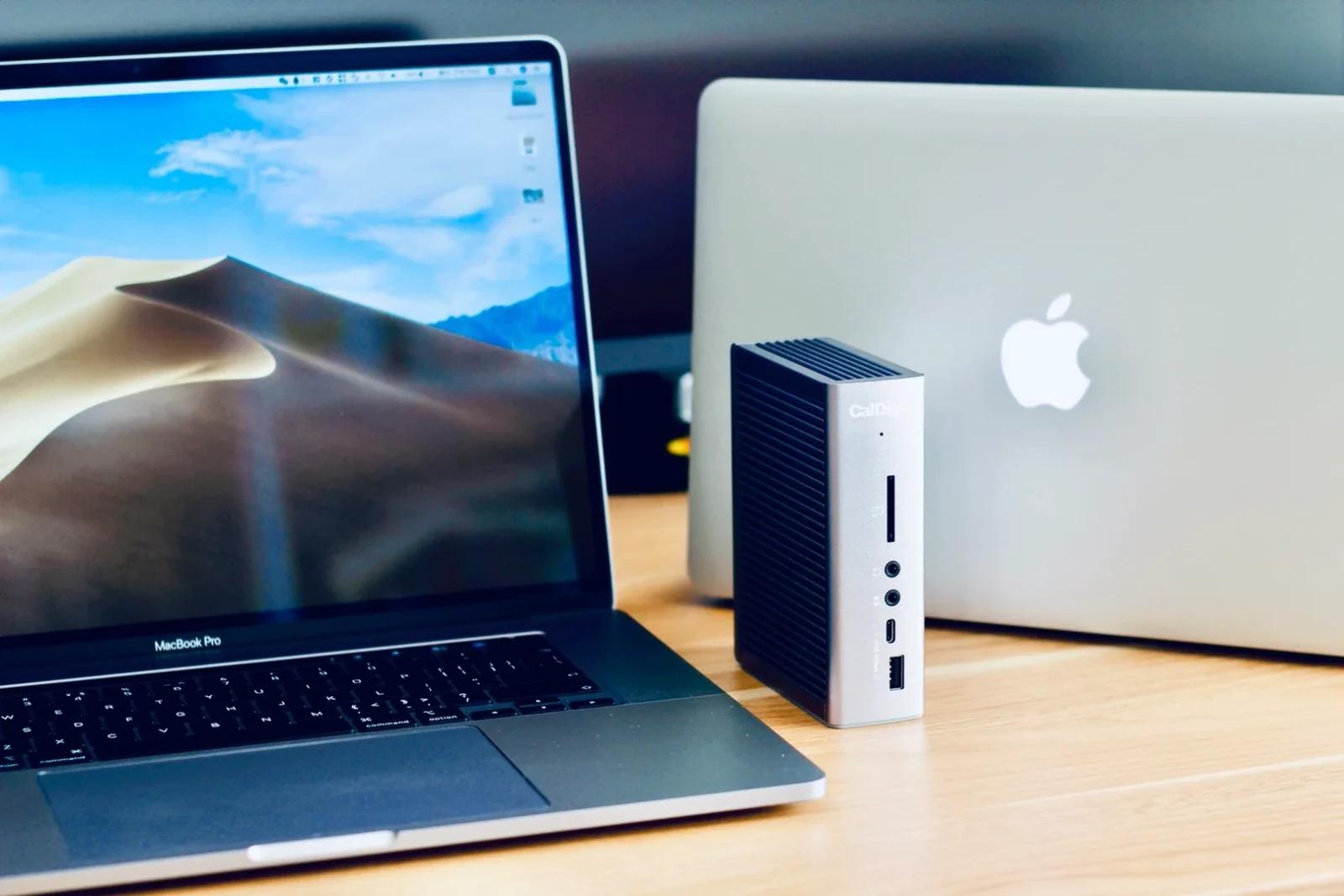
Although newer MacBook Pro models offer more ports and work well for everyday use, I still find the connections limiting for professional tasks. A dock can add the ports I need. Today I’m comparing two docks recommended by Apple: the Belkin Thunderbolt 3 Dock Pro and the CalDigit TS3 Plus.
Thunderbolt 3 vs. Thunderbolt 4
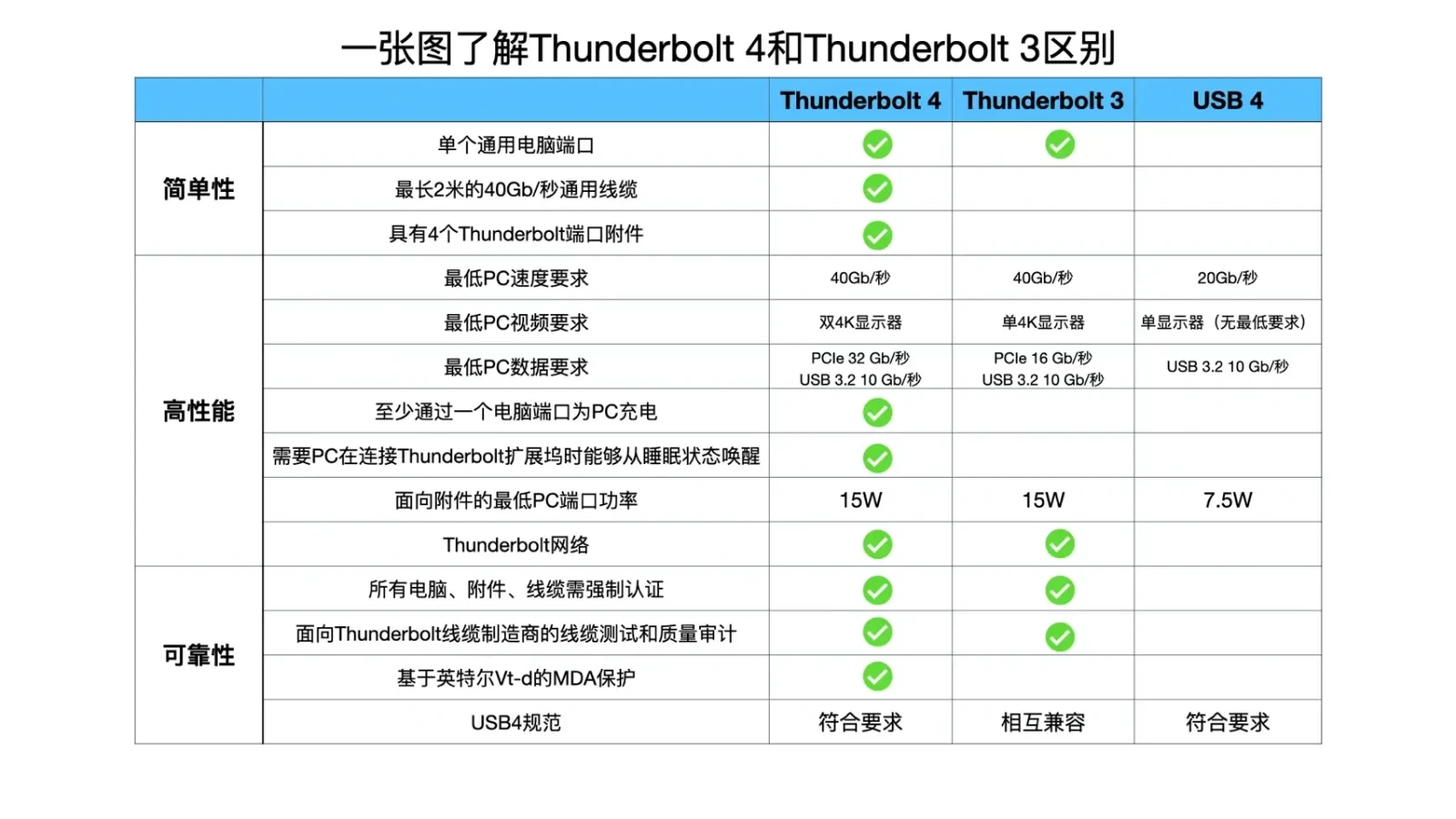
Newer MacBook Pro models have moved to Thunderbolt 4. What changed from Thunderbolt 3?
- Total bandwidth and power delivery are unchanged: Thunderbolt 3 provides 40 Gbps of bandwidth, and Thunderbolt 4 does too.
- PCIe bandwidth increases: Thunderbolt 4 raises the data-transfer channel to 32 Gbps, offering greater expansion capability.
Thunderbolt 4 builds on Thunderbolt 3 with improvements to expandability, stability and compatibility. Most importantly, it fixes a security vulnerability involving VT-d DMA protection. Both Thunderbolt 3 and Thunderbolt 4 still offer strong performance.
Belkin Thunderbolt 3 Dock Pro vs. CalDigit TS3 Plus
Both docks are sold on Apple’s website, so I don’t worry about Mac support.
First, appearance: that comes down to personal taste. I think the CalDigit dock has more design character, with its square shape, which is why I chose it initially. I returned it because of a quality-control issue. The Belkin Thunderbolt 3 dock has a more conventional look that also works well on a desk.
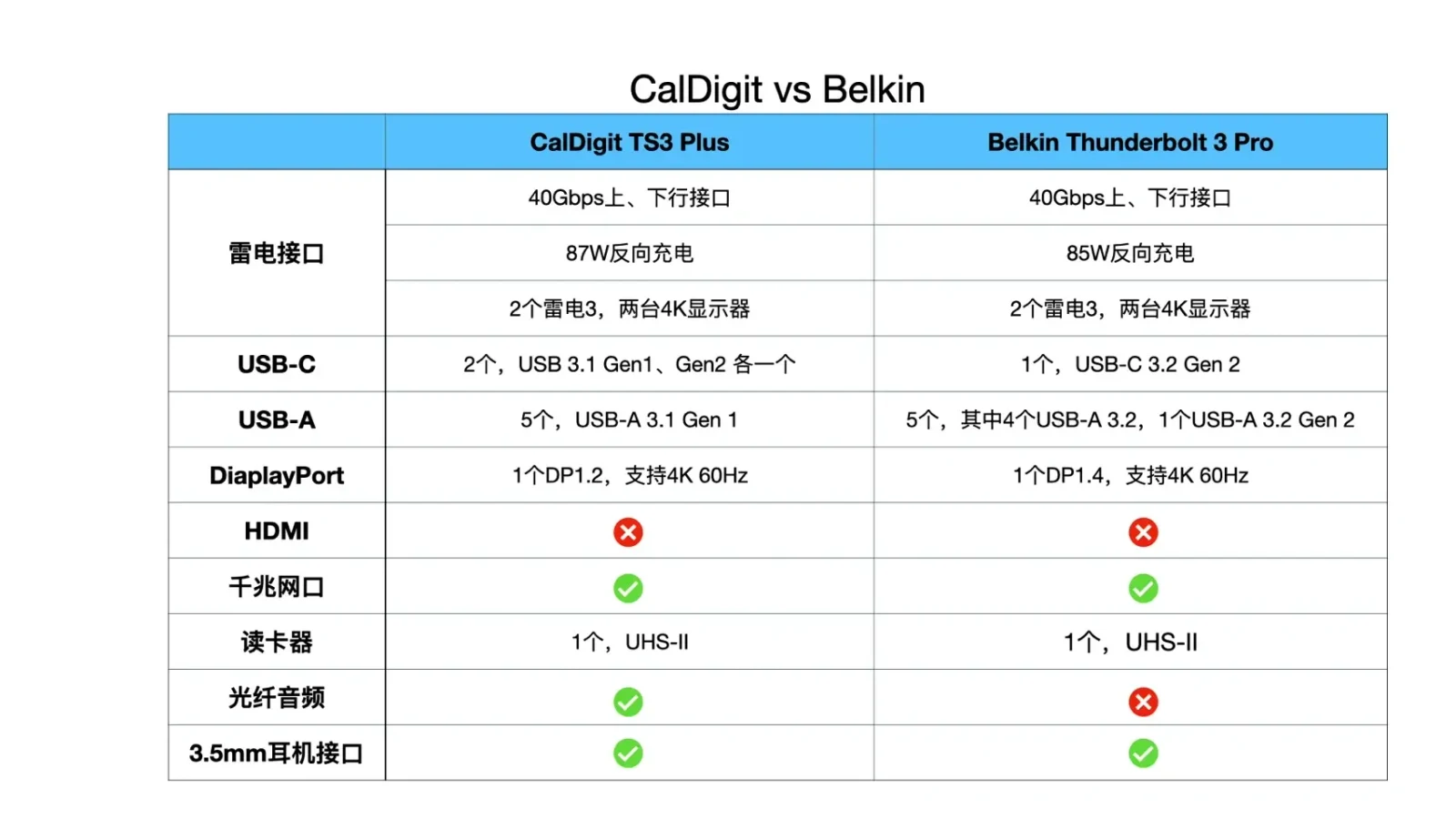
Next, ports. I made a chart to compare the two docks. CalDigit has more ports, but I think the Belkin has the advantage in port protocols.
Finally, operating-system support: both docks support Mac and Windows. Be careful to distinguish the Belkin Thunderbolt 3 dock from the Thunderbolt 3 Dock Pro; they differ considerably. This comparison is about the Pro.
Shared drawbacks
- A large power adapter. Professional desktop Thunderbolt 3 docks need power for themselves as well as for a laptop and connected devices, so their total power capacity is high and their adapters are correspondingly large.
- Heat. After long periods of use, both dock enclosures felt hot when I inserted or removed an SD card. That was my experience with both.
As for price, Thunderbolt 3 docks cost more than RMB 1,000. If you plan to keep one on your desk long term, I suggest buying a capable model from the start.
One last point: if you want a single cable to power your laptop and carry data, choose a professional desktop dock. I’ve seen users say that a dock burned out a motherboard. If you don’t have a professional dock, use the laptop’s own power adapter instead.
Source: 麦豆同学 · Xiaohongshu · 2022-02-27 · 苹果官方推荐扩展坞对比:Belkin和CalDigit. Search this Chinese title in Xiaohongshu to find the original post.
Before You Buy
Models in your region
The comparison names a CalDigit TS3 Plus and a Belkin Thunderbolt 3 Dock Pro, but the Belkin unit’s exact regional suffix is not established. The official evidence identifies the TS3 Plus family for the US/EU and the Belkin Pro family in UK and Italy/EU support materials; those regional listings help with product comparison but do not confirm the exact packages used in this account.
| Model in this review | Related regional model | What to know |
|---|---|---|
| CalDigit TS3 Plus | CalDigit TS3 Plus (US/EU) | The official US/EU TS3 Plus listing identifies the same named product family. It specifies 15 ports, an included 180 W adapter and up to 87 W laptop charging after a firmware update; those specifications do not establish the condition of the author’s returned unit. |
| Belkin Thunderbolt 3 Dock Pro | Belkin Thunderbolt 3 Dock Pro F4U097 (Italy/EU) | Belkin’s Italy/EU support identifies the F4U097 family; UK support lists the related F4U097tt SKU. The author’s exact suffix is unknown, so the regional listings establish the Pro family, not the exact version used. The EU FAQ specifies 85 W laptop charging and a 170 W adapter. |
- Model in this review
- CalDigit TS3 Plus
- Related regional model
- CalDigit TS3 Plus (US/EU)
- What to know
- The official US/EU TS3 Plus listing identifies the same named product family. It specifies 15 ports, an included 180 W adapter and up to 87 W laptop charging after a firmware update; those specifications do not establish the condition of the author’s returned unit.
- Model in this review
- Belkin Thunderbolt 3 Dock Pro
- Related regional model
- Belkin Thunderbolt 3 Dock Pro F4U097 (Italy/EU)
- What to know
- Belkin’s Italy/EU support identifies the F4U097 family; UK support lists the related F4U097tt SKU. The author’s exact suffix is unknown, so the regional listings establish the Pro family, not the exact version used. The EU FAQ specifies 85 W laptop charging and a 170 W adapter.
Check ports and host requirements before buying
The TS3 Plus offers 15 ports, including two Thunderbolt 3 ports, a DisplayPort 1.2 connection, UHS-II SD and optical audio. Its official listing specifies an included 180 W adapter and up to 87 W laptop charging after a firmware update. The Belkin Pro’s Italy/EU specifications list 85 W laptop charging, a full-size UHS-II SD reader and a 170 W adapter. These official figures describe the listed products, not measurements of the units in the owner’s comparison.
Confirm the host connection and display setup before choosing either dock. CalDigit says the TS3 Plus requires a Thunderbolt 3 or Thunderbolt 4 Mac or Windows host, not a plain USB-C computer; its display support depends on the host, and base M1/M2 Macs are limited to one external display. Belkin’s EU FAQ says its dock can work with Thunderbolt 3 or USB-C hosts that support DisplayPort Alt Mode and USB Power Delivery, with features depending on the host. Check the exact computer and display combination rather than assuming every Mac or Windows machine supports every function. The Apple-store references and Thunderbolt security summary belong to this 2022 source account; neither establishes a current Apple endorsement or a verified security assessment here. The author does not describe the TS3 Plus quality-control fault in detail.
Treat the reported heat as an individual observation
The author says both docks felt hot while an SD card was inserted or removed after long use, but provides no temperature readings or matched test conditions. The report supports a personal observation, not a measured comparison of operating temperatures or a diagnosis of a defect. Check that the specific dock has adequate ventilation and follow its manufacturer’s operating guidance; the listed Belkin operating range of 5–35°C is an ambient-temperature specification, not a case-temperature limit.
Plan for desk space and power
Both docks come with substantial power adapters: CalDigit lists a 180 W adapter for the TS3 Plus, and Belkin’s EU FAQ lists a 170 W adapter for the Pro. Those ratings help explain why these desktop docks need space for both the dock and its power brick, but they do not show how much power a particular connected setup will draw.
Do not rely on dock choice as electrical protection
A desktop dock does not guarantee that a laptop is protected from electrical damage. The author’s warning about reports of burned-out motherboards is hearsay in this account, and no cause was verified. Match the dock and power supply to the computer’s documented requirements; the Belkin EU FAQ identifies the host port marked for computer connection and its specified power delivery, while CalDigit documents its own host and charging requirements.
Related Reading

Reviews & Guides · Computing & Networking
TP-Link Deco X55 in a two-storey Australian home: Wi-Fi across 300 m²
I installed two TP-Link Deco X55 units in my 300 m², two-storey home; bedrooms that often lost Wi-Fi now had a signal throughout the house.

Reviews & Guides · Computing & Networking
TP-Link Deco X55: DNS pauses stopped for six days in access-point mode
I switched my Deco X55 to access-point mode and restored my older router to the front of the network. The DNS-like pauses stayed away for six days.
Reviews & Guides · Computing & Networking
TP-Link Deco X55 after nearly a year: six units, Teams and gaming
I’ve used six TP-Link Deco X55 units for nearly a year, including daily Teams calls and online gaming; I’ve had only one or two connectivity issues.