
Reviews & Guides · Computing & Networking
GL.iNet Beryl 7: an external fan cut idle temperature by nearly 30°C
Reviewed: GL.iNet Beryl 7Regional reference: GL.iNet Beryl 7 (GL-MT3600BE) (US); GL.iNet Beryl 7 (GL-MT3600BE) (International)
I added a 1200 rpm fan to my GL.iNet Beryl 7 after seeing nearly 70°C at idle; the temperature fell by almost 30°C, though I had not tested it in summer.
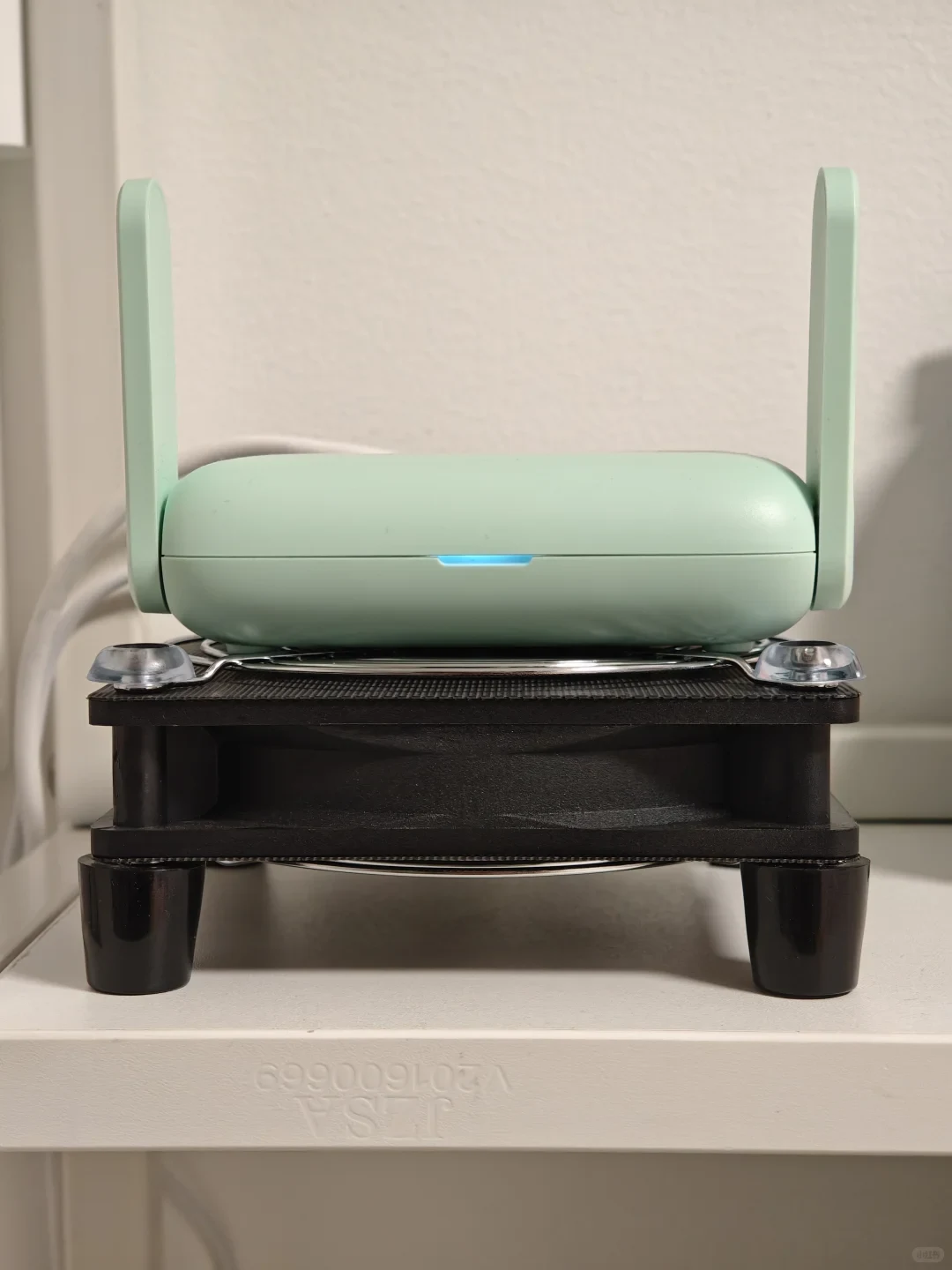
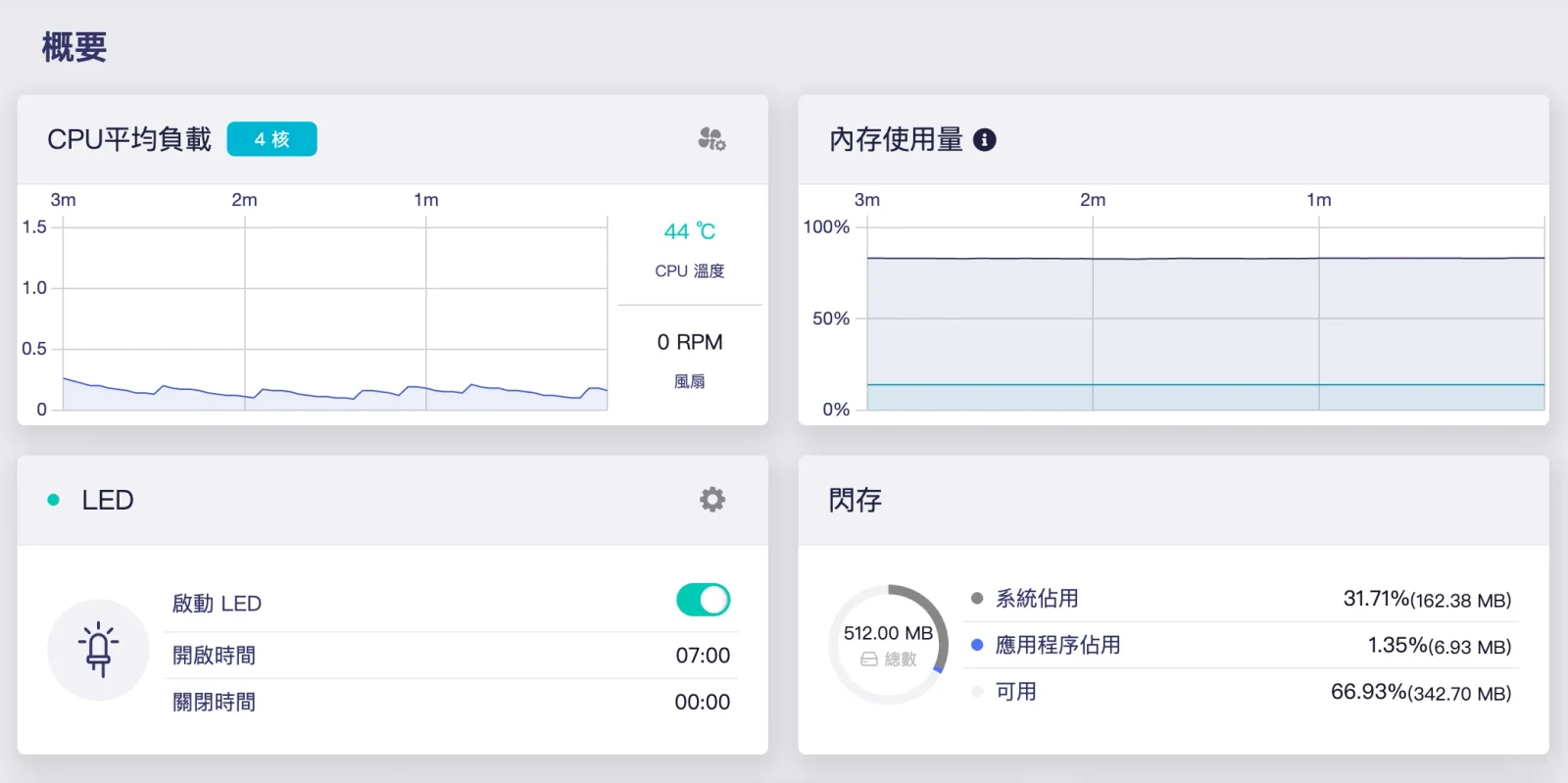
The GL.iNet MT3600BE is compact and powerful, but for some reason it was close to 70°C even at idle. The router already has active cooling inside, but its cooling strategy seems fairly conservative. I worried it would get even hotter in summer, so I added an external active cooling fan running at 1200 rpm. The effect was immediate: the temperature dropped by nearly 30°C, and it was so cold I caught a chill. Next, I’ll find time to expand the memory and make better use of this CPU.
Source: 糊涂 · Xiaohongshu · 2026-01-04 · Untitled post. Search the author and opening words “GL.iNet MT3600BE 小巧、性能强悍” in Xiaohongshu.
Before You Buy
Models in your region
The owner’s GL.iNet MT3600BE is identified as the Beryl 7, and GL.iNet lists the same model name and number for the US market. The owner’s temperature observation applies to their unit and setup; it does not establish temperatures for other units or operating conditions.
| Model in this review | Related regional model | What to know |
|---|---|---|
| GL.iNet Beryl 7 (GL-MT3600BE) | GL.iNet Beryl 7 (GL-MT3600BE) (US) | The US listing identifies Beryl 7 as GL-MT3600BE, matching the model number in the owner’s account. The reported temperature change is from one unit with an added 1200 rpm fan, not a manufacturer temperature specification. |
| GL.iNet Beryl 7 (GL-MT3600BE) | GL.iNet Beryl 7 (GL-MT3600BE) (International) | The international documentation covers the same model. It describes USB tethering as an internet option and lists a power adapter with regional plug converters; these details do not establish the owner’s temperature results. |
- Model in this review
- GL.iNet Beryl 7 (GL-MT3600BE)
- Related regional model
- GL.iNet Beryl 7 (GL-MT3600BE) (US)
- What to know
- The US listing identifies Beryl 7 as GL-MT3600BE, matching the model number in the owner’s account. The reported temperature change is from one unit with an added 1200 rpm fan, not a manufacturer temperature specification.
- Model in this review
- GL.iNet Beryl 7 (GL-MT3600BE)
- Related regional model
- GL.iNet Beryl 7 (GL-MT3600BE) (International)
- What to know
- The international documentation covers the same model. It describes USB tethering as an internet option and lists a power adapter with regional plug converters; these details do not establish the owner’s temperature results.
What the fan changed in one idle setup
A 1200 rpm external fan accompanied a reported drop of nearly 30°C from an idle reading close to 70°C on the owner’s unit. The post does not give the measurement method, observation period, ambient temperature, or a controlled comparison, so the result is a single setup observation—not a guaranteed reduction or evidence of how the router will behave in summer.
The owner suspected the router’s built-in cooling strategy was conservative, but did not confirm the cause of the high reading. The post also describes memory expansion as a future plan, not a completed upgrade or verified performance result.
Features and regional details
The US Beryl 7 listing specifies two 2.5 GbE ports, USB-C PD power input, and a USB 3.0 port for tethering or storage. The international guide also describes USB tethering as an internet connection option. These specifications help identify available connections, but do not show whether adding a fan is necessary for a particular workload or environment.
The international documentation lists a power adapter with regional plug converters. Check the adapter and plug arrangement supplied for your market before travel or setup; the documented contents do not establish the exact power accessory included with the owner’s unit.
Related Reading

Reviews & Guides · Computing & Networking
TP-Link Deco X55 in a two-storey Australian home: Wi-Fi across 300 m²
I installed two TP-Link Deco X55 units in my 300 m², two-storey home; bedrooms that often lost Wi-Fi now had a signal throughout the house.
Reviews & Guides · Computing & Networking
TP-Link Deco X55: DNS pauses stopped for six days in access-point mode
I switched my Deco X55 to access-point mode and restored my older router to the front of the network. The DNS-like pauses stayed away for six days.
Reviews & Guides · Computing & Networking
TP-Link Deco X55 after nearly a year: six units, Teams and gaming
I’ve used six TP-Link Deco X55 units for nearly a year, including daily Teams calls and online gaming; I’ve had only one or two connectivity issues.