
Reviews & Guides · Computing & Networking
HAGiBiS Magnetic Hub on a desk-bound Air: ports and a charging trade-off
Regional reference: HAGiBiS TC100 (International manufacturer / United Kingdom listing)
I use a HAGiBiS magnetic hub and a separate 1TB SanDisk E61 on my desk-bound MacBook Air; my cable layout gets in the way of MagSafe access, so I use hub PD.
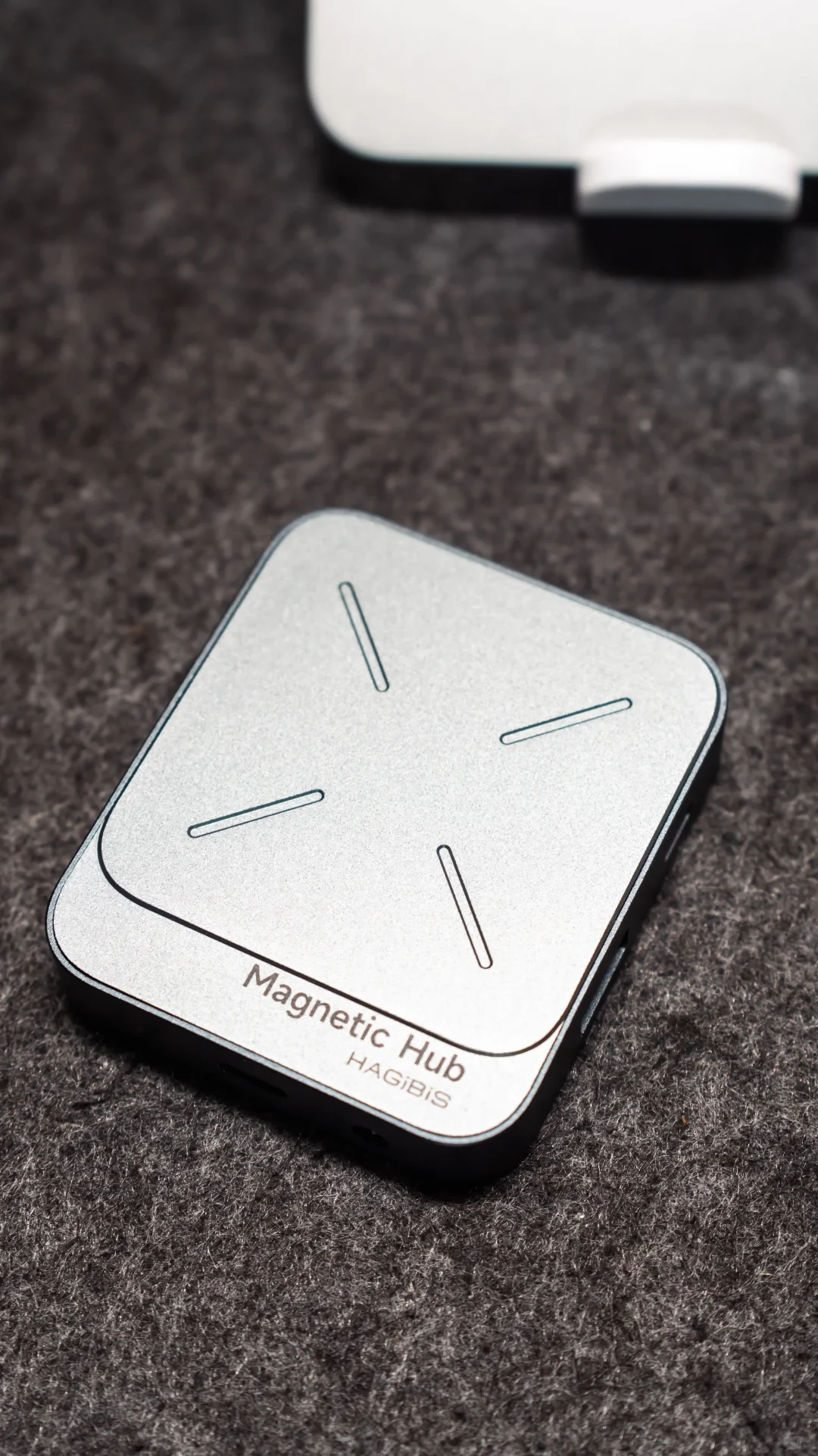
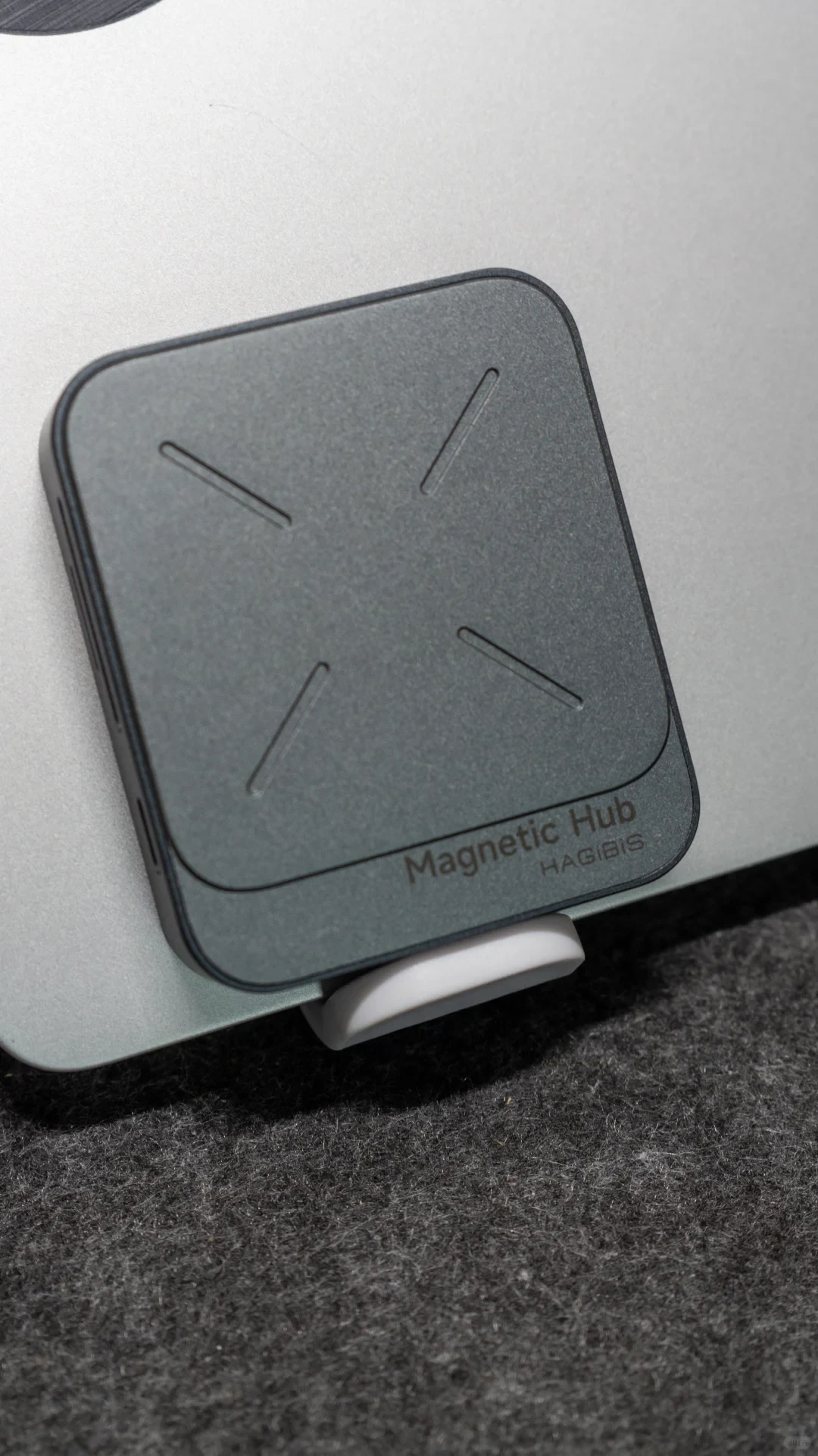
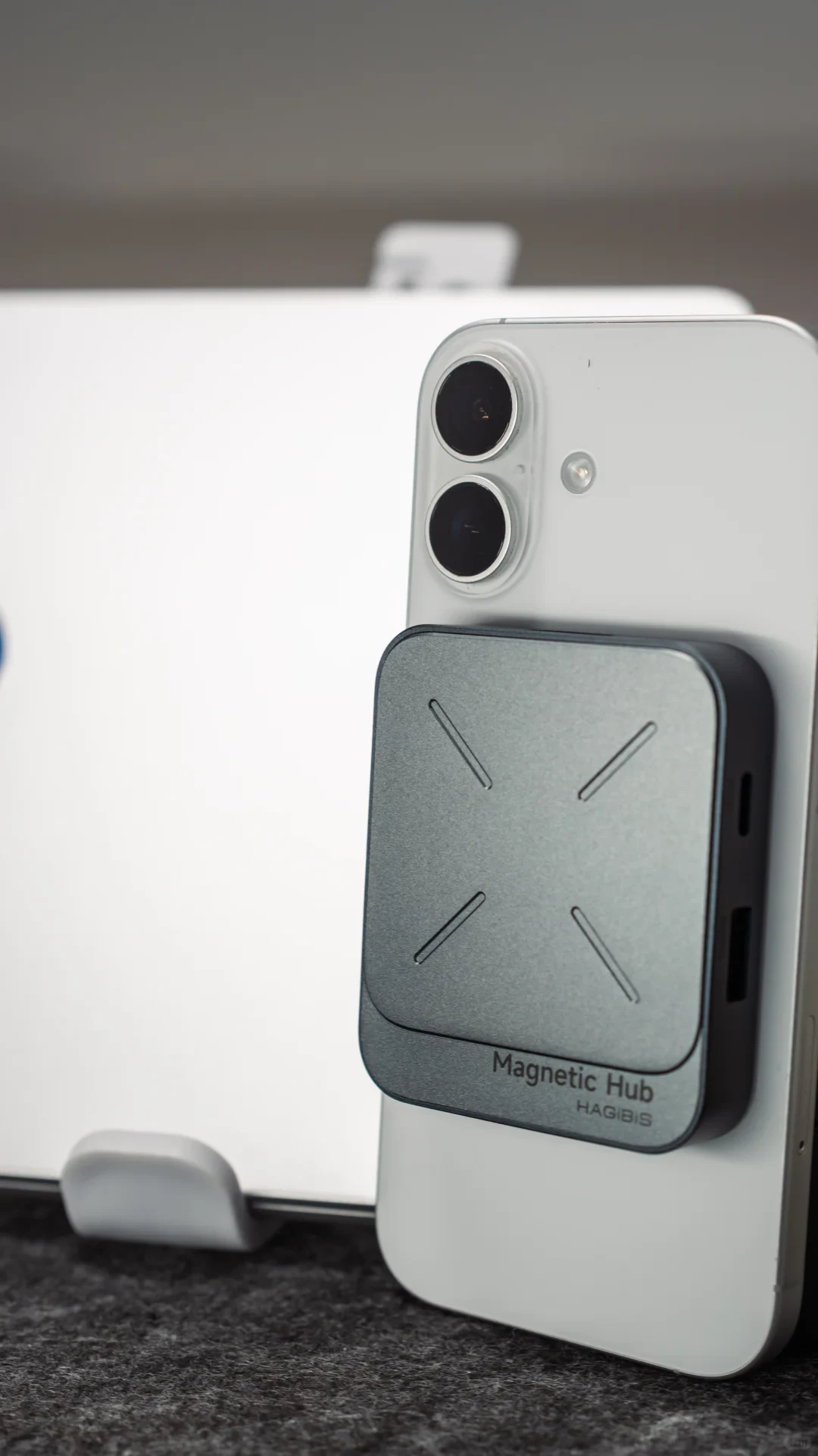
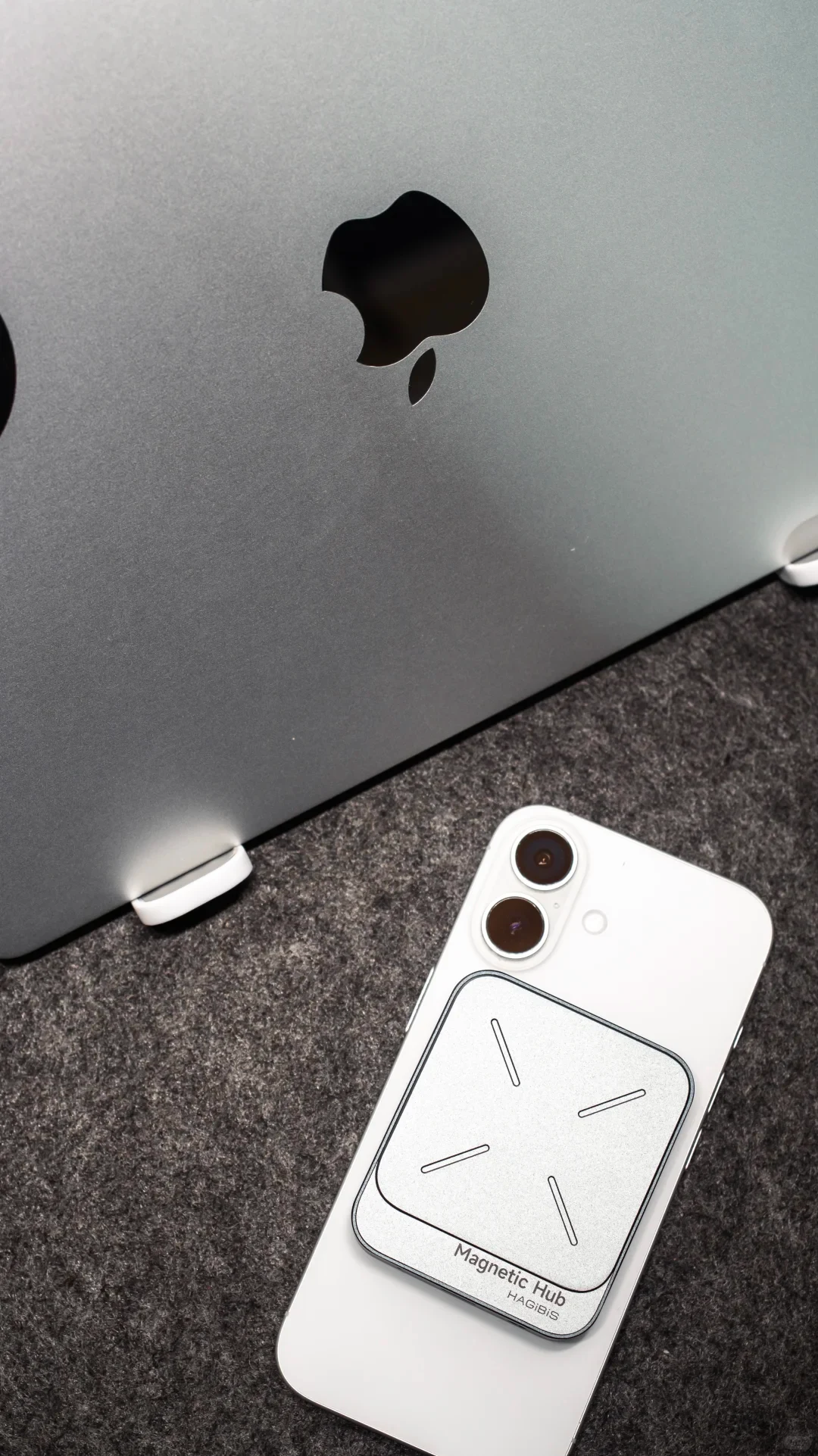
Mac storage might as well be made of gold—anyone who has bought it knows...
I bought the base-model Air, thinking I might as well save where I could. Less than two months later, its storage was already running into the red. Paying 3,000 yuan for a 1TB upgrade? I’d rather put that money toward a MacBook Pro. I don’t carry my Mac around anyway; it just sits on my dorm-room desk. So I went with a little desk-bound workaround.
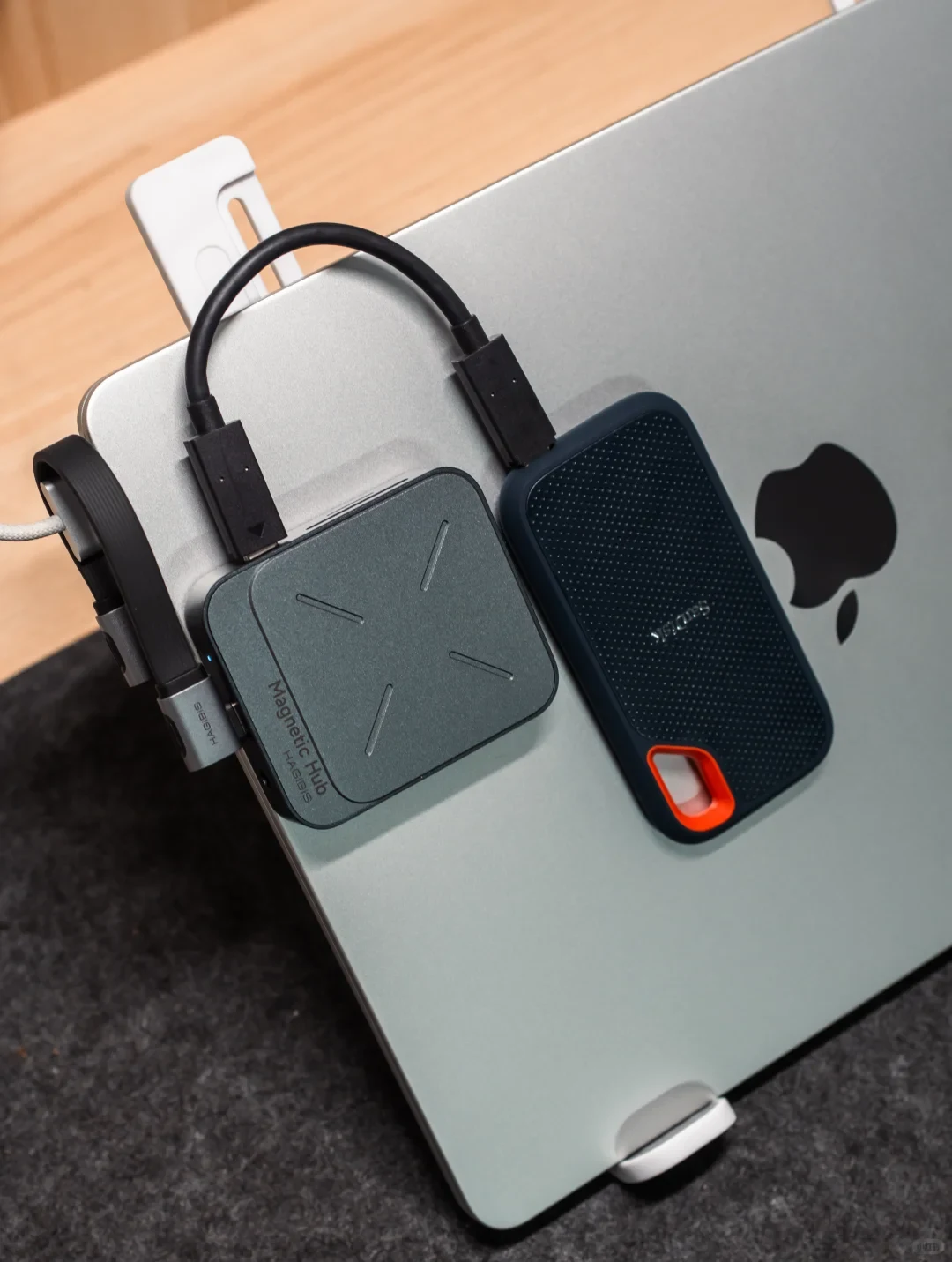
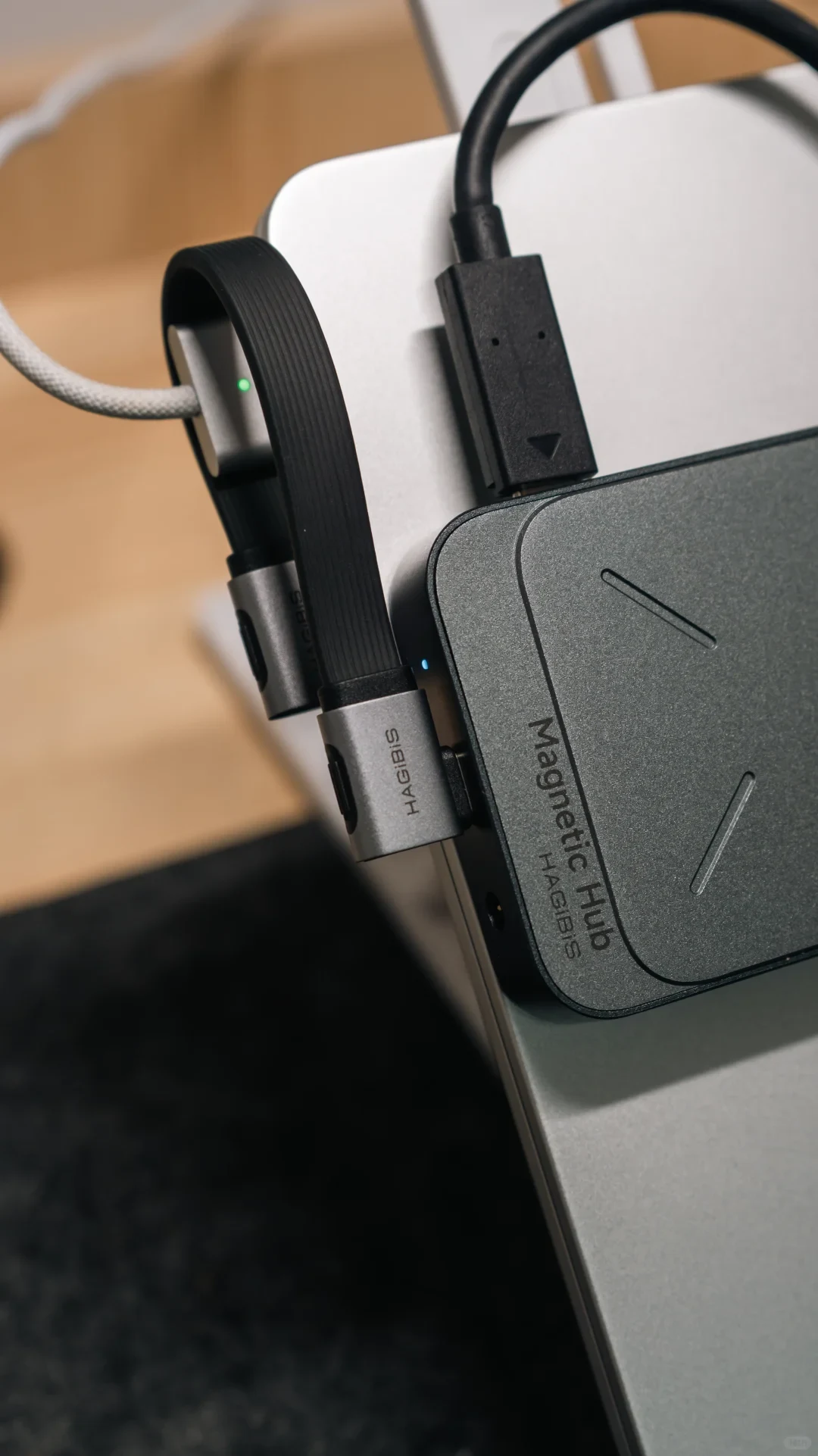
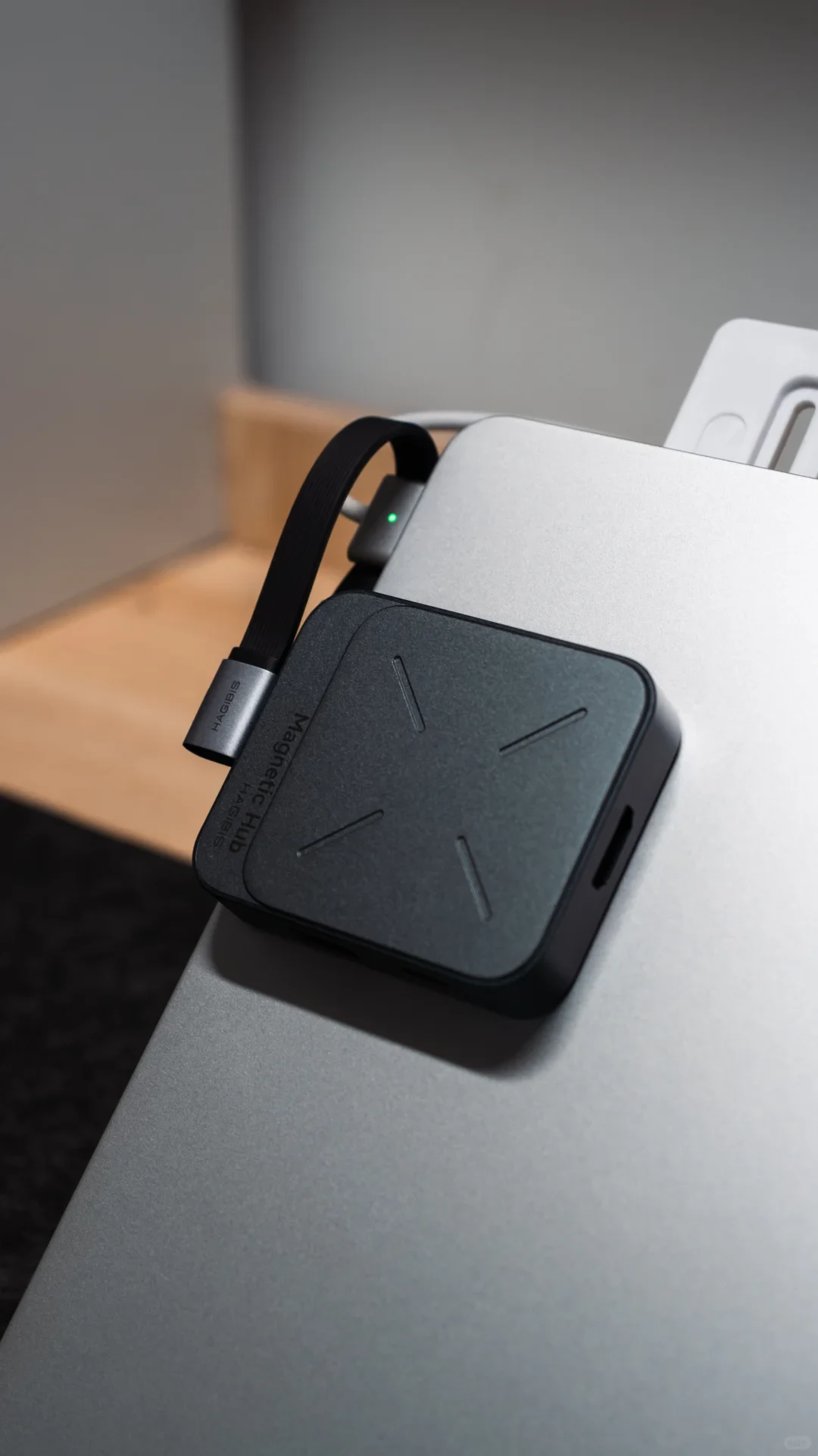
- Upper USB-C port | HAGiBiS magnetic hub: A cable with two right-angle connectors runs to it, and I stuck the magnetic plate to the side of the laptop. The hub attaches securely and gives me extra USB-A ports, HDMI, and SD and TF card slots—essential for creators. It feels like it restores all the ports Apple removed from the MacBook Air.
- Lower USB-C port | SanDisk E61 portable SSD: I didn’t do much research before buying this 1TB drive; I just picked one that seemed reasonably priced. I’ve used it for a long time and keep all my video-editing footage on it. Its speed is enough for everyday use, and plugging it straight in over USB-C is convenient.
Two things are a little inconvenient
- Once everything is plugged in, the MagSafe charging port is blocked, so I can’t connect the original charger. But the hub supports PD charging, so one cable handles power and data. For me, that actually means one fewer cable to plug in.
- The magnetic plate stuck to the laptop looks a bit awkward from the side when I use it without a case. But my MacBook never leaves the dorm; it stays on my desk every day, so out of sight, out of mind!
In short:
Who is this setup for? MacBook users like me who don’t move their computer around—the desk is your workstation.
If you carry your laptop to the library or classes every day, think twice: having to keep detaching things could get annoying.
But for me, the moment both ports were filled, I felt that reassuring sense of making a modest setup feel polished.
Source: Zach.Chiu · Xiaohongshu · 2026-06-13 · MacBook Air 雷电口榨干计划!贫穷但体面. Search this Chinese title in Xiaohongshu to find the original post.
Before You Buy
Models in your region
The owner identifies the accessory as a HAGiBiS Magnetic Hub, but the post does not establish its exact TC100-series variant. HAGiBiS TC100 is included as a related regional reference, not as a confirmed match for the hub used in this setup.
| Model in this review | Related regional model | What to know |
|---|---|---|
| HAGiBiS Magnetic Hub (exact TC100-series suffix unconfirmed) | HAGiBiS TC100 (International manufacturer / United Kingdom listing) | The owner’s hub belongs to the HAGiBiS Magnetic Hub family, but its exact variant is not confirmed. HAGiBiS TC100 is a related manufacturer-listed reference, not a verified identity match; its listed PD100W, HDMI 4K60, 10Gbps and SD/TF 3.0 capabilities were not measured in the owner’s setup. |
- Model in this review
- HAGiBiS Magnetic Hub (exact TC100-series suffix unconfirmed)
- Related regional model
- HAGiBiS TC100 (International manufacturer / United Kingdom listing)
- What to know
- The owner’s hub belongs to the HAGiBiS Magnetic Hub family, but its exact variant is not confirmed. HAGiBiS TC100 is a related manufacturer-listed reference, not a verified identity match; its listed PD100W, HDMI 4K60, 10Gbps and SD/TF 3.0 capabilities were not measured in the owner’s setup.
The hub suits a desk setup, with a placement trade-off
The owner uses the magnetic hub to add USB-A, HDMI, SD and TF connections to a MacBook Air that stays on a dorm-room desk. That fixed setup makes the attached magnetic plate less bothersome to the owner, while frequent laptop carrying could make repeatedly detaching the accessory inconvenient.
The owner reports that the cable layout blocks access to MagSafe and says they use the hub’s PD input instead. The close-up also shows a MagSafe connector already inserted. The sequence is unclear, so the photographs do not establish that charging through that port is impossible; this remains the cable-access complaint.
Check the exact hub variant before relying on its specifications
The post names a HAGiBiS Magnetic Hub but does not show a code label or establish its exact TC100-series suffix. HAGiBiS TC100 is a related regional product reference, not proof that the owner used that exact model. The manufacturer lists PD100W, HDMI 4K60, 10Gbps and SD/TF 3.0 for the TC100; those are rated specifications, not results tested in this setup. Check the exact listing and port configuration before buying if a particular card-reader version or capability matters.
The owner also uses a separate 1TB SanDisk E61 for video-editing files and says its speed is sufficient for everyday use. That is a personal report, not a measured transfer-speed result, and the drive is not part of the hub’s verified regional-model comparison.
Related Reading

Reviews & Guides · Computing & Networking
TP-Link Deco X55 in a two-storey Australian home: Wi-Fi across 300 m²
I installed two TP-Link Deco X55 units in my 300 m², two-storey home; bedrooms that often lost Wi-Fi now had a signal throughout the house.

Reviews & Guides · Computing & Networking
TP-Link Deco X55: DNS pauses stopped for six days in access-point mode
I switched my Deco X55 to access-point mode and restored my older router to the front of the network. The DNS-like pauses stayed away for six days.
Reviews & Guides · Computing & Networking
TP-Link Deco X55 after nearly a year: six units, Teams and gaming
I’ve used six TP-Link Deco X55 units for nearly a year, including daily Teams calls and online gaming; I’ve had only one or two connectivity issues.