
Reviews & Guides · Computing & Networking
ThinkPad USB-C Dock 40A9 after six months: no reported problems
Reviewed: Lenovo ThinkPad USB-C Dock 40A90090CNRegional reference: Lenovo ThinkPad USB-C Dock 40A90090US / 40A90090EU (US/EU)
I used a secondhand ThinkPad USB-C Dock 40A9 for six months without reported problems, but its power button did not work with my desktop.

The original file is attached; I recommend downloading it to read.
Six months ago, my laptop needed a dock. After searching around, I found only a lot of expensive hubs, so I turned to older used hardware and eventually bought this model, 40A9 0090CN, for RMB 89. Its official name is ThinkPad USB-C Dock; I’ll call it the 40A9 below.
ThinkPad has several dock lines. They are well built and useful, so used units are easy to find, while new ones are expensive. The main types are docking-station bases, which attach to a ThinkPad, and desktop docks, which are standalone boxes. There is also a wireless dock, model 40A6, but it only works with certain Lenovo models.
The desktop-style docks I looked up at the time included
40A7 0045CN: ThinkPad USB 3.0 Pro Dock, using DisplayLink, with a 45 W power supply and no laptop charging;
40A9 0090CN: ThinkPad USB-C Dock;
40AS 0090CN: ThinkPad USB-C Dock Gen 2, the successor to the 40A9;
40AC 0135CN: ThinkPad Thunderbolt 3 Dock, with Thunderbolt 3 and an Intel Alpine Ridge controller;
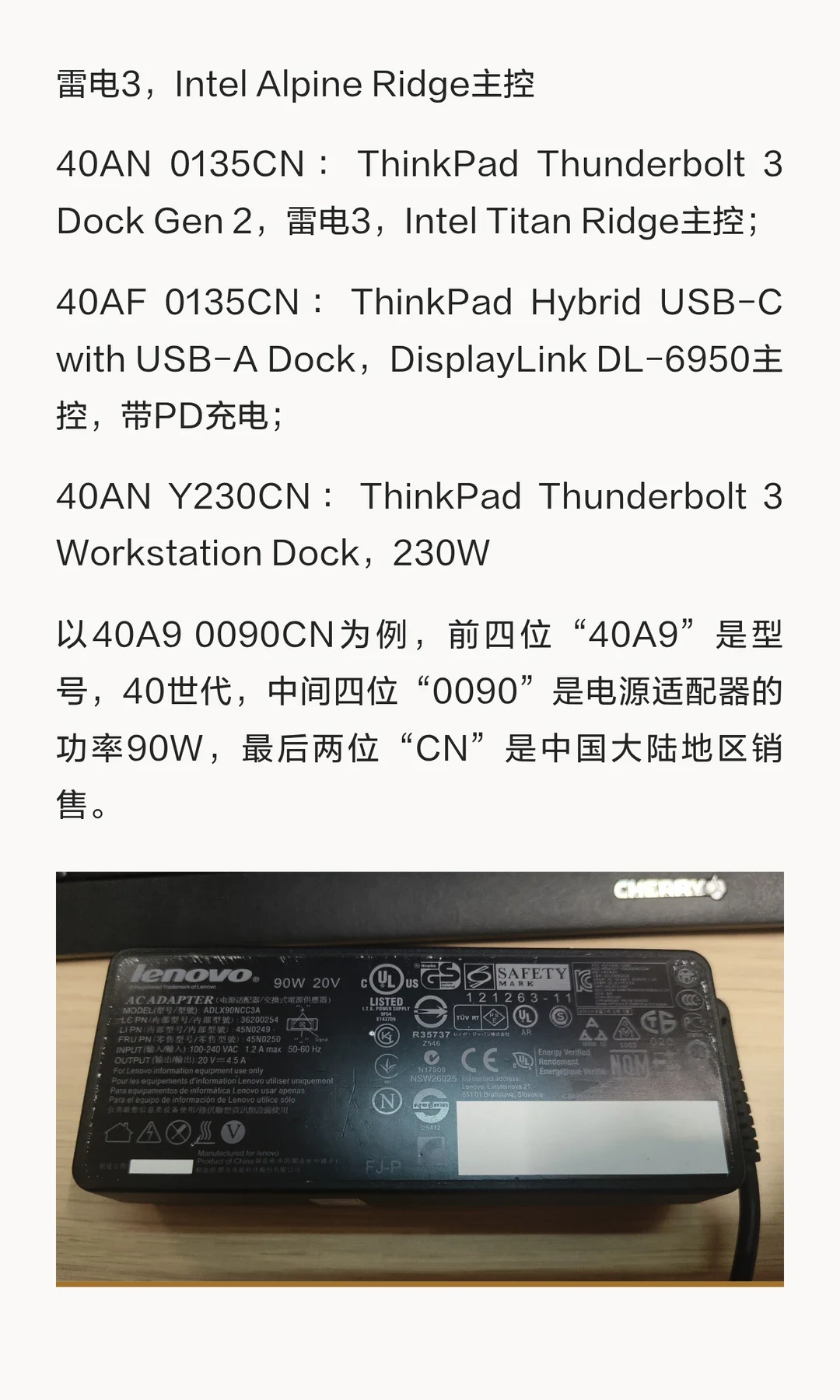
40AN 0135CN: ThinkPad Thunderbolt 3 Dock Gen 2, with Thunderbolt 3 and an Intel Titan Ridge controller;
40AF 0135CN: ThinkPad Hybrid USB-C with USB-A Dock, with a DisplayLink DL-6950 controller and Power Delivery charging;
40AN Y230CN: ThinkPad Thunderbolt 3 Workstation Dock, rated at 230 W.
Using the 40A9 0090CN as an example: the first four characters, “40A9,” are the model; “40” is the generation; the middle four digits, “0090,” refer to the 90 W power adapter; and the last two letters, “CN,” indicate sale in mainland China.
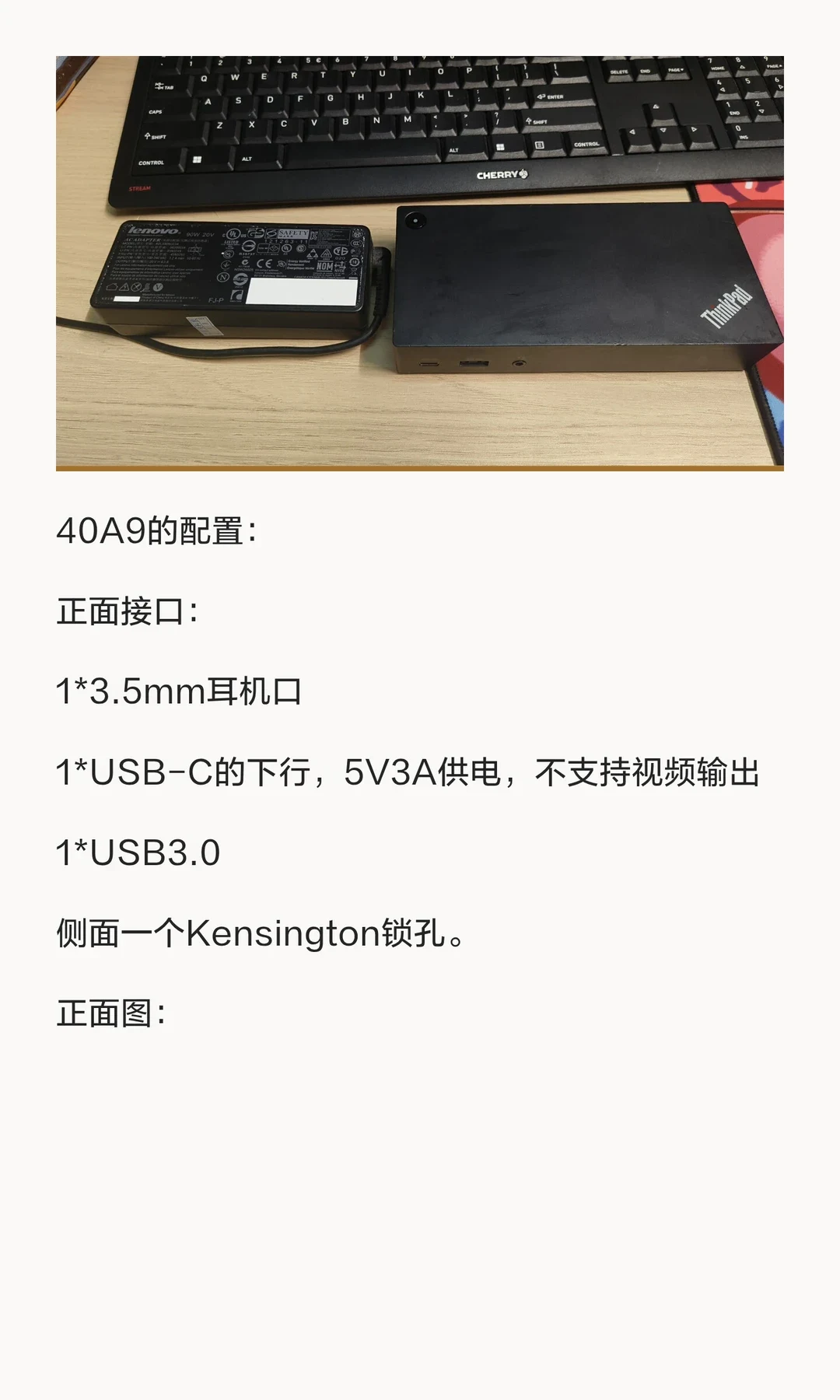
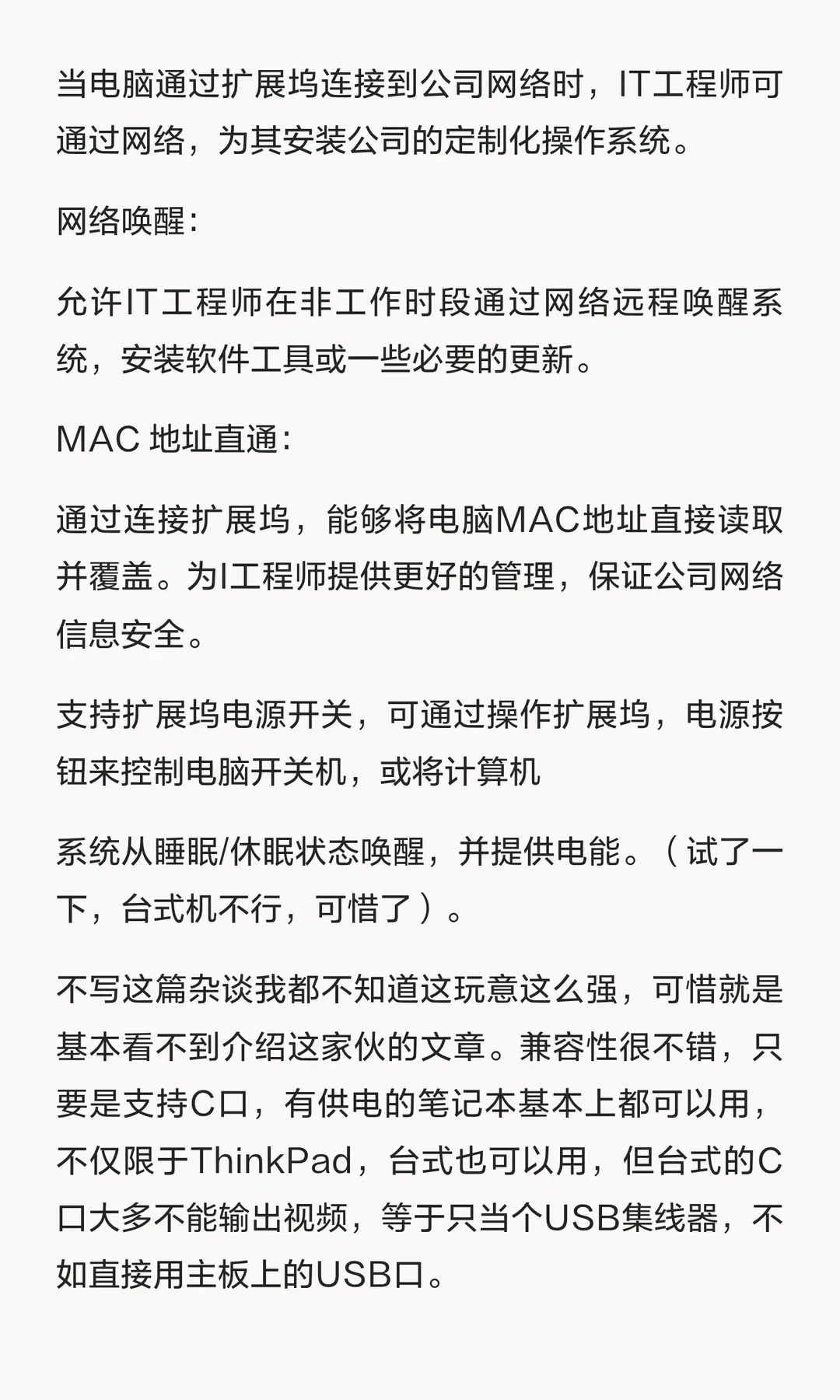
The 40A9’s ports
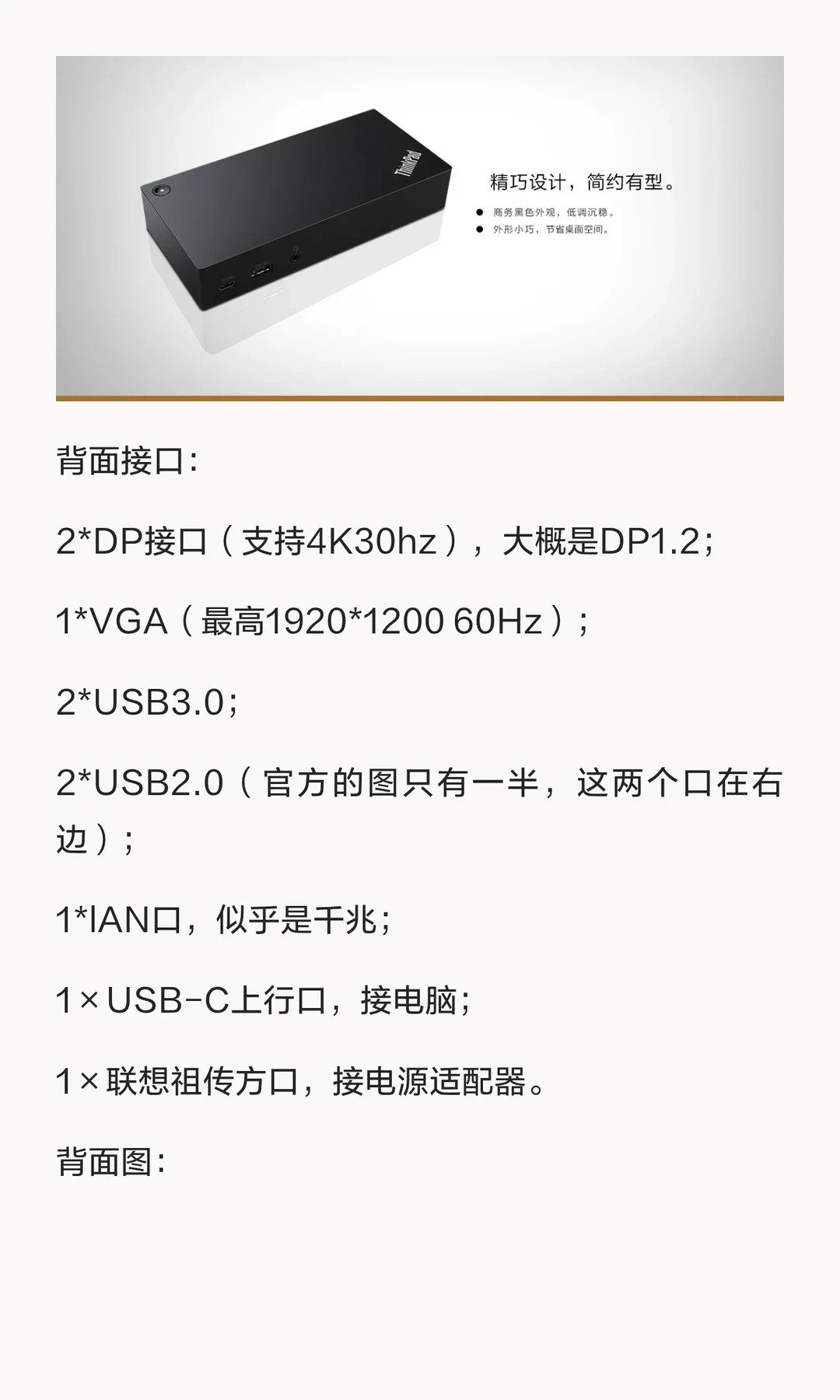
Front
1 × 3.5 mm headphone jack
1 × downstream USB-C port, with 5 V/3 A power; it does not support video output
1 × USB 3.0 port
There is a Kensington lock slot on the side.
Front view
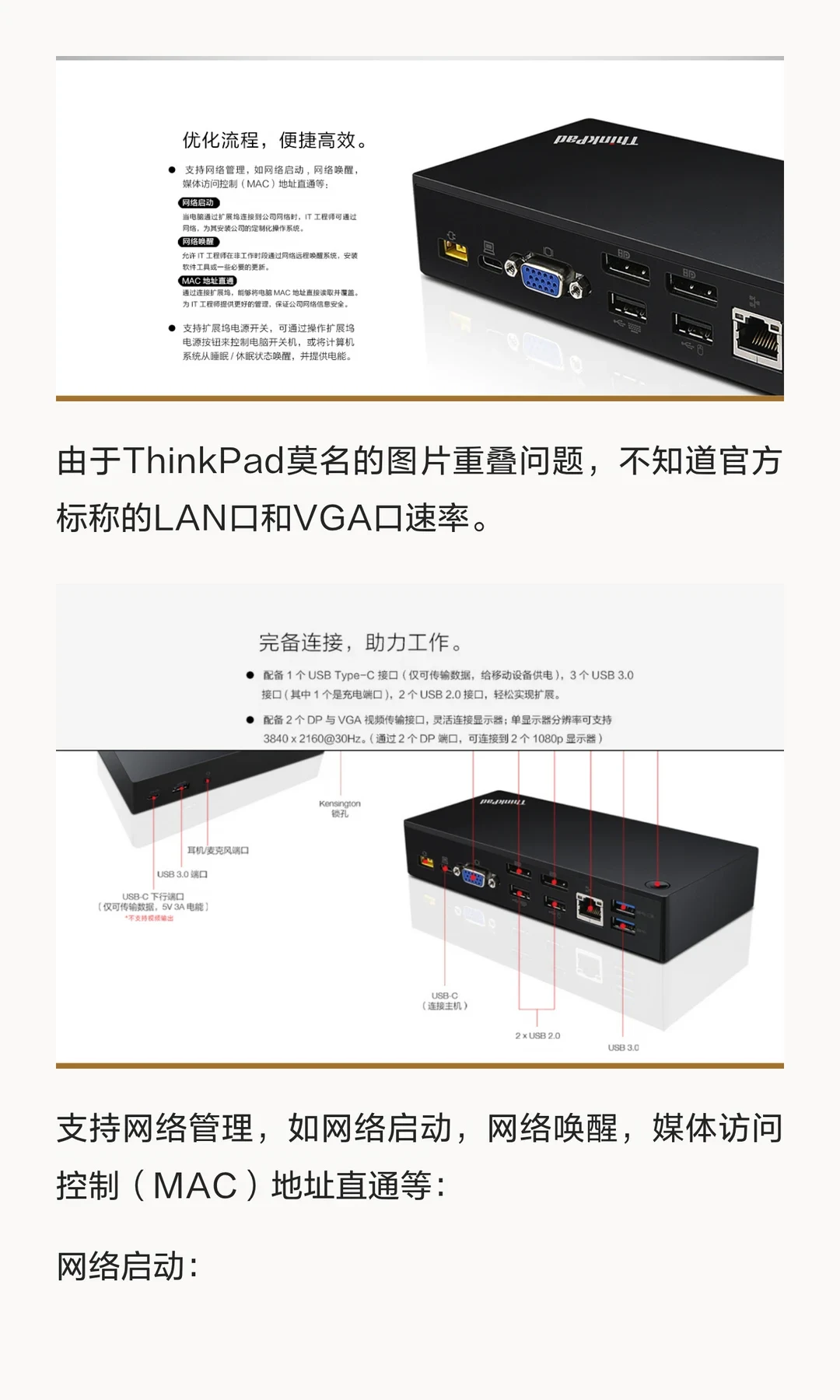
Rear
2 × DisplayPort (supports 4K at 30 Hz); probably DP 1.2
1 × VGA (up to 1920 × 1200 at 60 Hz)
2 × USB 3.0
2 × USB 2.0 (the official image shows only half; both ports are on the right)
1 × LAN port, apparently gigabit
1 × USB-C upstream port for connecting to the computer
1 × Lenovo proprietary square power connector for the power adapter
Rear view
Because Lenovo’s images overlap in a confusing way, I couldn’t tell the officially specified speeds for the LAN and VGA ports.
The dock supports network management, including network boot, Wake-on-LAN, and MAC address passthrough
Network boot
When a computer connects to a company network through the dock, IT staff can install the company’s customized operating system over the network.
Wake-on-LAN
IT staff can remotely wake the system outside working hours to install software tools or necessary updates.
MAC address passthrough
Connecting through the dock can make the computer’s MAC address available and override the dock’s address. This gives IT staff more control over management and helps protect company network information.
The dock has a power button that can control a computer’s power or wake it from sleep or hibernation, while also providing power. I tried it with a desktop, but it didn’t work—what a shame.
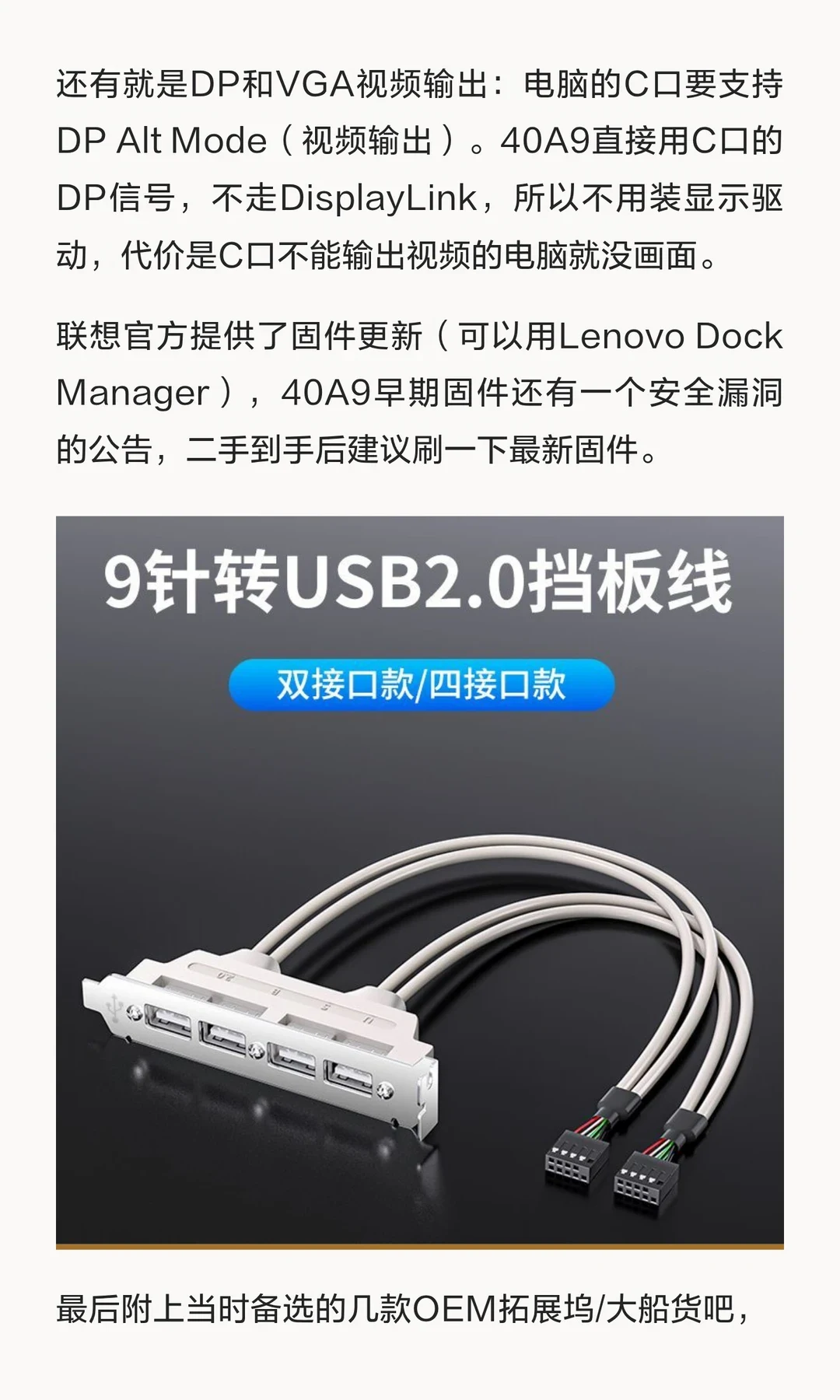
I hadn’t realized how capable this thing was until I wrote this post. It’s a pity there’s hardly any information about it. Compatibility is pretty good: I think it can work with almost any laptop that has a powered USB-C port, not just a ThinkPad. It can also be used with a desktop, but most desktop USB-C ports don’t output video, so it would function only as a USB hub—not as useful as the USB ports on the motherboard.
There’s also DisplayPort and VGA video output. The computer’s USB-C port must support DisplayPort Alt Mode. The 40A9 uses the USB-C port’s DisplayPort signal rather than DisplayLink, so no display driver is needed; the trade-off is that computers whose USB-C ports don’t output video get no picture.
Lenovo provides firmware updates through Lenovo Dock Manager. There was also a notice about a security vulnerability in early 40A9 firmware, so I recommend updating to the latest firmware after buying one used.
Finally, here are a few other OEM docks I considered at the time
I didn’t choose the 40AC because my Y9000P doesn’t have Thunderbolt.
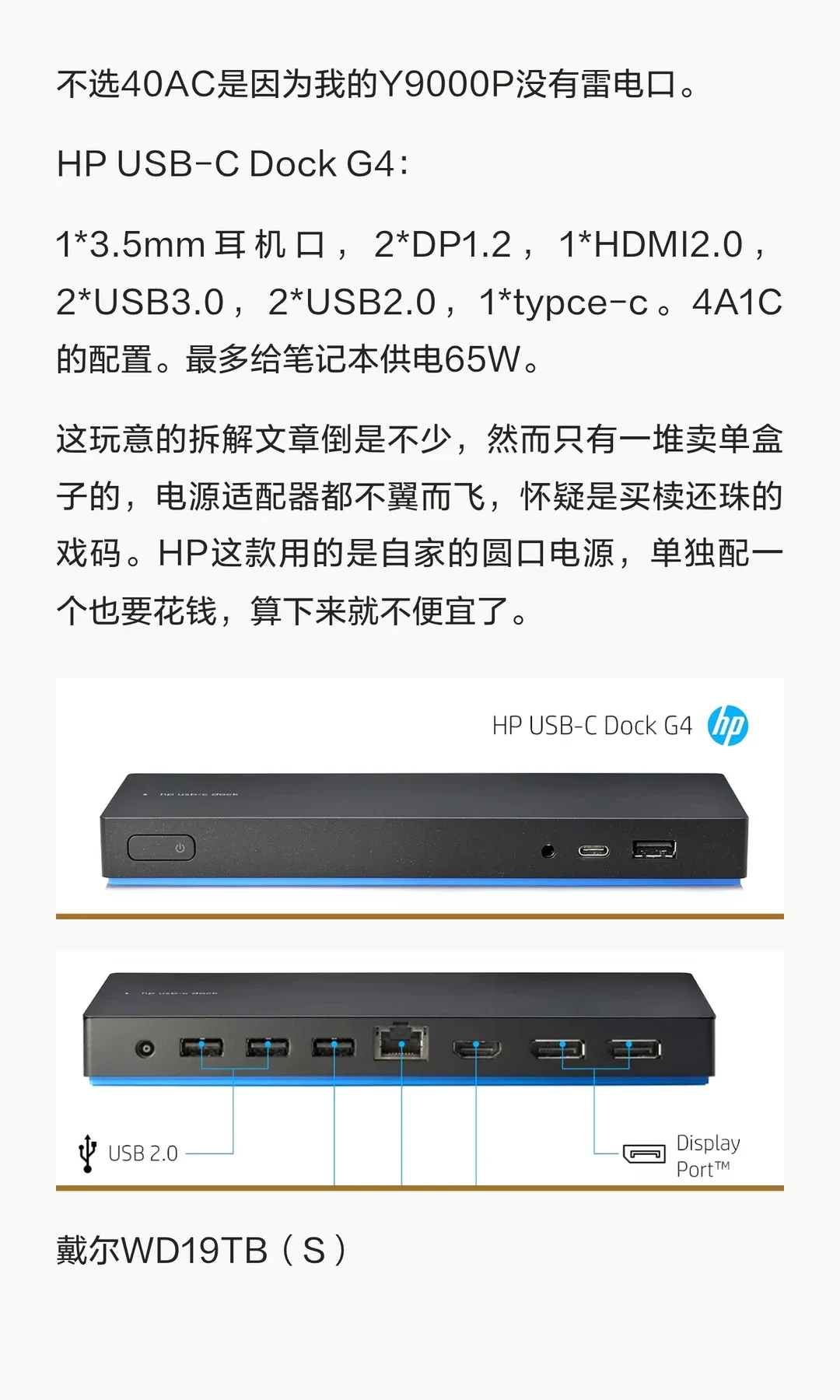
HP USB-C Dock G4
1 × 3.5 mm headphone jack, 2 × DP 1.2, 1 × HDMI 2.0, 2 × USB 3.0, 2 × USB 2.0, and 1 × USB-C: a 4A1C configuration. It can supply up to 65 W to a laptop.
There are quite a few teardown articles about this one, but I mostly found units sold without their power adapters—almost as if people were buying the box and discarding what came inside. HP uses its own round power connector, so buying a separate adapter costs extra; that made the setup less appealing.
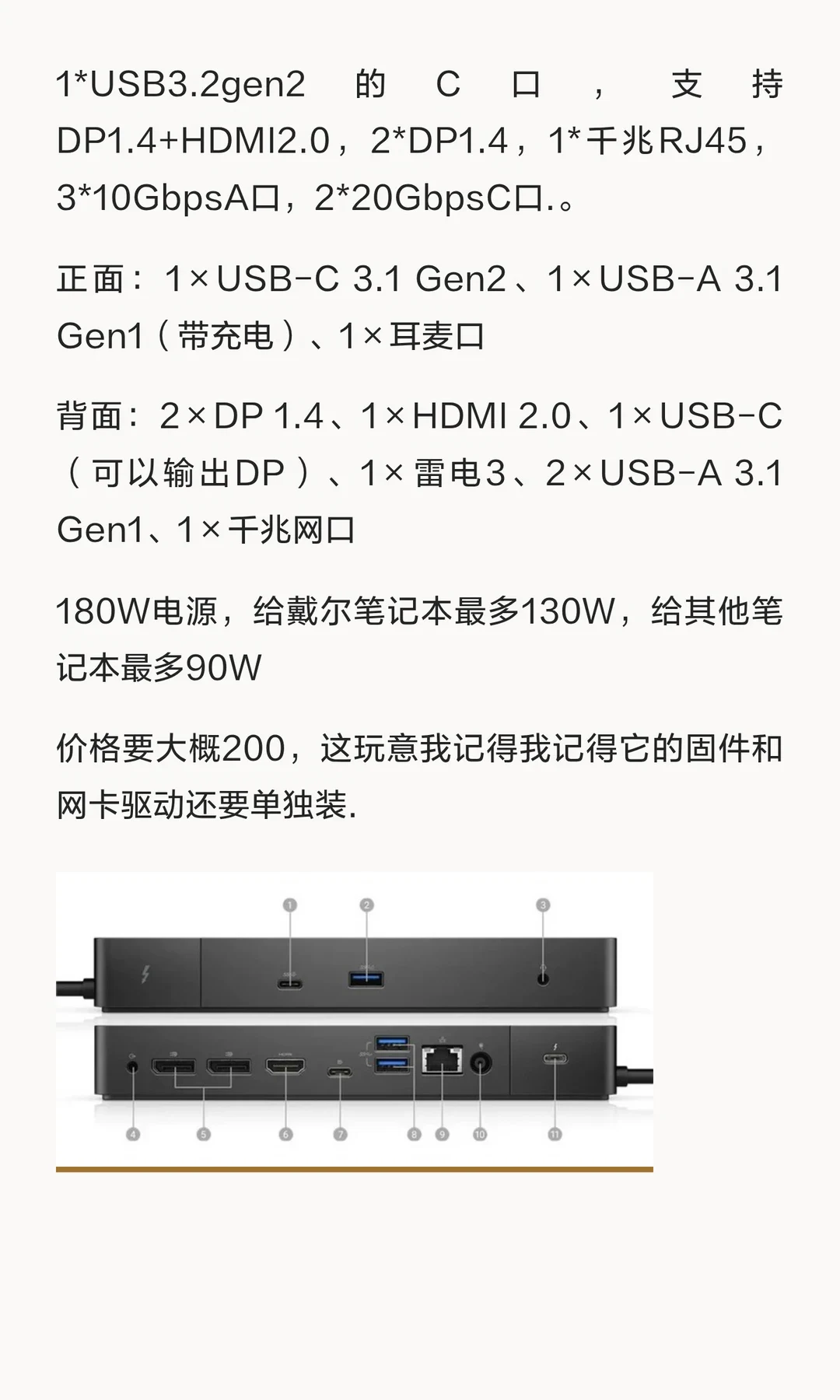
Dell WD19TB (S)
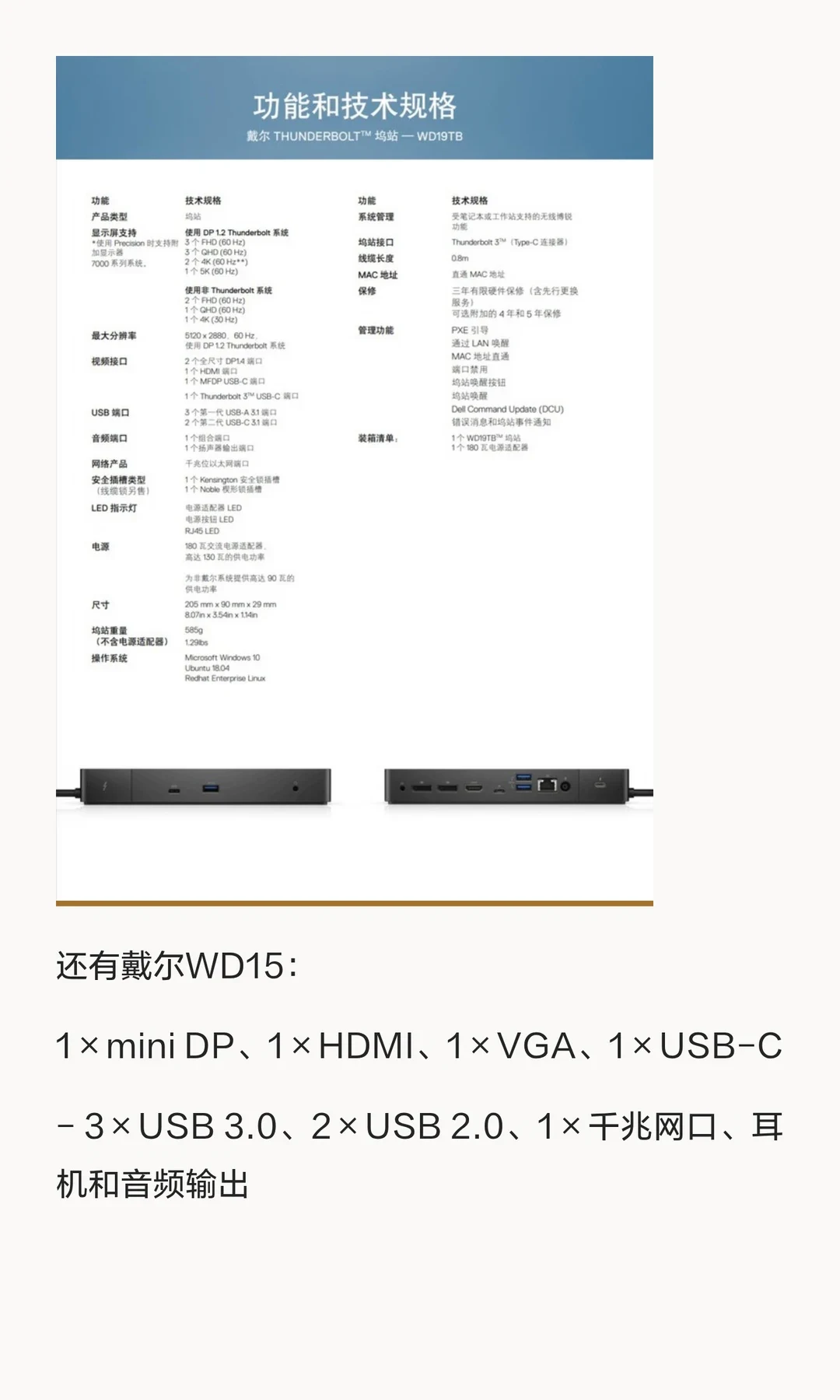
1 × USB 3.2 Gen 2 USB-C port, supporting DP 1.4 and HDMI 2.0; 2 × DP 1.4; 1 × gigabit RJ45; 3 × 10 Gbps USB-A; and 2 × 20 Gbps USB-C.
Front: 1 × USB-C 3.1 Gen 2, 1 × USB-A 3.1 Gen 1 with charging, and 1 × headset jack.
Rear: 2 × DP 1.4, 1 × HDMI 2.0, 1 × USB-C with DisplayPort output, 1 × Thunderbolt 3, 2 × USB-A 3.1 Gen 1, and 1 × gigabit Ethernet.
It comes with a 180 W power supply, can provide up to 130 W to Dell laptops, and up to 90 W to other laptops.
I think it cost around RMB 200. I also remember that its firmware and network-card driver had to be installed separately.
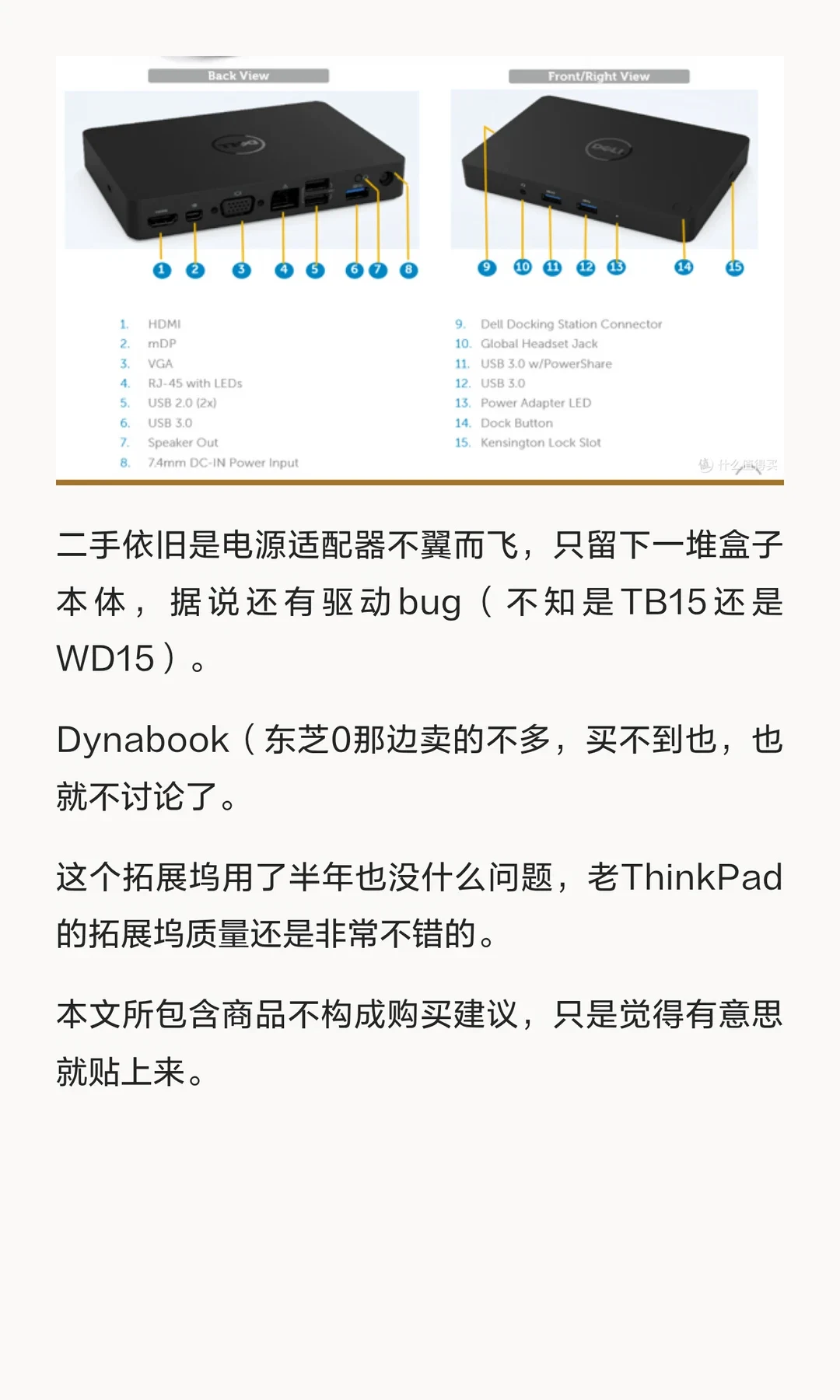
There’s also the Dell WD15
1 × mini DisplayPort, 1 × HDMI, 1 × VGA, 1 × USB-C, 3 × USB 3.0, 2 × USB 2.0, 1 × gigabit Ethernet, and headphone and audio-out ports.
Used units still often turn up without their power adapters, leaving only the dock itself. I’ve also heard there may be a driver bug, but I don’t know whether it affects the TB15 or WD15.
Dynabook (Toshiba): there aren’t many sold here, and they’re hard to find, so I won’t discuss them.
I used this dock for six months without any problems. Older ThinkPad docks really are very well made.
The products mentioned in this post are not purchase recommendations; I just thought they were interesting and wanted to share them.
Source: mozhifeng9 · Xiaohongshu · 2026-10-12 · 硬件杂谈:ThinkPad拓展坞 40A9. Search this Chinese title in Xiaohongshu to find the original post.
Before You Buy
Models in your region
The owner’s unit is the China-market Lenovo ThinkPad USB-C Dock 40A90090CN. Lenovo’s manufacturer datasheet lists the same ThinkPad USB-C Dock family in the US as 40A90090US and in Europe as 40A90090EU. The owner’s six-month experience is with the CN unit; the datasheet describes the family’s listed features and does not establish that every USB-C computer supports them.
| Model in this review | Related regional model | What to know |
|---|---|---|
| Lenovo ThinkPad USB-C Dock 40A90090CN | Lenovo ThinkPad USB-C Dock 40A90090US / 40A90090EU (US/EU) | The US 40A90090US and EU 40A90090EU are listed as regional versions of the same ThinkPad USB-C Dock family. The owner’s six-month account applies to the CN unit; check the regional package and compatibility for the computer you plan to connect. |
- Model in this review
- Lenovo ThinkPad USB-C Dock 40A90090CN
- Related regional model
- Lenovo ThinkPad USB-C Dock 40A90090US / 40A90090EU (US/EU)
- What to know
- The US 40A90090US and EU 40A90090EU are listed as regional versions of the same ThinkPad USB-C Dock family. The owner’s six-month account applies to the CN unit; check the regional package and compatibility for the computer you plan to connect.
Check USB-C video and power before buying
The 40A9’s DisplayPort and VGA outputs depend on the host computer’s USB-C port supporting DisplayPort Alt Mode; the owner explains that this dock uses the port’s DisplayPort signal rather than DisplayLink. If the host cannot send video over USB-C, the dock will not provide a picture. The owner’s claim of broad compatibility should not be treated as a guarantee for all USB-C laptops or desktops.
Lenovo’s datasheet lists two DisplayPort outputs and VGA, but specifies a maximum of one 4K display at 30 Hz and no more than two displays. It describes these functions for ThinkPads, so confirm the requirements for a non-ThinkPad host rather than assuming the same support.
The 90 W figure identifies the included power adapter, not a measured laptop charging rate. The available evidence does not establish the exact power delivered to every host, so check the dock’s regional specification and your laptop’s power needs before relying on it for charging.
Use the documented ports and network features
The manufacturer datasheet lists two USB 2.0 ports, three USB 3.0 ports, and one USB-C data-only port, alongside the display connections. The USB-C downstream port is for data rather than video; the owner also describes that port as providing 5 V/3 A. Treat the owner’s LAN speed estimate and VGA-rate uncertainty as unconfirmed: the supplied official evidence does not specify those speeds.
For supported ThinkPad setups, the datasheet lists PXE network boot, Wake-on-LAN, and ThinkPad MAC address passthrough. These are network-management features, not a general security guarantee; confirm that the computer and workplace network support the intended configuration.
Update firmware, but verify the security notice
The owner recommends installing the latest firmware on a used dock and says Lenovo Dock Manager can provide updates. The post mentions an early-firmware security notice but gives no advisory identifier or vulnerability details, and the supplied datasheet does not confirm that notice. The practical takeaway is to check current Lenovo support information for the exact dock before treating a particular security issue or fix as verified.
Treat the six-month result as one unit’s history
The other ThinkPad, HP and Dell docks appear as the author’s shopping notes, not personally tested comparisons. Their quoted specifications, including the internally inconsistent Dell USB speed list, have not been verified here. The author’s explanation of “40” as a generation is also unverified. This 40A90090CN worked for the owner for six months without reported problems, but that single account does not establish reliability across used units. The owner’s dock power button also failed to control a desktop during one trial; the desktop’s USB-C video and power capabilities are not identified, so the cause remains unknown.
The ThinkPad USB-C Dock Gen 2, model 40AS, is mentioned as the 40A9’s successor, not as a tested alternative in this account. The owner also considered the ThinkPad Thunderbolt 3 Dock 40AC but did not choose it because the Y9000P lacked Thunderbolt; neither product received a firsthand comparison here.
Related Reading

Reviews & Guides · Computing & Networking
TP-Link Deco X55 in a two-storey Australian home: Wi-Fi across 300 m²
I installed two TP-Link Deco X55 units in my 300 m², two-storey home; bedrooms that often lost Wi-Fi now had a signal throughout the house.

Reviews & Guides · Computing & Networking
TP-Link Deco X55: DNS pauses stopped for six days in access-point mode
I switched my Deco X55 to access-point mode and restored my older router to the front of the network. The DNS-like pauses stayed away for six days.
Reviews & Guides · Computing & Networking
TP-Link Deco X55 after nearly a year: six units, Teams and gaming
I’ve used six TP-Link Deco X55 units for nearly a year, including daily Teams calls and online gaming; I’ve had only one or two connectivity issues.