
Reviews & Guides · Computing & Networking
ONEXPLAYER 2 Pro eGPU stopped disconnecting after I added a fan
Reviewed: ONEXPLAYER ONEXGPU (original)Regional reference: ONEXPLAYER ONEXGPU (original) (International manufacturer store); ONEXPLAYER ONEXGPU RX 7600M XT (US / EU via UK retailer)
I added a small fan at my ONEXGPU’s USB4 connector and had no more disconnects during a day of Like a Dragon 8 at 2K and 60 fps.
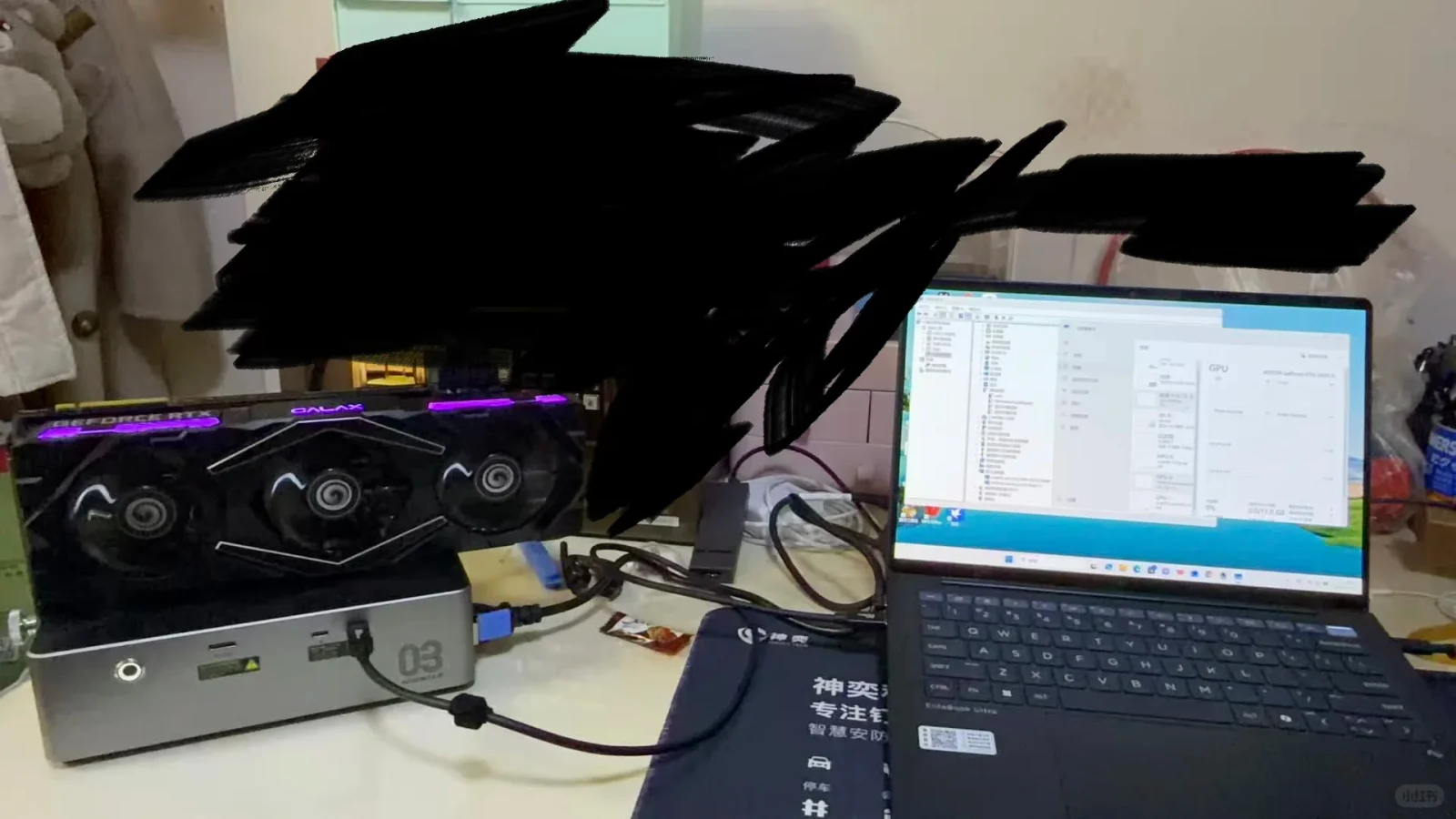

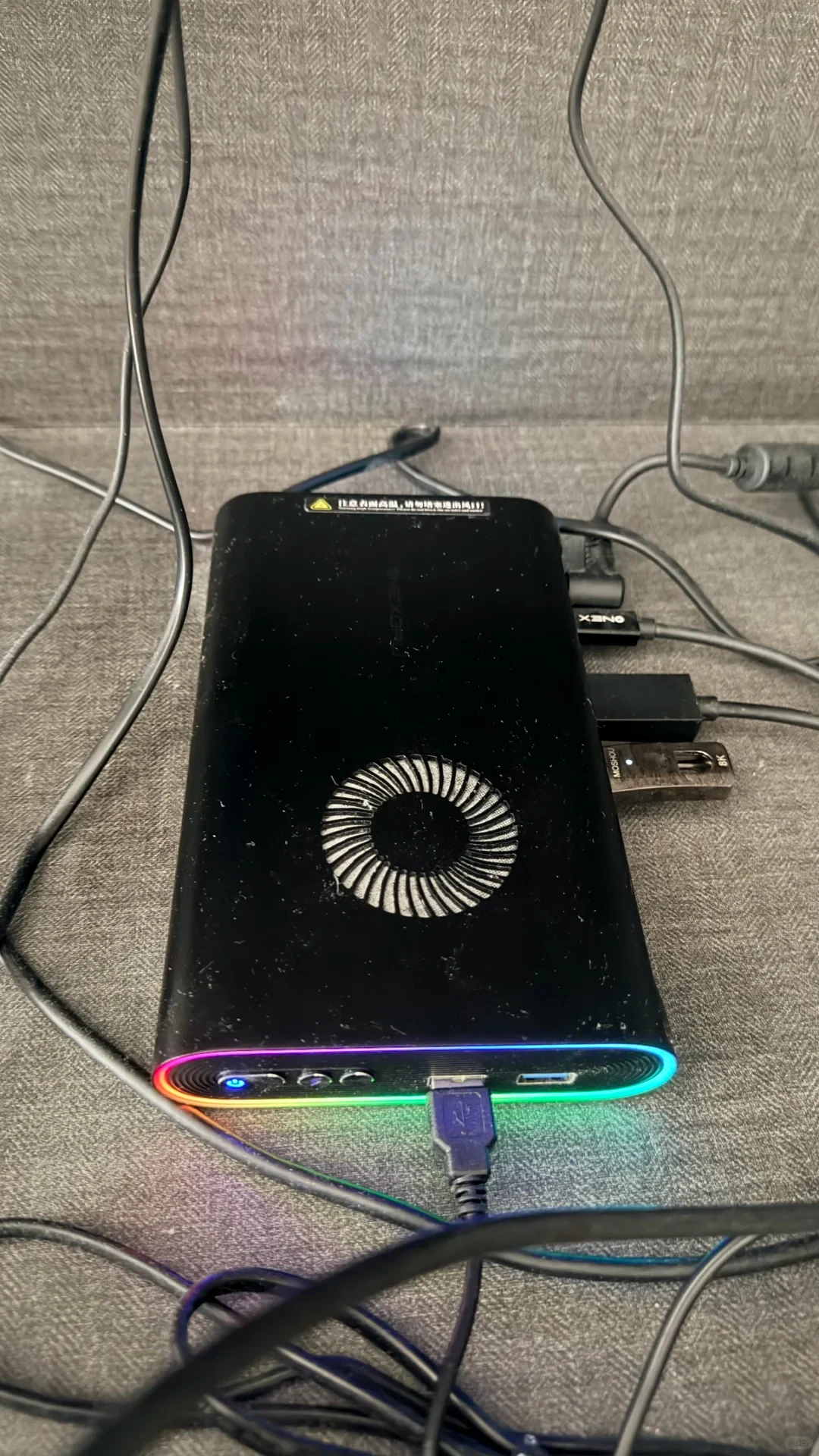
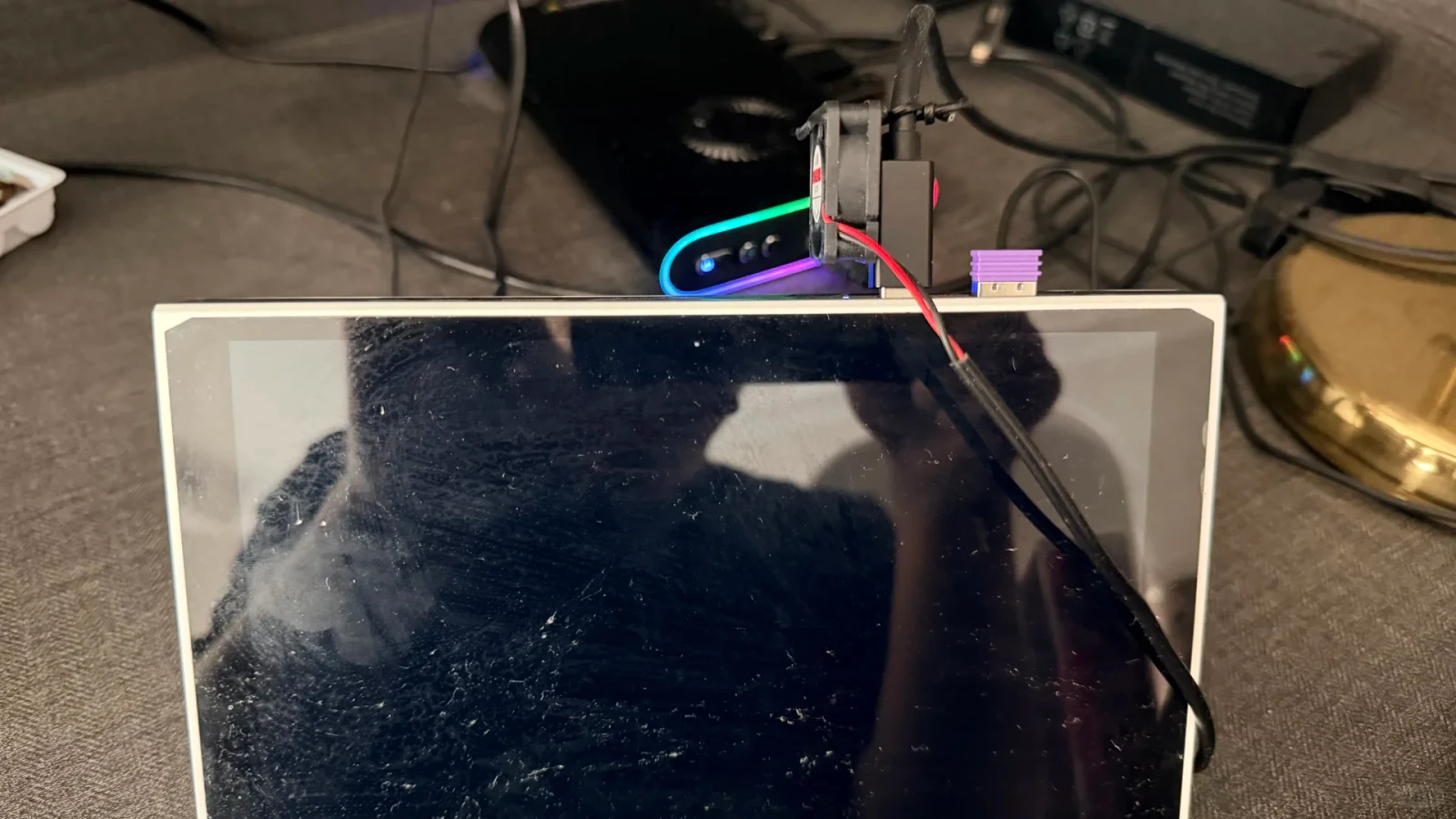
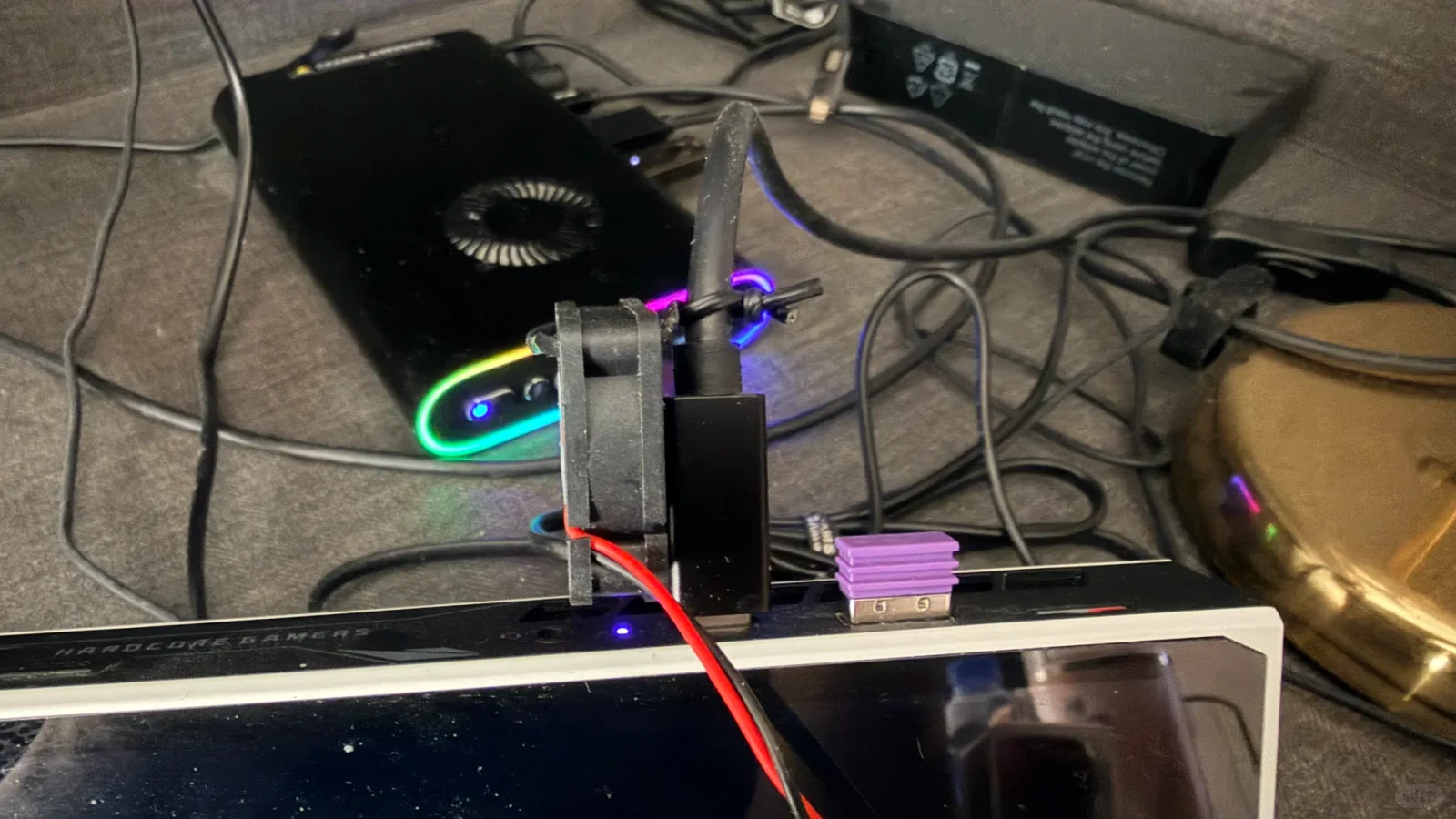
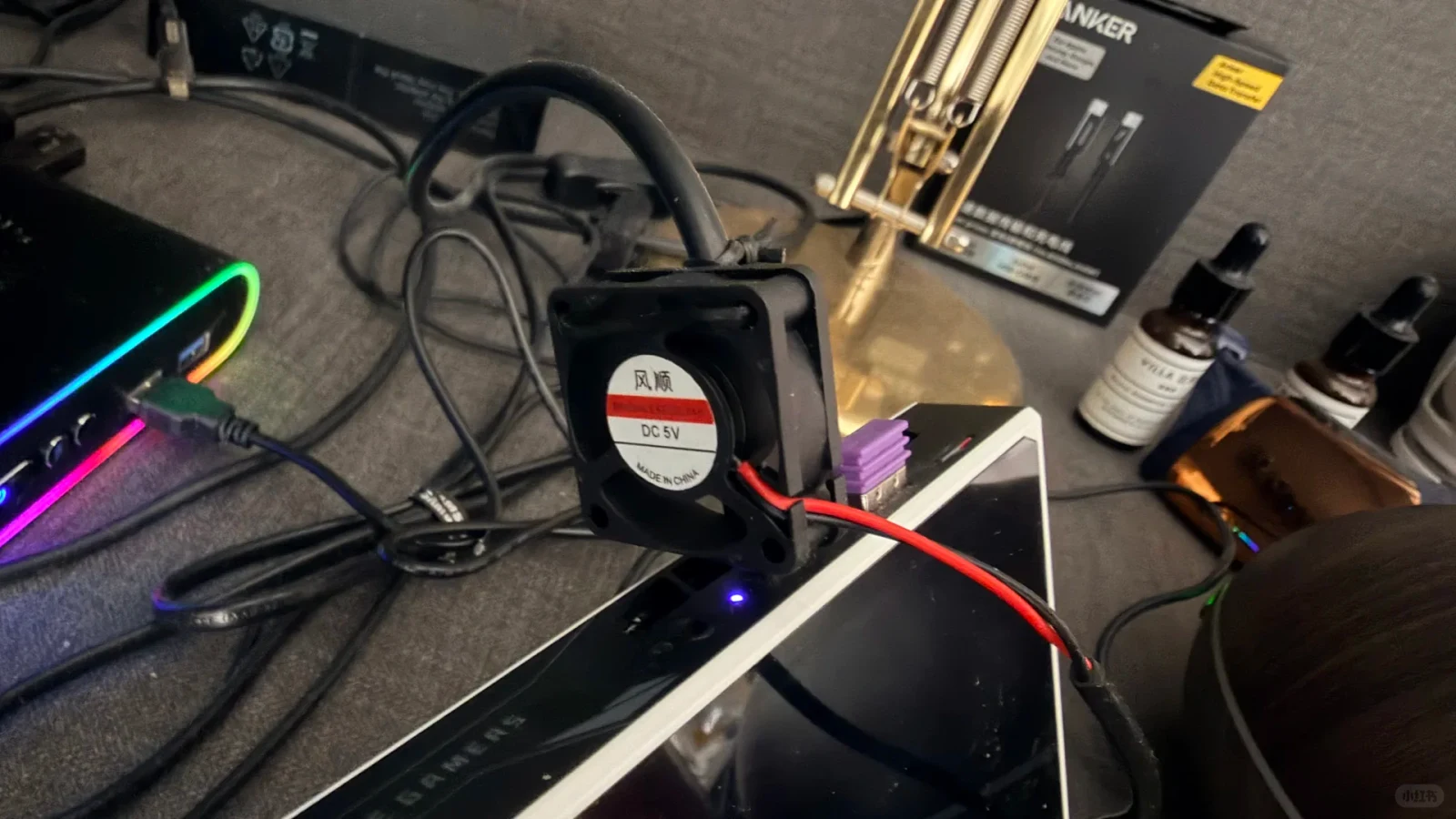
I bought an ONEXPLAYER 2 Pro handheld two years ago. To use a 4K, 120 Hz screen, I connected one of their AMD graphics docks over USB4.
Some demanding games would randomly disconnect. The screen would suddenly go black, then reconnect, and the game would crash and quit. I didn’t even dare play online competitive games. I looked across many platforms for fixes. Some people suggested limiting how Windows switches graphics cards or changing the power plan, but neither worked for me.
After watching it closely, I noticed that the hottest parts were the GPU exhaust and the USB4 connector between the dock and handheld. That seemed reasonable to me: the connector carries data and also has to provide power back to the handheld.
So I bought a simple USB cooling fan and tied it directly to the connector, as shown. After that, I didn’t experience any more disconnects. I put it through a full day of demanding play in Like a Dragon 8 at 2K and 60 fps, with no problems. You can try this as a reference.
One update: the disconnects were also related to strain on the USB connector. If the connector gets uneven pressure from one side, or from gravity, it is more likely to become unstable and disconnect. Try to keep the cable naturally aligned as it plugs in.
Source: 风斩断晚霞 · Xiaohongshu · 2026-02-18 · USB4.0外接显卡扩展坞闪断问题解决!. Search this Chinese title in Xiaohongshu to find the original post.
Before You Buy
Models in your region
The owner’s account identifies an ONEXPLAYER 2 Pro and an AMD ONEXGPU connected by USB4, but does not identify the dock’s exact GPU revision. The regional listing below is therefore a reference, not confirmation of the owner’s precise configuration.
| Model in this review | Related regional model | What to know |
|---|---|---|
| ONEXPLAYER ONEXGPU (original) | ONEXPLAYER ONEXGPU (original) (International manufacturer store) | The manufacturer’s international store identifies the original ONEXGPU family. The owner’s photos match its round-fan and RGB design, but do not show an exact revision or GPU code; the reported fix should not be taken as a test of every configuration. |
| ONEXPLAYER ONEXGPU (original) | ONEXPLAYER ONEXGPU RX 7600M XT (US / EU via UK retailer) | The US/EU retailer listing is for the ONEXPLAYER ONEXGPU RX 7600M XT, with USB4 and OCuLink, an SSD slot, and up to 100 W over USB4. The owner’s GPU revision is unknown, so those listed specifications cannot be attributed to the unit in the account. |
- Model in this review
- ONEXPLAYER ONEXGPU (original)
- Related regional model
- ONEXPLAYER ONEXGPU (original) (International manufacturer store)
- What to know
- The manufacturer’s international store identifies the original ONEXGPU family. The owner’s photos match its round-fan and RGB design, but do not show an exact revision or GPU code; the reported fix should not be taken as a test of every configuration.
- Model in this review
- ONEXPLAYER ONEXGPU (original)
- Related regional model
- ONEXPLAYER ONEXGPU RX 7600M XT (US / EU via UK retailer)
- What to know
- The US/EU retailer listing is for the ONEXPLAYER ONEXGPU RX 7600M XT, with USB4 and OCuLink, an SSD slot, and up to 100 W over USB4. The owner’s GPU revision is unknown, so those listed specifications cannot be attributed to the unit in the account.
What the fan fix does—and does not establish
The owner says a small USB cooling fan attached at the ONEXGPU-to-handheld connector was followed by no further disconnects, including during a day of Like a Dragon 8 at 2K and 60 fps. That is a report of one setup and one gaming session, not proof that connector heat caused the earlier failures or that the fix will work for other systems.
The owner also later identified uneven pressure or gravity pulling on the USB4 connector as a factor that made disconnects more likely, and advised keeping the cable naturally aligned. Because the account does not separate the effects of cooling from cable positioning, it cannot establish which change mattered more.
Check the exact dock before applying the comparison
The owner describes an AMD graphics dock and the photographs match the original ONEXGPU’s round-fan and RGB design, but no exact GPU revision is shown. The US/EU listing identifies an ONEXGPU RX 7600M XT and advertises USB4, OCuLink, an SSD slot, and up to 100 W USB4 power; those specifications describe that listed regional product, not a confirmed feature set for the dock.
USB4 carries data and power, but the available evidence does not establish that heat at the connector caused the disconnections. If you are considering a similar setup, confirm the dock’s exact revision and connection options before relying on the regional listing, and treat the fan and cable-alignment approach as an owner experiment rather than a manufacturer-validated repair.
Related Reading

Reviews & Guides · Computing & Networking
TP-Link Deco X55 in a two-storey Australian home: Wi-Fi across 300 m²
I installed two TP-Link Deco X55 units in my 300 m², two-storey home; bedrooms that often lost Wi-Fi now had a signal throughout the house.

Reviews & Guides · Computing & Networking
TP-Link Deco X55: DNS pauses stopped for six days in access-point mode
I switched my Deco X55 to access-point mode and restored my older router to the front of the network. The DNS-like pauses stayed away for six days.
Reviews & Guides · Computing & Networking
TP-Link Deco X55 after nearly a year: six units, Teams and gaming
I’ve used six TP-Link Deco X55 units for nearly a year, including daily Teams calls and online gaming; I’ve had only one or two connectivity issues.