
Reviews & Guides · Computing & Networking
OWC Express 1M2: quiet Mac mini storage, bright activity light
Reviewed: OWC Express 1M2Regional reference: OWC Express 1M2 (USB4 40Gbps) (US / Europe manufacturer family reference)
I paired the OWC Express 1M2 with my Mac mini M4 for external system storage; its fanless cooling suited me, but the bright blinking light did not.
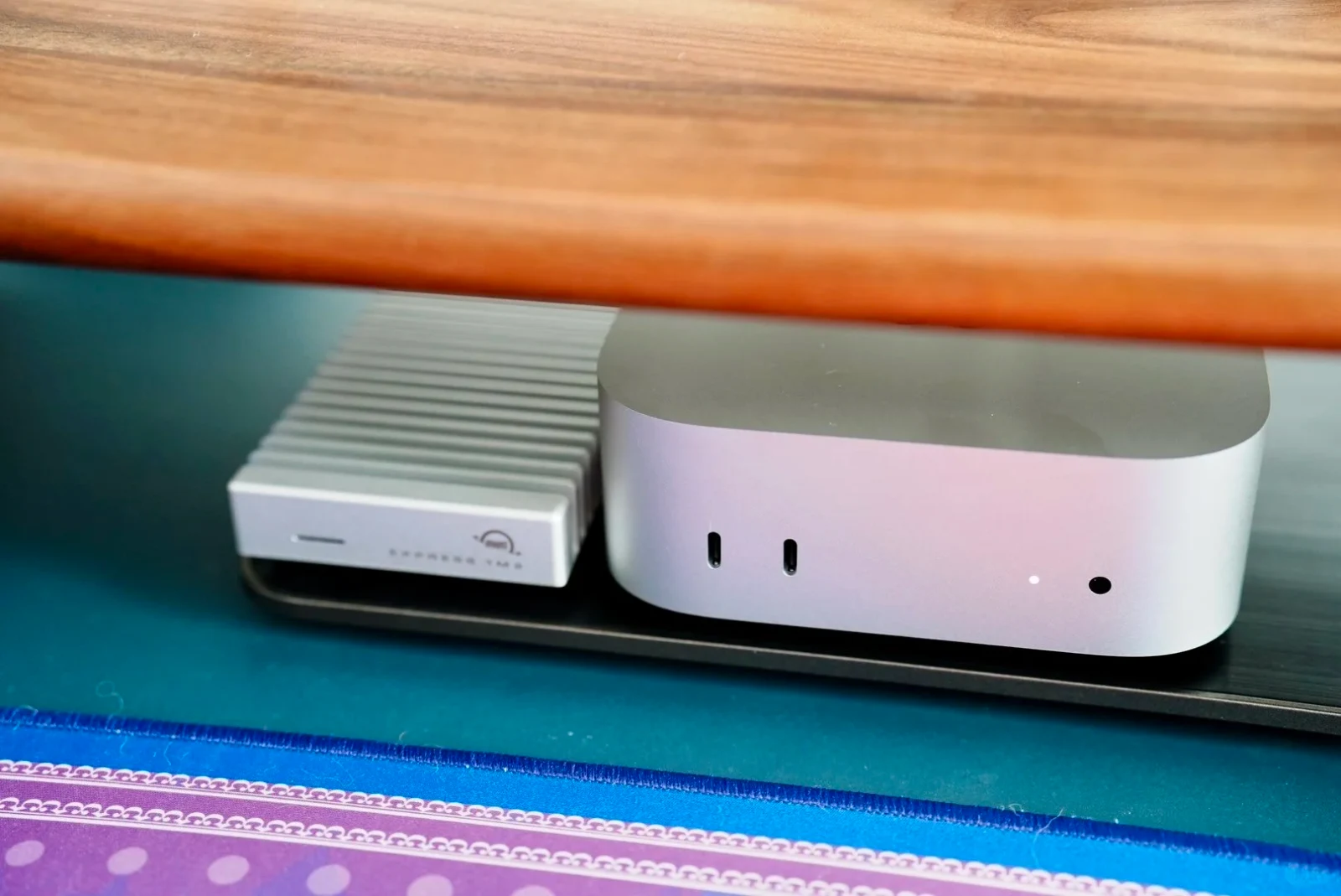
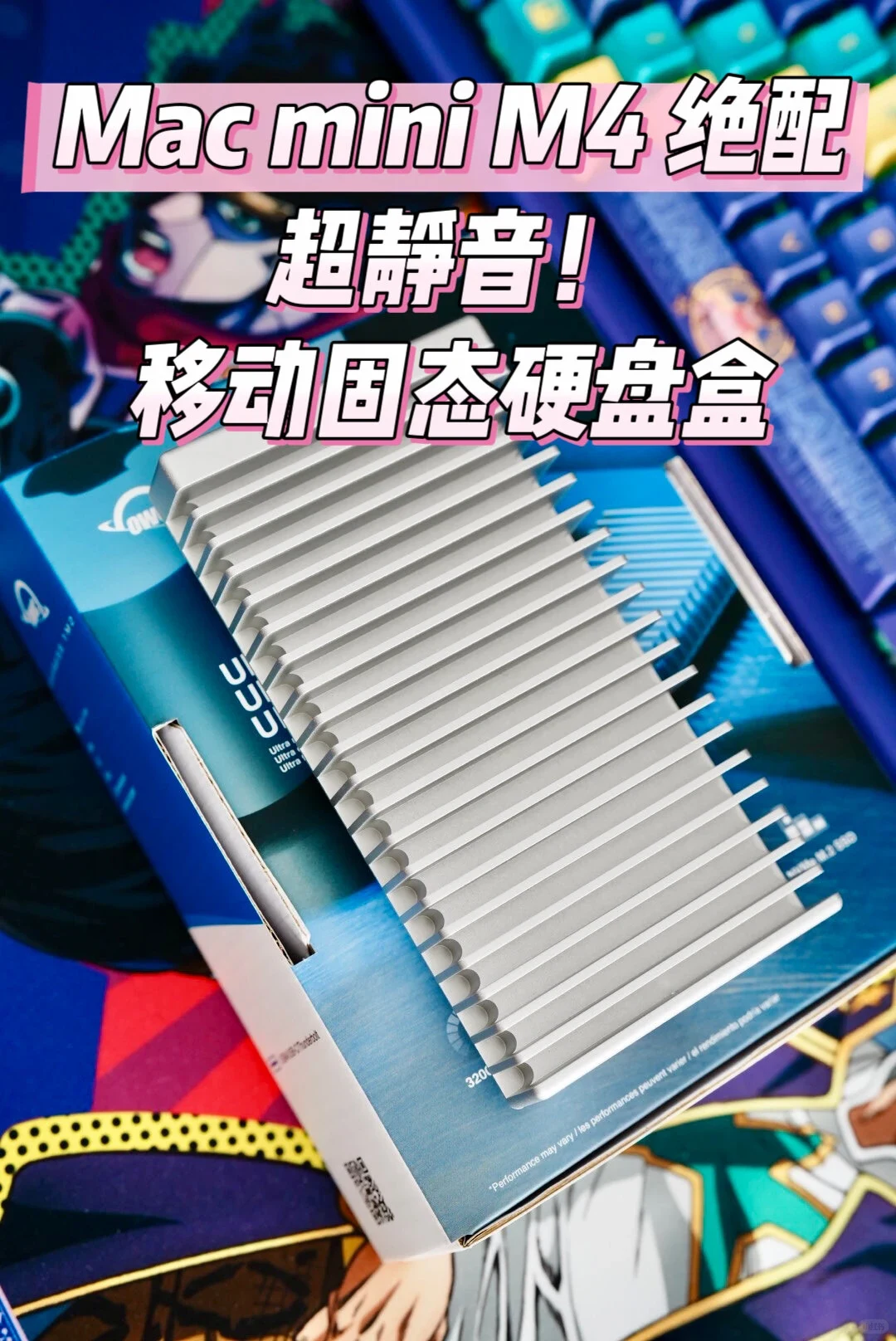
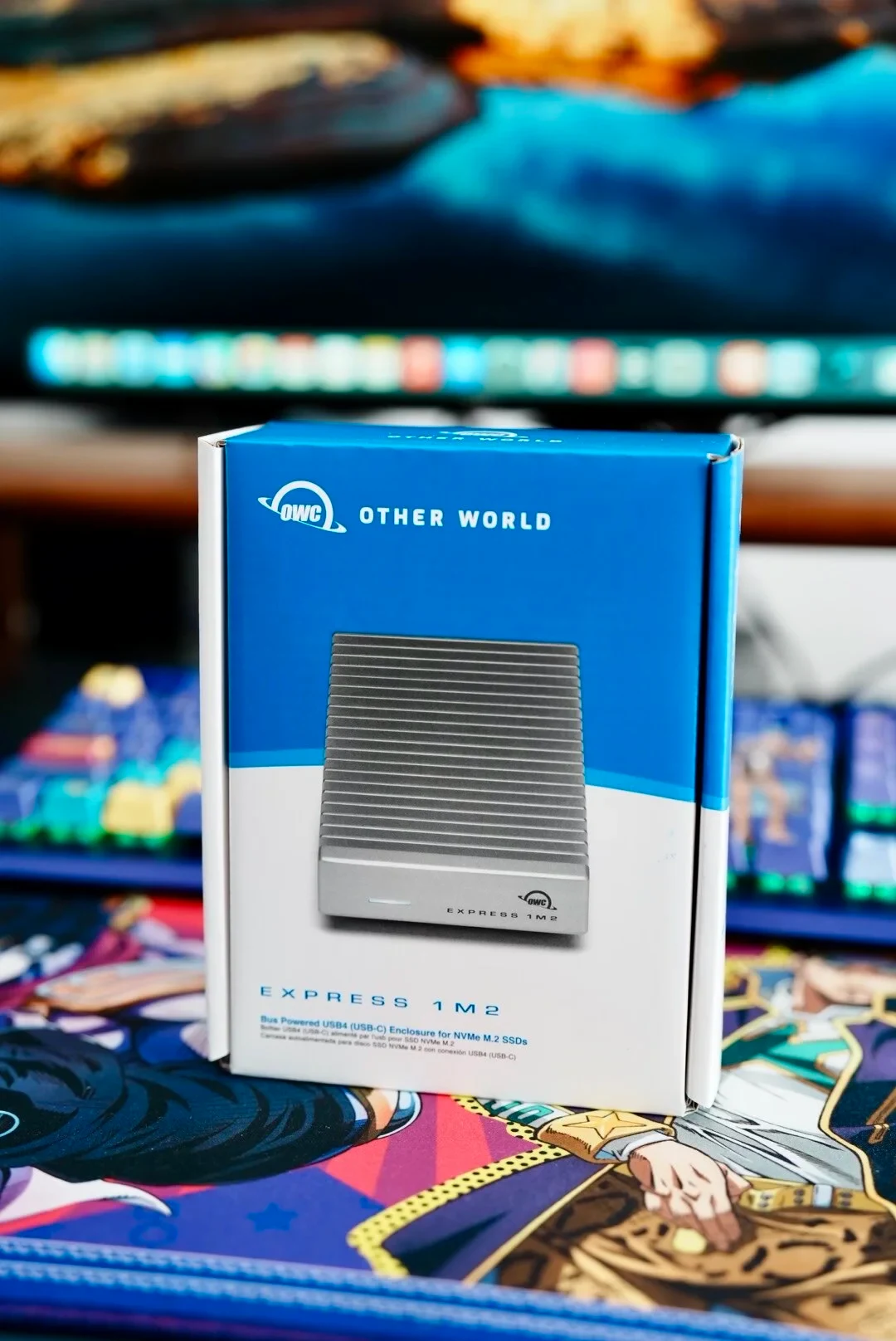
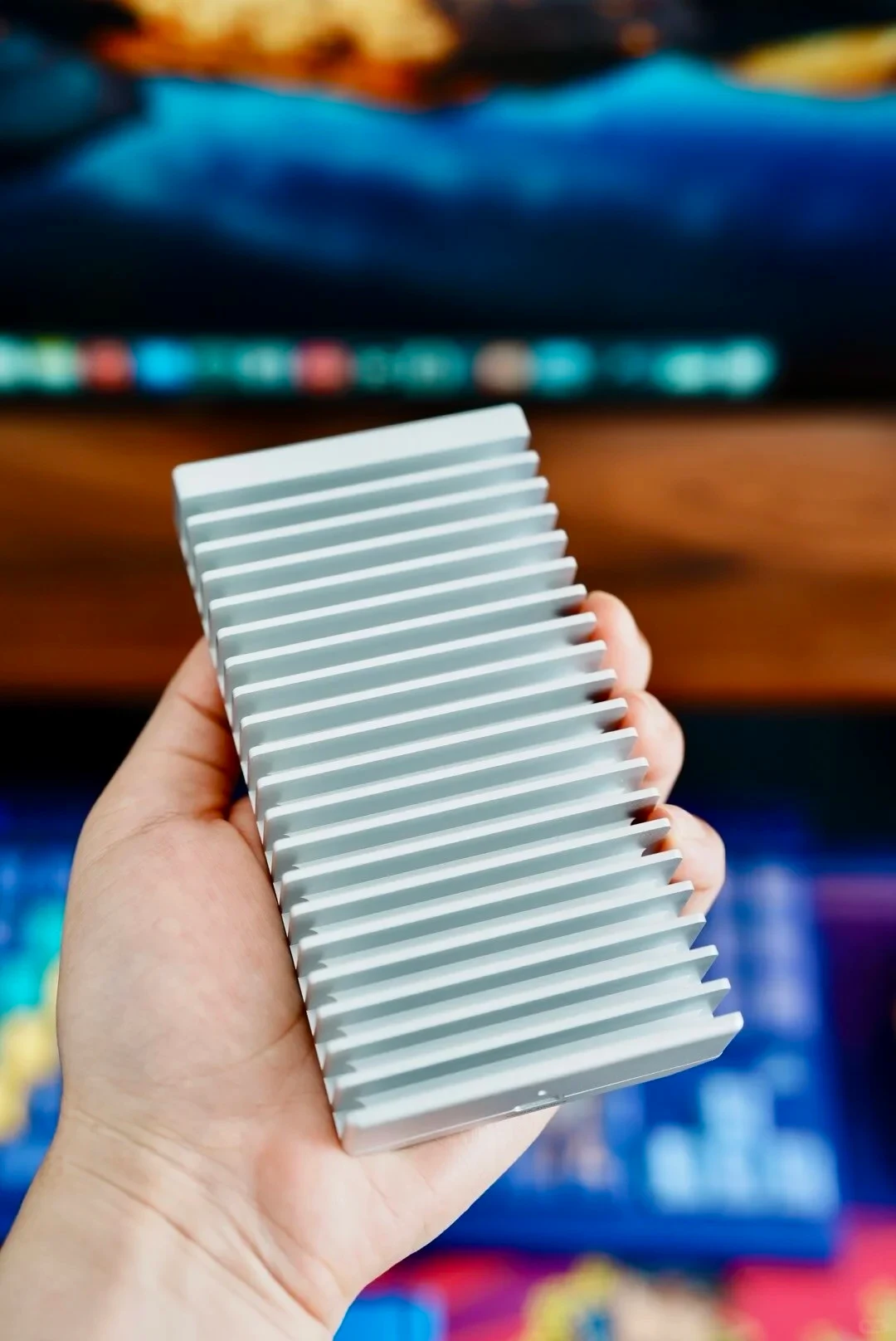
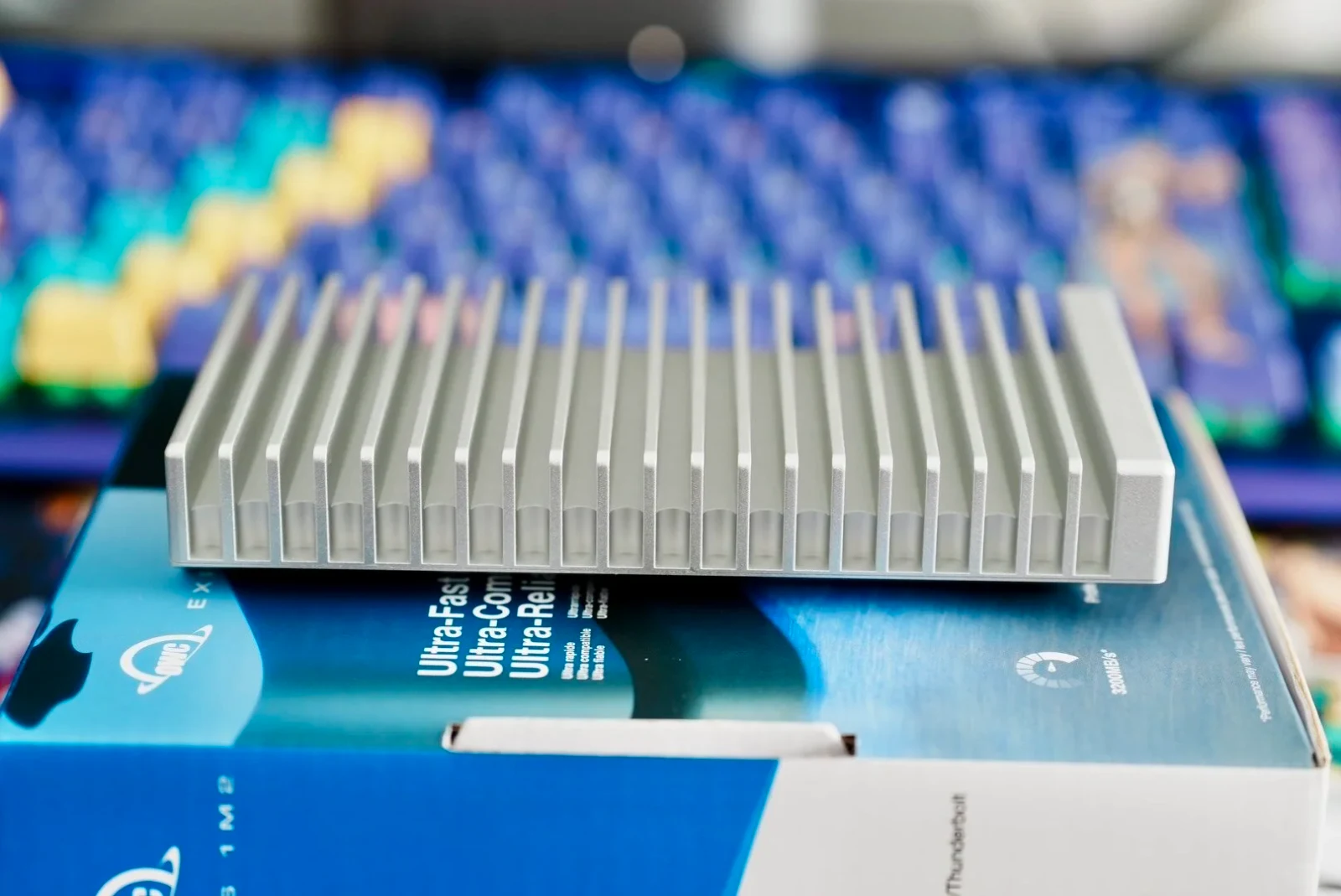
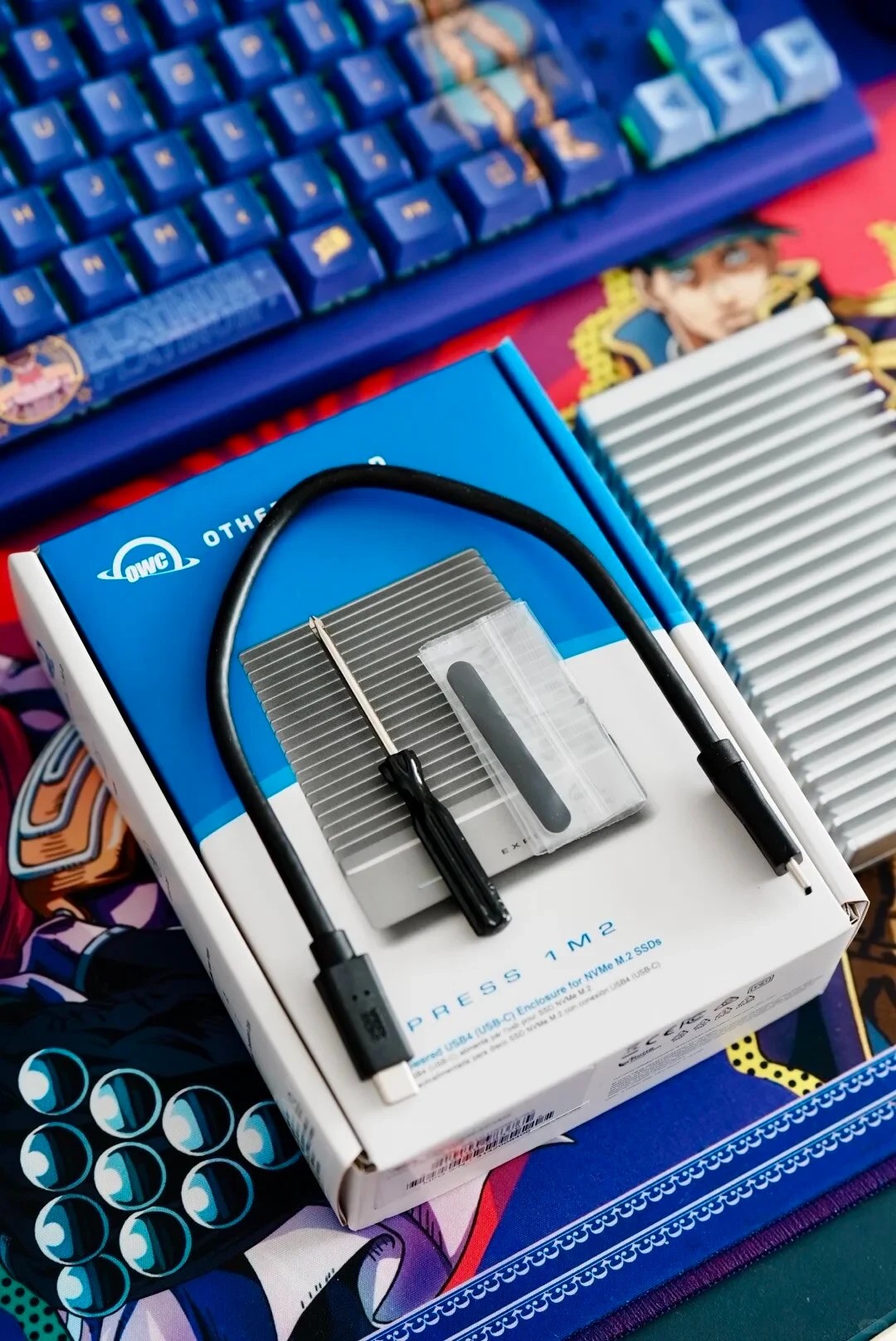
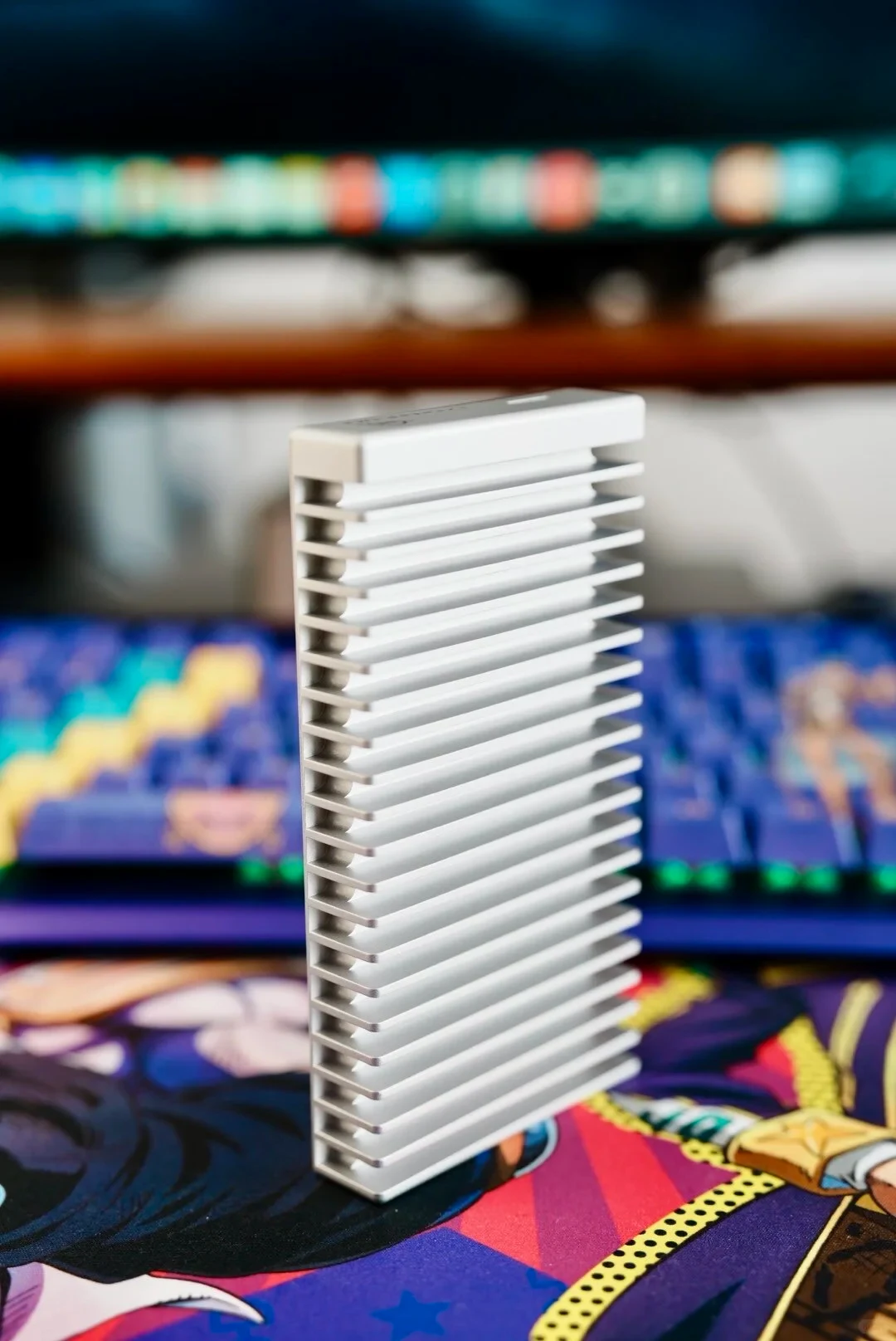
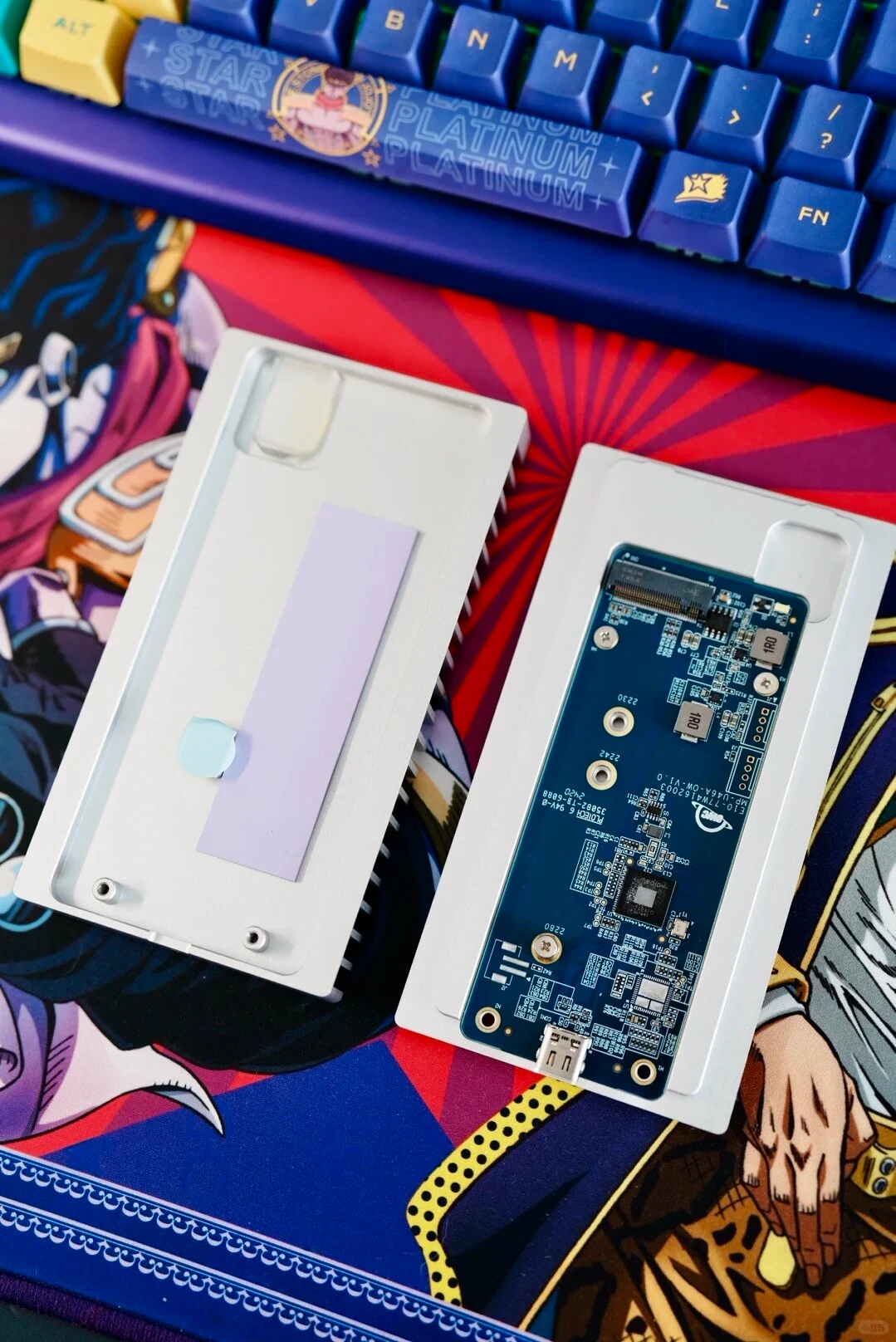
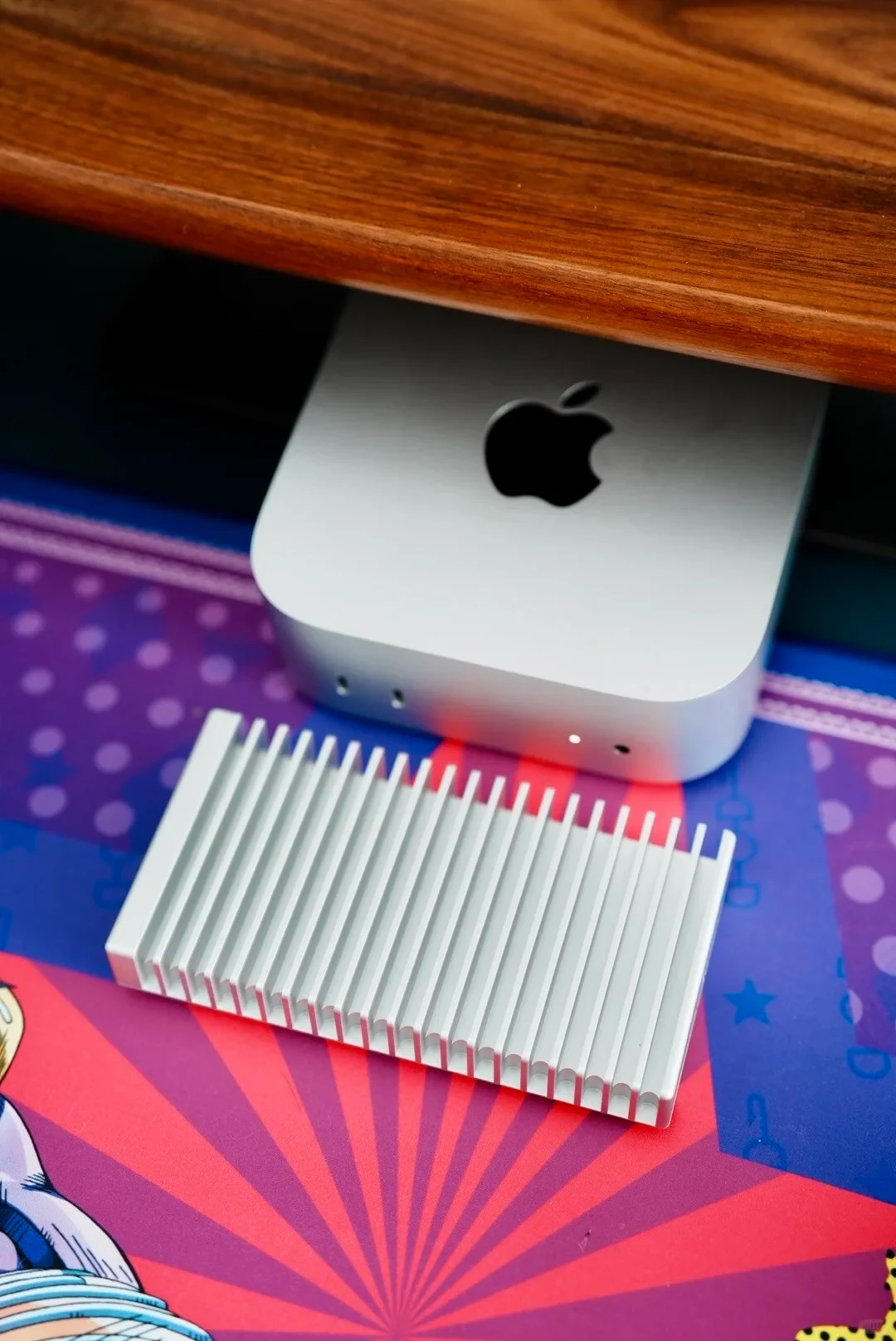
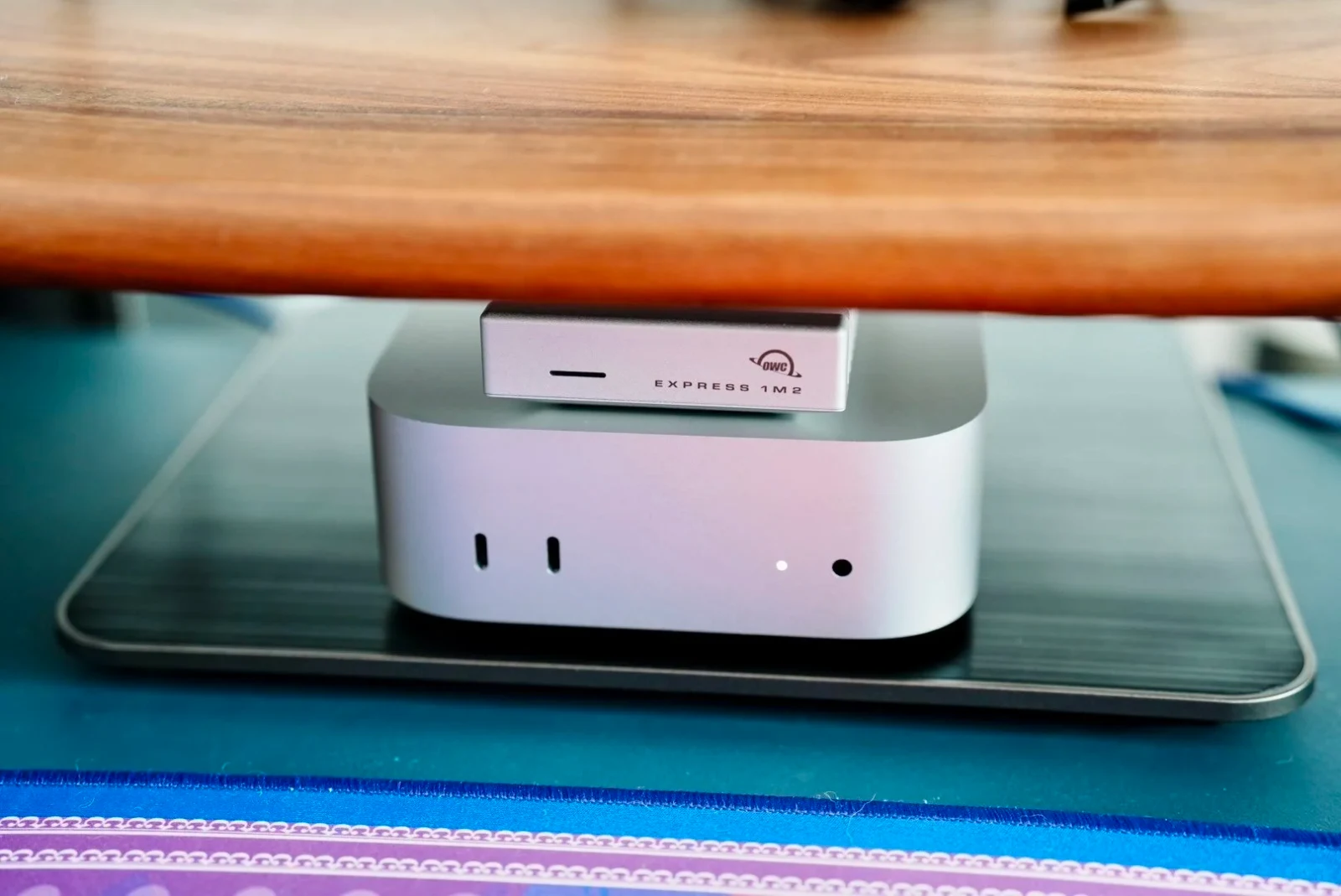
I recently bought the base-model Mac mini M4. I’m happy with it, but its storage is so limited that installing a few apps and signing in to WeChat already left me short on space, so expanding storage was essential.
After comparing a few options, I decided to install the system directly on an external portable SSD. I chose the OWC Express 1M2 enclosure and a 2TB Kioxia SE10 SSD.
I’ll focus mainly on the enclosure. I chose it for two reasons.
- USB4: It supports M.2 NVMe SSDs in 2230 through 2280 sizes, with speeds up to 3,150 MB/s, so I felt the interface and speed would not hold me back.
- Quiet operation: It has a large, solid aluminum heatsink, and its passive cooling works very well. In my use, temperatures were well controlled and the case stayed in the 30s °C. When stacked with the Mac mini, the mini’s case can also help with passive cooling.
The Mac mini M4 is almost inaudible when running, and I’m personally sensitive to noise, so I didn’t choose an enclosure with a fan for active cooling. This one suited my needs perfectly. I also saw a similar large-finned enclosure from HAGiBiS, but it was smaller than this one, so I chose the OWC.
It has drawbacks, too. The indicator on the front keeps blinking while the enclosure is running, and it is very bright—I found it quite distracting. I later placed it horizontally so I wouldn’t see it. Its relatively high price may be another drawback.
Source: 海绵菌 · Xiaohongshu · 2024-12-28 · Mac mini M4绝配!超静音外挂固态硬盘盒. Search this Chinese title in Xiaohongshu to find the original post.
Before You Buy
Models in your region
The owner used an OWC Express 1M2 with a third-party 2TB Kioxia SSD. The official US/Europe product-family reference identifies the Express 1M2 as a USB4 40Gbps enclosure, but does not verify the owner’s exact regional SKU or certify compatibility with that specific SSD. The manufacturer’s current manual describes the same product family; it does not establish every feature of the owner’s 2024 hardware revision.
| Model in this review | Related regional model | What to know |
|---|---|---|
| OWC Express 1M2 | OWC Express 1M2 (USB4 40Gbps) (US / Europe manufacturer family reference) | The official US/Europe family reference is the same Express 1M2 USB4 40Gbps enclosure, not the Express 1M2 80G. It supports 2230, 2242 and 2280 NVMe drives and uses a finned aluminum case for passive cooling. The owner’s exact regional SKU and compatibility with the owner’s third-party Kioxia SSD are not independently confirmed. |
- Model in this review
- OWC Express 1M2
- Related regional model
- OWC Express 1M2 (USB4 40Gbps) (US / Europe manufacturer family reference)
- What to know
- The official US/Europe family reference is the same Express 1M2 USB4 40Gbps enclosure, not the Express 1M2 80G. It supports 2230, 2242 and 2280 NVMe drives and uses a finned aluminum case for passive cooling. The owner’s exact regional SKU and compatibility with the owner’s third-party Kioxia SSD are not independently confirmed.
Fanless cooling and speed claims
Passive cooling avoided adding a fan to this quiet Mac mini M4 setup. Case temperatures in the 30s °C were reported, without a measurement method or location. This was not a controlled thermal test or a result guaranteed across workloads.
The owner described support for 2230–2280 NVMe drives and speeds up to 3,150 MB/s. OWC’s current family reference lists USB4 40Gbps and those three drive sizes; its cited 3,189 MB/s figure is a manufacturer specification, not an owner-measured result. The owner did not report a measured transfer speed.
Check the indicator and host connection
The bright, blinking activity light was the main day-to-day annoyance. The owner dealt with it by turning the enclosure horizontally, but the supplied evidence does not establish whether the 2024 revision has the brightness switch described in OWC’s current manual. Buyers who are sensitive to indicator lights should not assume that switch is present on every unit.
OWC Express 1M2 (USB4 40Gbps) · US manufacturer support
OWC’s manual specifies an included 0.3 m cable and says Thunderbolt 3 hosts are limited to USB 10Gbps. Check the host connection and cable requirements for your setup: the account does not establish that the external-system installation experience applies to other Macs or operating-system versions.
Related Reading

Reviews & Guides · Computing & Networking
TP-Link Deco X55 in a two-storey Australian home: Wi-Fi across 300 m²
I installed two TP-Link Deco X55 units in my 300 m², two-storey home; bedrooms that often lost Wi-Fi now had a signal throughout the house.

Reviews & Guides · Computing & Networking
TP-Link Deco X55: DNS pauses stopped for six days in access-point mode
I switched my Deco X55 to access-point mode and restored my older router to the front of the network. The DNS-like pauses stayed away for six days.
Reviews & Guides · Computing & Networking
TP-Link Deco X55 after nearly a year: six units, Teams and gaming
I’ve used six TP-Link Deco X55 units for nearly a year, including daily Teams calls and online gaming; I’ve had only one or two connectivity issues.