
Reviews & Guides · Computing & Networking
Plugable TBT-UDH2: I finally got 4K at 120Hz on my M4 Pro MacBook Pro
Reviewed: Plugable TBT-UDH2, Plugable UD-4VPDRegional reference: Plugable TBT-UDH2 (United States); Plugable UD-4VPD (United States)
I connected my M4 Pro MacBook Pro to a Dell 4K display at 120Hz with Plugable’s TBT-UDH2, after returning the UD-4VPD for 4K 60Hz.
✅ July 30, 2026 update: After nearly a year of researching Mac docks, I’ve finally settled on one.
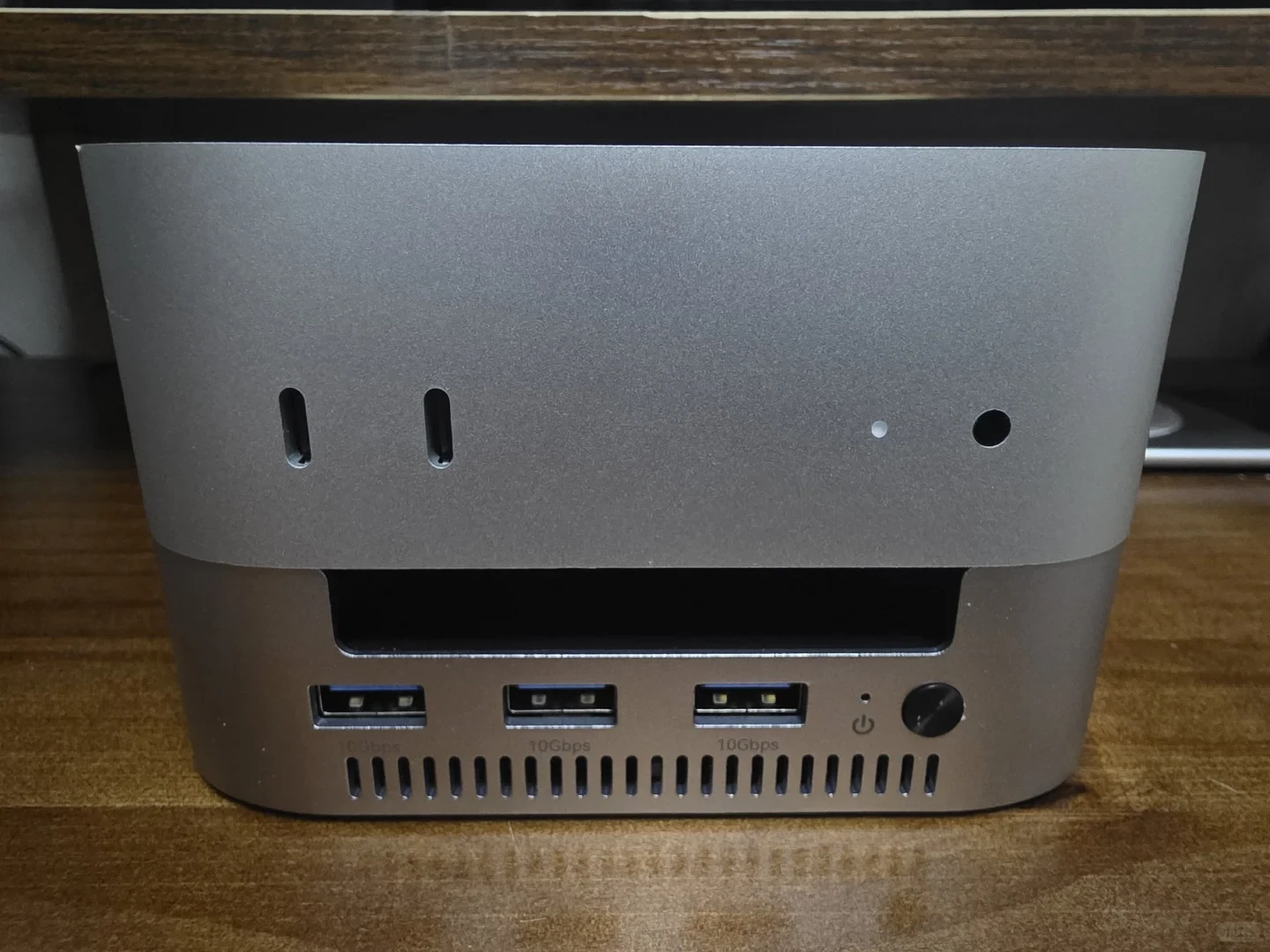
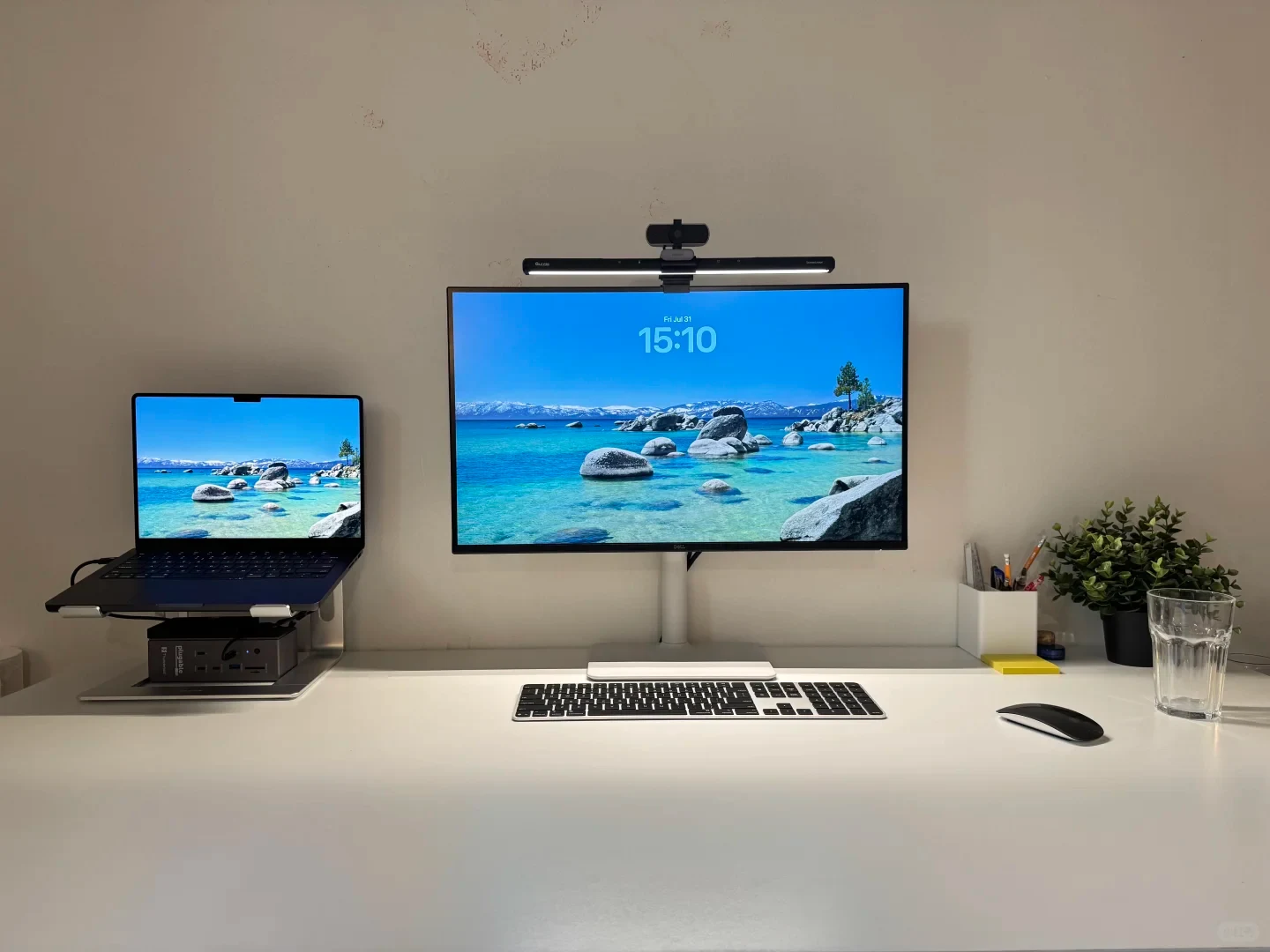
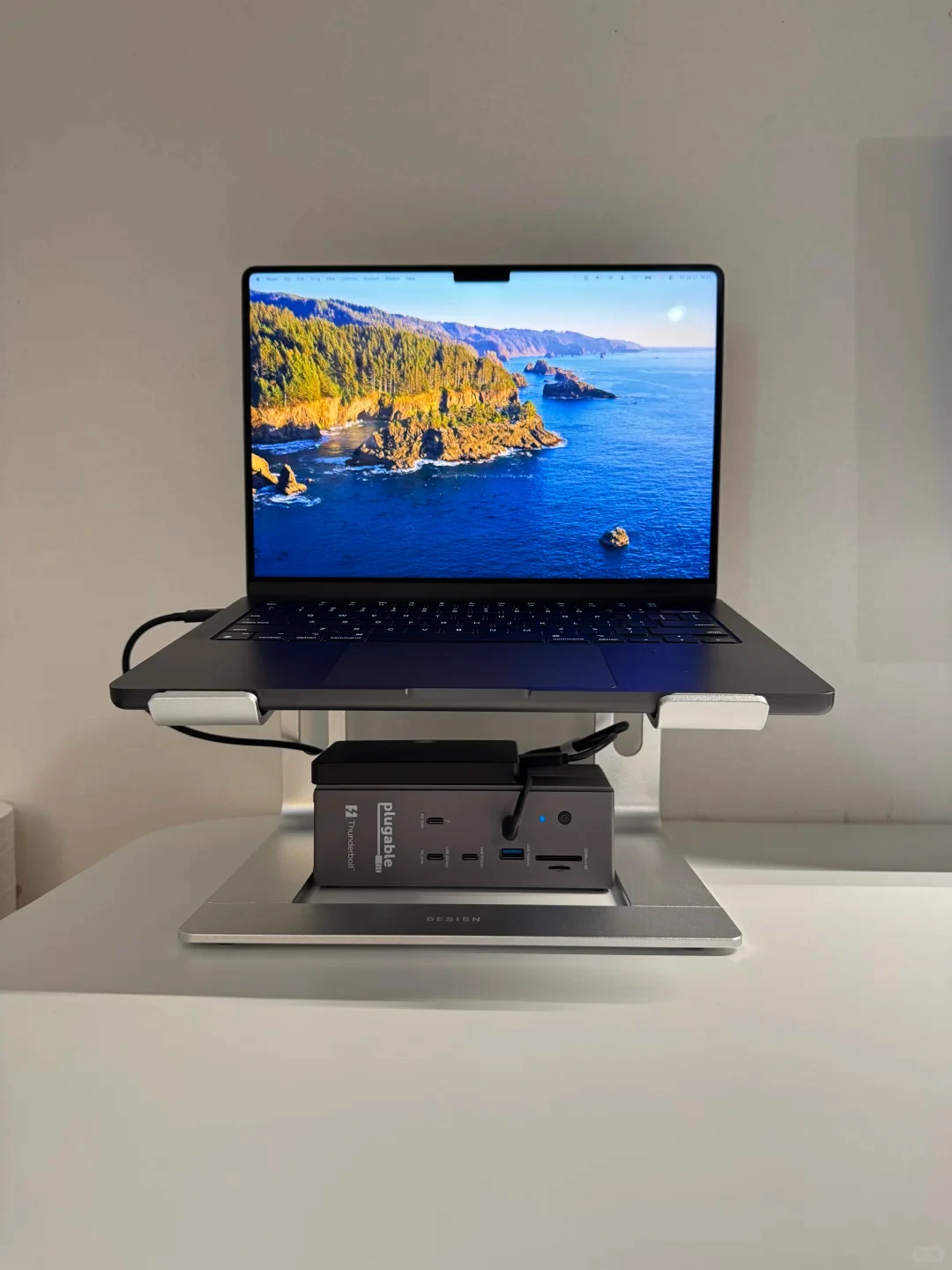
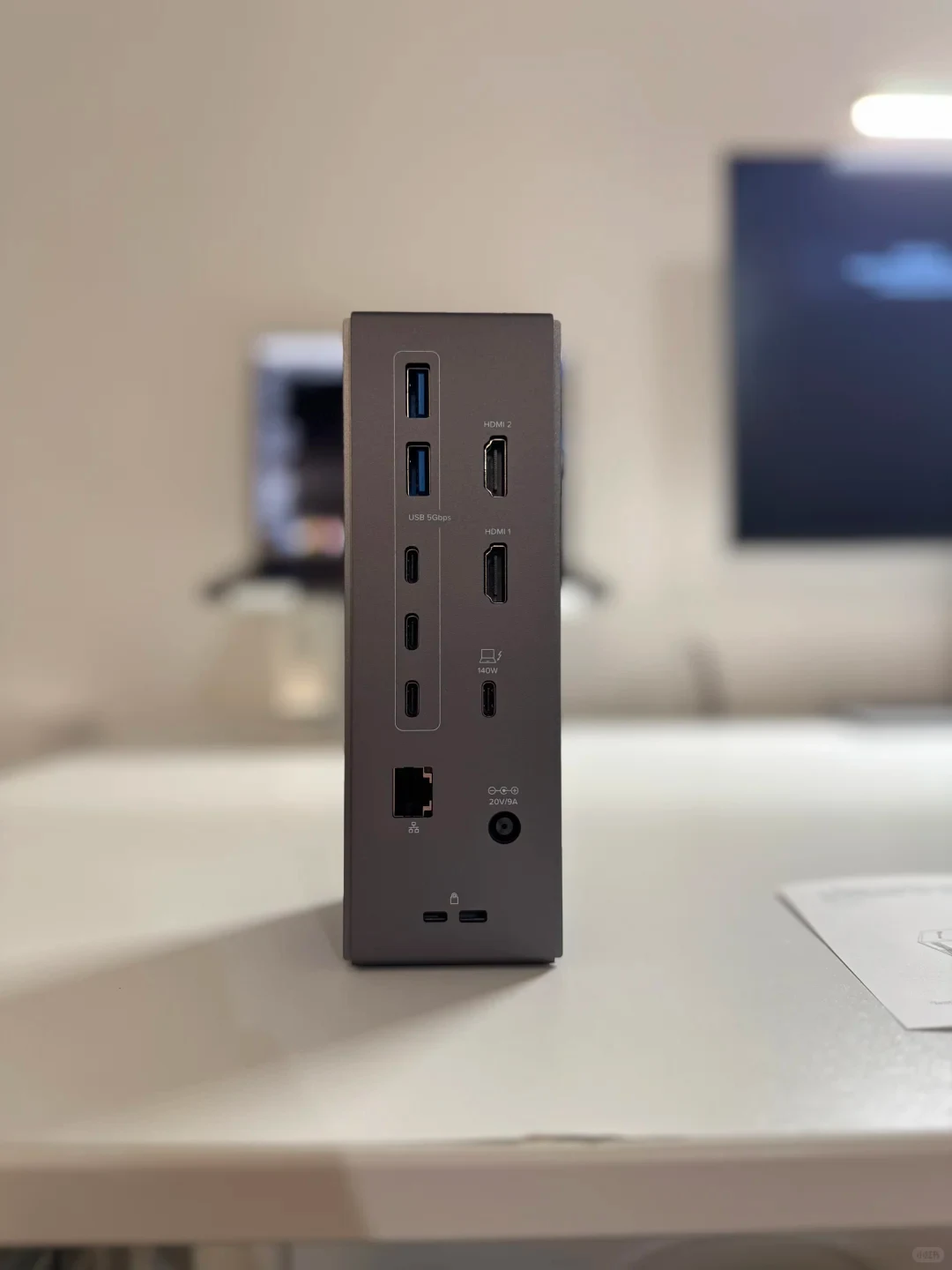
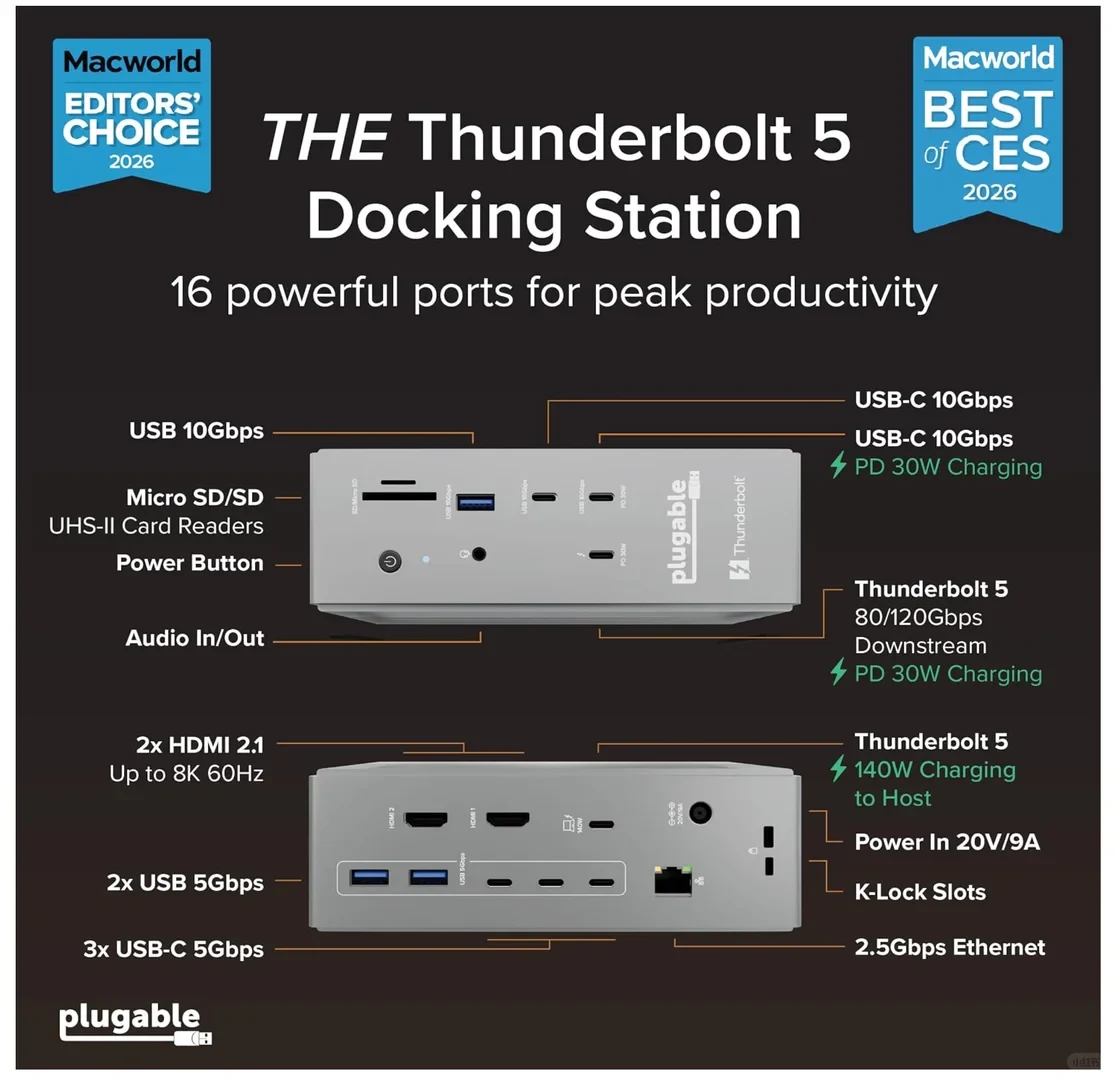
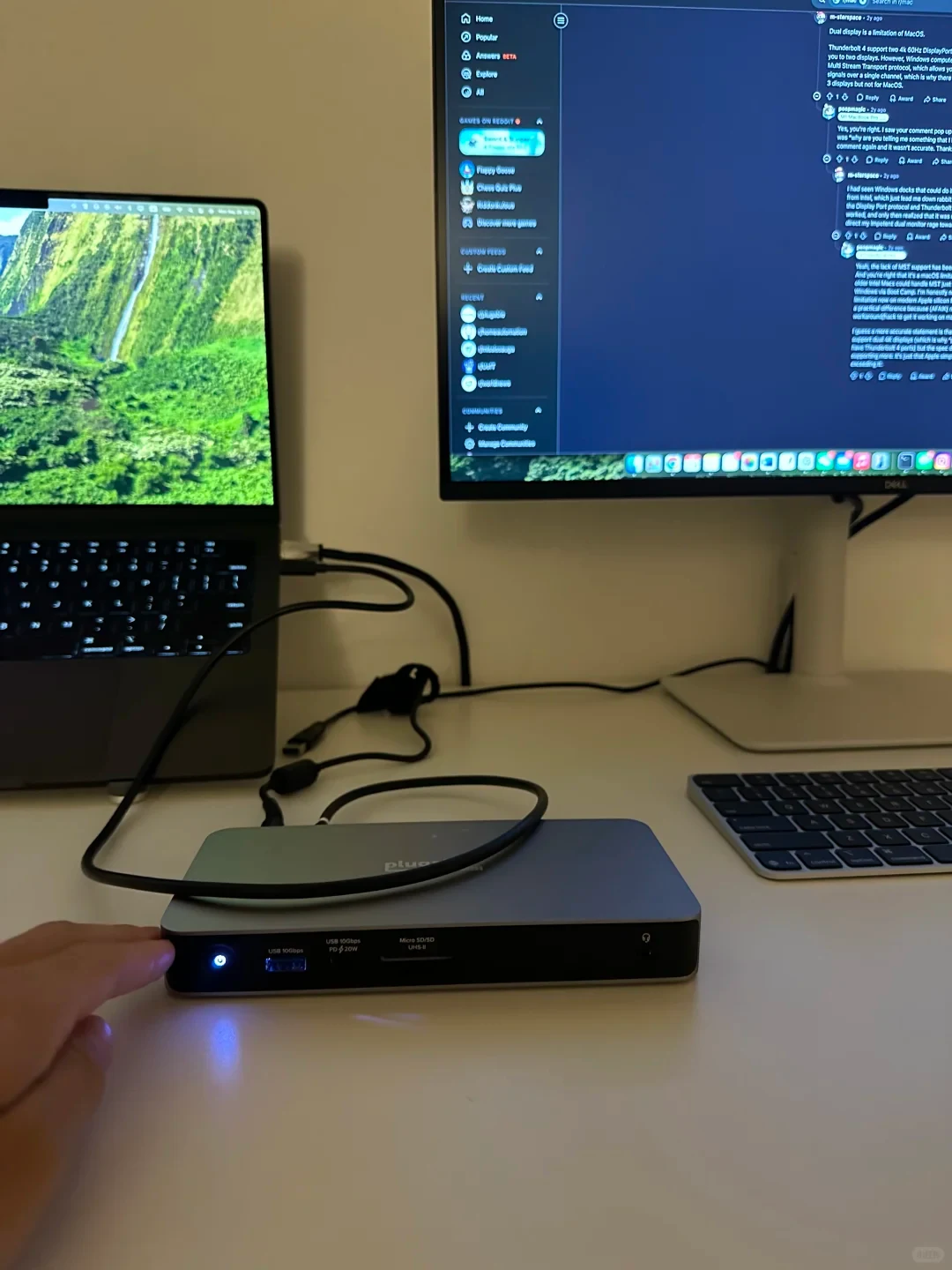
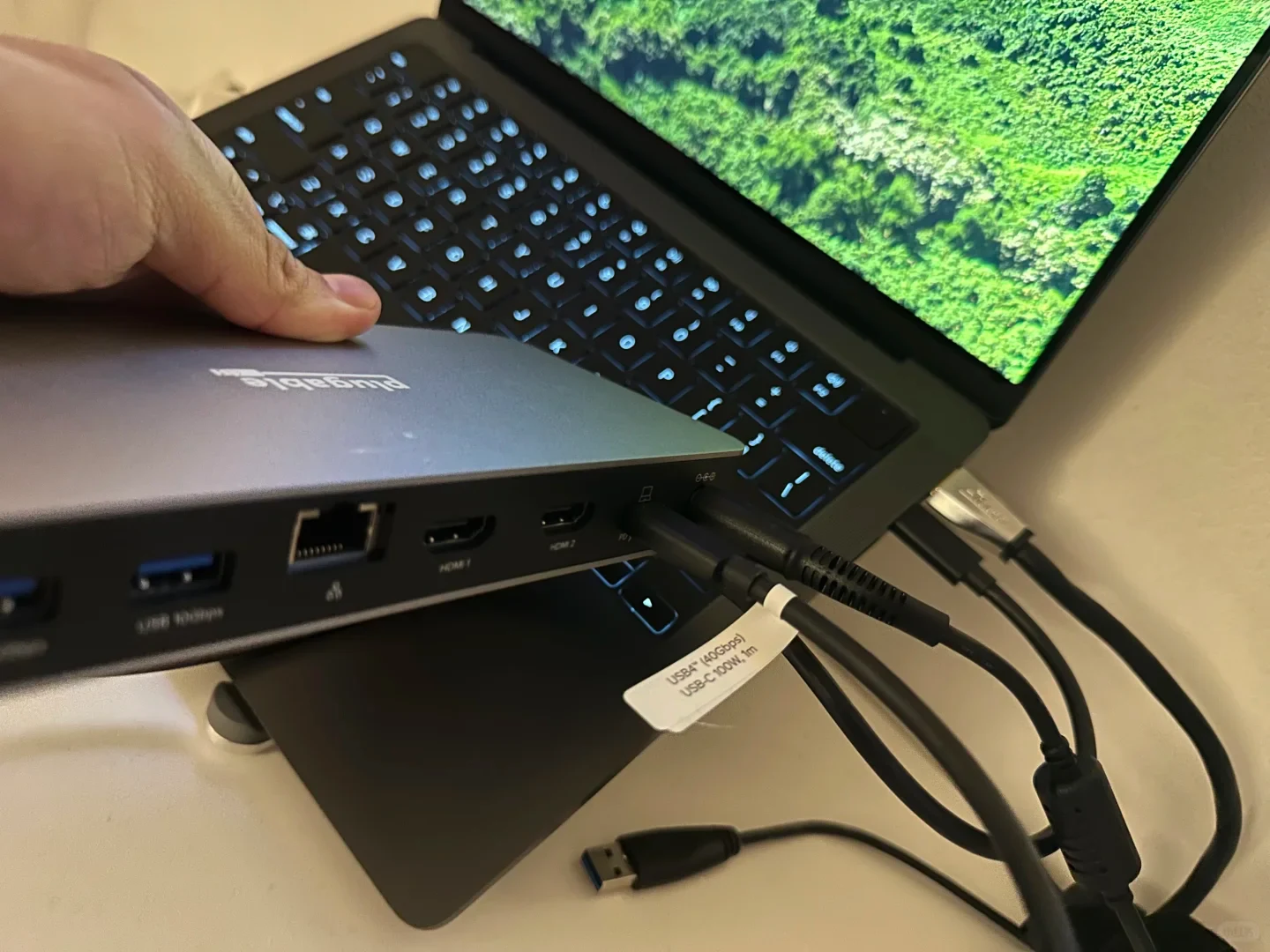
Plugable’s newly released TBT-UDH2 solves all the problems I had before: dual HDMI 2.1, Thunderbolt 5, up to 140W of power delivery, multiple USB-C and USB-A ports, 2.5GbE Ethernet, SD and microSD card readers, and a 3.5mm audio jack. It really does make it possible to connect my whole desktop setup with one cable. (See images 1–4.)
I tested it with my M4 Pro MacBook Pro: it was plug and play, and my Dell 4K monitor successfully ran at 120Hz. Last year, I returned the old dock because it could only output 4K at 60Hz. Now I’ve finally found a solution that meets my needs. 🔌🖥️
Correction: The old UD-4VPD was limited to 4K at 60Hz because of macOS compatibility, not because Macs are universally capped at that refresh rate. Although the product was labeled HDMI 2.1/4K 120Hz, that mode was mainly intended for Windows. The new TBT-UDH2 is the one that finally delivered 4K at 120Hz for me.
The following is my original post (September 29, 2025; see images 5–7).
💻 Computer: MacBook Pro M4 Pro
🖥️ Monitor: Dell 27-inch 4K, 120Hz, 4ms (S2725QS), HDMI + DP 1.4
I bought a Plugable USB4 + HDMI 2.1 dock on Amazon, thinking that one cable and a dock would take care of connecting all my peripherals. But when I tried it, I found that this connection:
“Mac USB-C port 💻 → dock → dock HDMI 2.1 port 🎥 → monitor HDMI port 🖥️”
was limited to 4K at 60Hz on my Mac and wouldn’t reach 120Hz. ❌
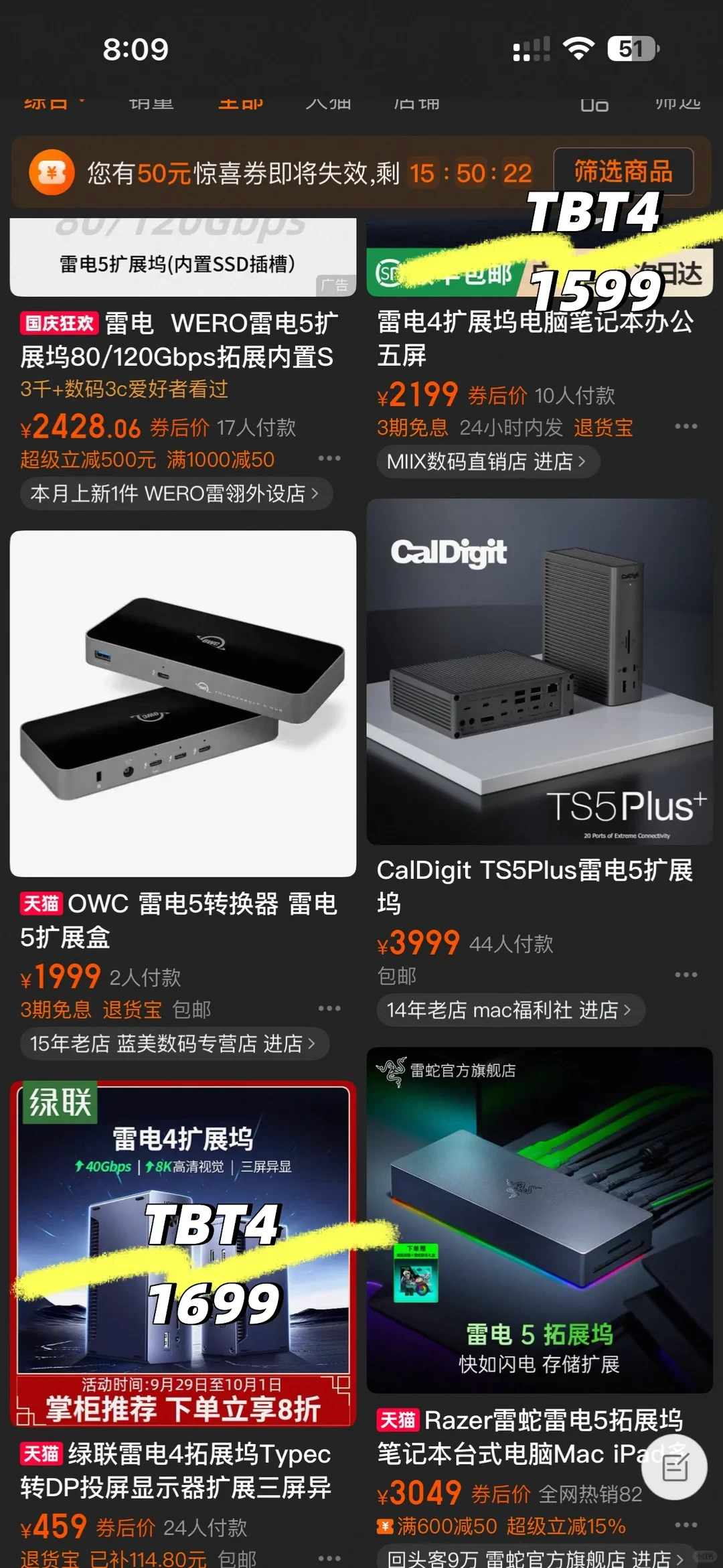
A friend later recommended that I look at CalDigit and OWC Thunderbolt docks (TBT4/TBT5). Their prices made me wince; they were beyond my budget.
I was thinking of looking for a more affordable alternative on Taobao, where similar docks averaged around 1,500 yuan, but I wasn’t sure what to choose. Should I save up for CalDigit or OWC instead?
Source: SZH-水 · Xiaohongshu · 2025-09-30 · 【已解决】雷电5扩展坞4K120. Search this Chinese title in Xiaohongshu to find the original post.
Before You Buy
Models in your region
The owner’s updated account identifies the newer dock as the Plugable TBT-UDH2, and the earlier dock as the Plugable UD-4VPD. The official US product information matches those model names. The owner’s 4K 120Hz result applies to their single-monitor setup with an M4 Pro MacBook Pro; the available account does not specify the macOS version.
| Model in this review | Related regional model | What to know |
|---|---|---|
| Plugable TBT-UDH2 | Plugable TBT-UDH2 (United States) | The owner’s dock is the same model as the US TBT-UDH2. Plugable specifies Thunderbolt 5, dual HDMI 2.1 and up to 140W host charging; the owner reports one Dell 4K display at 120Hz, not a measured charging result or a dual-display test. |
| Plugable UD-4VPD | Plugable UD-4VPD (United States) | This is a different USB4 dock, not an earlier name for the TBT-UDH2. Plugable marks the UD-4VPD as discontinued and describes it as designed for Windows and not recommended for macOS; the owner’s 4K 60Hz result applies to their own Mac setup. |
- Model in this review
- Plugable TBT-UDH2
- Related regional model
- Plugable TBT-UDH2 (United States)
- What to know
- The owner’s dock is the same model as the US TBT-UDH2. Plugable specifies Thunderbolt 5, dual HDMI 2.1 and up to 140W host charging; the owner reports one Dell 4K display at 120Hz, not a measured charging result or a dual-display test.
- Model in this review
- Plugable UD-4VPD
- Related regional model
- Plugable UD-4VPD (United States)
- What to know
- This is a different USB4 dock, not an earlier name for the TBT-UDH2. Plugable marks the UD-4VPD as discontinued and describes it as designed for Windows and not recommended for macOS; the owner’s 4K 60Hz result applies to their own Mac setup.
The 4K 120Hz result is specific to this setup
The owner reports that the TBT-UDH2 worked with their M4 Pro MacBook Pro and Dell 4K display at 120Hz. That is a useful real-world result for this single-monitor arrangement, but it does not establish that every Mac, display, cable, or configuration will reach the same refresh rate. Plugable says display output depends on the host, operating system, cable, display, and configuration; its compatibility information lists the M4 Pro on macOS 26 or later for up to 4K at 144Hz. The owner does not state their macOS version, so the report cannot confirm which listed software conditions applied.
The older dock’s Mac limitation was model-specific
The owner initially described the UD-4VPD experience as a Mac refresh-rate limit, then corrected that explanation: their dock-and-macOS combination delivered only 4K at 60Hz. Plugable’s guidance says the UD-4VPD supports one extended HDMI display up to 4K at 60Hz on Mac, while its 4K 120Hz capability applies to compatible Windows systems. This distinction matters if you are considering the older dock: its HDMI 2.1 and 120Hz labeling does not demonstrate 4K 120Hz support for a Mac.
Check host compatibility and charging needs
The TBT-UDH2 offers more than display connections: Plugable lists Thunderbolt 5, dual HDMI 2.1, and up to 140W host charging. The 140W figure is a manufacturer specification, not a charging measurement from the account. Plugable also says the dock does not support Thunderbolt 3 or USB-C-only hosts, so check your computer’s connection type before buying; the successful M4 Pro result does not establish compatibility with every Mac.
Related Reading

Reviews & Guides · Computing & Networking
TP-Link Deco X55 in a two-storey Australian home: Wi-Fi across 300 m²
I installed two TP-Link Deco X55 units in my 300 m², two-storey home; bedrooms that often lost Wi-Fi now had a signal throughout the house.

Reviews & Guides · Computing & Networking
TP-Link Deco X55: DNS pauses stopped for six days in access-point mode
I switched my Deco X55 to access-point mode and restored my older router to the front of the network. The DNS-like pauses stayed away for six days.
Reviews & Guides · Computing & Networking
TP-Link Deco X55 after nearly a year: six units, Teams and gaming
I’ve used six TP-Link Deco X55 units for nearly a year, including daily Teams calls and online gaming; I’ve had only one or two connectivity issues.