
Reviews & Guides · Computing & Networking
Samsung Portable SSD T7 1TB and WD My Passport 2TB: concert video transfer and backup
Reviewed: Samsung Portable SSD T7 1TB, Western Digital My Passport 2TBRegional reference: Samsung Portable SSD T7 1TB Gray MU-PC1T0T/AM (US); Western Digital My Passport 2TB Black WDBYVG0020BBK-WESN (US/worldwide)
I moved three or four 20-minute 4K/60 videos from my iPhone 15 Pro to the T7 at a concert. I also copy monthly photo folders to my WD drive.
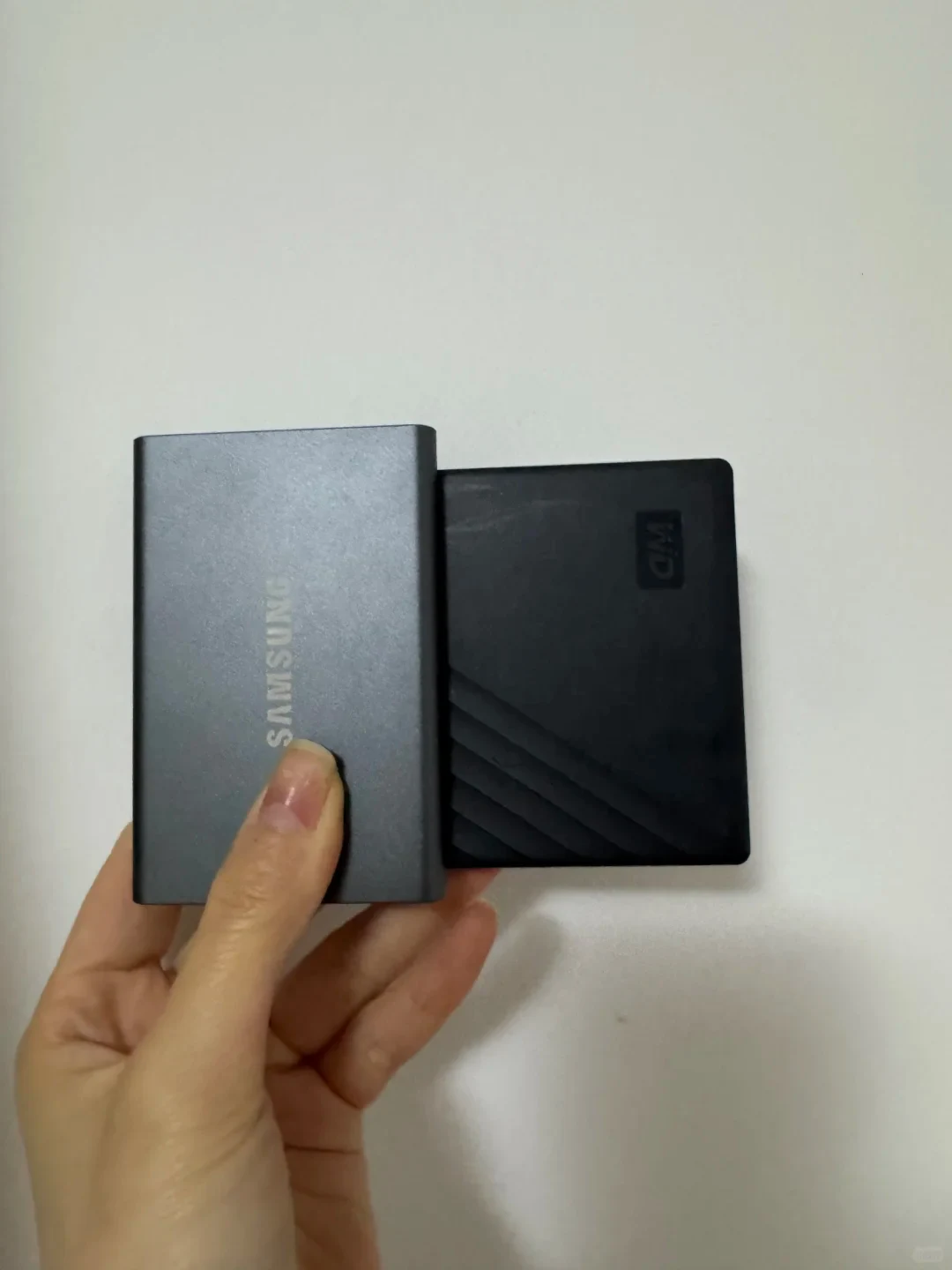
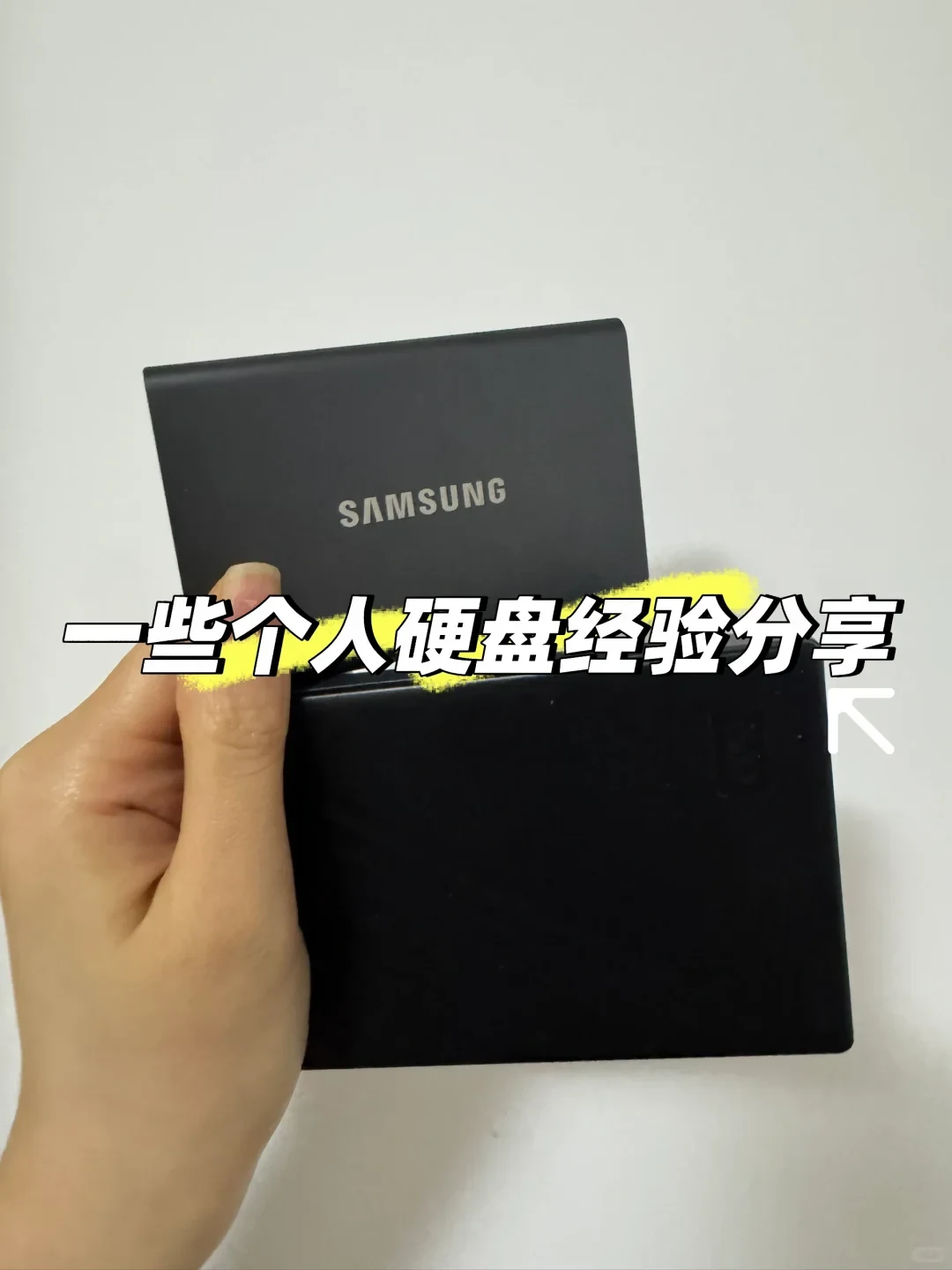
Here’s what I need: I take lots of photos and videos on my phone to record everyday life, and occasionally take photos with a camera. I used to feel that cloud storage wasn’t secure enough, so I preferred the old-school approach of storing things on a hard drive.
First, I have to praise the Samsung T7—it’s really easy to use! Before this, I had always used a WD drive, and it was fine. But during a trip, I accidentally bumped it while transferring photos, and it broke. I was in a panic, so I bought a Samsung T7 on JD.com that same day, hoping to save time and recover my data. A great friend recommended it! Now that I use both drives, I’ve noticed a few differences and wanted to share.
The WD mechanical hard drive I bought was a 2TB My Passport. I bought it during the 618 shopping festival in June 2023 for about 410 yuan, which felt like a good deal. I bought the 1TB Samsung T7 in a hurry, without much of a discount, for 725 yuan.
Differences
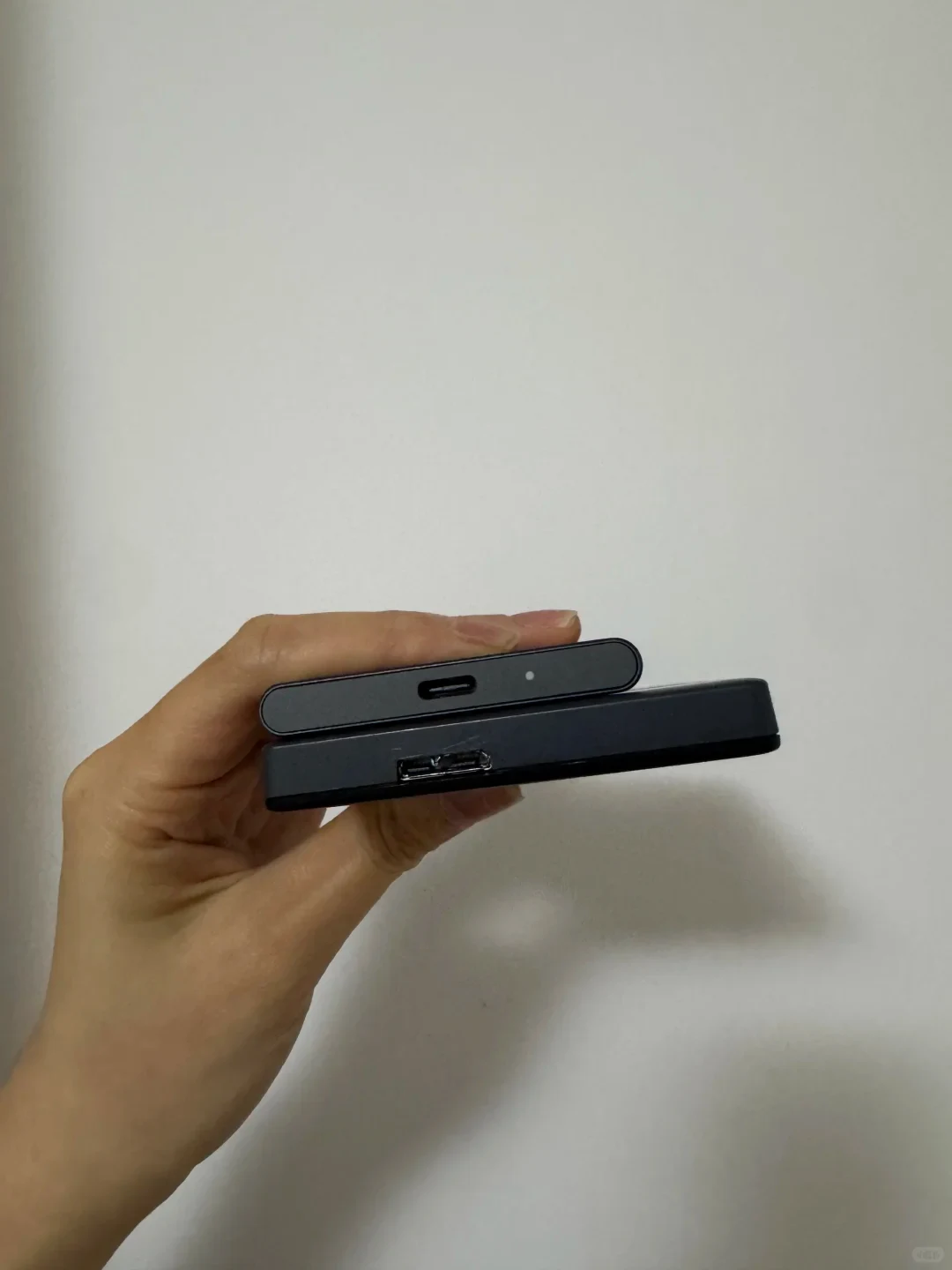
The WD’s cable has a USB connector at one end; the other end is shown in Figure 2. To transfer photos from my iPhone 15 Pro, I need an adapter, and I felt that this limited transfer speed. With the adapter plugged in, the connection also felt unstable, so I had to leave it untouched while transferring photos. A disconnection could damage data, and that’s what I believe caused the problem with my drive.
Samsung included two cables: one USB-C to USB-C and one USB-C to USB-A. When I’m out, carrying one cable is enough. Lots of laptops now have USB-C ports too, which is so convenient.
- The size is another difference. The T7 is really slim—look at the photo. Figure 3 shows that it’s almost half the size of the other drive. It fits with its cable in a small pouch I found, and it’s light and portable. The WD also came with a protective case, which is great: there’s room for cables, adapters, USB drives, memory cards and other things. When I traveled, carrying the WD case helped me stay organized even though I’m not great at tidying up.
- A while ago, I took the T7 with me to a concert. My phone ran out of space halfway through recording, so I plugged in the T7 and started transferring videos. Three or four videos, each about 20 minutes long and recorded at 4K/60 on my iPhone 15 Pro, transferred very quickly! That’s where the USB-C-to-USB-C cable came in handy. The transfer felt really fast. I thought I’d just move whatever I could, and didn’t expect it to finish so quickly.
Of course, I’m not saying the WD is bad. I bought it in 2023 without doing much research, and the two products are quite different in price and performance.
My current storage setup is to organize my phone photos on the T7 by month and copy them to the WD. I keep camera photos on the WD and back them up to the cloud as well. The thought of having to recover data really scares me.
I’m just sharing my personal experience. I don’t know much about hard-drive categories; I only bought a drive to store photos from my phone and camera. Maybe this will help anyone considering these two models!
Source: gaeguleeee · Xiaohongshu · 2025-04-23 · 个人分享|两年移动硬盘使用经验. Search this Chinese title in Xiaohongshu to find the original post.
Before You Buy
Models in your region
The account covers a Samsung Portable SSD T7 1TB and a WD My Passport 2TB, but does not show their full product codes. The US models listed below match the reported product families, capacities and colors; the exact owner-unit SKUs are unconfirmed. The concert transfer was the owner’s experience with the T7, not a measured speed test.
| Model in this review | Related regional model | What to know |
|---|---|---|
| Samsung Portable SSD T7 1TB | Samsung Portable SSD T7 1TB Gray MU-PC1T0T/AM (US) | The US 1TB gray Portable SSD T7 is the standard T7 family, matching the owner’s reported capacity and the pictured gray drive; the exact owner-unit suffix is not shown. Samsung lists USB 3.2 Gen 2 and maximum speeds up to 1,050 MB/s read and 1,000 MB/s write, not speeds measured in the owner’s concert transfer. |
| WD My Passport 2TB | Western Digital My Passport 2TB Black WDBYVG0020BBK-WESN (US/worldwide) | The US 2TB black My Passport matches the owner’s reported family, capacity and color, but the exact owner-unit SKU and included accessories are unknown. WD lists USB 3.2 Gen 1/USB 3.0 compatibility and an included USB-A cable; that specification does not establish the owner’s adapter-chain speed or diagnose the transfer incident. |
- Model in this review
- Samsung Portable SSD T7 1TB
- Related regional model
- Samsung Portable SSD T7 1TB Gray MU-PC1T0T/AM (US)
- What to know
- The US 1TB gray Portable SSD T7 is the standard T7 family, matching the owner’s reported capacity and the pictured gray drive; the exact owner-unit suffix is not shown. Samsung lists USB 3.2 Gen 2 and maximum speeds up to 1,050 MB/s read and 1,000 MB/s write, not speeds measured in the owner’s concert transfer.
- Model in this review
- WD My Passport 2TB
- Related regional model
- Western Digital My Passport 2TB Black WDBYVG0020BBK-WESN (US/worldwide)
- What to know
- The US 2TB black My Passport matches the owner’s reported family, capacity and color, but the exact owner-unit SKU and included accessories are unknown. WD lists USB 3.2 Gen 1/USB 3.0 compatibility and an included USB-A cable; that specification does not establish the owner’s adapter-chain speed or diagnose the transfer incident.
USB-C cables and transfer speed
The T7’s included USB-C-to-USB-C cable can simplify a phone-to-drive connection when the phone and the rest of the setup support it. Samsung’s T7 manual lists both USB-C-to-USB-C and USB-C-to-USB-A cables, and advises choosing a compatible cable. The owner’s quick concert transfer involved an iPhone 15 Pro, but the account gives no stopwatch reading, file sizes or measured throughput, so it does not establish a general transfer rate or confirm support for recording directly to the drive.
Samsung Portable SSD T7 MU-PC1T0(R/H/T) · Global/US
A USB-A-shaped connector alone does not determine transfer speed: the host port, adapter and cable protocol all matter. Samsung says the T7 reaches its optimal performance with a 10 Gbps USB 3.2 Gen 2 host, while slower host protocols can limit performance. The WD’s listed USB 3.2 Gen 1/USB 3.0 connection is a product specification, not evidence that the owner’s adapter caused the slower transfer or the data problem.
Disconnect safely and keep a second copy
Avoid moving a drive or pulling its cable during a transfer, and safely eject or unmount it before disconnecting. Samsung’s manual gives that instruction to help protect data and also recommends backing up important files; no external drive can guarantee against data loss. The owner attributed a WD data problem to an accidental bump and unstable adapter connection, but the account does not establish the cause or describe a confirmed hardware failure or recovery diagnosis.
The owner’s current workflow keeps monthly phone-photo folders on the T7 and copies them to the WD, while camera photos on the WD also receive a cloud copy. That is a practical example of keeping additional copies, not evidence that any one drive or cloud service is immune to loss.
Portable size and storage setup
The owner found the T7 easier to carry in a small pouch with its cable, while the WD’s supplied case had room for other accessories. These are observations about the owner’s units and travel setup, not a controlled size comparison. WD’s US specification lists the 2TB black My Passport at 107.2 × 75 × 13.5 mm and 0.14 kg; the owner-unit SKU is not confirmed.
Related Reading

Reviews & Guides · Computing & Networking
TP-Link Deco X55 in a two-storey Australian home: Wi-Fi across 300 m²
I installed two TP-Link Deco X55 units in my 300 m², two-storey home; bedrooms that often lost Wi-Fi now had a signal throughout the house.

Reviews & Guides · Computing & Networking
TP-Link Deco X55: DNS pauses stopped for six days in access-point mode
I switched my Deco X55 to access-point mode and restored my older router to the front of the network. The DNS-like pauses stayed away for six days.
Reviews & Guides · Computing & Networking
TP-Link Deco X55 after nearly a year: six units, Teams and gaming
I’ve used six TP-Link Deco X55 units for nearly a year, including daily Teams calls and online gaming; I’ve had only one or two connectivity issues.