
Reviews & Guides · Computing & Networking
TP-Link TL-7DR7290: teardown and bandwidth notes for Archer BE550 buyers
I took apart the TP-Link TL-7DR7290, then tested its four 2.5G ports on firmware 1.0.8. Simultaneous two-way traffic revealed their shared bandwidth limit.
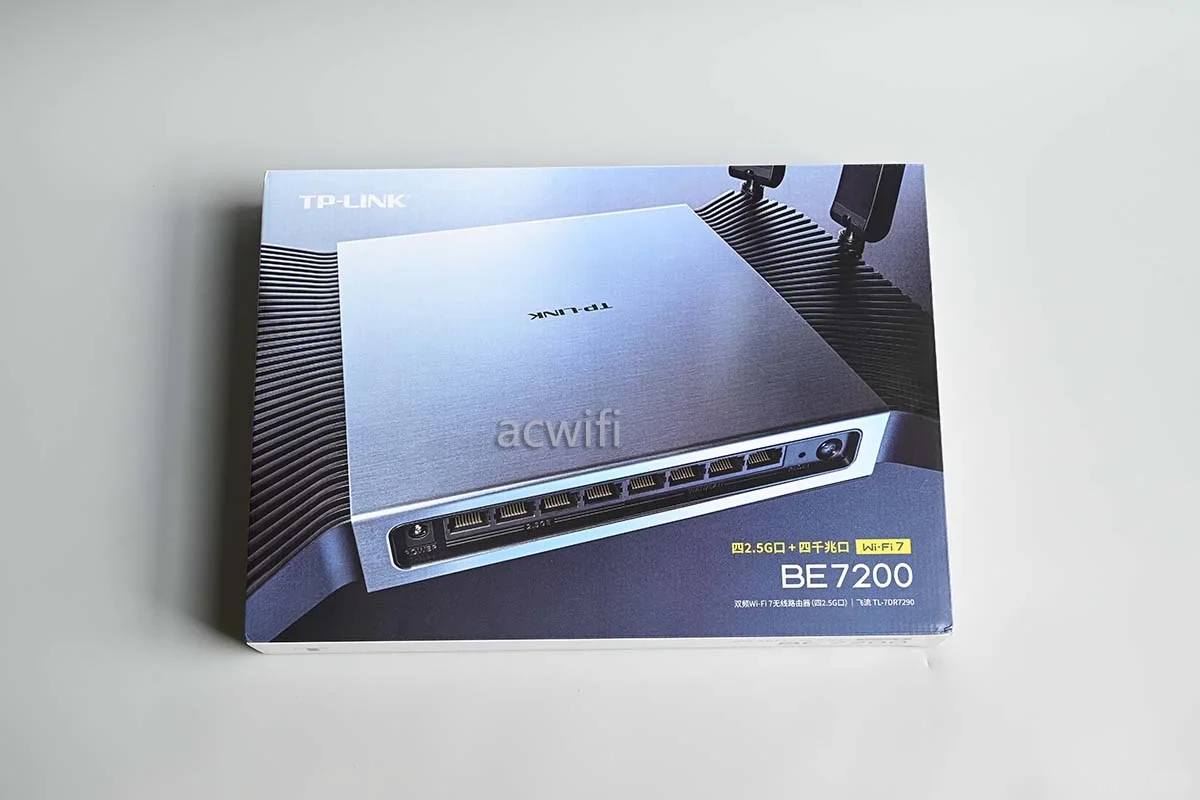
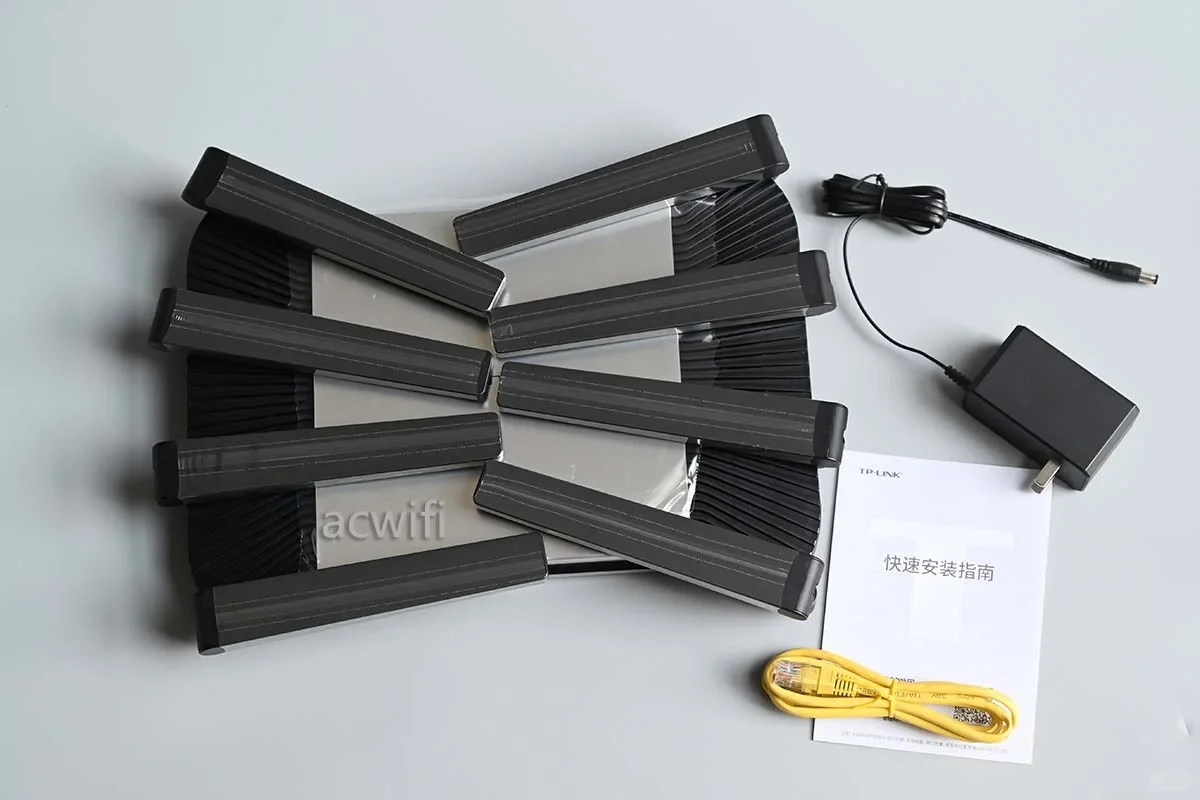
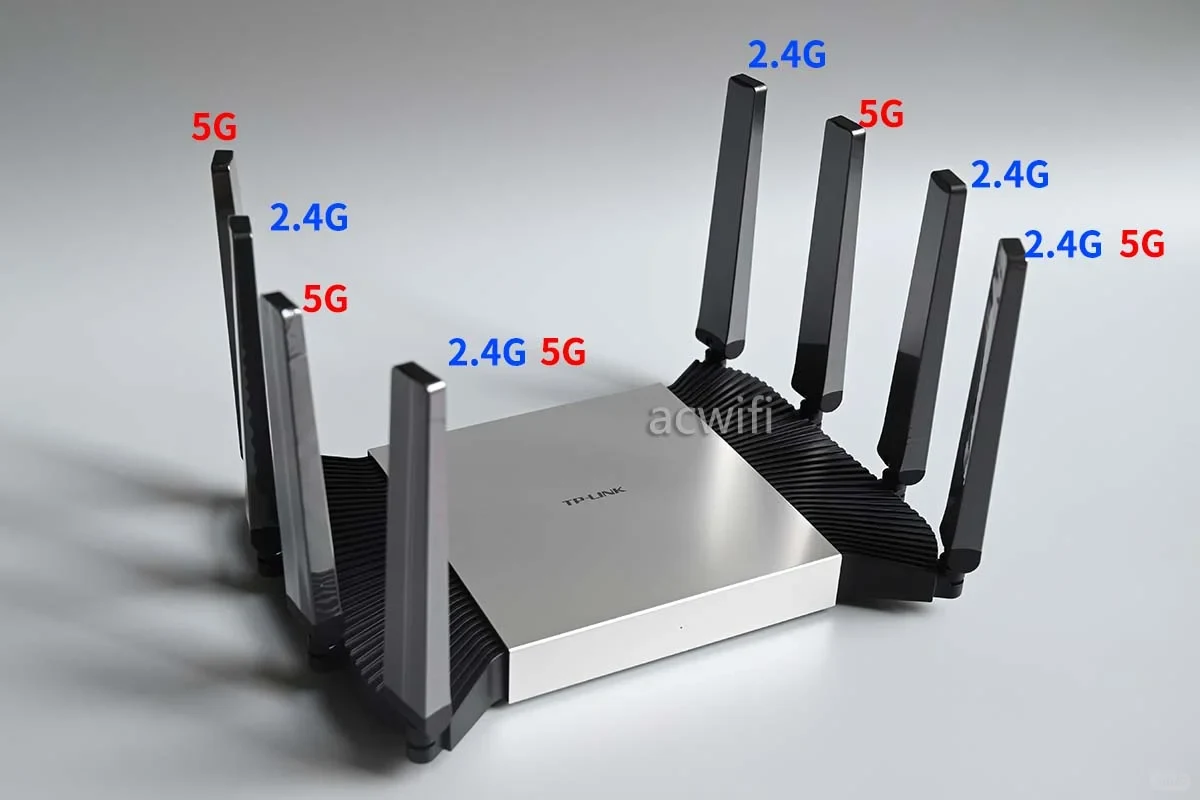
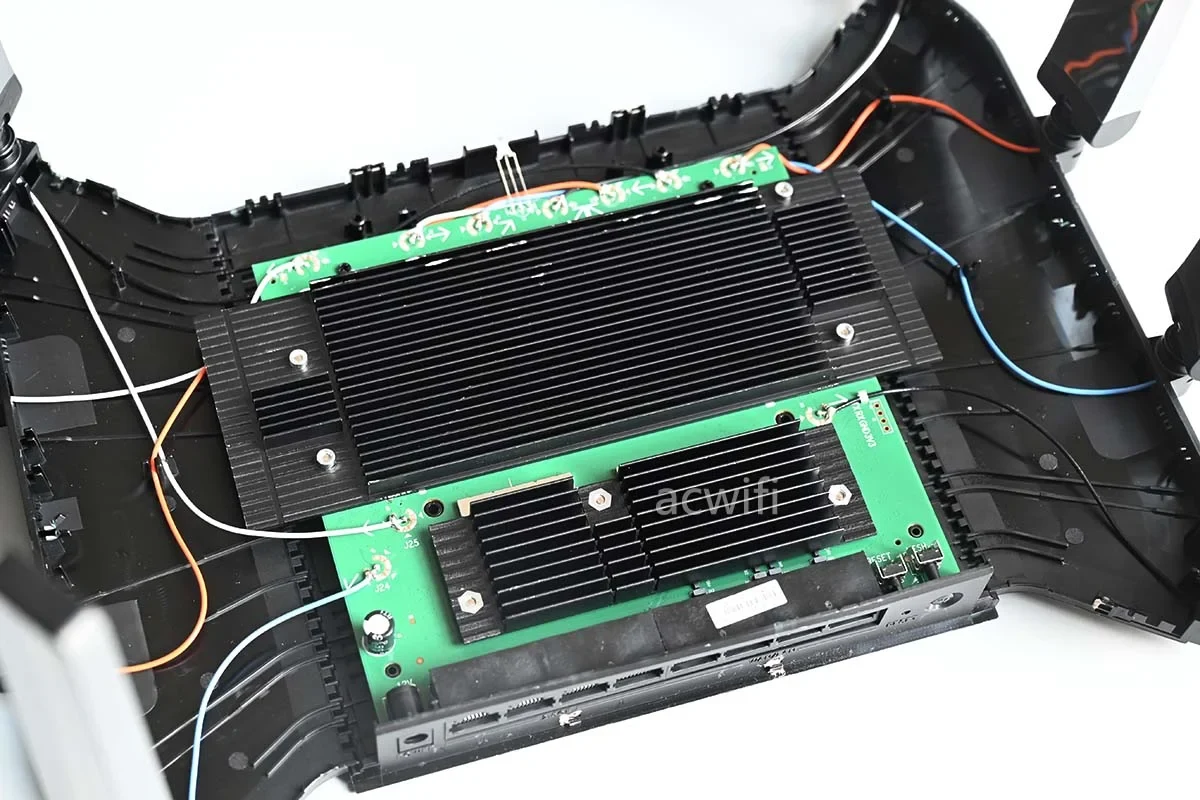
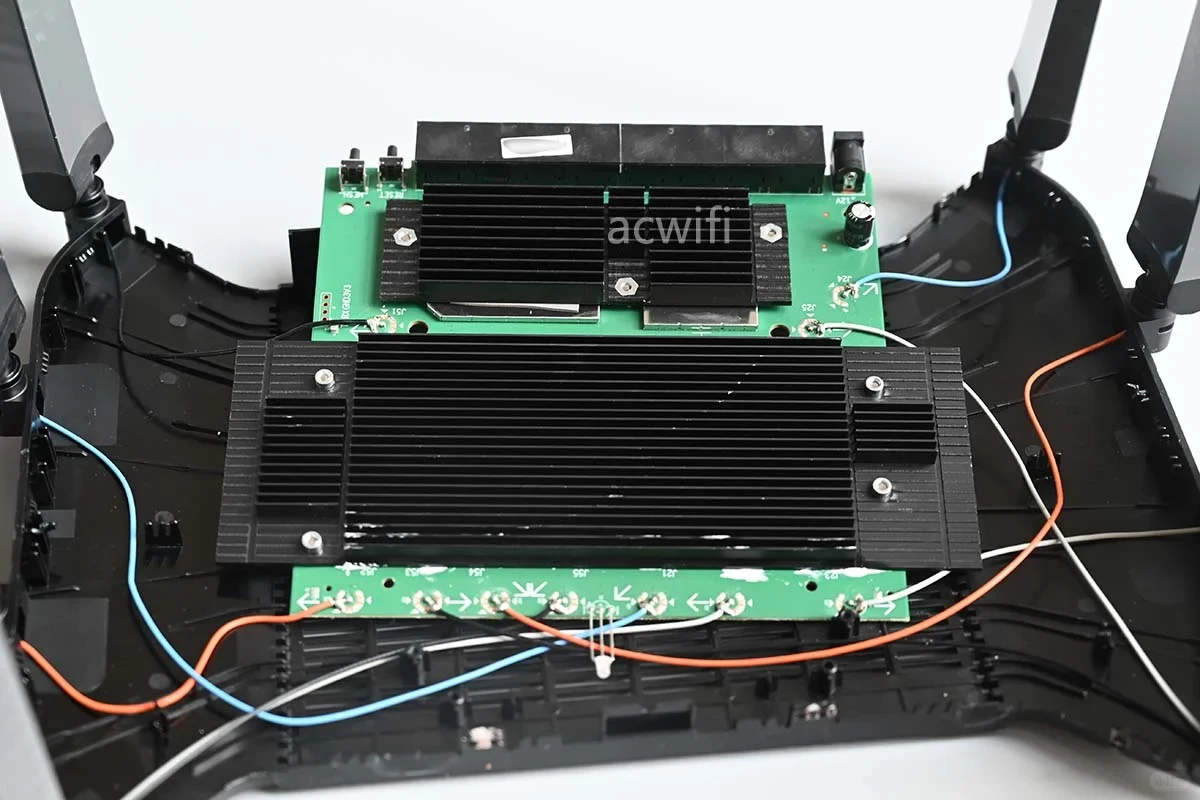
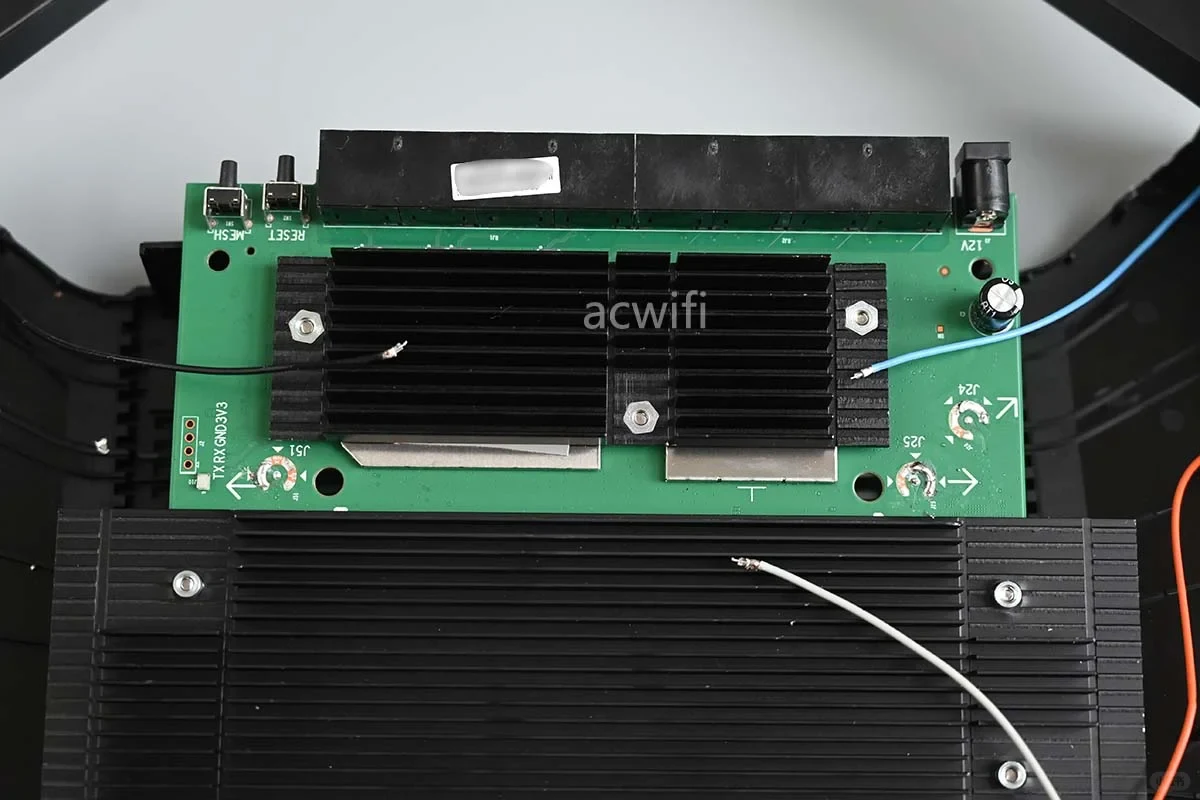
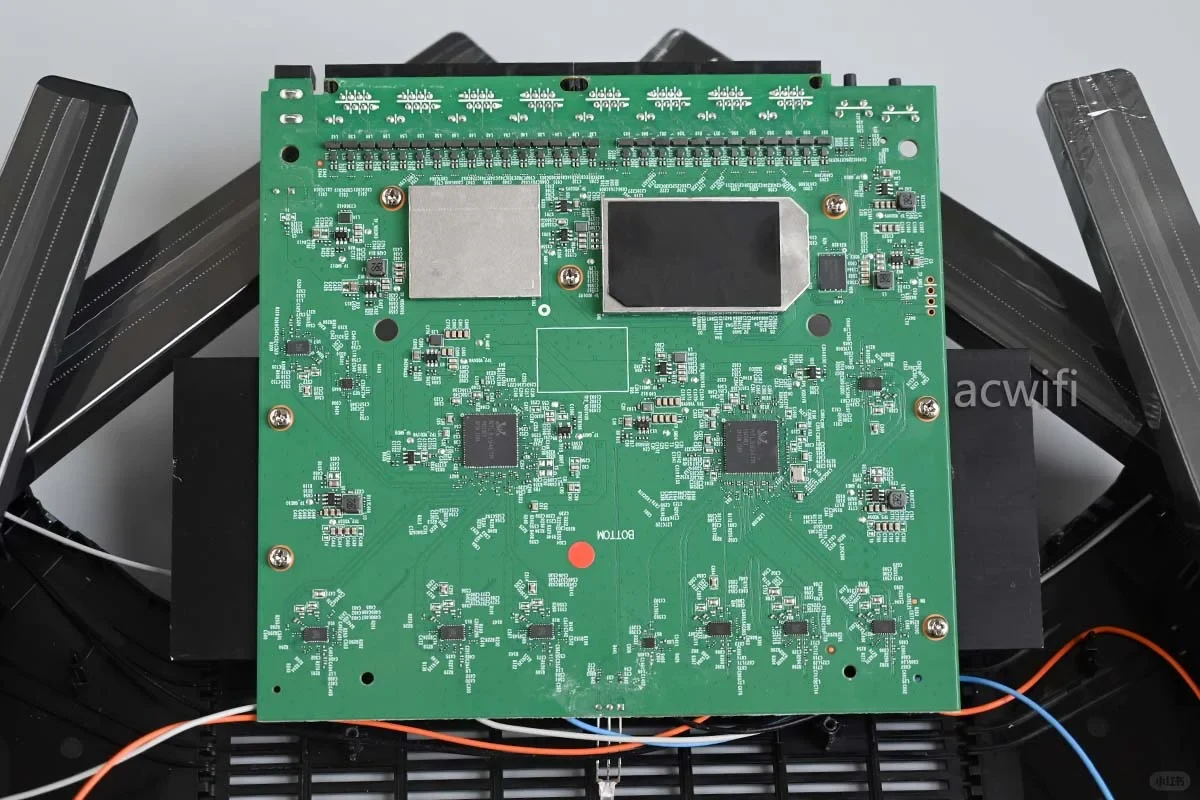
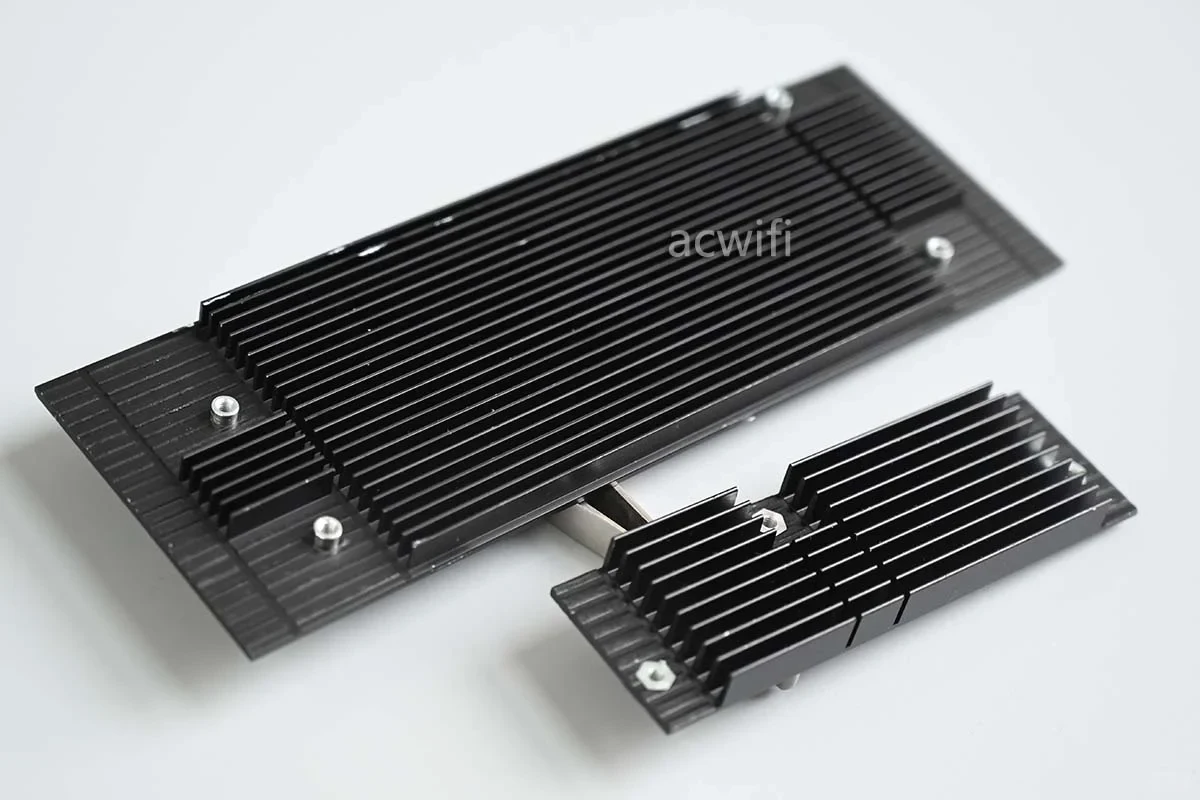
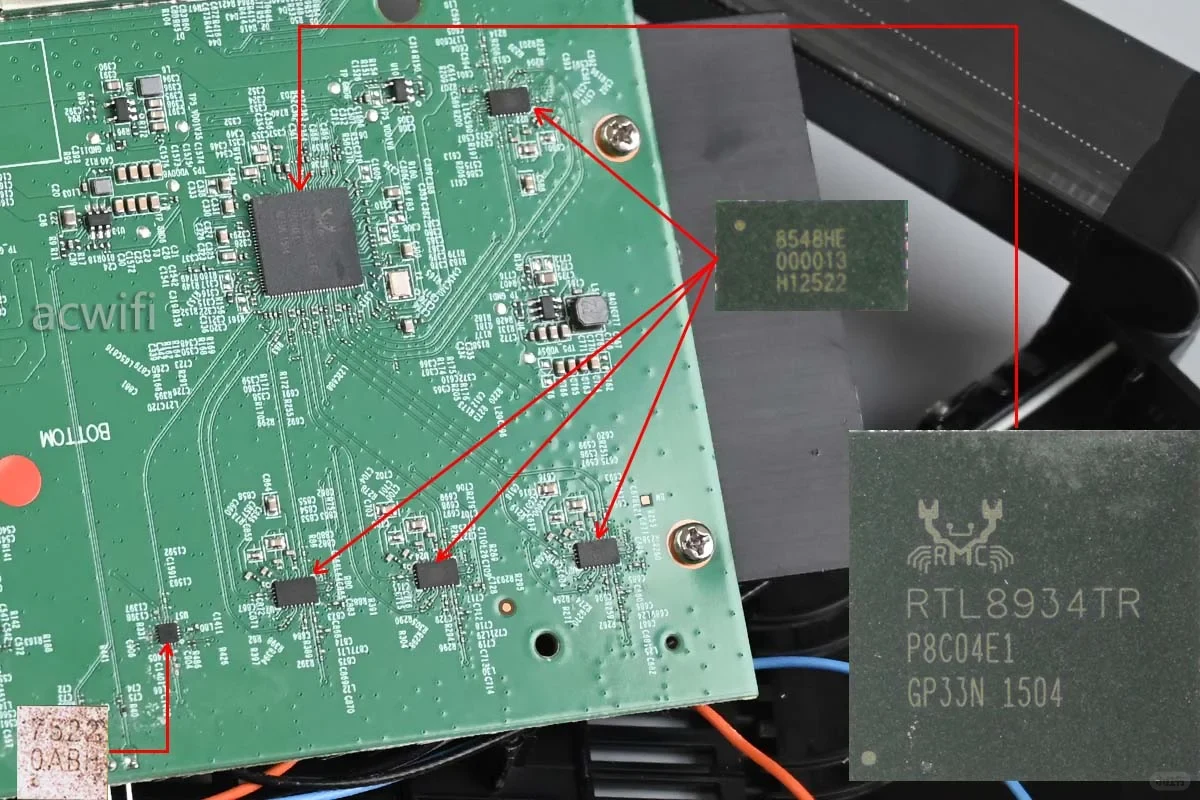
TP-LINK has released two BE7200 Wi-Fi 7 wireless routers. The 7DR7290 is the one I took apart; its main distinguishing feature is its unusually large number of Ethernet ports.
It has four 2.5G Ethernet ports and four 1G Ethernet ports, almost as if a 2.5G switch had been fitted inside. Because of this, its power consumption is relatively high, about the same as the XDR6080.
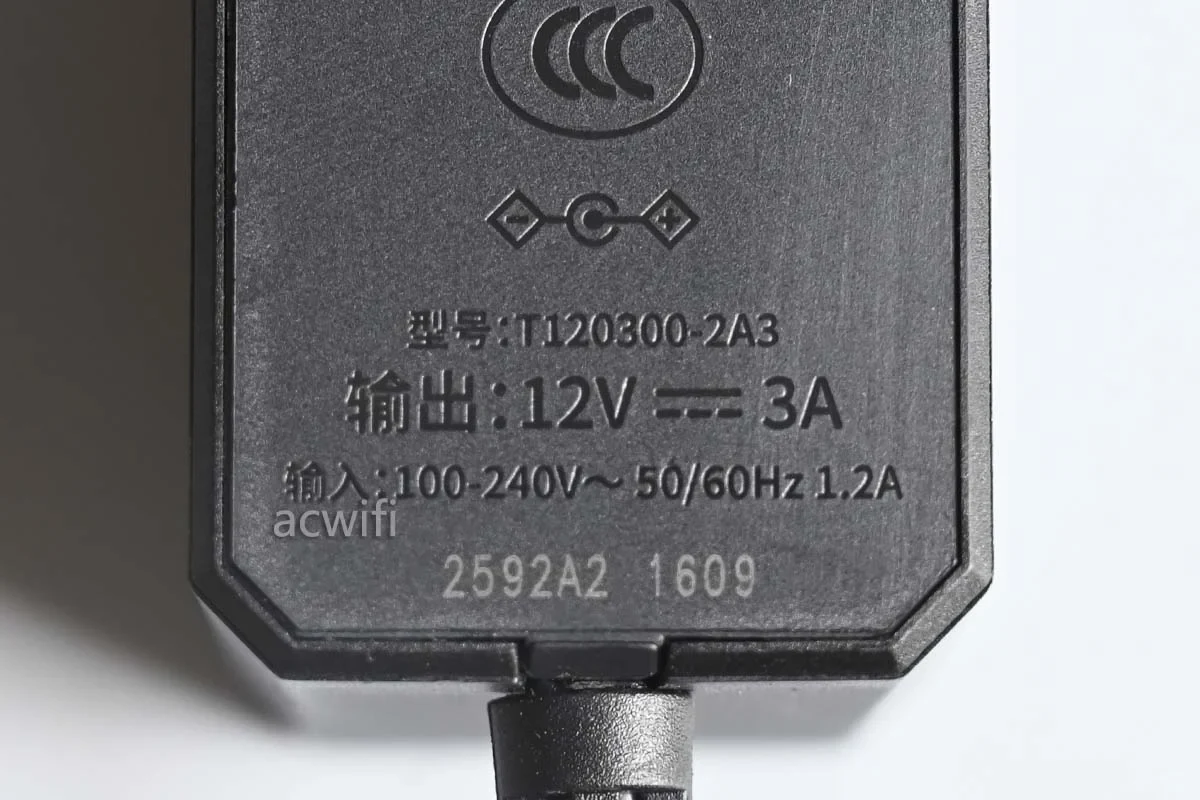
The power adapter is rated at 12V/3A. I measured about 9.7W with no Ethernet ports connected, 10.7W with one 2.5G WAN port connected, and around 12.9W with all four 2.5G ports connected.
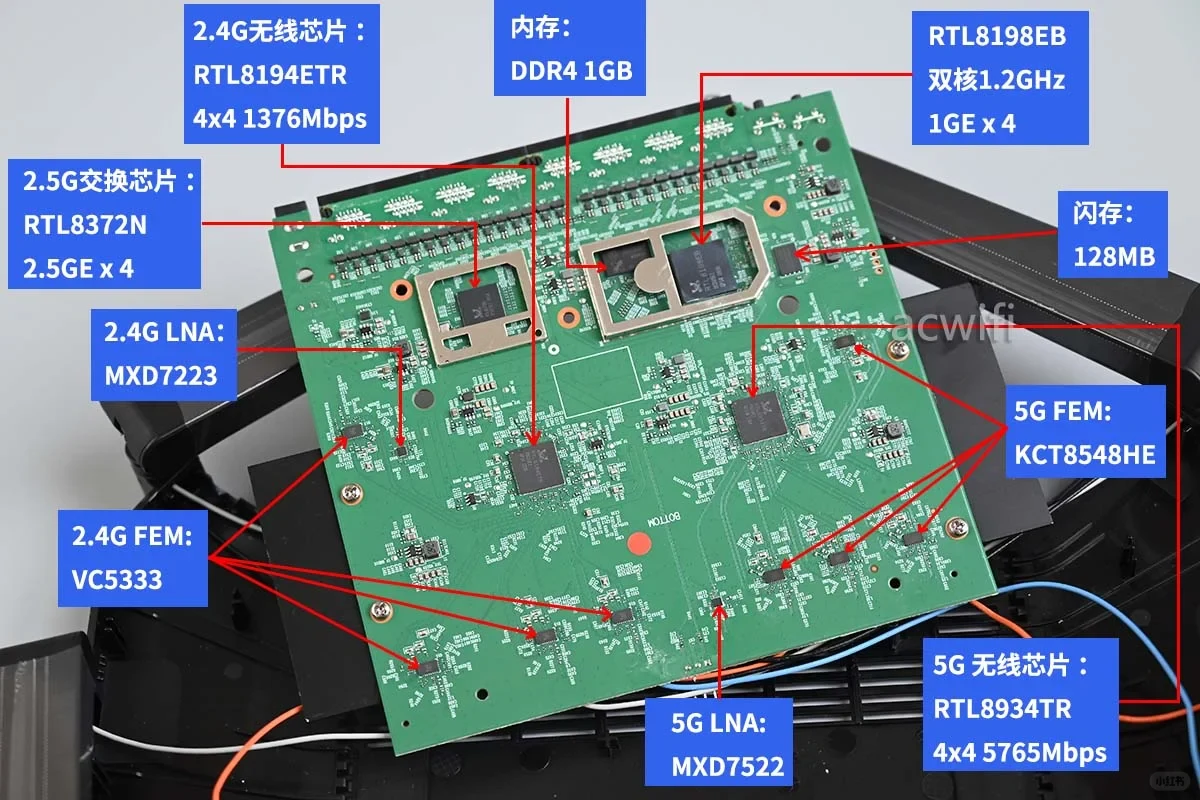
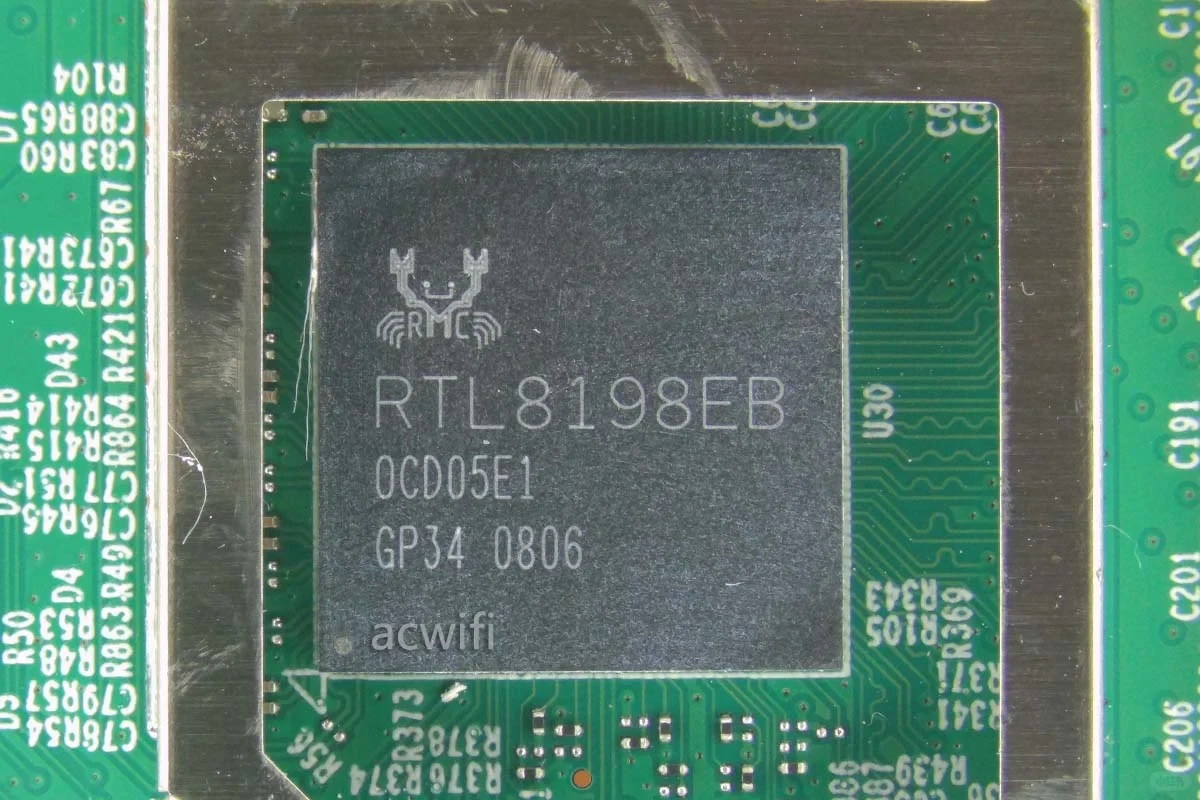
Overall, the 7DR7290 uses an entirely Realtek solution, including both the CPU and the wireless chips. A summary of all the chip models is shown in Figure 2.
The CPU is the RTL8198EB, an expanded-memory version of the RTL8198E. It has two 1.2GHz cores, a three-core NPU, and four integrated Gigabit ports;
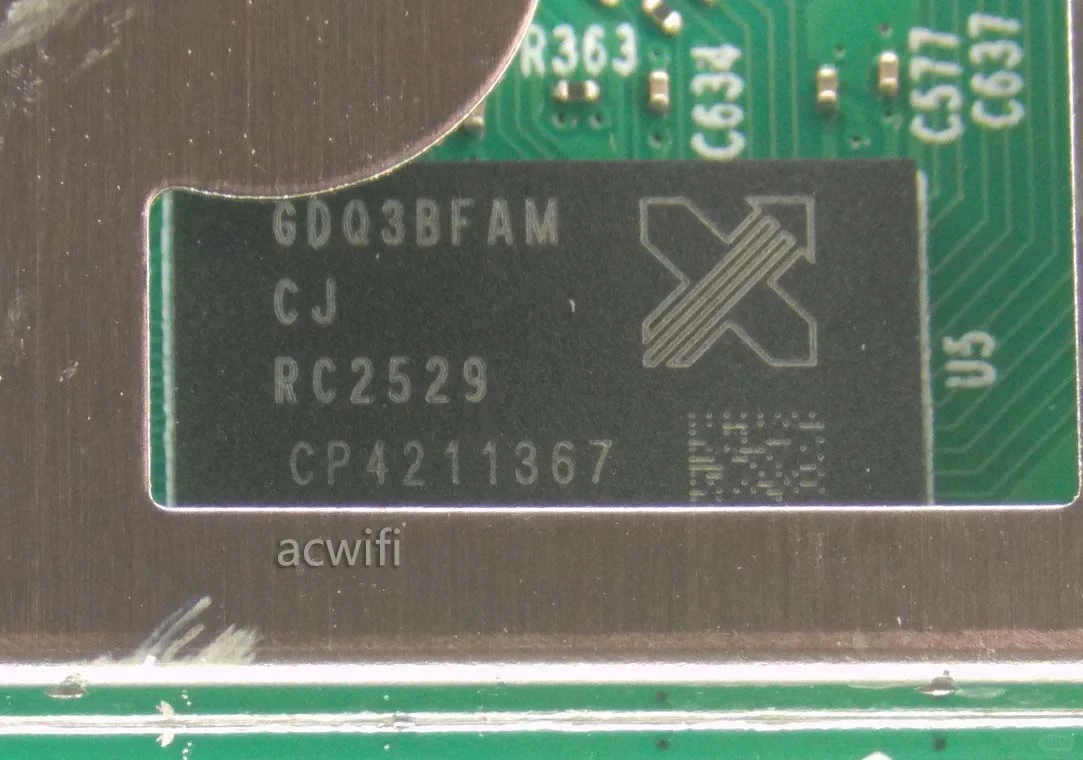
The memory is 1GB of DDR4, and the flash storage capacity is 128MB;
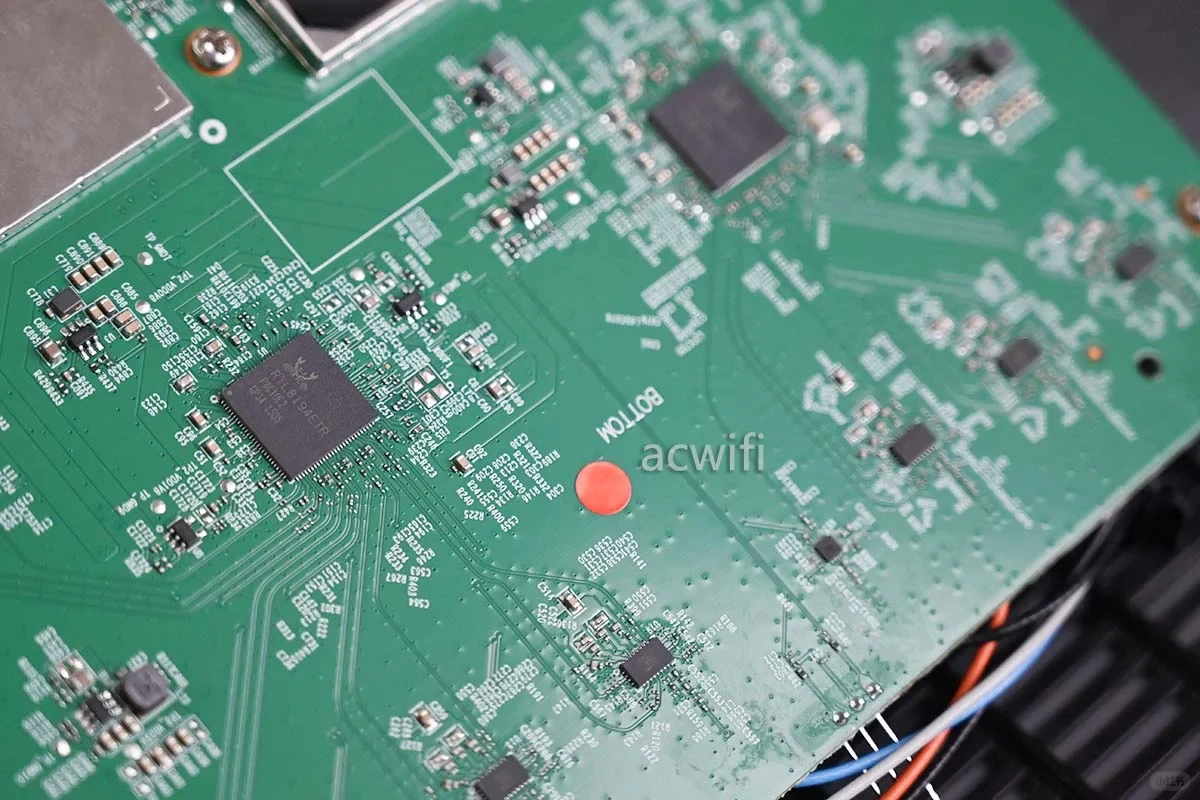
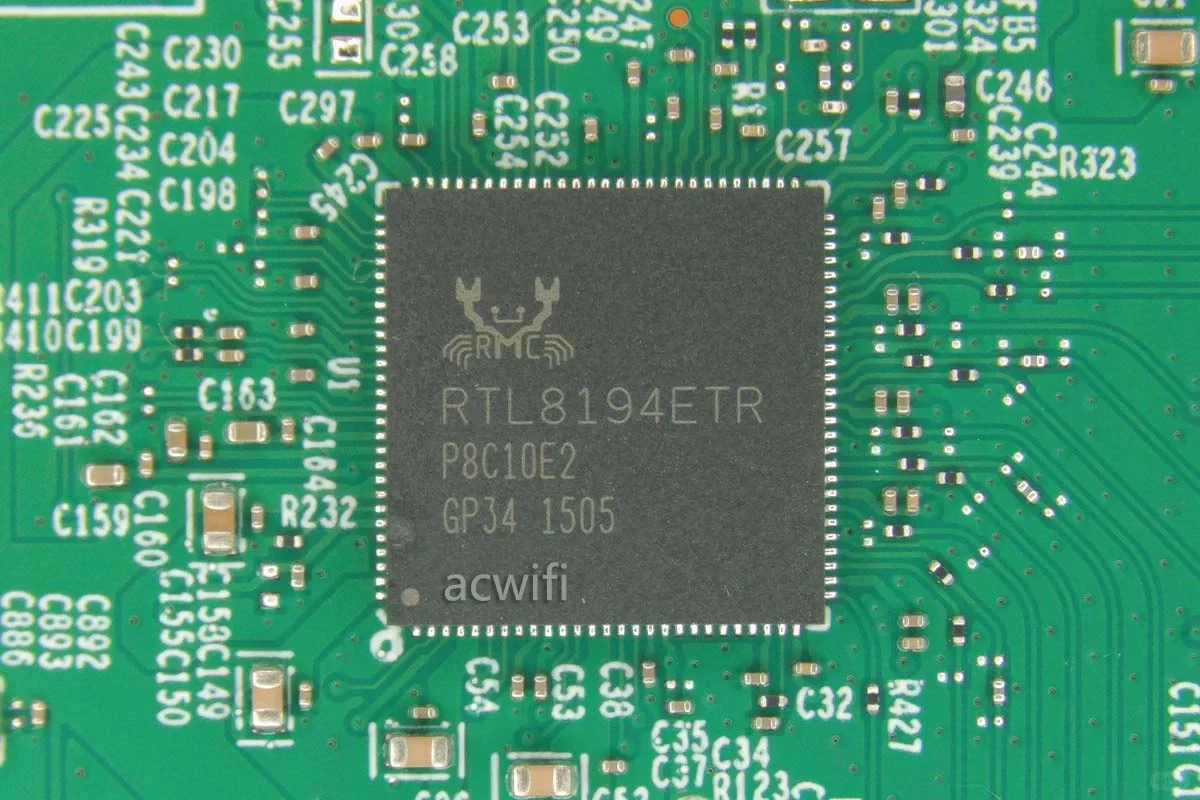
The RTL8194ETR supports 4x4 MIMO. At 4096-QAM and 40MHz channel width, its maximum wireless rate is 1376Mbps, and it supports up to 512 wireless clients. It supports 4T5R, or four transmit and five receive paths, with five receiving antennas to improve reception;
For 2.4GHz, there are four independent 2.4GHz FEM chips and one LAN chip. The 2.4GHz FEM chip is the Vanchip VC5333, also used by the XDR5480 v3.0 and XDR4288. The fifth receiving path is handled by Maxscend's MXD7223, which integrates an LNA and a transmit-receive switching circuit;
The 5GHz wireless chip is the RTL8934TR, also used in the 7DR6430. It supports 4x4 MIMO. At 160MHz channel width and 4096-QAM, its maximum wireless rate is 5765Mbps, and it supports 4T5R, or four transmit and five receive paths, with up to 512 wireless clients;
The 5GHz band also has an independent FEM chip, the KCT8548HE, which is a high-power FEM;
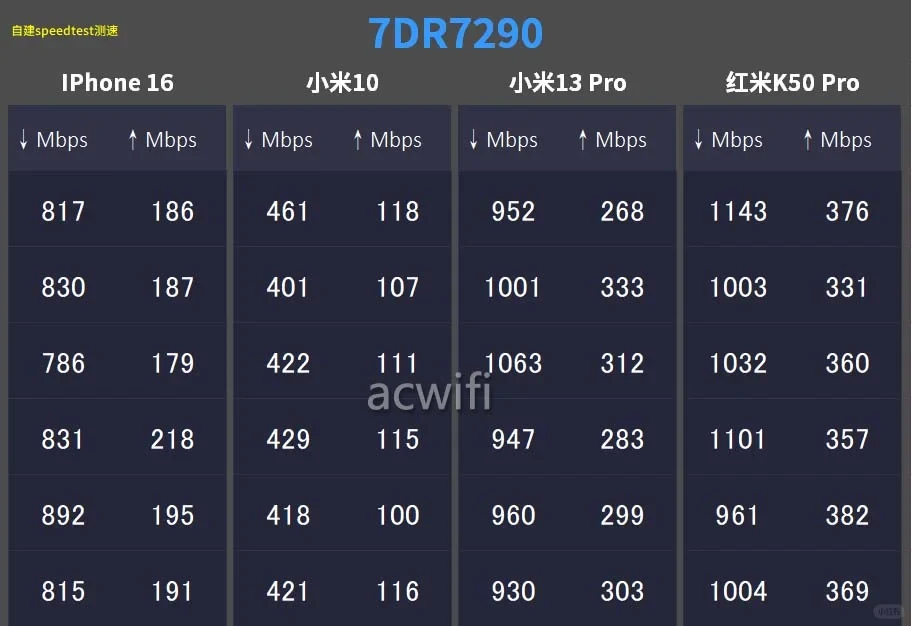
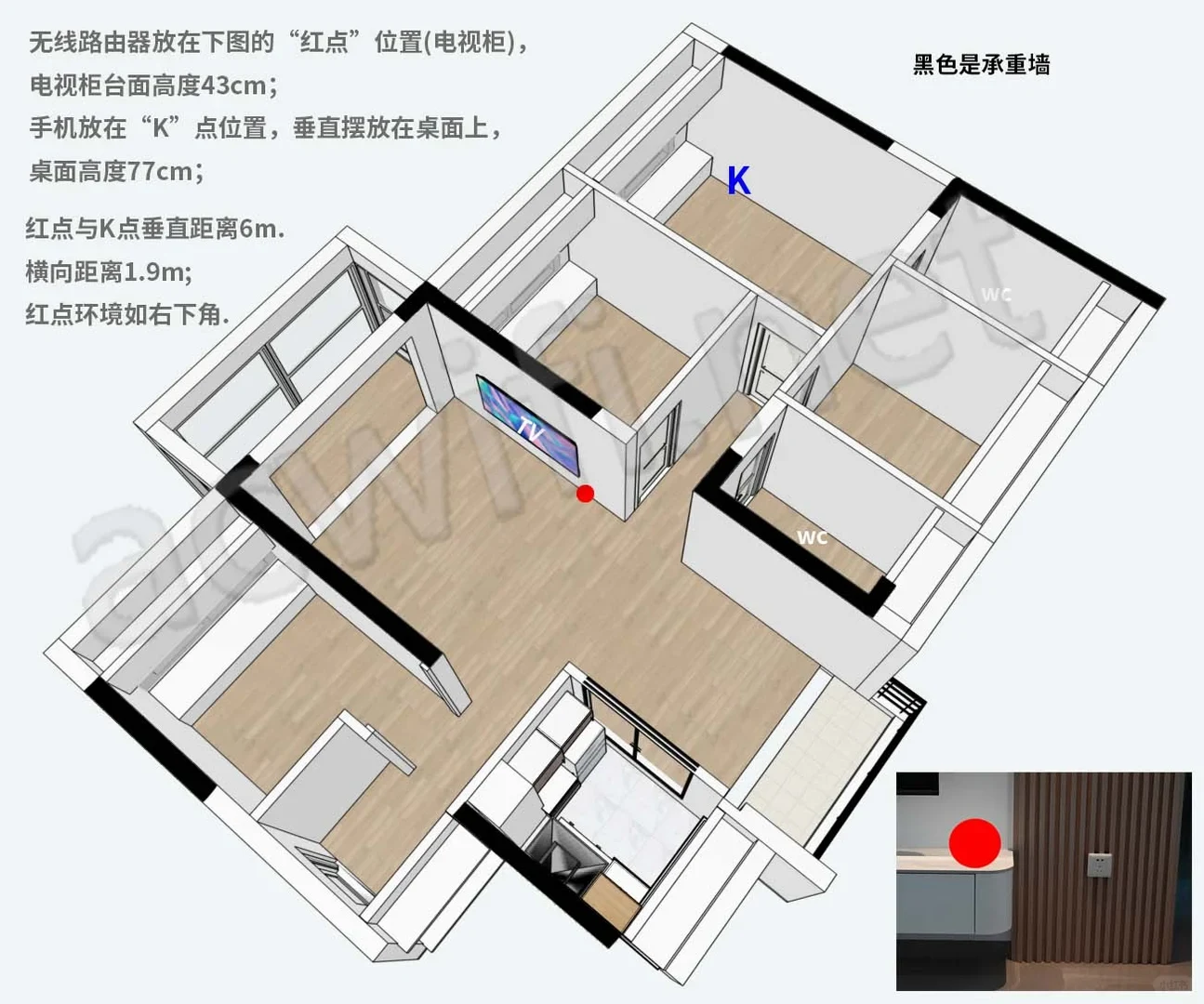
Figure 4 shows speed tests from four phones at point K. Judging from the data, the 5GHz signal is very good. The floor plan showing the router and point K is in the final image.
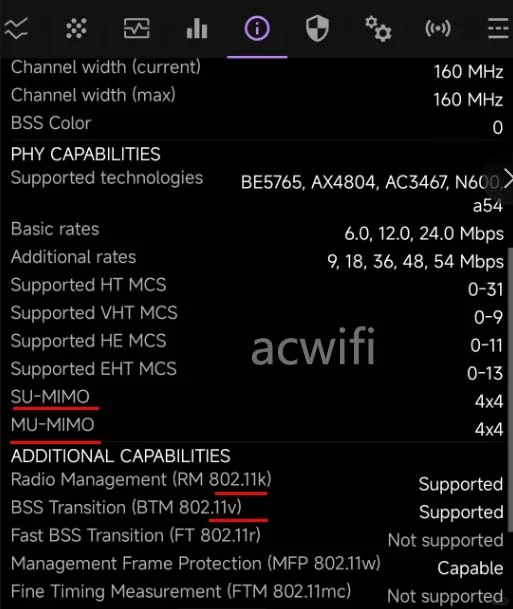
Figure 4 shows that roaming protocols 802.11k and 802.11v are supported by default, as are beamforming and MU-MIMO.
The price is 599 yuan. For a BE7200 with four 2.5G ports and independent high-power FEMs on both bands, it is not expensive.
However, in general, the cheaper 7DR6430 should be sufficient, unless you specifically want more 2.5G ports and somewhat better 2.4GHz and 5GHz performance.
Source: acwifi · Xiaohongshu · 2025-10-15 · 全球首拆TP新款无线路由7DR7290拆机. Search this Chinese title in Xiaohongshu to find the original post.
Ethernet follow-up · October 19, 2025
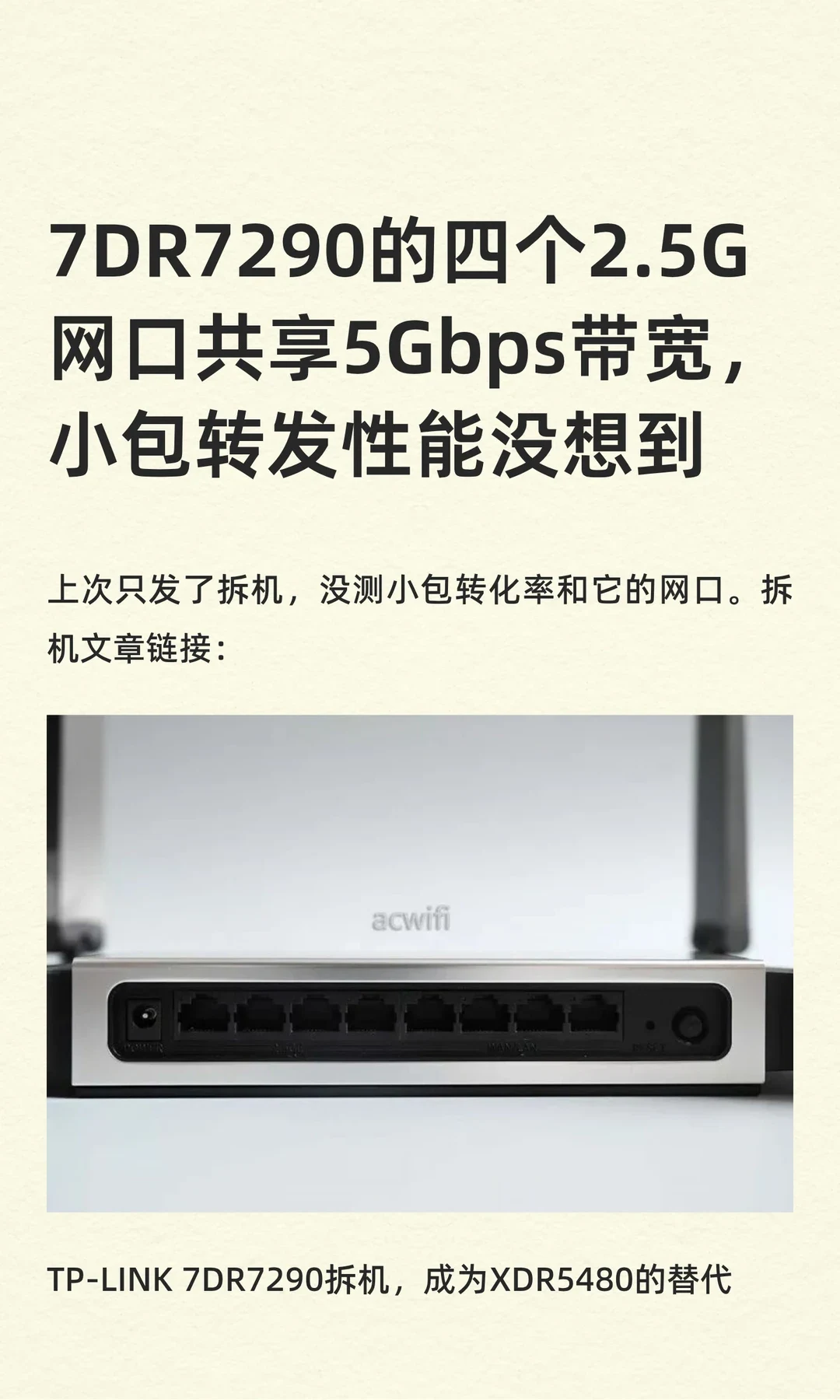
The four 2.5G ports on the 7DR7290 share 5Gbps of bandwidth. Its small-packet forwarding performance surprised me.
Last time I only published the teardown, without testing small-packet forwarding or the Ethernet ports. That teardown was titled “TP-LINK 7DR7290 teardown: a replacement for the XDR5480?”
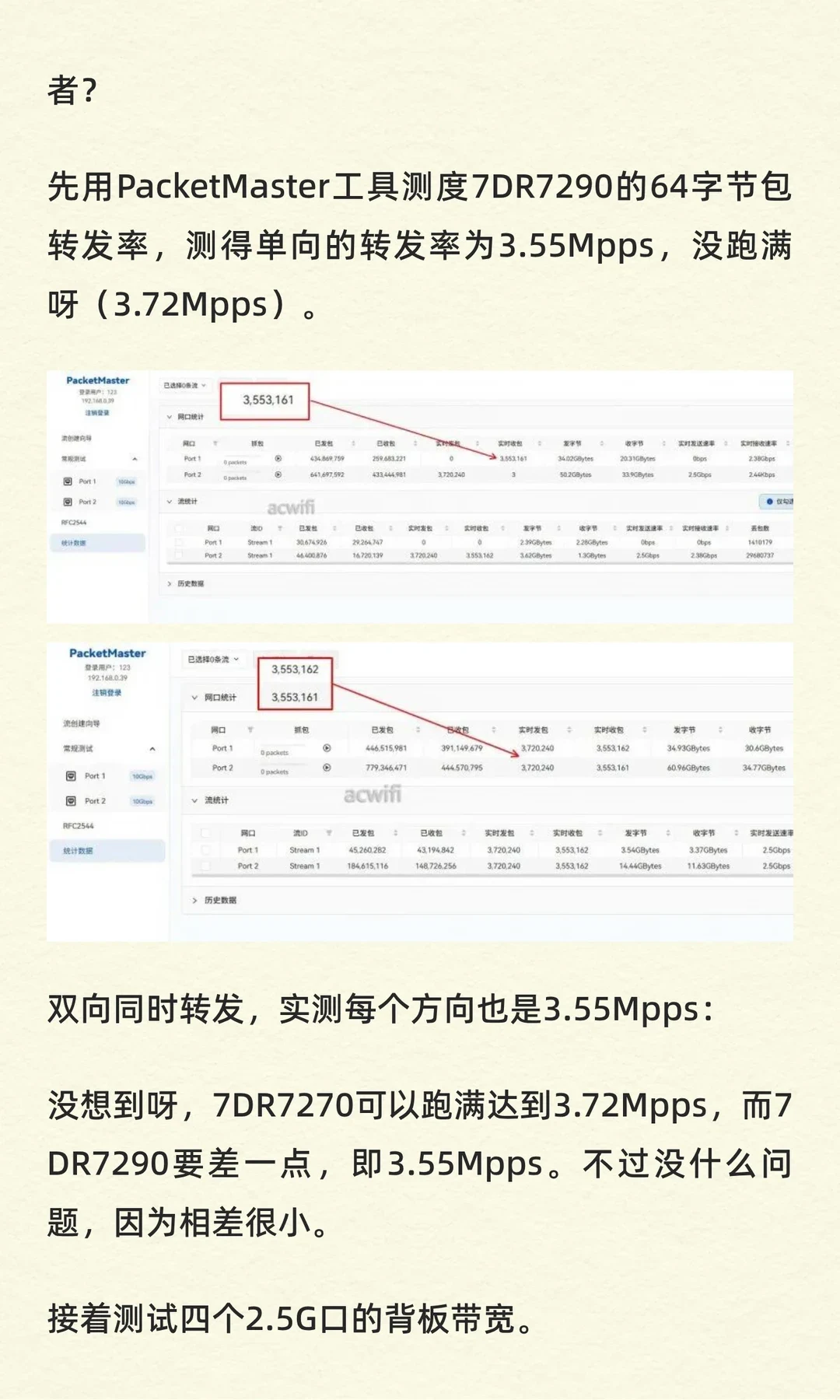
First, I used PacketMaster to test the 7DR7290 with 64-byte packets. I measured 3.55 million packets per second in one direction, short of the full 3.72Mpps.
With simultaneous forwarding in both directions, I also measured 3.55Mpps in each direction.
That was unexpected: the 7DR7270 can reach the full 3.72Mpps, while the 7DR7290 falls a little short at 3.55Mpps. It is not much of a problem, though, because the difference is small.
Next, I tested the backplane bandwidth of the four 2.5G ports.
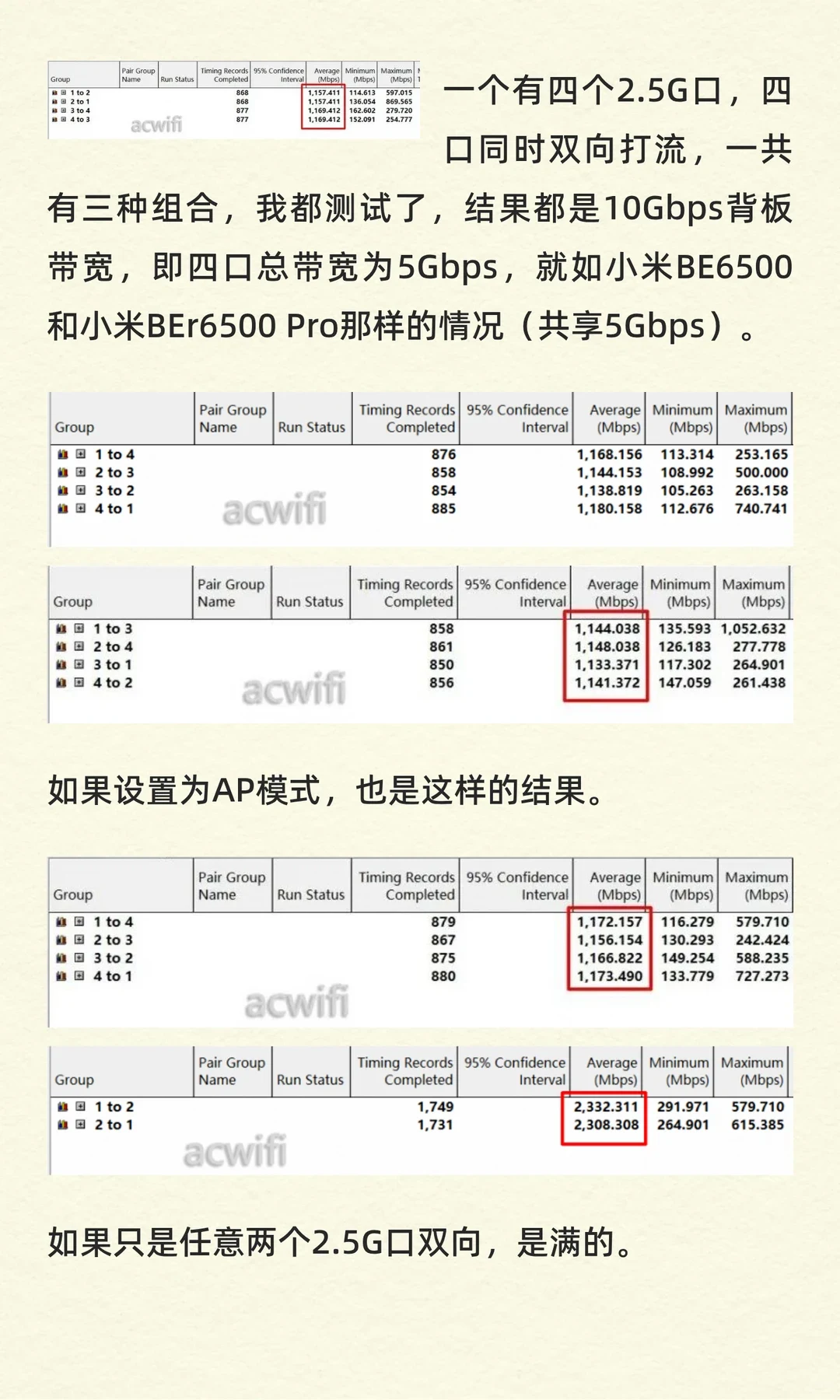
There are four 2.5G ports. I tested all three pairings with simultaneous traffic in both directions across all four ports. Each gave 10Gbps of backplane bandwidth, which I describe as 5Gbps of total bandwidth shared by the four ports, as with the Xiaomi BE6500 and BEr6500 Pro.
AP mode produced the same result.
With bidirectional traffic between any two 2.5G ports, they reached full speed.
The above concerns bidirectional traffic. With all four ports carrying only one-way traffic, each direction also reached 2.5Gbps. Most situations do not require simultaneous traffic in both directions.
For example, port 1 is the WAN and a computer on port 3 is downloading heavily over a 2Gbps broadband connection, while a computer on port 4 uploads to a NAS on port 4. Those situations are not a problem.
That completes the small-packet forwarding and four-port 2.5G bandwidth tests. The firmware version was 1.0.8.
A teardown of the 7DR6450 will follow soon.
Source: acwifi · Xiaohongshu · 2025-10-19 · 7DR7290的四个2.5G网口共享5Gbps带宽. Search this Chinese title in Xiaohongshu to find the original post.
Before You Buy
Models in your region
The owner's device is the mainland-China TP-Link TL-7DR7290, a dual-band BE7200 Wi-Fi 7 router with four 2.5GbE and four Gigabit ports. The US and UK products listed here are Archer BE550, different tri-band BE9300 models with 6GHz and different port layouts, not regional relabels of the teardown unit.
| Model in this review | Related regional model | What to know |
|---|---|---|
| TP-Link TL-7DR7290 BE7200 | TP-Link TL-7DR7290 (Mainland China) | The teardown covers the mainland-China TL-7DR7290. Official information identifies it as a dual-band BE7200 router with 1GB DDR4, four 2.5GbE ports and four Gigabit ports. The official listing does not establish the owner’s internal 5Gbps interconnect finding; that remains a teardown and test observation. |
| TP-Link TL-7DR7290 BE7200 | TP-Link Archer BE550 (US) | The owner used the China TL-7DR7290, while the relevant US comparison is the different TP-Link Archer BE550 BE9300. Archer BE550 is tri-band with 6GHz, one 2.5Gbps WAN port and four 2.5Gbps LAN ports, so the owner’s chip, switch and performance findings do not transfer to it. |
| TP-Link TL-7DR7290 BE7200 | TP-Link Archer BE550 (UK) | The owner used the China TL-7DR7290, while the relevant UK comparison is the different TP-Link Archer BE550 BE9300. The UK model has 6GHz, one 2.5Gbps WAN port and four 2.5Gbps LAN ports; hardware revisions can vary by region, so local support and firmware should match the label. |
- Model in this review
- TP-Link TL-7DR7290 BE7200
- Related regional model
- TP-Link TL-7DR7290 (Mainland China)
- What to know
- The teardown covers the mainland-China TL-7DR7290. Official information identifies it as a dual-band BE7200 router with 1GB DDR4, four 2.5GbE ports and four Gigabit ports. The official listing does not establish the owner’s internal 5Gbps interconnect finding; that remains a teardown and test observation.
- Model in this review
- TP-Link TL-7DR7290 BE7200
- Related regional model
- TP-Link Archer BE550 (US)
- What to know
- The owner used the China TL-7DR7290, while the relevant US comparison is the different TP-Link Archer BE550 BE9300. Archer BE550 is tri-band with 6GHz, one 2.5Gbps WAN port and four 2.5Gbps LAN ports, so the owner’s chip, switch and performance findings do not transfer to it.
- Model in this review
- TP-Link TL-7DR7290 BE7200
- Related regional model
- TP-Link Archer BE550 (UK)
- What to know
- The owner used the China TL-7DR7290, while the relevant UK comparison is the different TP-Link Archer BE550 BE9300. The UK model has 6GHz, one 2.5Gbps WAN port and four 2.5Gbps LAN ports; hardware revisions can vary by region, so local support and firmware should match the label.
What the eight ports mean
The TL-7DR7290 is unusual in the owner's comparison because it combines four 2.5GbE ports with four Gigabit ports, giving a home network several multi-gig connections without an immediately separate 2.5G switch. TP-Link's official Chinese listing also confirms dual-WAN configuration and link aggregation, but the published port count alone does not prove non-blocking aggregate throughput.
For US and UK buyers, Archer BE550 offers one 2.5Gbps WAN port and four 2.5Gbps LAN ports, but it is tri-band with 6GHz rather than the Chinese unit's dual-band design. Choose between port distribution and an additional 6GHz band based on the devices and wired links you actually plan to use.
Power and hardware observations
The owner's measurements show the TL-7DR7290 drawing 9.7W with no Ethernet connection, 10.7W with one 2.5G WAN connection and about 12.9W with all four 2.5G ports connected. That makes connected multi-gig equipment relevant to its running-power budget; these are the owner's measurements, not an official consumption rating.
The teardown identifies a Realtek-based design with a dual-core 1.2GHz RTL8198EB CPU, 1GB DDR4 memory and 128MB flash. The owner's wireless-chip observations include claimed maximum rates of 1376Mbps at 2.4GHz and 5765Mbps at 5GHz under specified channel-width and modulation conditions; these figures are not a guarantee of a client's measured throughput.
The owner also reports independent FEM components on both bands, including the KCT8548HE high-power 5GHz FEM, and attributes improved reception capability to the 4T5R arrangement. These component-level findings apply to the reviewed TL-7DR7290 only and should not be assumed for Archer BE550.
Interpreting the wireless test
The owner's four-phone test was conducted at point K, with the router and point K shown in the final floor-plan image. This is a useful defined indoor scenario, not a universal coverage result.
In that setup, the owner judged the 5GHz signal to be very good and observed default support for 802.11k and 802.11v roaming, beamforming and MU-MIMO. The result helps assess this particular placement and group of phones; it does not establish performance for every building, client or firmware version.
Value and regional buying limits
The owner cites a price of 599 yuan and considers the Chinese TL-7DR7290 inexpensive for a BE7200 with four 2.5G ports and independent high-power FEMs on both bands. That domestic price is not a US or UK street-price claim, and availability and software services should be checked locally before choosing it.
The owner's own conclusion is that the cheaper Chinese 7DR6430 is generally enough unless a buyer wants more 2.5G ports and somewhat better 2.4GHz and 5GHz performance. That comparison is between Chinese units; the official US and UK Archer BE550 pages describe different regional products and should be evaluated separately.
What the follow-up Ethernet tests establish
In the October 19 follow-up, acwifi tested the Chinese TL-7DR7290 on firmware 1.0.8. The reported 64-byte packet forwarding rate was 3.55Mpps per direction, against the author’s 3.72Mpps full-rate reference. With all four 2.5G ports active, the author counts 10Gbps bidirectionally and describes the shared capacity as 5Gbps. These are the author’s stated counting conventions, not two independent throughput results.
The author also reports full-speed transfers between any two ports, the same shared-port result in AP mode, and about 2.5Gbps for each one-way connection in the illustrated four-port arrangement. The example sentence assigns both a computer and a NAS to port 4; that is an inconsistency in the source wording, so it should not be used as a wiring diagram. These measurements apply to the tested TL-7DR7290, not to the different US or UK Archer BE550.
Related Reading
Reviews & Guides · Computing & Networking
TP-Link TL-7DR7290: dual-WAN home-network notes for Archer BE550 buyers
I added a TP-Link TL-7DR7290 to my dual-WAN home network. It now does the heavy lifting in the living room, alongside two other routers and 2.5G links.
Reviews & Guides · Computing & Networking
TP-Link Archer BE550 Pro: Japan IPoE and MLO notes, with Archer BE550 buying context
I bought the Japanese TP-Link Archer BE550 Pro for 10Gbps fiber, but severe MLO latency and recurring IPv6 drops led me to use OpenWrt for routing.

Reviews & Guides · Computing & Networking
TP-Link Deco M4: a four-floor wired-backhaul setup
I used TP-Link Deco M4 units across four floors with Ethernet backhaul, then found my upstairs computer needed an extra switch to get a wired connection.