
Reviews & Guides · Computing & Networking
UGREEN CM511 hubs: hard-drive and printer compatibility
Reviewed: UGREEN CM511 (55404), UGREEN CM511 (15596)Regional reference: UGREEN Revodok 105 (15495) (Germany / European Union)
I compared two UGREEN CM511 hubs with my MacBook Air M4: the 10Gbps model worked better for my peripherals, but I still avoid PD charging.
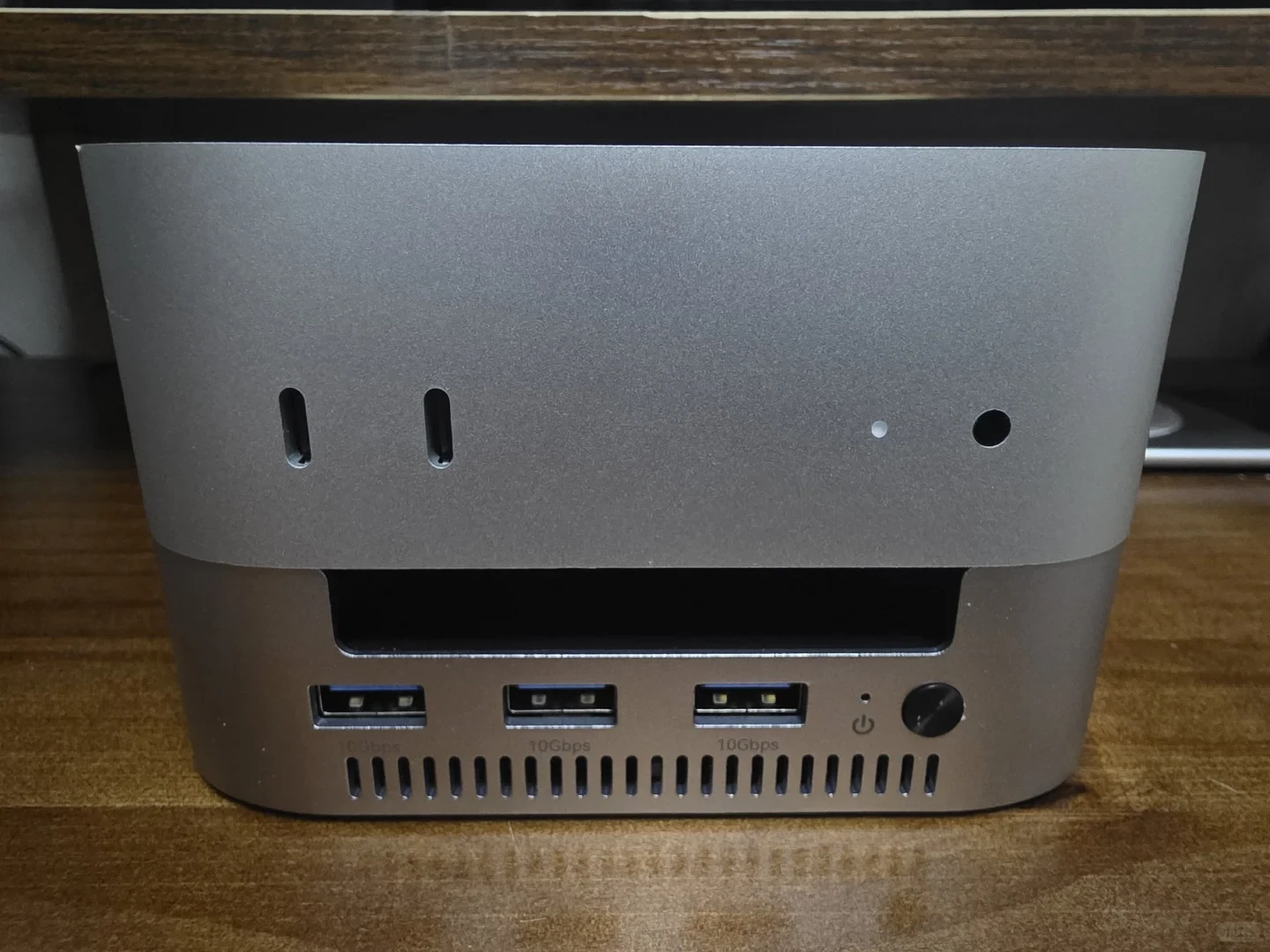
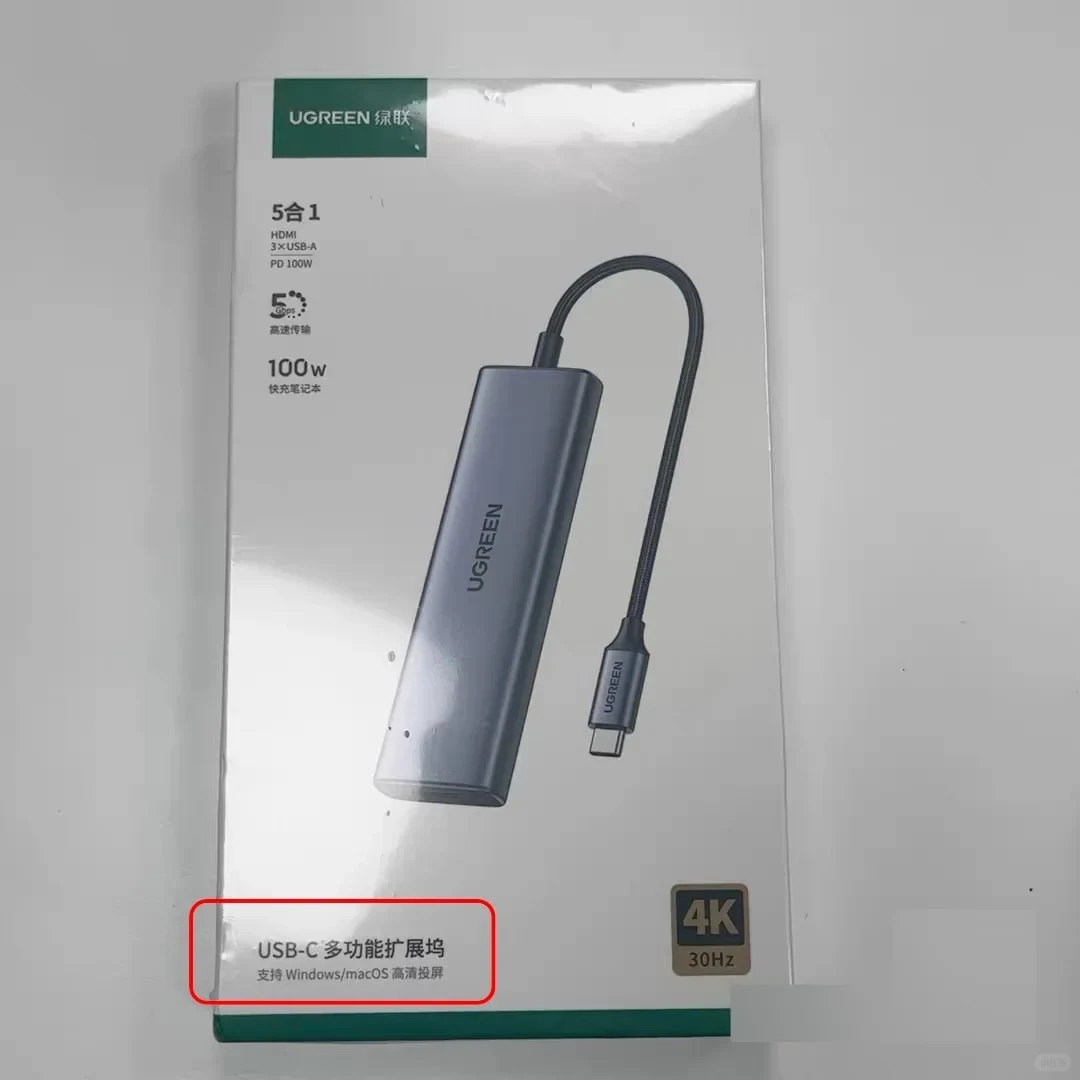
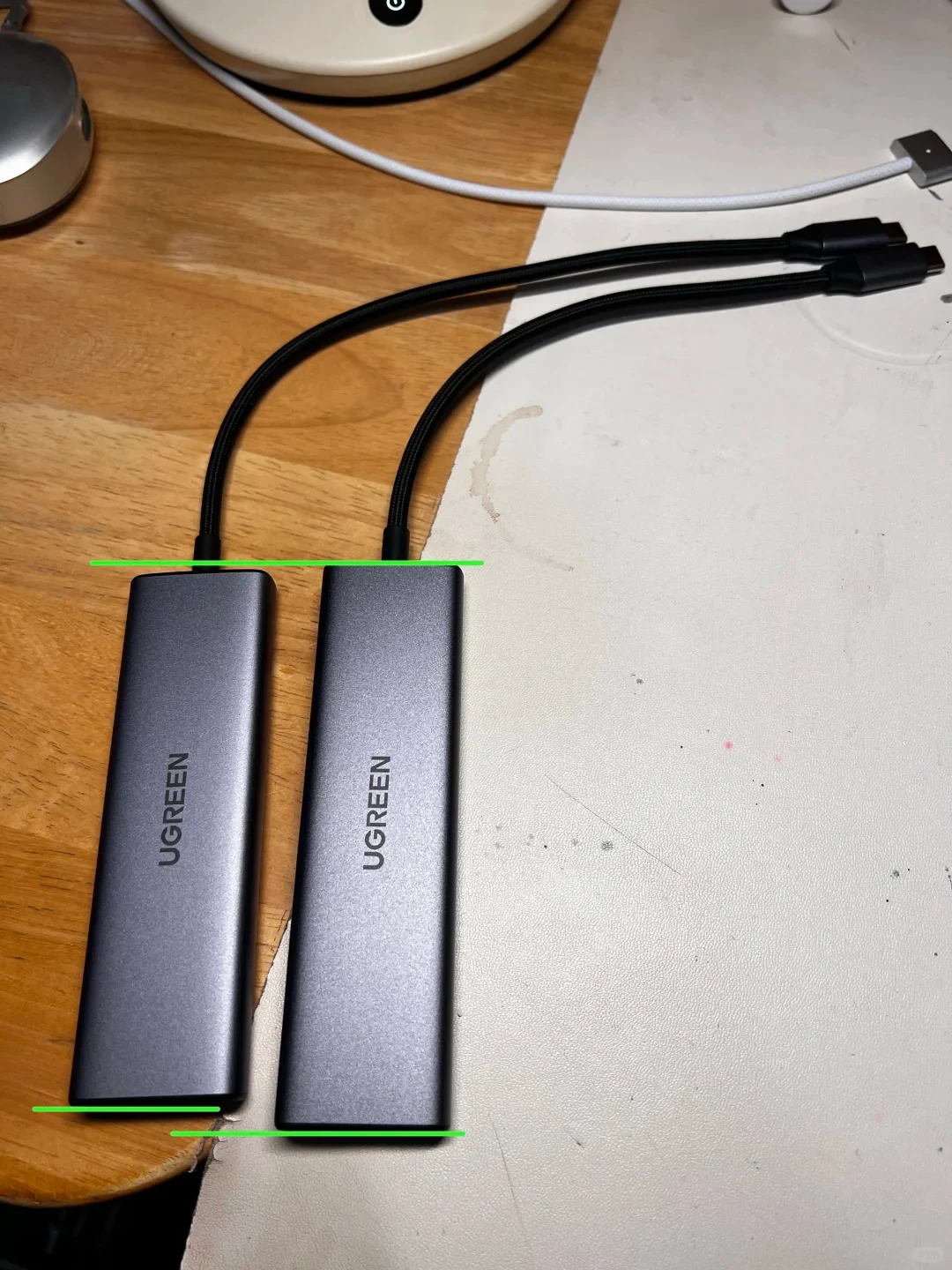
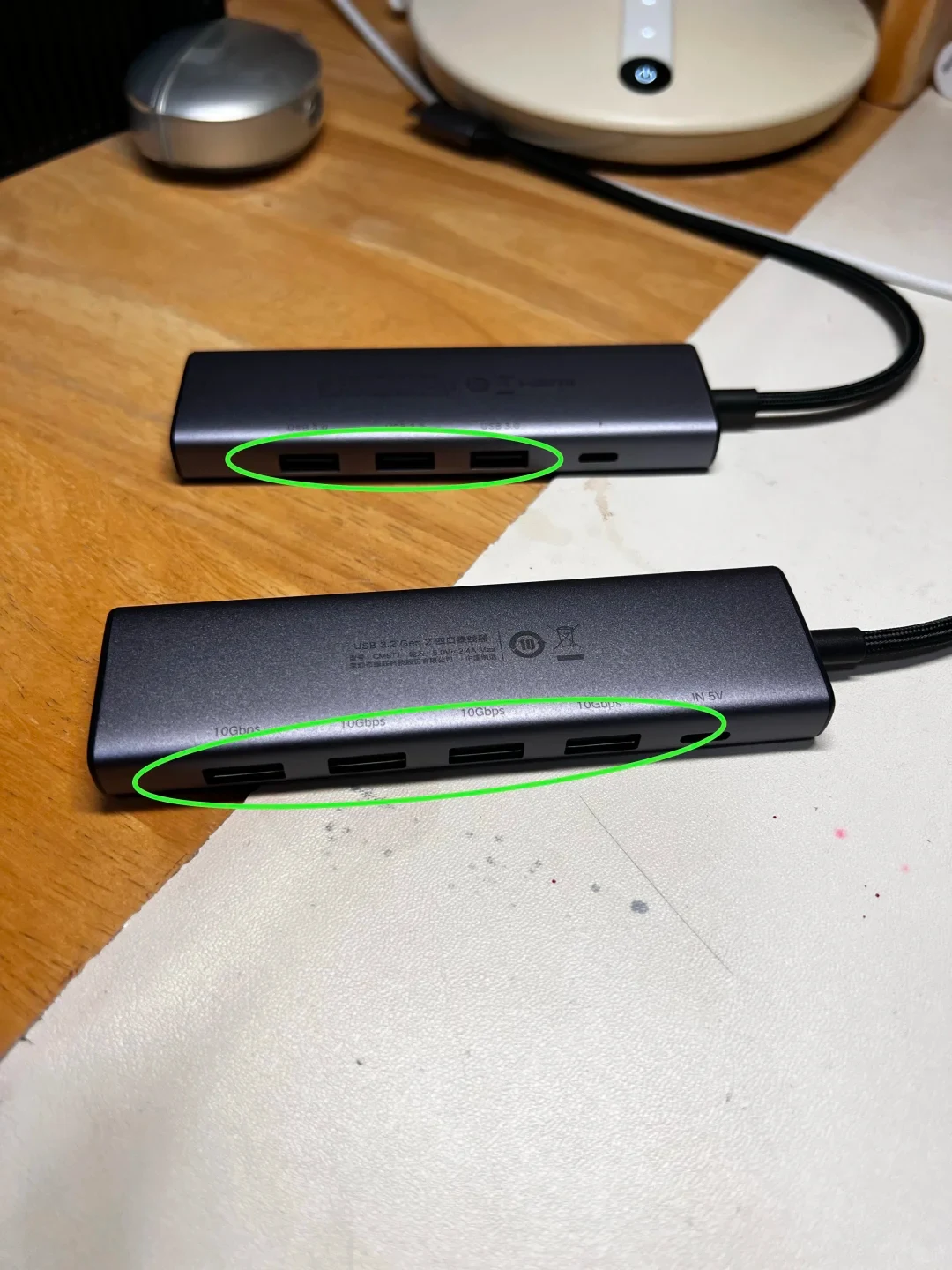
My MacBook Air M4 has only two Thunderbolt 4 ports. People usually understand these as USB-C, but many of our devices still use USB-A: portable hard drives, including large externally powered 3.5-inch mechanical drives; USB flash drives; and printers or all-in-one machines that need a USB cable because they have no network connection. That is when I need a USB-C-to-USB-A hub.
I did some research beforehand, but still hit a snag and took a detour. If you have plenty of money and a wide range of peripherals, choosing Belkin is a safe bet. If your needs are limited and you do not want to spend more, you could also consider a brand like UGREEN. There are a few facts about UGREEN I need to explain.
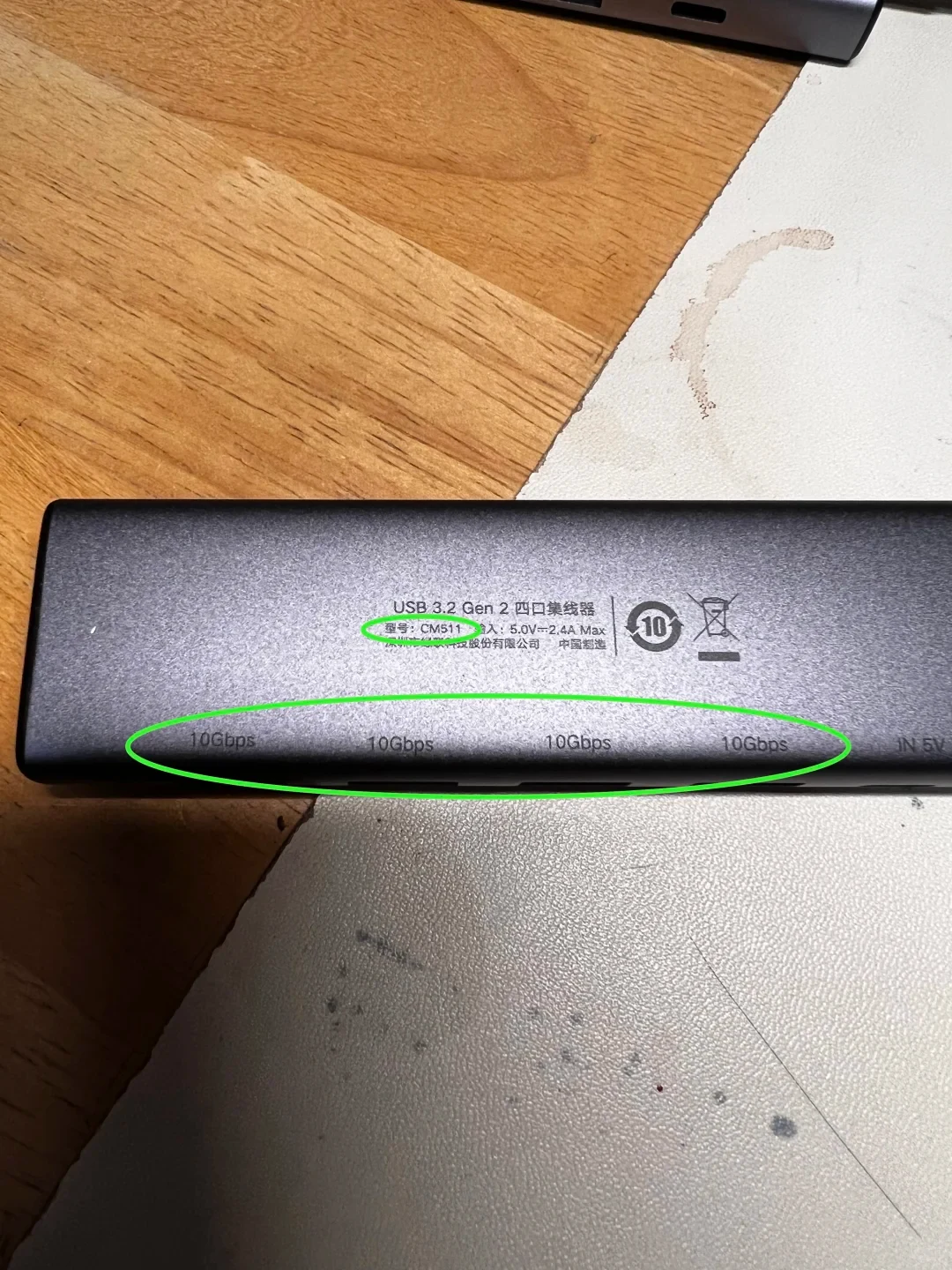
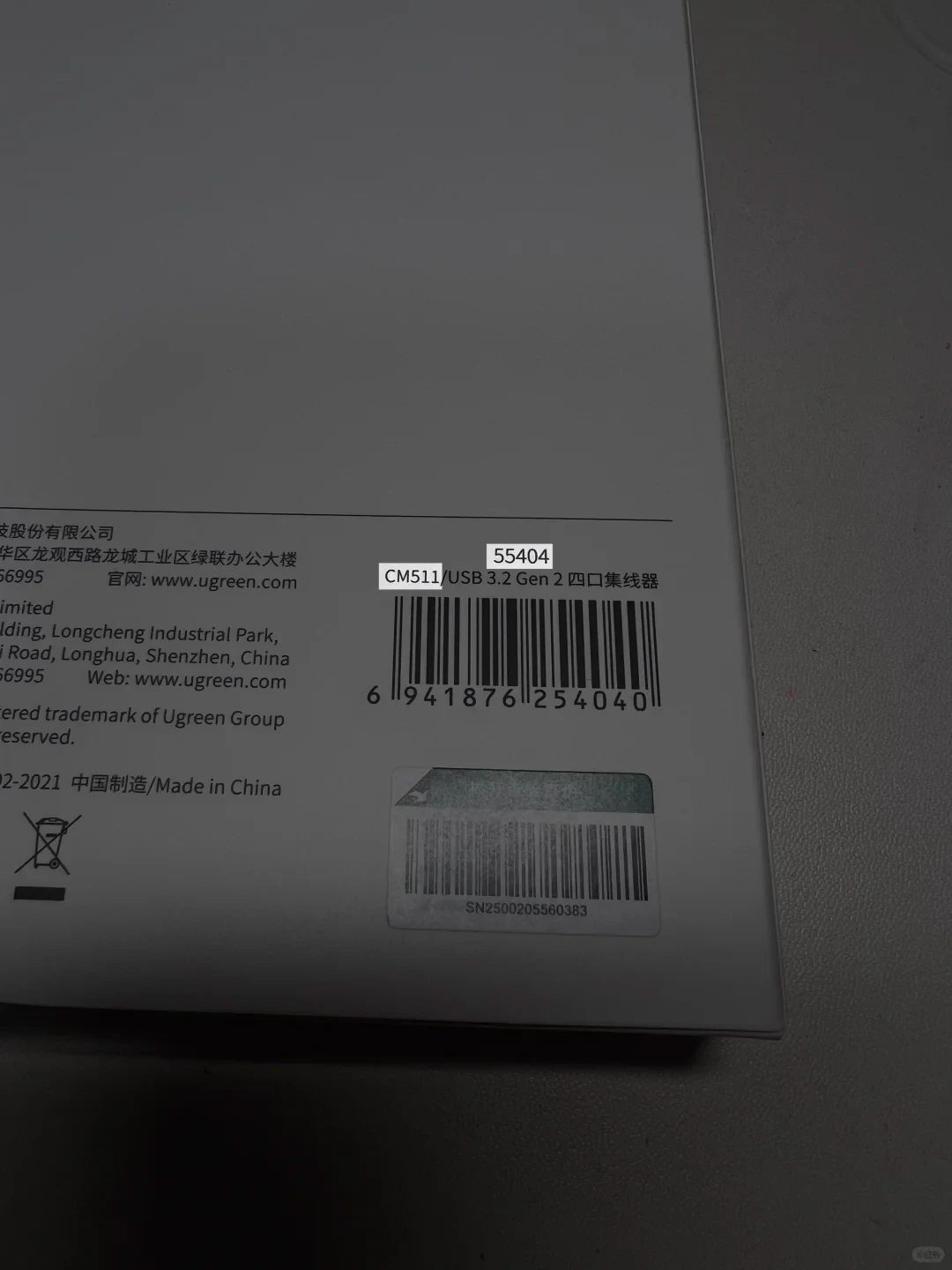
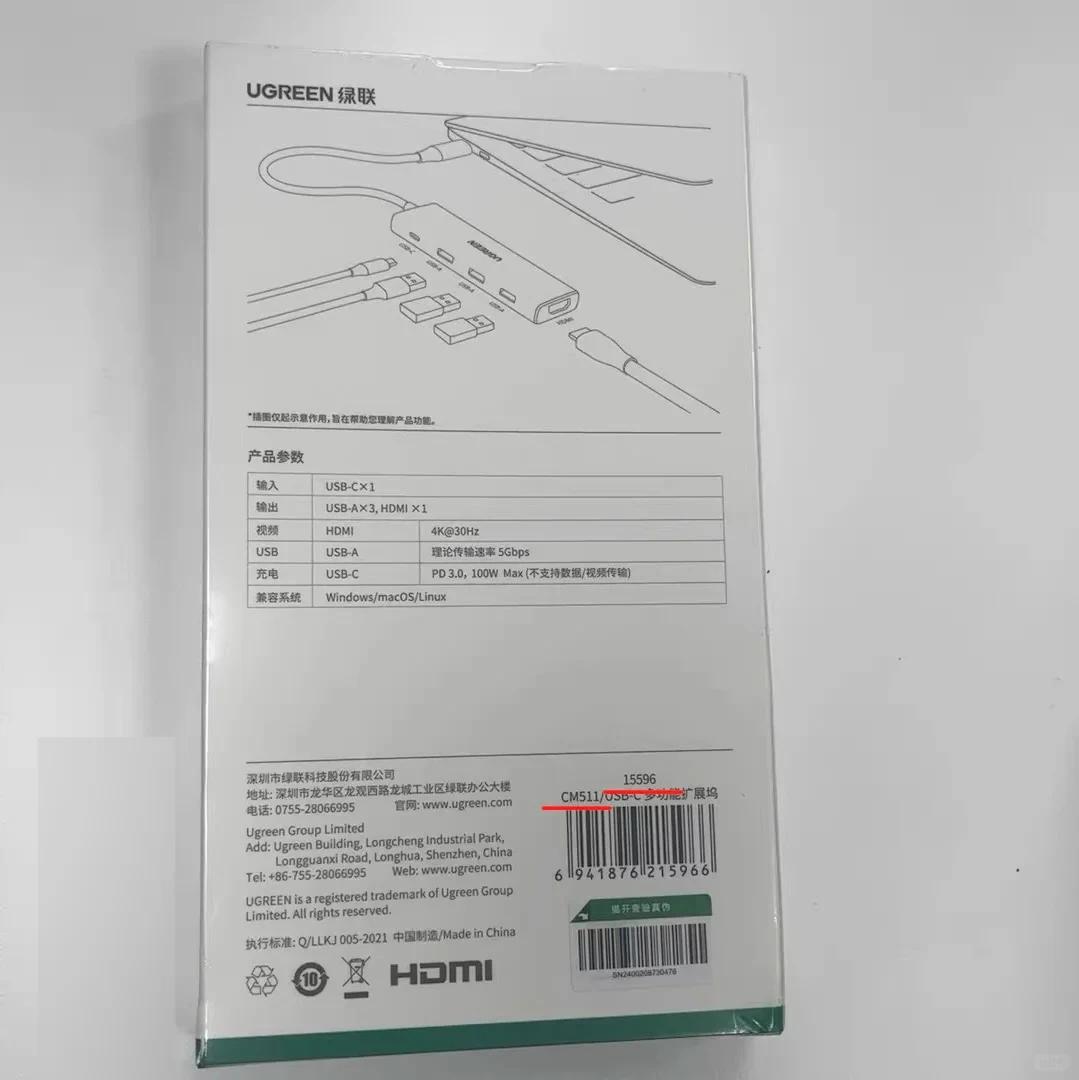
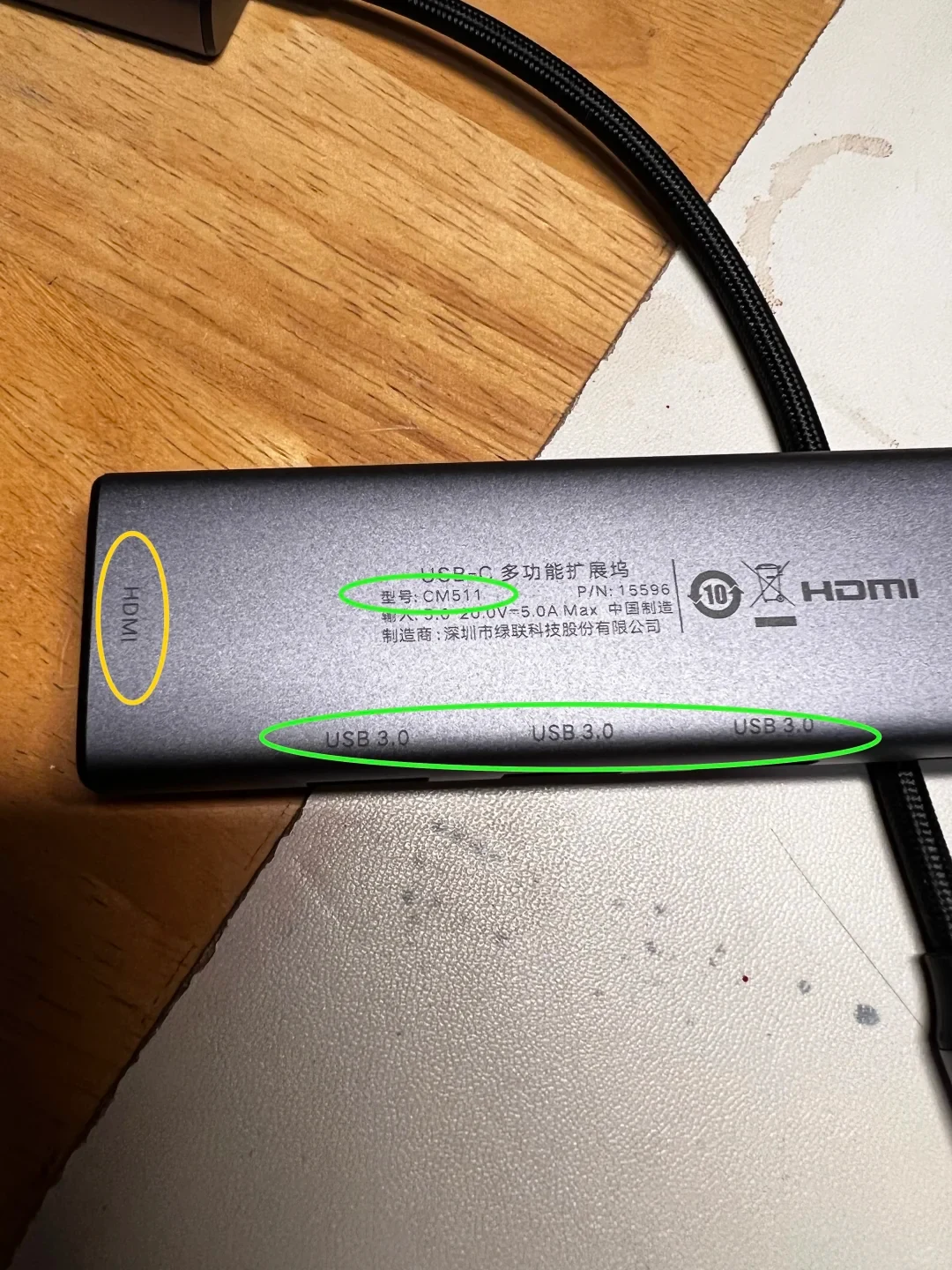
I have two UGREEN hubs with the same main model number, CM511, but different sub-model numbers, so it is easy to buy the wrong one if you are not careful. The hub itself does not clearly show the sub-model; both carry the same main model number, which can be misleading. Listings on secondhand marketplaces often do not specify the sub-model either. See the packaging for details: the sub-model in photo 3 is 55404, and the one in photo 5 is 15596.
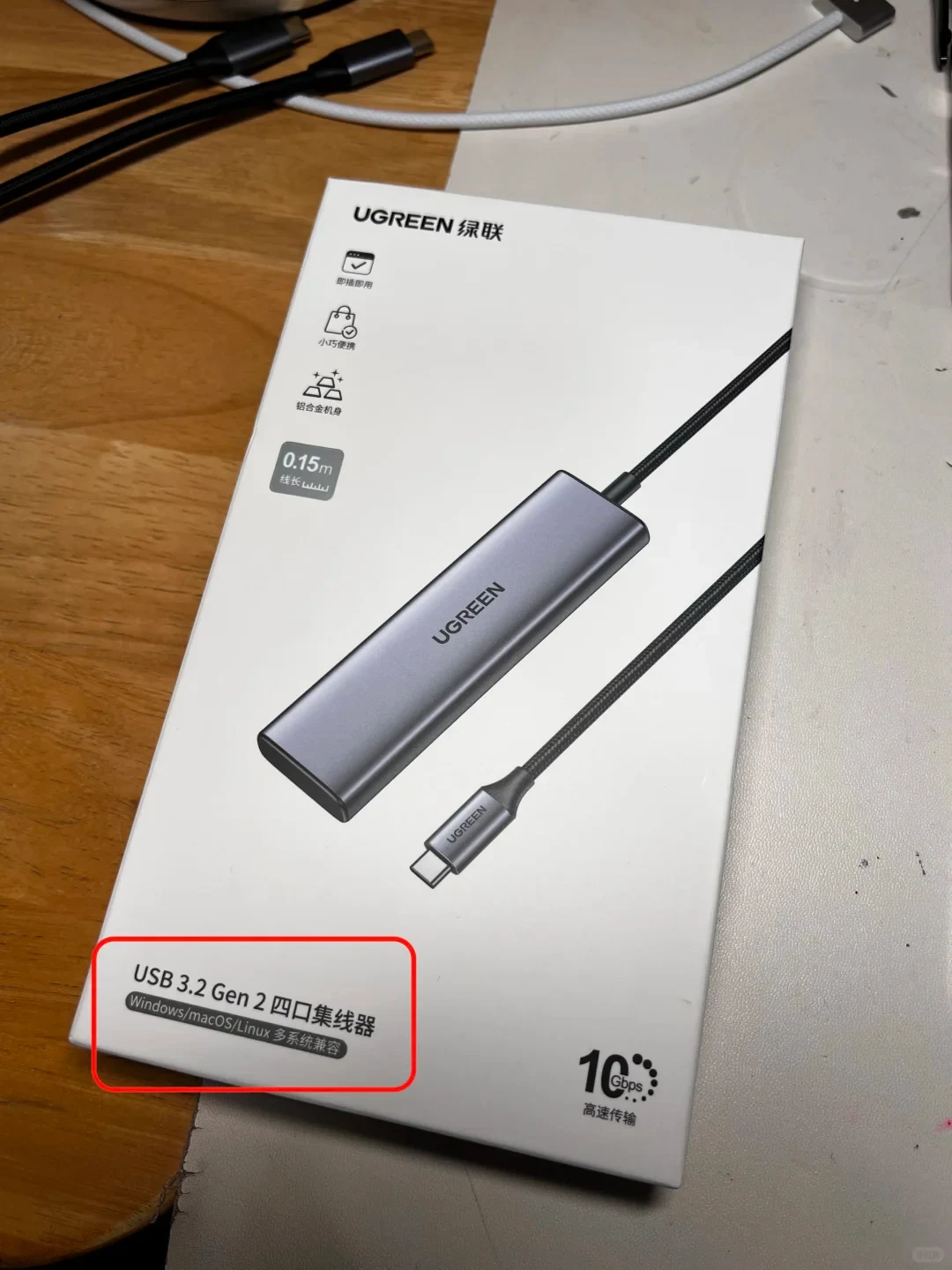
I do not need other kinds of ports, so I chose the hub with four USB-A ports. Make sure the product clearly says what is highlighted in the red box in photo 1: that is what makes it USB 3.2, especially the “Gen 2” part.
There are also problems with standard USB 3.0 hubs: large-capacity mechanical hard drives cannot be read, and printers or all-in-one machines connected by USB keep switching between offline and idle-ready states.
I called UGREEN’s technical support and after-sales service about these two problems. Their official response was to connect the hub’s PD port for charging at the same time. Many people know that charging through a third-party hub’s PD port can damage a MacBook’s motherboard; it is no longer an isolated case—search Xiaohongshu and you will find examples. But UGREEN’s after-sales team said it would not happen. In any case, I do not dare to try it.
In the end, I can say clearly that the USB 3.2 Gen 2 hub has noticeably better compatibility than the others. I feel confident using it, but I still will not try PD charging.
Source: FourwardUS · Xiaohongshu · 2025-12-10 · 苹果MacBook电脑对绿联USB-C扩展坞的选择. Search this Chinese title in Xiaohongshu to find the original post.
Before You Buy
Models in your region
The owner compared two Chinese-labeled UGREEN CM511 hubs, package SKUs 55404 and 15596. The German UGREEN Revodok 105 (15495) is a related hub, not a confirmed regional equivalent, so its features should not be assumed to match either unit.
| Model in this review | Related regional model | What to know |
|---|---|---|
| UGREEN CM511 (55404) and CM511 (15596) | UGREEN Revodok 105 (15495) (Germany / European Union) | These are two distinct tested CM511 variants: 55404 has four 10 Gbps USB-A ports and a separate 5 V input; 15596 has three USB 3.0 ports, HDMI and PD input. The related German Revodok 105 (15495) has one 5 Gbps USB-A plus two 480 Mbps USB-A ports, HDMI 4K30 and 100 W PD input. It is not a verified regional equivalent of either source SKU. |
- Model in this review
- UGREEN CM511 (55404) and CM511 (15596)
- Related regional model
- UGREEN Revodok 105 (15495) (Germany / European Union)
- What to know
- These are two distinct tested CM511 variants: 55404 has four 10 Gbps USB-A ports and a separate 5 V input; 15596 has three USB 3.0 ports, HDMI and PD input. The related German Revodok 105 (15495) has one 5 Gbps USB-A plus two 480 Mbps USB-A ports, HDMI 4K30 and 100 W PD input. It is not a verified regional equivalent of either source SKU.
Check the SKU and port configuration
The shared CM511 marking does not distinguish the two hubs: their package SKUs are 55404 and 15596. The owner says the packaging reveals the difference, while the source photograph also shows P/N 15596 printed on that hub’s body. Since listings may omit the SKU, confirm the exact number and port layout before buying.
The owner chose SKU 55404 for its four USB-A ports. USB-IF terminology defines USB 3.2 Gen 1 as 5Gbps and Gen 2 as 10Gbps, so Gen 2 is not the only standard USB 3.2 designation. Check the port speed and configuration you need rather than relying on the name alone.
Mac drive and printer compatibility
The owner reports that large mechanical drives were not readable and USB-connected printers or all-in-one machines repeatedly changed between offline and idle-ready states with a standard USB 3.0 hub. They preferred the CM511 with USB 3.2 Gen 2, but the account does not establish that transfer speed caused the earlier problems or that every setup will behave the same way.
UGREEN support advised the owner to connect power through the hub’s PD port. The owner declined, so this account provides no test of PD charging or its effect on a MacBook. The claim that third-party hub charging damages MacBook motherboards is hearsay in the supplied material, not a verified finding; consider the owner’s concern a reason they avoided testing, not evidence of a confirmed failure.
A different European port configuration
UGREEN’s German Revodok 105 (15495) is a five-in-one hub with HDMI supporting 4K at 30Hz, 100W PD input, one 5Gbps USB-A port and two 480Mbps USB-A ports. Those specifications differ from the four-port, 10Gbps CM511 (55404) and three-port CM511 (15596). The available evidence does not identify the Revodok 105 as a regional renaming of either China-market SKU.
Choose by the exact ports and speeds required: the owner prioritized four USB-A connections, while the German Revodok adds HDMI and PD input but has only one 5Gbps USB-A port. The compatibility experience does not verify how either CM511 behaves with other computers or peripherals, and the Revodok’s specifications do not predict that performance.
Related Reading

Reviews & Guides · Computing & Networking
TP-Link Deco X55 in a two-storey Australian home: Wi-Fi across 300 m²
I installed two TP-Link Deco X55 units in my 300 m², two-storey home; bedrooms that often lost Wi-Fi now had a signal throughout the house.

Reviews & Guides · Computing & Networking
TP-Link Deco X55: DNS pauses stopped for six days in access-point mode
I switched my Deco X55 to access-point mode and restored my older router to the front of the network. The DNS-like pauses stayed away for six days.
Reviews & Guides · Computing & Networking
TP-Link Deco X55 after nearly a year: six units, Teams and gaming
I’ve used six TP-Link Deco X55 units for nearly a year, including daily Teams calls and online gaming; I’ve had only one or two connectivity issues.