
Reviews & Guides · Computing & Networking
A week rebuilding my home network for the UGREEN DXP4800 Pro
Reviewed: UGREEN NASync DXP4800 ProRegional reference: UGREEN NASync DXP4800 Pro (US)
I spent a week rebuilding my home network around the UGREEN DXP4800 Pro; an iperf result reached 9.37 Gbits/sec, and a file transfer showed 945 MB/s.
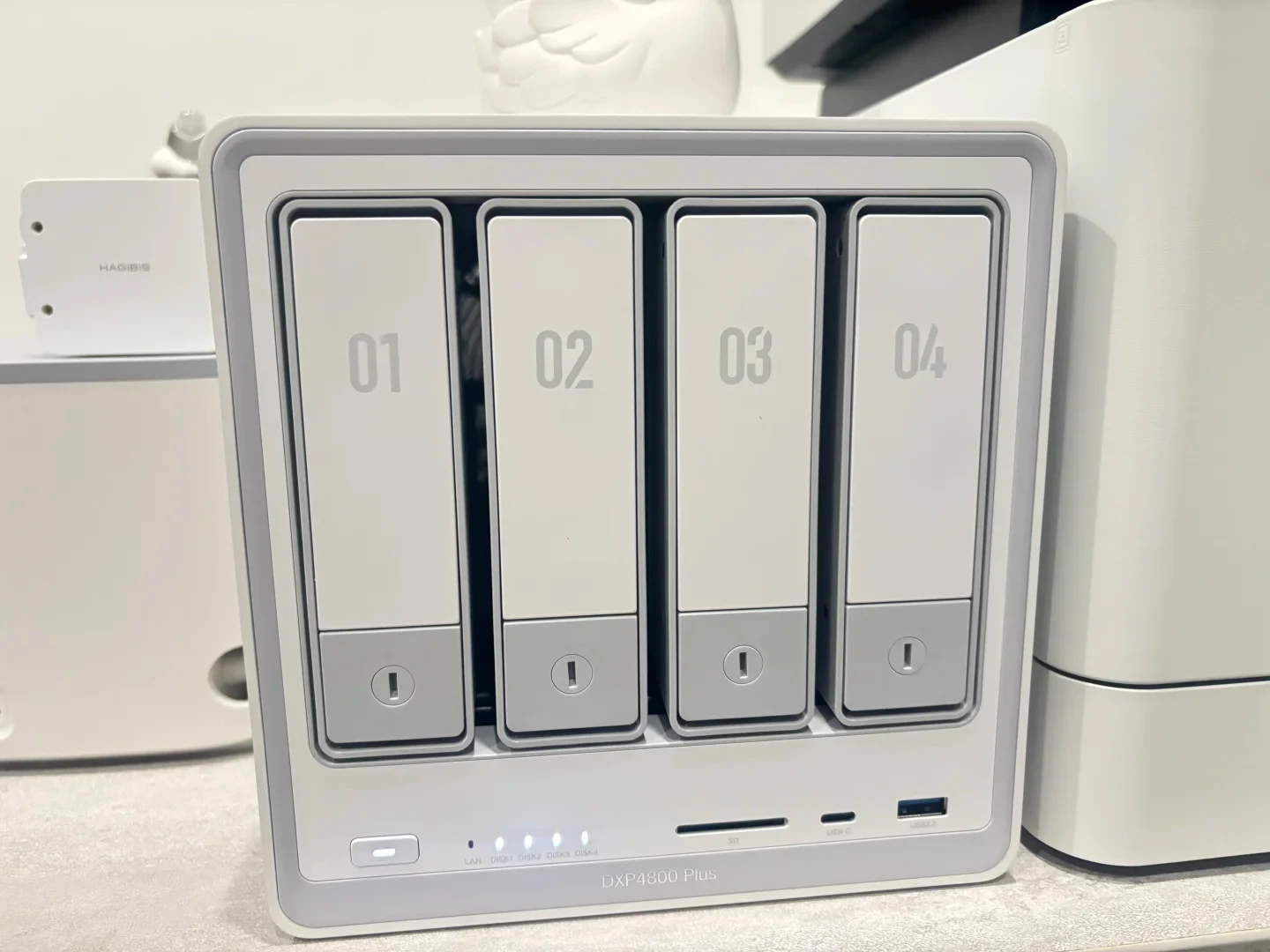
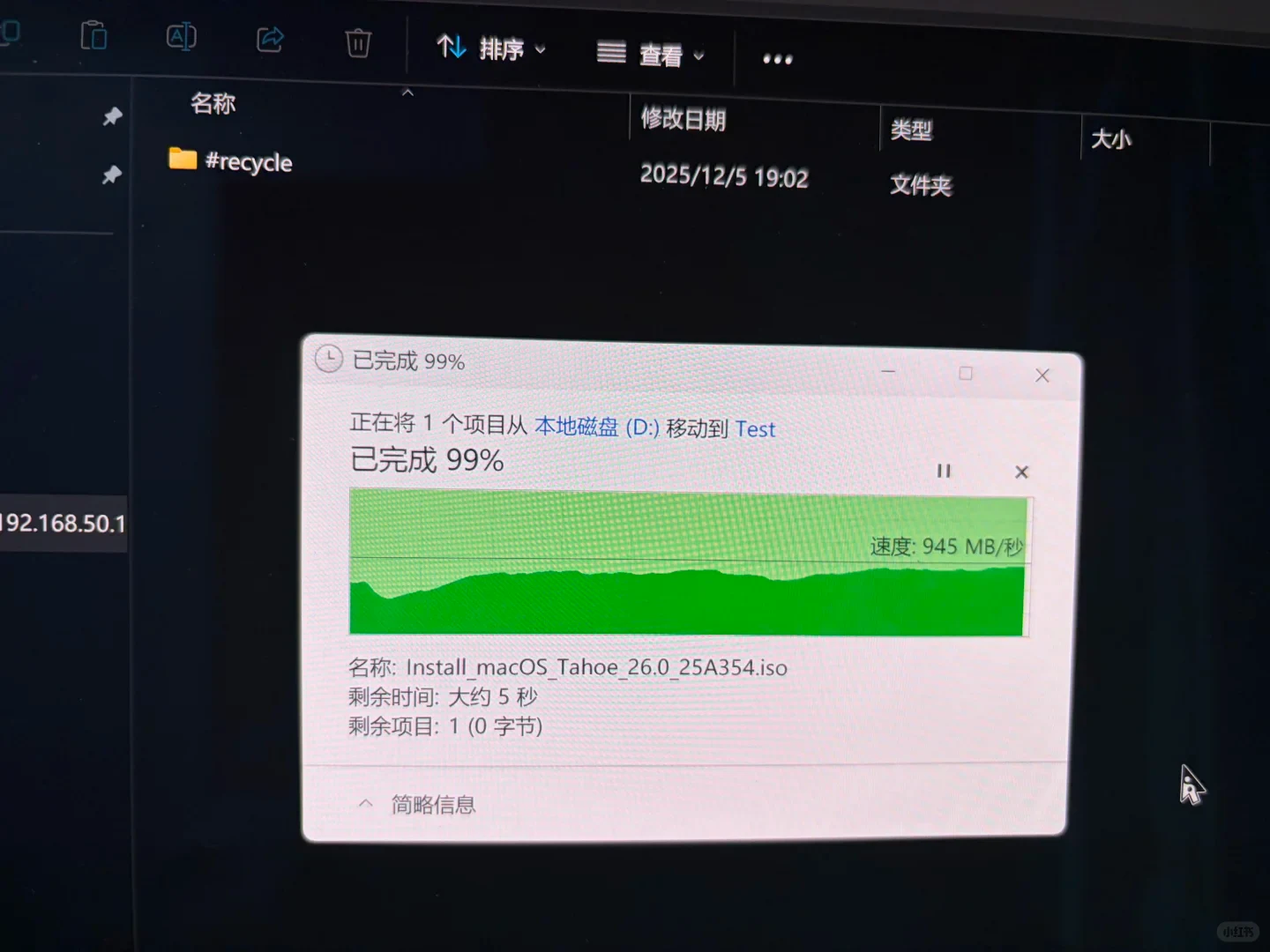

Well, would you look at that—I completely overhauled my home network layout and finally got it working. I was so moved I nearly cried. To get 10-gigabit networking for my NAS, I had to learn a whole lot about networking. Feel free to ask questions; I’ve already run into the pitfalls for you and will do my best to answer. Experts are welcome to correct me!
Equipment: ASUS BE88U router, Lianguo 10-gigabit optical module, fiber-optic cable, Cat 6A installation cable, Cat 7 wall plate and plugs, UGREEN NAS DXP4800 Pro, WD SN700 SSD, Lianguo 10-gigabit switch, ACASIS 10G network adapter, Cat 8 cable, and a laptop Thunderbolt port...
Source: 一颗奶酪 · Xiaohongshu · 2025-12-01 · 耗时一周,Nas终于实现内网10Gbps传输速度!. Search this Chinese title in Xiaohongshu to find the original post.
Before You Buy
Models in your region
The owner identifies the NAS as a UGREEN DXP4800 Pro, and the US listing uses the same model name. The owner’s week-long network setup and displayed transfer results apply to that specific system; the account does not identify its CPU, SSD arrangement, software revisions, or complete network topology.
| Model in this review | Related regional model | What to know |
|---|---|---|
| UGREEN NASync DXP4800 Pro | UGREEN NASync DXP4800 Pro (US) | The US listing is for the same named DXP4800 Pro family. It specifies four drive bays, an Intel Core i3-1315U, two M.2 NVMe SSD slots, and 10GbE plus 2.5GbE; drives are sold separately. The owner’s results are from one setup, whose SSD arrangement and full network topology are not given. |
- Model in this review
- UGREEN NASync DXP4800 Pro
- Related regional model
- UGREEN NASync DXP4800 Pro (US)
- What to know
- The US listing is for the same named DXP4800 Pro family. It specifies four drive bays, an Intel Core i3-1315U, two M.2 NVMe SSD slots, and 10GbE plus 2.5GbE; drives are sold separately. The owner’s results are from one setup, whose SSD arrangement and full network topology are not given.
What the transfer results show
The images show a file transfer at 945 MB/s and an iperf test reporting 9.38 Gbits/sec sender and 9.37 Gbits/sec receiver. These are results shown for the owner’s setup, not a complete performance specification for every DXP4800 Pro installation.
The owner lists a router, optical module, fiber, switch, cables, network adapter, and Thunderbolt-equipped laptop alongside the NAS. Because the full topology and test details are not provided, the results cannot establish which component or configuration determined the transfer rate.
Drive bays and network ports
The US NASync DXP4800 Pro listing specifies four drive bays, two M.2 NVMe SSD slots, and both 10GbE and 2.5GbE networking. Drives are sold separately, so plan the storage configuration as a separate purchase; the owner’s account does not say how the SN700 SSD was installed or configured.
The owner’s 10GbE result may help illustrate what one completed network setup achieved, but it does not confirm that the NAS alone will deliver those rates. The account names several network components without documenting the complete connection path or test conditions.
Related Reading

Reviews & Guides · Computing & Networking
TP-Link Deco X55 in a two-storey Australian home: Wi-Fi across 300 m²
I installed two TP-Link Deco X55 units in my 300 m², two-storey home; bedrooms that often lost Wi-Fi now had a signal throughout the house.

Reviews & Guides · Computing & Networking
TP-Link Deco X55: DNS pauses stopped for six days in access-point mode
I switched my Deco X55 to access-point mode and restored my older router to the front of the network. The DNS-like pauses stayed away for six days.
Reviews & Guides · Computing & Networking
TP-Link Deco X55 after nearly a year: six units, Teams and gaming
I’ve used six TP-Link Deco X55 units for nearly a year, including daily Teams calls and online gaming; I’ve had only one or two connectivity issues.