
Reviews & Guides · Computing & Networking
UGREEN 2.5GbE hub: steady NAS transfers, 2.4GHz receiver stutter
Regional reference: UGREEN 60554 USB 3.0 to Ethernet 5-in-1 Hub (EU)
I got steady transfers to my gigabit NAS through this UGREEN 2.5GbE hub, but connecting a portable drive made my nearby 2.4GHz keyboard and mouse stutter.
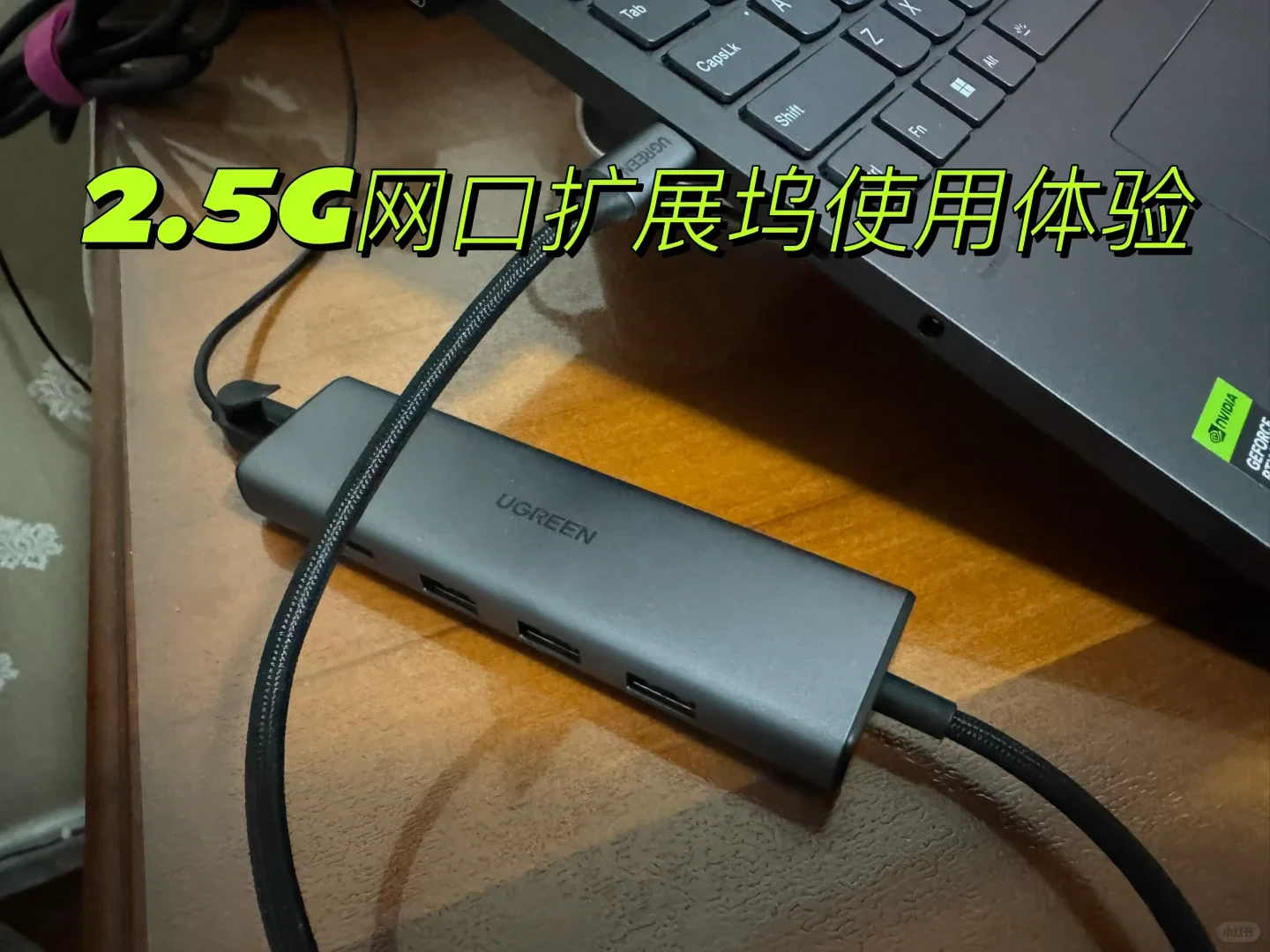
I got a hub for my new ThinkBook 16p. Since I have a NAS at home and may upgrade my network later, I chose a UGREEN model with a 2.5GbE port and replaced my old, mediocre-quality Cat 6 cable.
I plugged the hub into the Thunderbolt 4 port on the laptop’s left side. The network speed was very stable, with transfers to the NAS holding at around 100mb/s. For my DS218play, which has only a gigabit Ethernet port, that was essentially full speed.
Alongside the 2.5GbE port, the hub has one USB 2.0 port, two USB 3.2 Type-A ports and one USB 3.2 Type-C port. I connected portable hard drives, and their transfer speeds were steady too.
My favorite thing about this hub is that it also has a 5V power input. The key point: 5V!
That might be a drawback for people who like hubs with high-power external supplies that charge a laptop in return. But I’ve seen plenty of cautionary examples of hubs damaging motherboards through reverse charging, and a typical hub’s 100W reverse-charging power is also far from enough for a laptop with a discrete graphics card.
The 5V input keeps the hub powered steadily when I use several high-power peripherals, without powering the laptop. The product page clearly stated that, and it fit my needs perfectly.
One drawback: the USB 2.0 port is practically useless. The hub has a mouse-and-keyboard icon beside it, so it seems intended for a wireless receiver. But because it sits right next to a USB 3.2 port, that port seriously interferes with my 2.4GHz keyboard and mouse receiver. As soon as I connect a portable hard drive, the keyboard and mouse start lagging, stuttering or even stop working altogether.
It would be more useful to make that port USB 3.2, whether Type-A or Type-C, or just remove it; I wouldn’t miss it.
Overall, the good outweighs the bad. This hub gives my laptop an Ethernet port and several extra USB ports, so I find it quite practical.
Source: Seeker · Xiaohongshu · 2024-12-23 · 绿联2.5G网口扩展坞使用体验. Search this Chinese title in Xiaohongshu to find the original post.
Before You Buy
Models in your region
The source account describes a UGREEN USB-C hub with 2.5GbE, a 5V auxiliary input and a mix of USB 2.0 and USB 3.2 ports, but does not identify its full model or SKU. The regional product below is a related hub, not a confirmed match, so the owner’s experience should not be treated as a review of that model.
| Model in this review | Related regional model | What to know |
|---|---|---|
| UGREEN USB-C hub with 2.5GbE (exact model and SKU unspecified) | UGREEN 60554 USB 3.0 to Ethernet 5-in-1 Hub (EU) | The source hub is not identified as the EU UGREEN 60554: that related model has a USB-A host, Gigabit Ethernet and three USB 3.0 data ports, rather than the source hub’s USB-C host, 2.5GbE and USB 2.0/USB 3.2 mix. Its specifications and the owner’s results do not establish the source hub’s regional equivalent. |
- Model in this review
- UGREEN USB-C hub with 2.5GbE (exact model and SKU unspecified)
- Related regional model
- UGREEN 60554 USB 3.0 to Ethernet 5-in-1 Hub (EU)
- What to know
- The source hub is not identified as the EU UGREEN 60554: that related model has a USB-A host, Gigabit Ethernet and three USB 3.0 data ports, rather than the source hub’s USB-C host, 2.5GbE and USB 2.0/USB 3.2 mix. Its specifications and the owner’s results do not establish the source hub’s regional equivalent.
The owner’s NAS speed reflects a gigabit endpoint
The source writes the transfer rate as “100mb/s” without clearly distinguishing bits from bytes. Keep that reported figure separate from a verified throughput benchmark. The NAS is described as having a gigabit port, so this setup does not test whether the hub can deliver 2.5Gbps to a faster endpoint.
Network transfers also depend on the endpoint, upstream connection and cables. The account reports a steady connection after adding the hub and replacing a Cat 6 cable together; it does not isolate the contribution of either change.
Separate a 2.4GHz receiver from USB 3.x activity
In the owner’s setup, connecting a portable hard drive to a USB 3.2 port coincided with stuttering or loss of function from a nearby 2.4GHz keyboard and mouse receiver plugged into the hub’s adjacent USB 2.0 port. This is an individual observation, not a confirmed diagnosis of the hub’s cause of the interference.
Intel’s technical reference explains that USB 3.0 noise can affect nearby 2.4GHz receivers and that moving a receiver away with a USB 2.0 extension can reduce the effect. UGREEN’s general troubleshooting guidance also suggests receiver separation as a way to test for RF interference. Neither source confirms that RF interference caused this particular incident, and the owner did not report trying a fix.
USB3.0 and2.4GHz receivers: Intel technical reference · US · UGREEN USB hubs: general troubleshooting · US
A 5V input is not a laptop-charging port
The author says the hub’s listing described a 5V input that powers the hub without charging the laptop. That was the preferred arrangement for this setup. The EU 60554 separately documents this kind of auxiliary input, but cannot verify the unidentified unit’s electrical design. The author’s stories about other hubs damaging motherboards are not an established diagnosis or proof that a 5V input makes this unit immune to faults.
Auxiliary power may address a power shortage, but it does not by itself resolve possible radio-frequency interference. If a 2.4GHz receiver stutters beside an active USB 3.x device, receiver separation is a distinct troubleshooting step; the supplied guidance does not establish that it will fix every setup.
Related Reading

Reviews & Guides · Computing & Networking
TP-Link Deco X55 in a two-storey Australian home: Wi-Fi across 300 m²
I installed two TP-Link Deco X55 units in my 300 m², two-storey home; bedrooms that often lost Wi-Fi now had a signal throughout the house.

Reviews & Guides · Computing & Networking
TP-Link Deco X55: DNS pauses stopped for six days in access-point mode
I switched my Deco X55 to access-point mode and restored my older router to the front of the network. The DNS-like pauses stayed away for six days.
Reviews & Guides · Computing & Networking
TP-Link Deco X55 after nearly a year: six units, Teams and gaming
I’ve used six TP-Link Deco X55 units for nearly a year, including daily Teams calls and online gaming; I’ve had only one or two connectivity issues.