
Reviews & Guides · Computing & Networking
Xiaomi Router BE6500 Pro with five BE6500 nodes: 800 Mbps+ in an office
Reviewed: Xiaomi Router BE6500 Pro, Xiaomi Router BE6500Regional reference: Xiaomi Router BE3600 (UK)
I set up a Xiaomi Router BE6500 Pro with five BE6500 nodes in a 1,500 m² office; at up to 90 people, corner speed tests exceeded 800 Mbps.
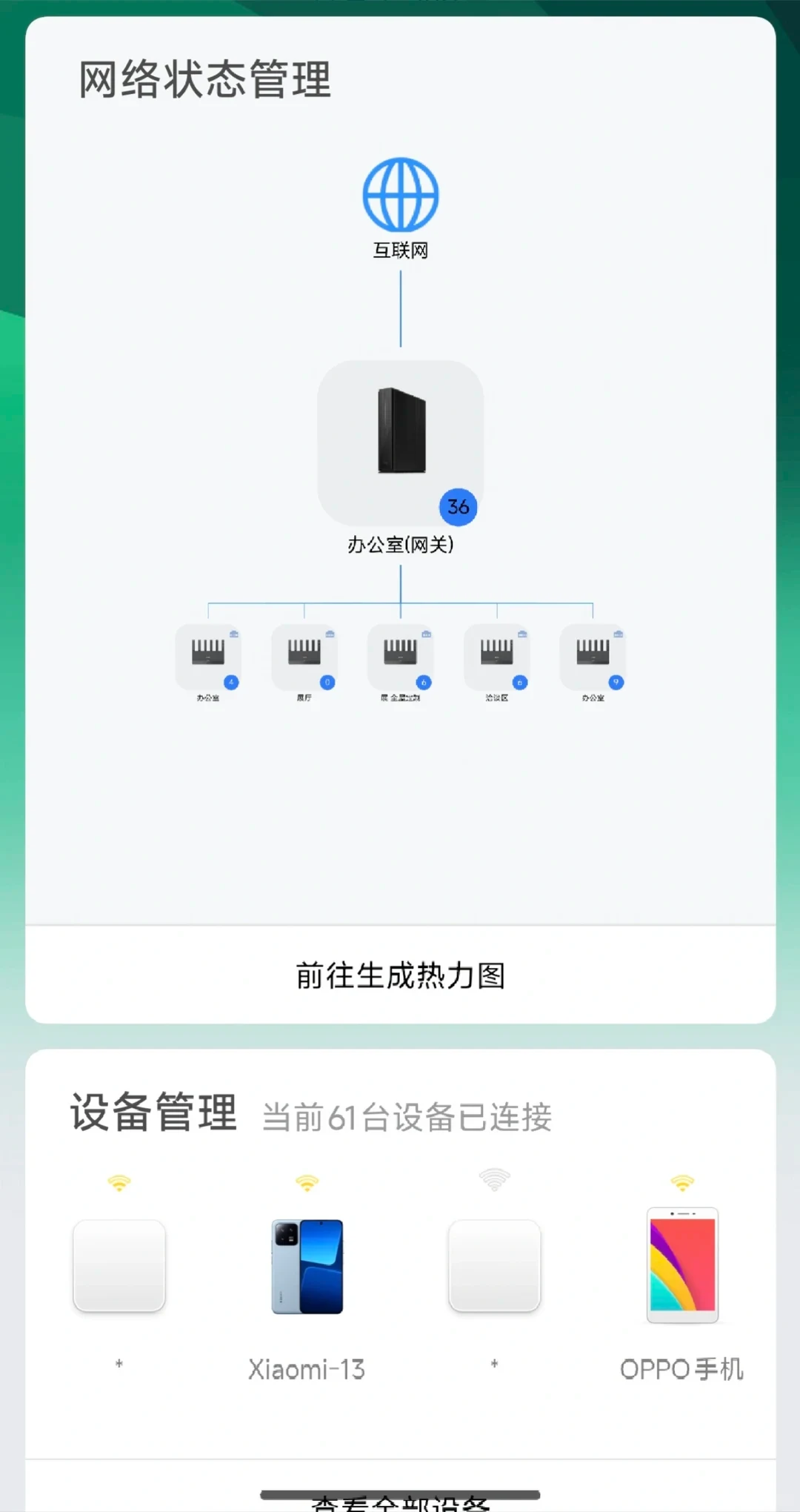

For a 1,500 m² office network, I chose the Xiaomi Router BE6500 Pro as the main router, mainly because it has 1 GB of memory, and used five BE6500 units as nodes. I turned off band steering and hid the 2.4 GHz network. The experience has been excellent: with up to 90 people present, speed tests in the corners were all above 800 Mbps.
Source: 上海米系智能 · Xiaohongshu · 2025-12-06 · 小米路由器从不坑人. Search this Chinese title in Xiaohongshu to find the original post.
Before You Buy
Models in your region
The source account describes a China-market Xiaomi Router BE6500 Pro main router and five BE6500 nodes in one office installation. The UK Xiaomi Router BE3600 is a separate dual-band router, not a verified regional equivalent; its specifications and setup guidance should not be taken as evidence of compatibility or performance for the BE6500 models.
| Model in this review | Related regional model | What to know |
|---|---|---|
| Xiaomi Router BE6500 Pro and five Xiaomi Router BE6500 units | Xiaomi Router BE3600 (UK) | The source account identifies a mixed setup with the BE6500 Pro as the main router and five BE6500 nodes. The UK BE3600 is a separate product, and the supplied evidence does not establish compatibility with either China-market model. |
- Model in this review
- Xiaomi Router BE6500 Pro and five Xiaomi Router BE6500 units
- Related regional model
- Xiaomi Router BE3600 (UK)
- What to know
- The source account identifies a mixed setup with the BE6500 Pro as the main router and five BE6500 nodes. The UK BE3600 is a separate product, and the supplied evidence does not establish compatibility with either China-market model.
What the office installation shows
The installer reports corner speed-test readings above 800 Mbps in a 1,500 m² office when up to 90 people were present. This is a result from that installation, not a general performance guarantee; the post does not specify the test device, connection, or measurement method, so readers cannot use it to predict results in another building.
The setup paired one BE6500 Pro main router with five BE6500 nodes and disabled band steering while hiding the 2.4 GHz network. The account does not explain why those wireless settings were chosen or report separate results for each band, so it does not establish that this configuration is best for other offices.
What the UK BE3600 offers—and what is unconfirmed
The UK Xiaomi Router BE3600 is a separate dual-band Wi-Fi 7 router with one 2.5GbE port and three Gigabit Ethernet ports. Xiaomi says mixed Mesh can support up to 10 routers when the models are compatible and the current app is used; the supplied UK product information does not confirm compatibility with the China-market BE6500 Pro or BE6500, so check the exact model pairing before planning a mixed network.
For UK BE3600 placement, Xiaomi recommends an unobstructed central position, upright and about 1 metre above the ground, away from enclosed metal cabinets. These are manufacturer recommendations for the UK BE3600; the source account does not test this placement guidance with its BE6500 installation.
Related Reading

Reviews & Guides · Computing & Networking
TP-Link Deco X55 in a two-storey Australian home: Wi-Fi across 300 m²
I installed two TP-Link Deco X55 units in my 300 m², two-storey home; bedrooms that often lost Wi-Fi now had a signal throughout the house.
Reviews & Guides · Computing & Networking
TP-Link Deco X55: DNS pauses stopped for six days in access-point mode
I switched my Deco X55 to access-point mode and restored my older router to the front of the network. The DNS-like pauses stayed away for six days.
Reviews & Guides · Computing & Networking
TP-Link Deco X55 after nearly a year: six units, Teams and gaming
I’ve used six TP-Link Deco X55 units for nearly a year, including daily Teams calls and online gaming; I’ve had only one or two connectivity issues.