
Google Fitbit Air vs Apple Watch: first-week notes, with Apple Watch Series 11 context
I wore Google Fitbit Air and Apple Watch side by side for a week, comparing sleep records, activity tracking, battery life and all-day comfort.
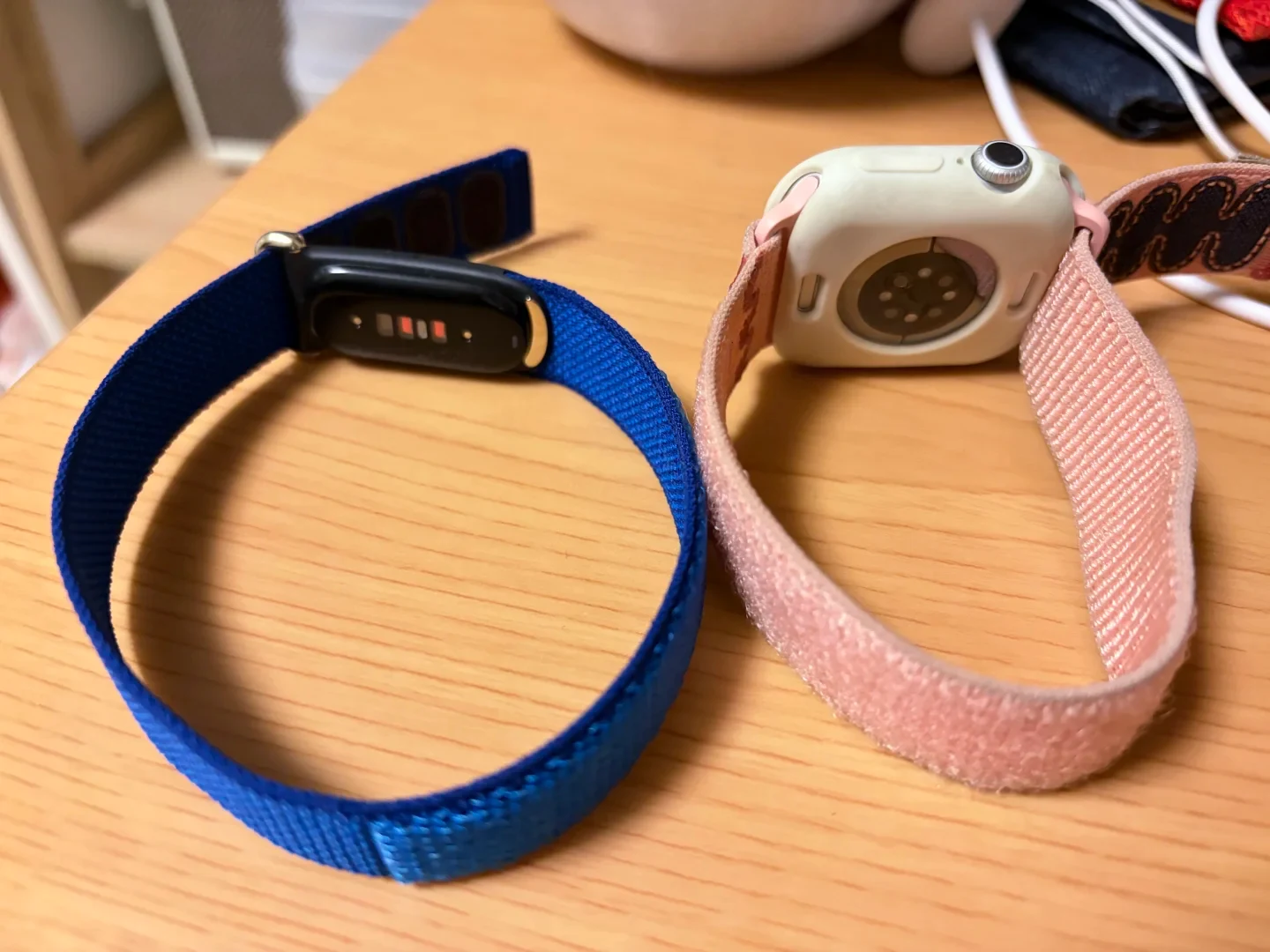
I wore one on each wrist for a week, just long enough to sell the Apple Watch.
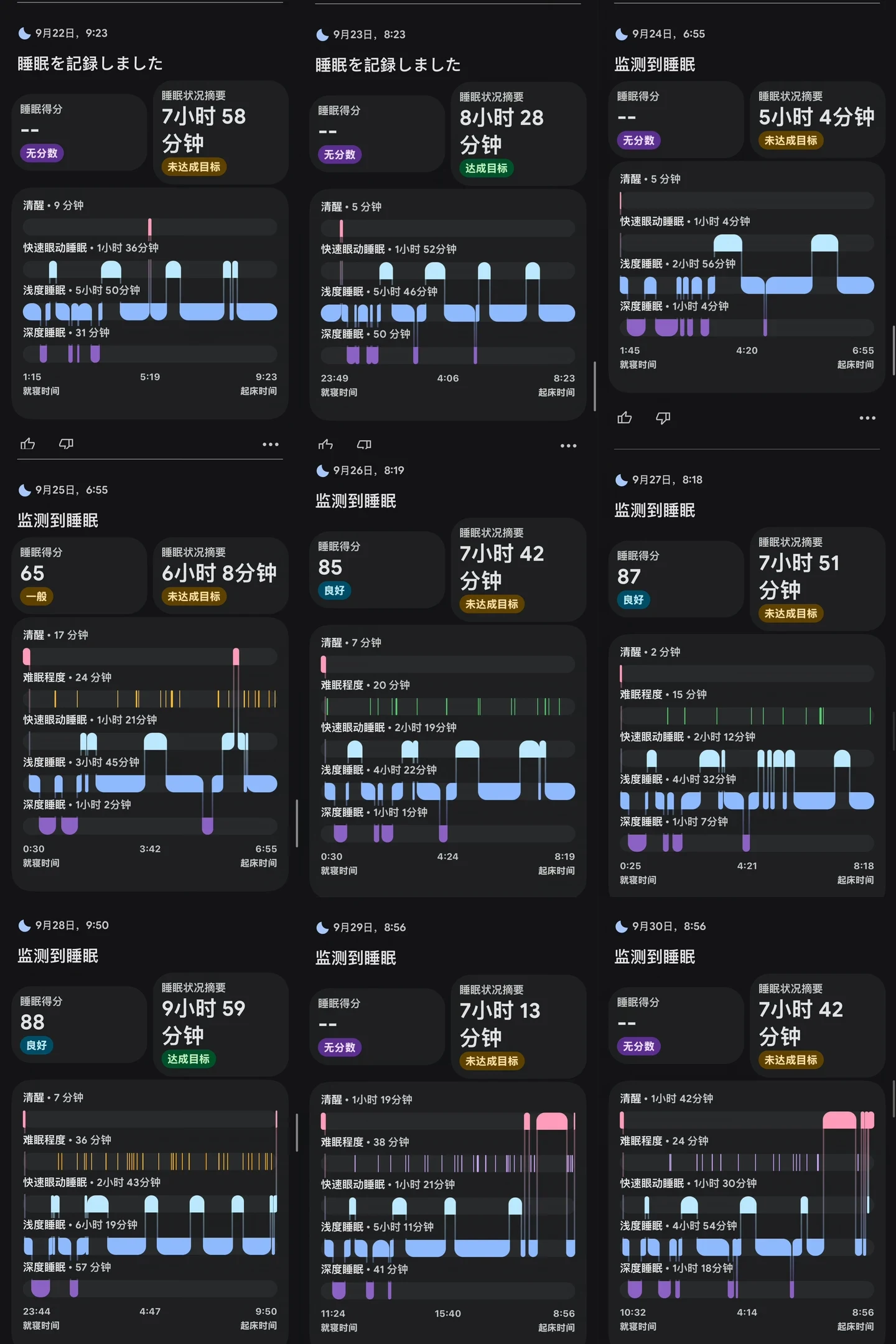
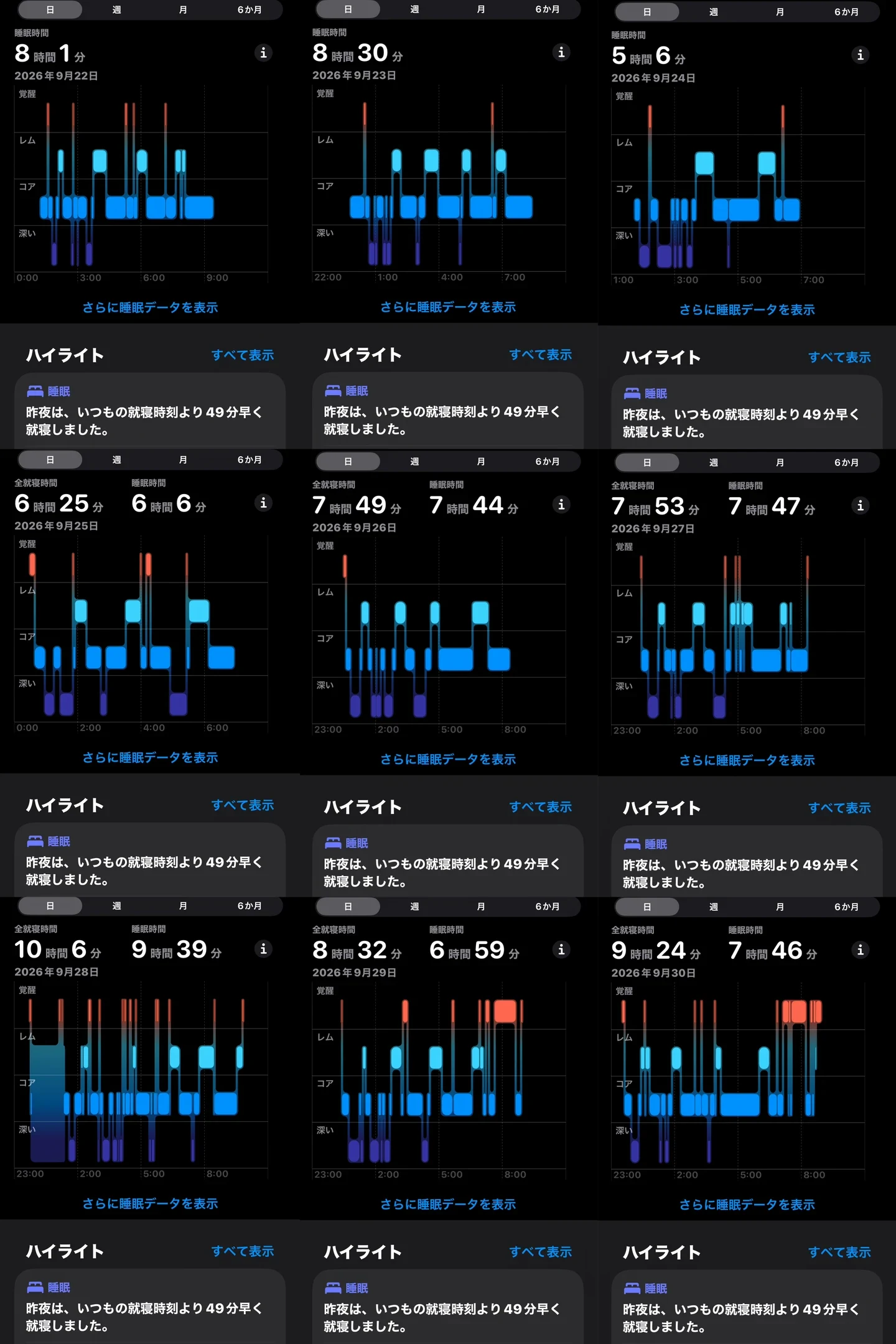
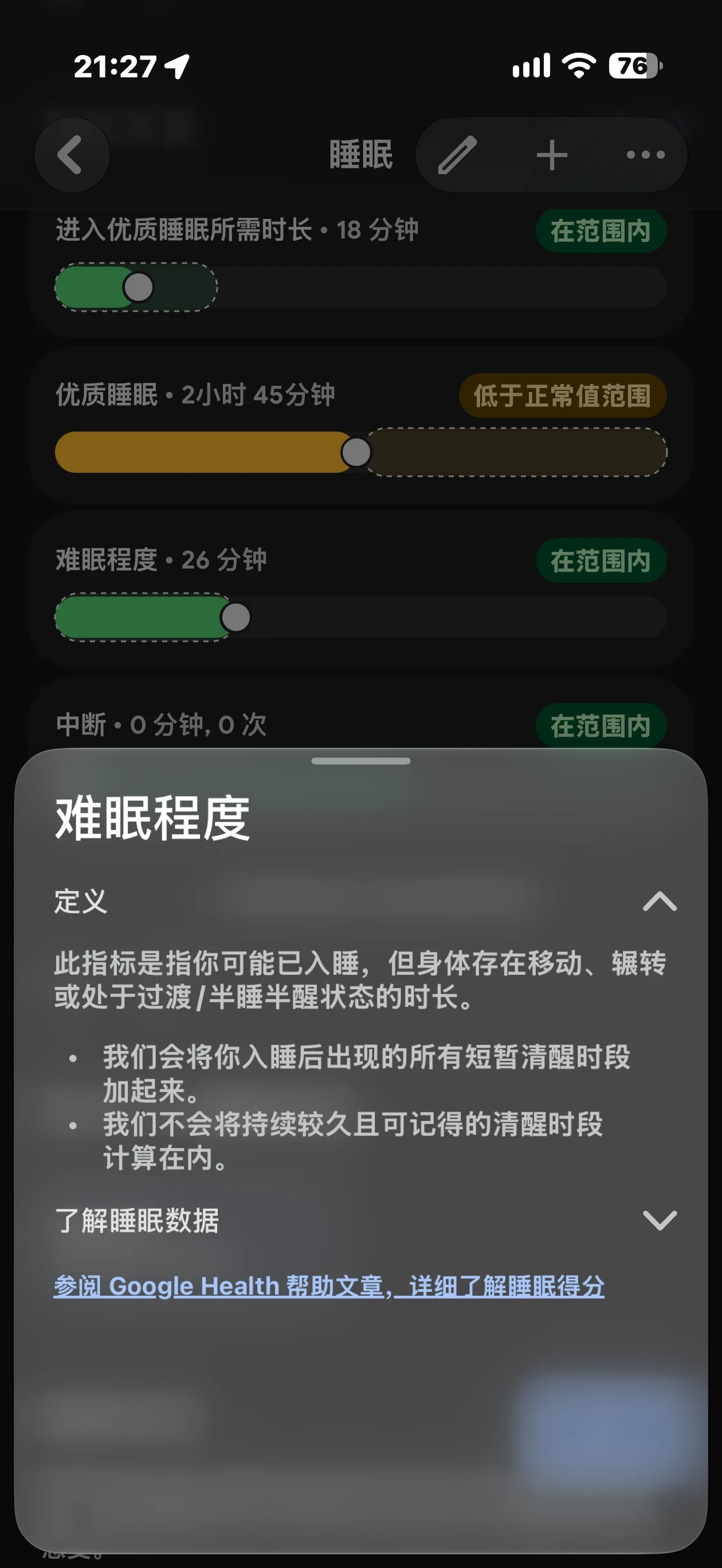
The sleep data is shown in Figure 2.
Figure 2 shows Fitbit Air’s sleep data in the Google Health app.
Figure 3 shows Apple Watch’s sleep data in the built-in Health app on the iPhone.
The data for the 22nd and 23rd was Apple Watch data synced to Google Health.
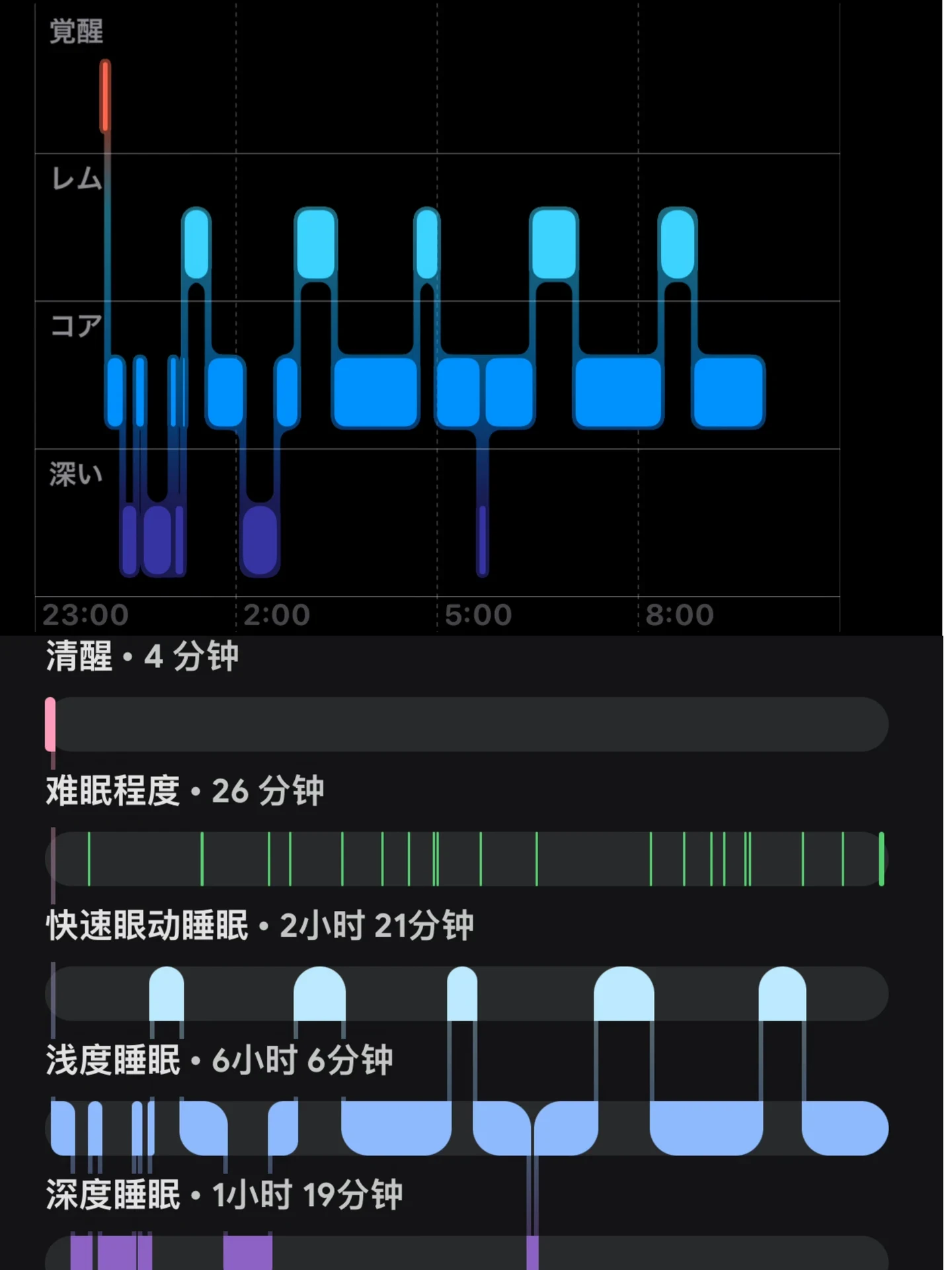
Both devices recorded sleep directly, and I did not need to do anything after waking up in the morning. The data synced automatically when I opened the app. The records were broadly consistent, but there were still differences.
Fitbit has a category called restless time, meaning time spent half-asleep and half-awake. Honestly, I had not expected to spend that much time half-awake.
The Apple Watch does not have this rather elaborate category, but when I opened my eyes and woke up, the Apple Watch had recorded that I was awake. Fitbit Air considered me to be half-asleep and half-awake.
I like to keep my eyes closed and stay in bed for a while. The Apple Watch counted some of that lying-in time as sleep.
So which device records sleep more accurately? That depends on how you look at it.
But that pretend-sleep time was not enough to support my Pokémon Sleep goal of getting eight and a half hours of sleep.
After sleep
Both devices have temperature detection, but after I drank alcohol and went to sleep on the night of the 27th, the Apple Watch warned me when I got up that my sleep temperature was unusually high. It was not particularly useful, but Fitbit did not provide this warning.
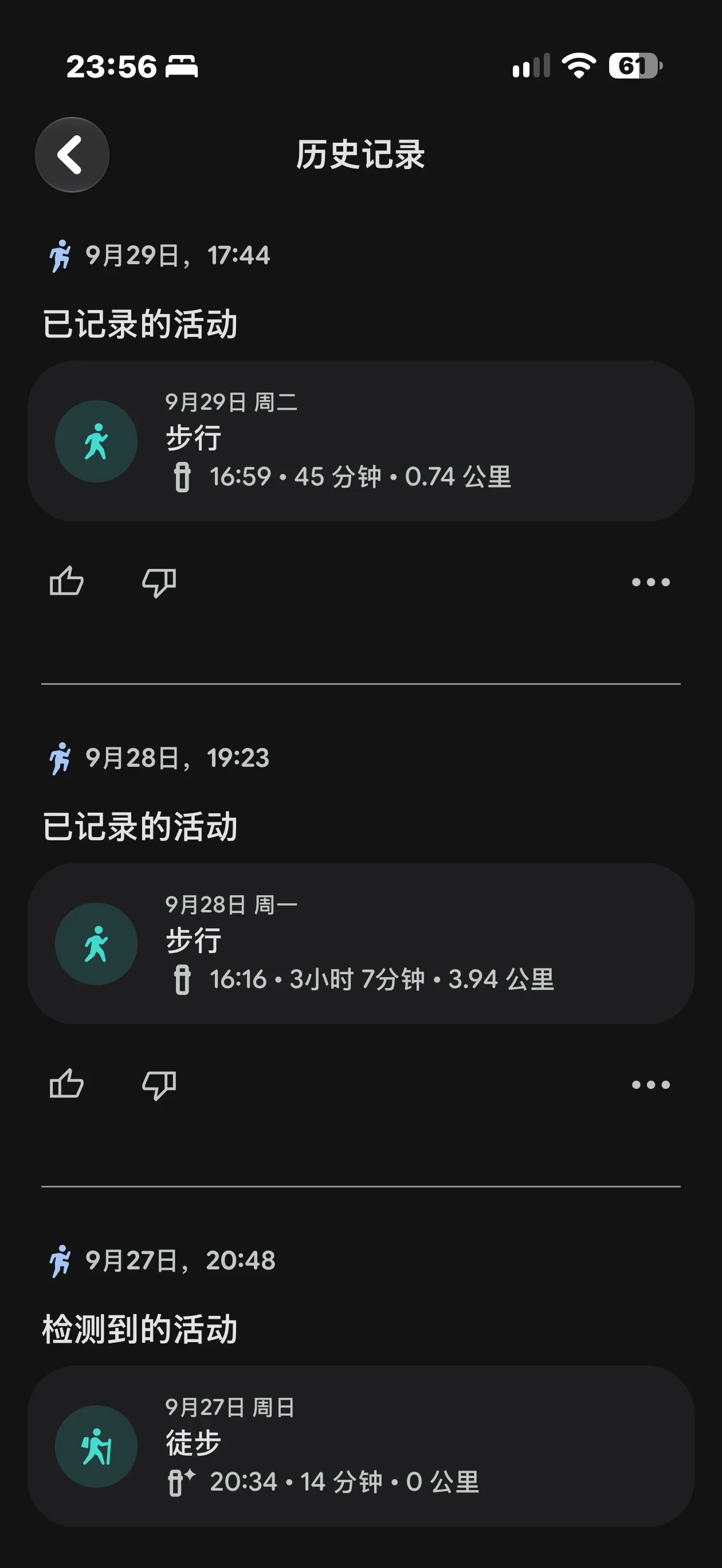
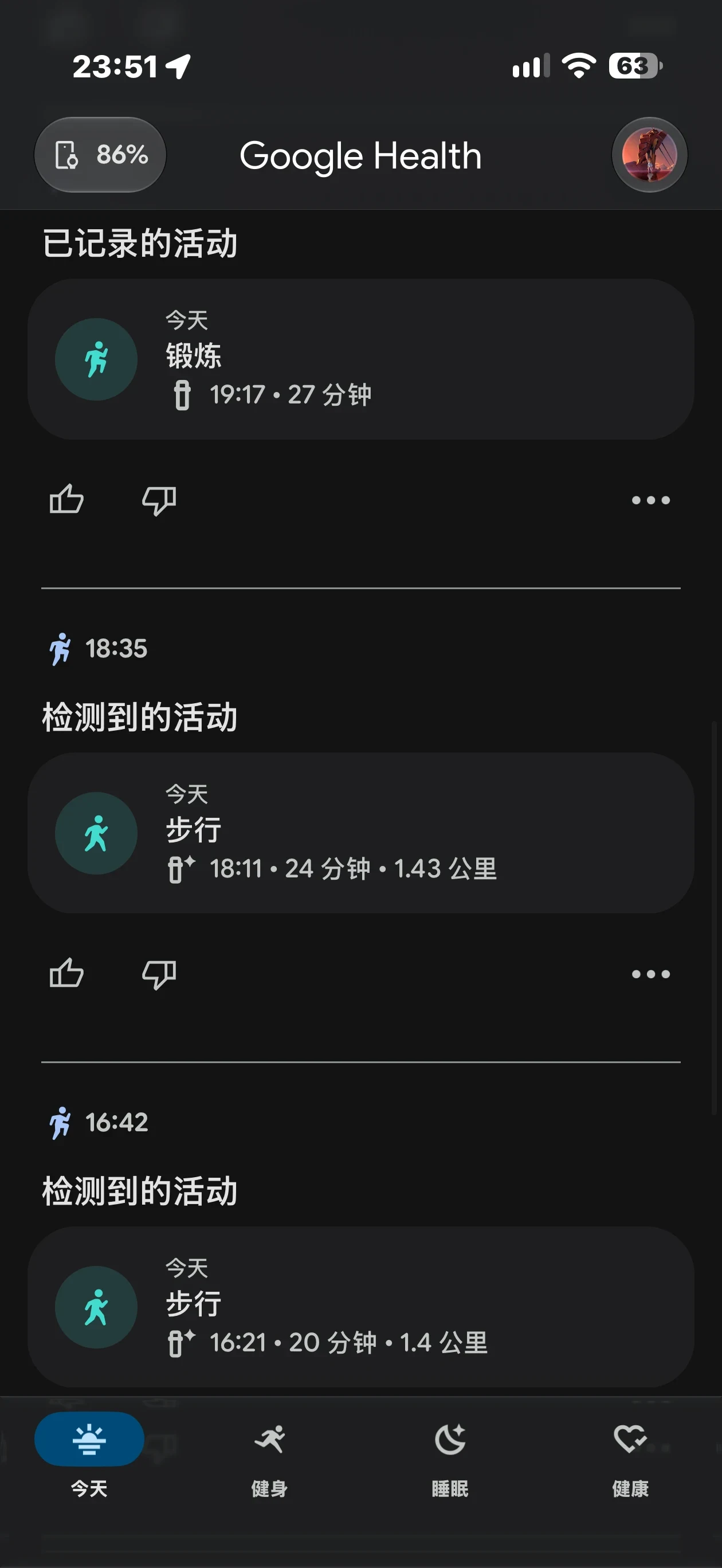
For exercise, I usually go outside for a walk every day. At first, if I did not start a walking workout manually, it would not be recorded, so I had to tap to start it. Fitbit requires a tap in the app, while Apple Watch detects the activity and reminds me to tap to start.
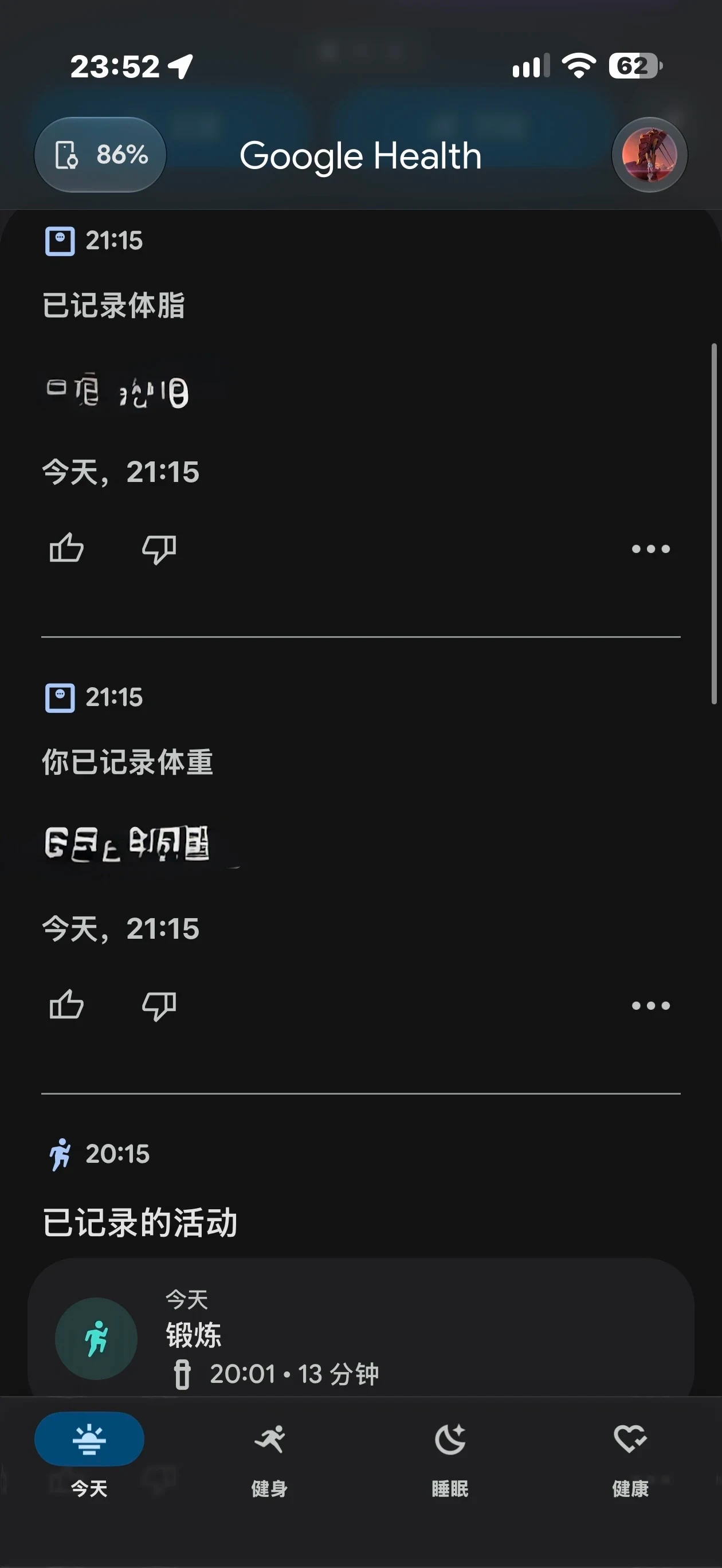
However, Fitbit occasionally detected activity and recorded it by itself, as shown in Figures 6 and 7. I give Fitbit an extra point for that. I definitely do not want to keep starting workouts manually.
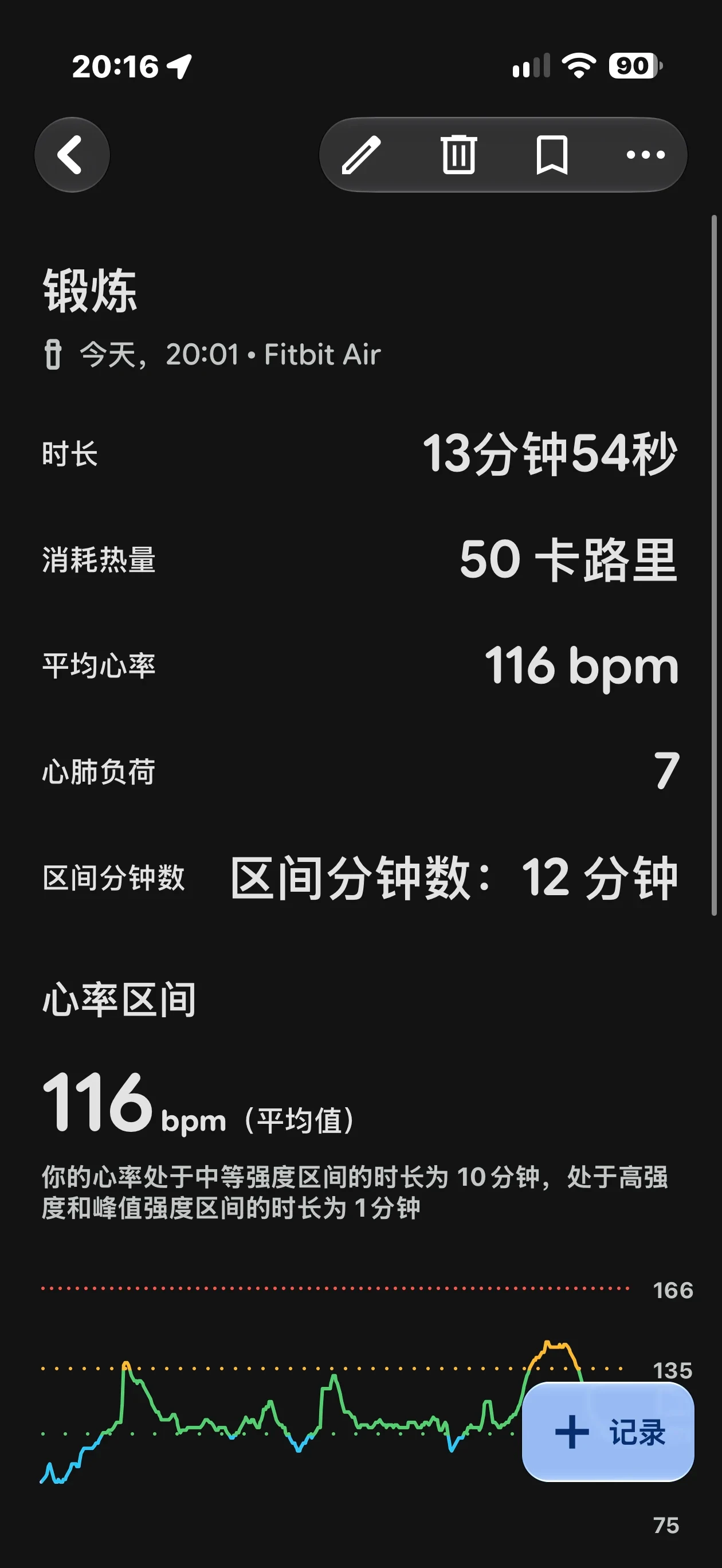
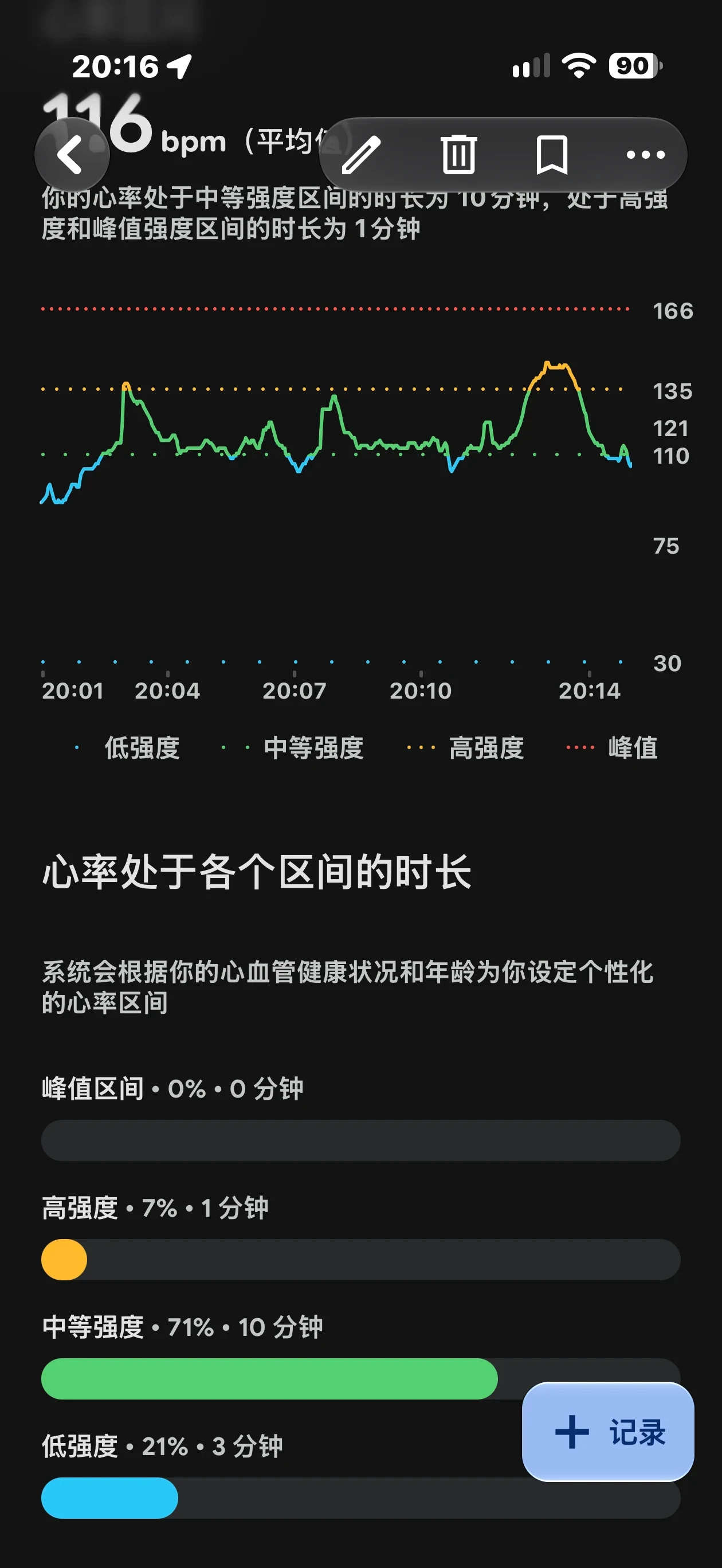
The workout records are also quite detailed. I have included today's Ring Fit workout record in Figures 8 and 9.
There is another thing worth praising. My household scale has its own app, and it can sync with Apple’s built-in Health app, but I always find it too difficult to locate the relevant information.
Google Health can also sync the data and display it immediately, as shown in Figure 10. However, if I do not open the scale’s dedicated app when weighing myself, the measurement is not recorded or synced.
Of course, Apple Watch has many more functions. One I cannot do without is finding my phone. Receiving new messages immediately is certainly convenient too, but I do not want those notifications.
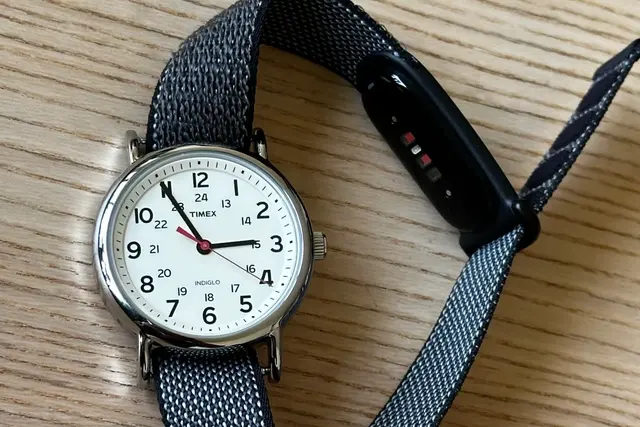
Overall, if you are like me and prefer wearing a traditional watch, I highly recommend buying Fitbit Air.
Compared with charging the Apple Watch every day, Fitbit can last a week. I can also see the remaining battery in Google Health whenever I want, so I do not have much battery anxiety.
Wearing it in the shower is effortless, and I can leave it on continuously like a traditional watch or piece of jewellery. By contrast, my wrist became itchy whenever the Apple Watch got wet. It was uncomfortable when I fastened it slightly tighter, the case was too large for me and caught against things, and my wrist became stuffy and started peeling.
Source: 小栗以前 · Xiaohongshu · 2026-10-02 · google fitbit air与Apple Watch对比评测. Search this Chinese title in Xiaohongshu to find the original post.
Before You Buy
Models in your region
Google’s US and UK stores list Google Fitbit Air under the same product name, with up to seven days of battery life, a 90-minute full charge and support for Google Health on Android 11 or later and iOS 16.4 or later. The official pages do not establish that every accessory, account feature or warranty condition is identical between countries.
| Model in this review | Related regional model | What to know |
|---|---|---|
| Google Fitbit Air | Google Fitbit Air (US) | Google lists up to seven days of battery life, 50 m water resistance and Android 11+ or iOS 16.4+ compatibility for Fitbit Air in the US. |
| Google Fitbit Air | Google Fitbit Air (UK) | The UK listing matches the US figures for battery life, 90-minute full charging and phone requirements. For a cross-border purchase, confirm the included band and warranty with the seller. |
| Apple Watch (generation not stated) | Apple Watch Series 11 (US) | Series 11 is a related Apple Watch option with an Always-On display and up to 24 hours normal use. The post does not identify the watch generation, so its temperature, comfort and sleep observations cannot be assigned specifically to Series 11. |
- Model in this review
- Google Fitbit Air
- Related regional model
- Google Fitbit Air (US)
- What to know
- Google lists up to seven days of battery life, 50 m water resistance and Android 11+ or iOS 16.4+ compatibility for Fitbit Air in the US.
- Model in this review
- Google Fitbit Air
- Related regional model
- Google Fitbit Air (UK)
- What to know
- The UK listing matches the US figures for battery life, 90-minute full charging and phone requirements. For a cross-border purchase, confirm the included band and warranty with the seller.
- Model in this review
- Apple Watch (generation not stated)
- Related regional model
- Apple Watch Series 11 (US)
- What to know
- Series 11 is a related Apple Watch option with an Always-On display and up to 24 hours normal use. The post does not identify the watch generation, so its temperature, comfort and sleep observations cannot be assigned specifically to Series 11.
Sleep records show interpretation differences
The owner saw broadly similar sleep records from Fitbit Air and Apple Watch, but the devices classified waking and lying-in time differently. Fitbit’s restless-time category treated some awake time as half-asleep, while Apple Watch recorded the moment the owner opened their eyes as awake; this single comparison cannot establish which device is medically or universally more accurate.
The owner also reported an Apple Watch warning for unusually high sleep temperature after drinking alcohol, while Fitbit did not show the same alert. That is an observation from one night and does not establish a general difference in temperature accuracy or health interpretation.
Automatic activity detection can reduce tapping
The owner initially started walks in the Fitbit app, while Apple Watch prompted for confirmation. Fitbit later recorded some activity automatically, making it useful for someone who wants fewer taps, although the owner did not count how often detection succeeded.
The displayed workout records include duration, calories, heart rate and time in heart-rate zones. The owner found this level of detail useful for reviewing sessions after exercise.
Google Health can bring scale data into one place
The owner found Google Health easier to check for synced scale information than Apple’s Health app, but the scale’s dedicated app still had to be opened during weighing for the measurement to be recorded and synced. Buyers should therefore treat the app connection as a workflow aid, not fully automatic scale capture.
Battery and wearability are the main trade-offs
The owner reported about a week between Fitbit Air charges, compared with daily charging for their Apple Watch. Google's US and UK rating is up to seven days, with 90 minutes for a full charge; actual runtime depends on use.
The owner showered with Fitbit Air and preferred its comfort to Apple Watch. Google rates Fitbit Air for 50 m water resistance but advises removing and fully drying a wet or sweaty band before wearing it again.
Apple Watch remained useful to this owner for finding a phone and receiving messages. Fitbit Air better suited their preference for wearing a conventional watch while keeping an unobtrusive health tracker on the wrist.
Check local software support before buying
In the US and UK, syncing Fitbit Air requires a Google account, Google Health, Bluetooth LE, internet access and location permission. Check these phone settings if records do not appear after a workout.
Google Health Coach requires Premium access and is available to adults in supported countries including the US, Canada, UK, Germany and France. Google's country list does not include Hong Kong or mainland China; successful basic syncing does not establish access to Coach.
The post does not name the Apple Watch generation. Series 11 provides current buying context, but its listed battery, phone requirements and sensors are not a specification sheet for the watch in these photographs.
Related Reading
Reviews & Guides · Wearables
Google Fitbit Air: three-day owner notes on fit, sleep and regional AI Coach access
My Fitbit Air battery fell from 100% to 76% in three days. Cycling and walking were detected automatically, but strength training needed manual entry.
Reviews & Guides · Wearables
Google Fitbit Air: a three-week owner review of fit, battery and AI coaching
I wore the 12g Google Fitbit Air day and night for three weeks, charged it weekly, and found its AI coach surprisingly specific about training and recovery.
Reviews & Guides · Wearables
Google Fitbit Air owner review: light, screen-free tracking with slow responses
I liked Fitbit Air's light fit and interactive logging enough to order a Timex Weekender, but slow replies and incomplete split-sleep records frustrated me.