
Reviews & Guides · Computing & Networking
I upgraded my QNAP TS-464C2 and Synology DS923+ for heavier NAS workloads
Reviewed: QNAP TS-464C2, Synology DiskStation DS923+Regional reference: QNAP TS-464C2 (China); Synology DiskStation DS923+ (US)
I upgraded my Synology DS923+ from 4GB to 16GB and my QNAP TS-464C2 from 8GB to 32GB; here’s what changed with my NAS workloads.
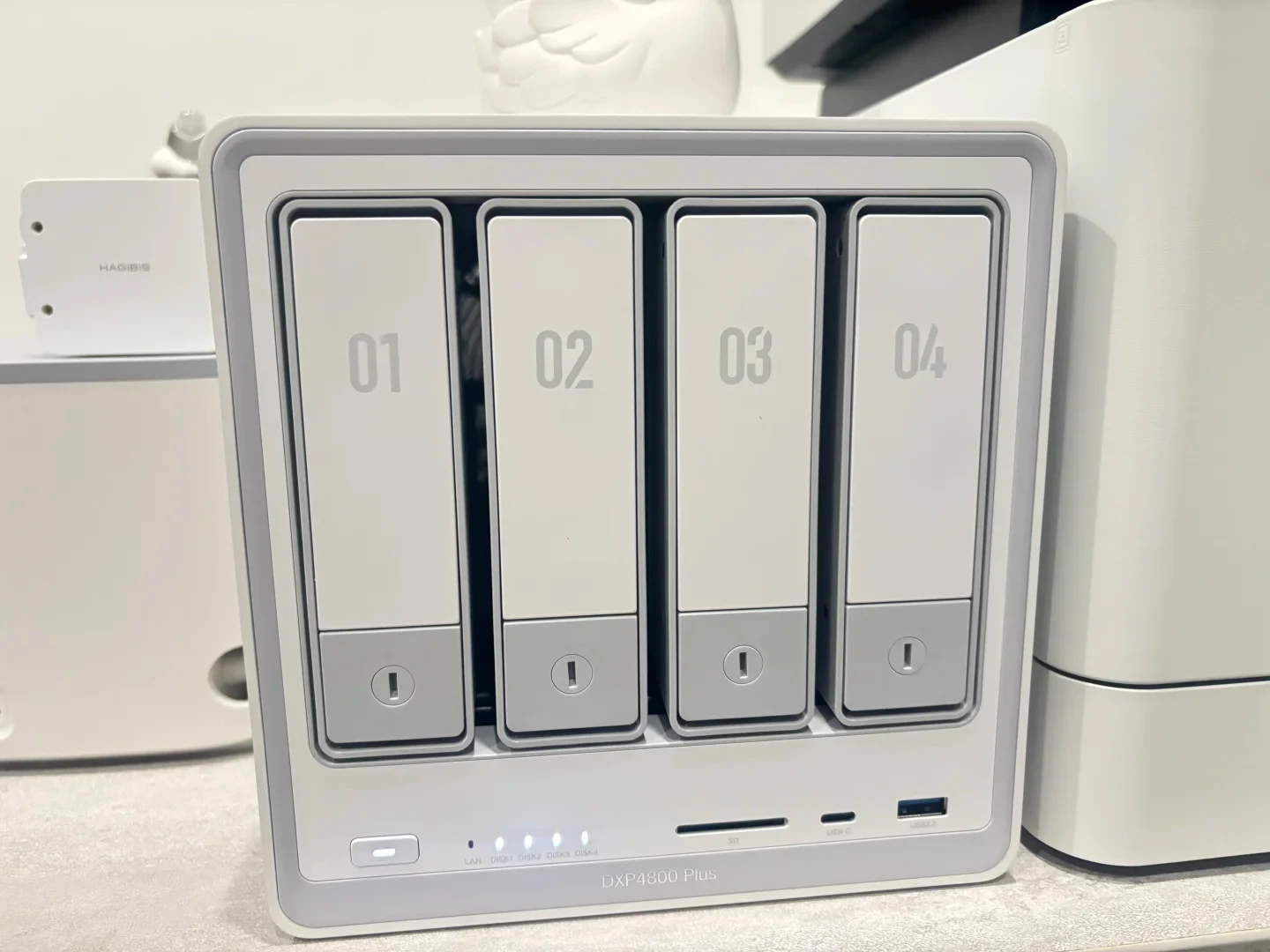
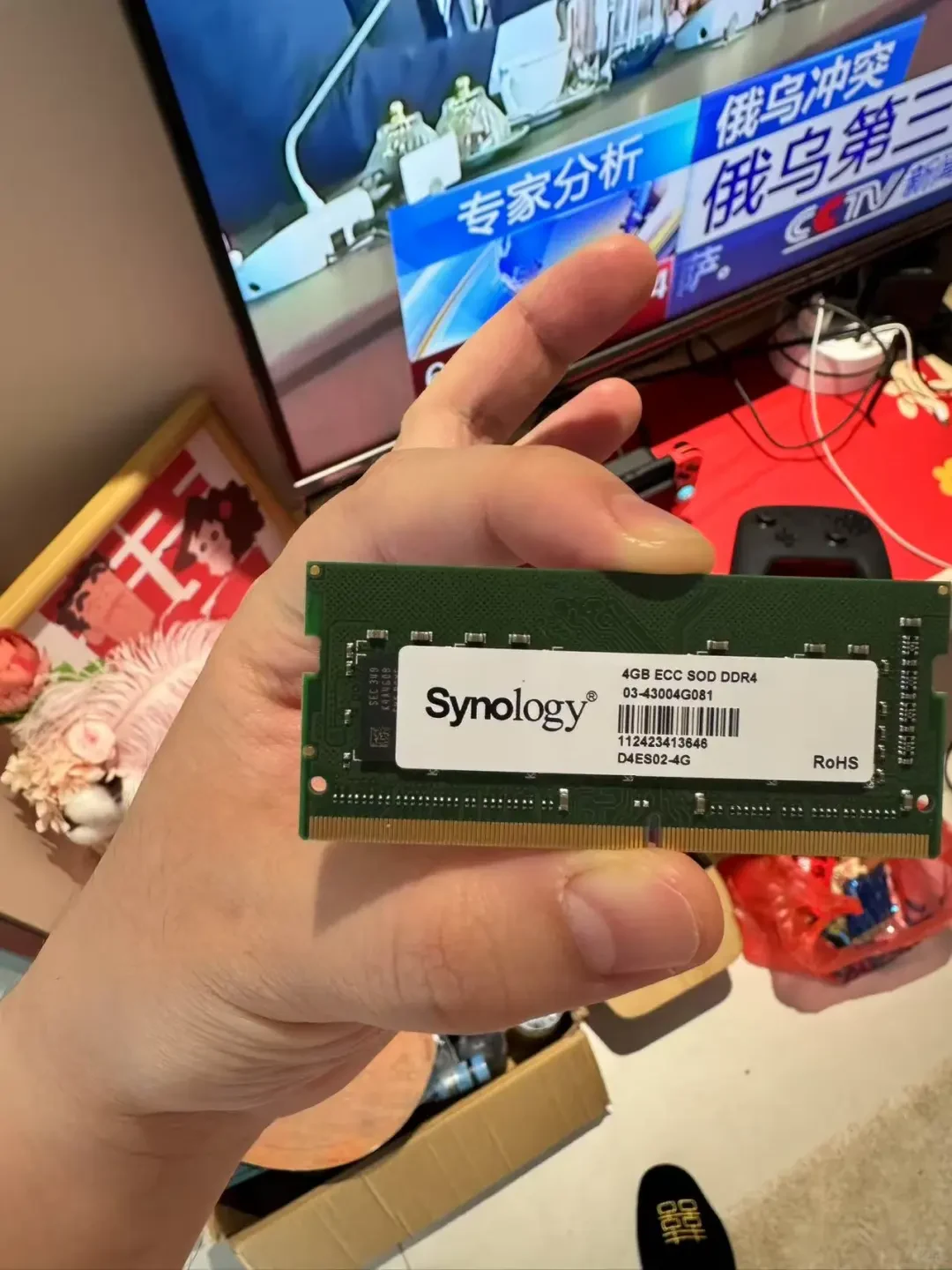
I have two NAS units in service at home: a QNAP TS-464C2 for virtualization, a software router and other demanding tasks, and a Synology DS923+ for file management and lighter services. As the workload grew, memory became a clear bottleneck, so last weekend I upgraded both NAS units.
My original plan was simple: 4GB in the Synology would be plenty for a home file server, while 8GB in the QNAP would cover basic virtualization and containers. But after I deployed Home Assistant and JumpServer and added router duties to the QNAP, I started hitting limits.
When the Synology synced 4K video while indexing photos, progress crawled. Even opening a settings button took two to three seconds, and RAID checks felt painfully slow. On the QNAP, three virtual machines and multiple Docker containers made clicks lag and window switching feel sluggish; I occasionally saw out-of-memory warnings.
I upgraded the Synology from 4GB to 16GB. With multiple users accessing shared folders, SMB transfers now stay around 90–100 MB/s on my gigabit network, compared with 40–50 MB/s at peak times before. Docker containers start faster, Home Assistant device commands respond almost instantly, and photo indexing and RAID checks feel about twice as efficient. DSM also feels smooth and responsive.
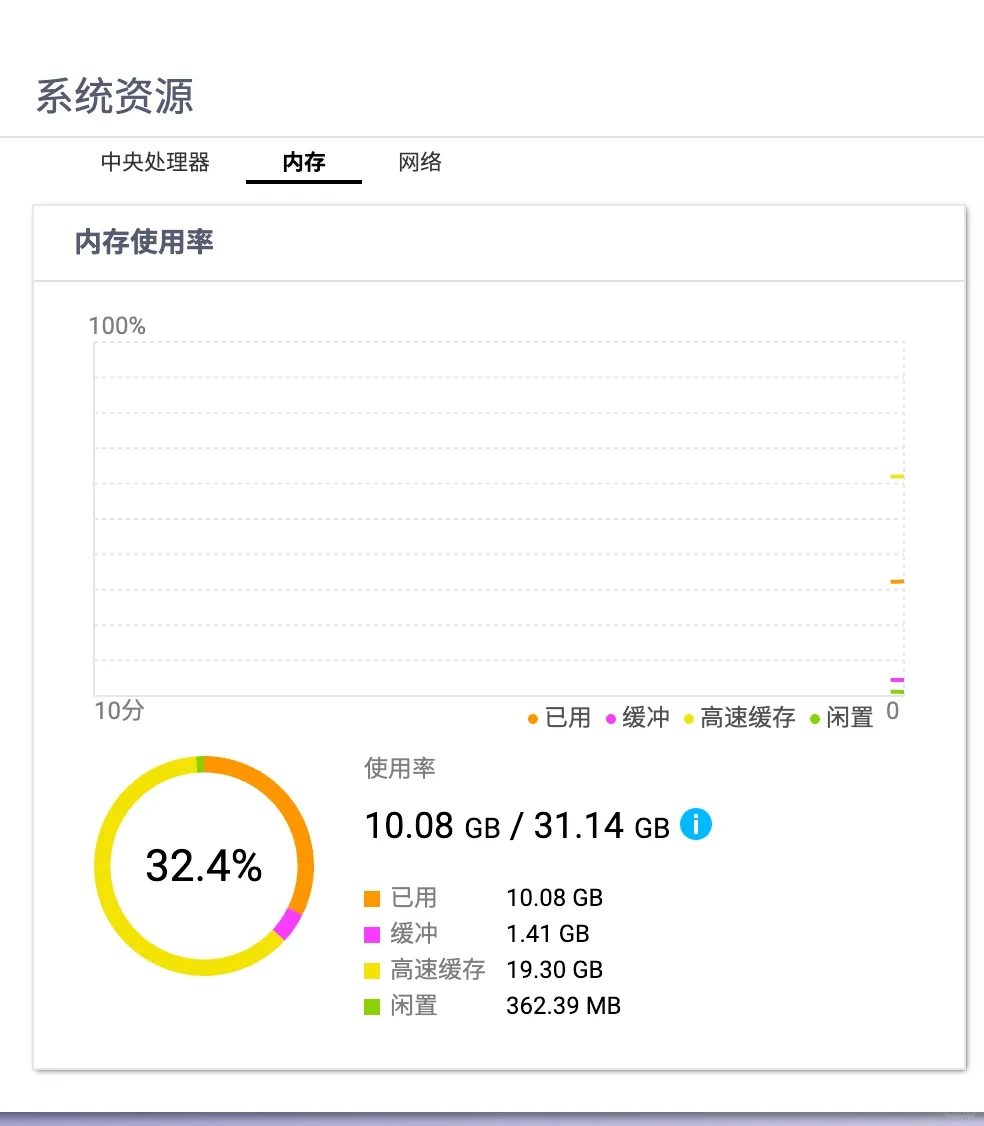
I upgraded the QNAP from 8GB to 32GB. Switching between virtual machines now feels immediate, and I can run the software router, monitoring hub and development environment together. In my other workload, memory use stays around 50–60%, or roughly 16–19GB. Browser Station is a major improvement: where one browser instance could previously freeze, I can now run three or four while browsing and editing online documents.
Based on my experience with the TS-464C2 and DS923+, a memory upgrade made the biggest difference when I was running more than three services, such as file sharing, virtual machines and containers. For light file serving, such as a home drive or backups, I think 8GB is enough; my DS923+ ran DSM 7.2 without trouble. For several containers and light virtualization, I’d choose 16GB for Home Assistant and Docker. For heavier work such as routing, monitoring and development, I’d go straight to 32GB: the TS-464C2’s four-core CPU paired with more memory feels like a much stronger setup. The upgrade made both systems feel far smoother than I expected.
Source: 肥肥猫耳朵 · Xiaohongshu · 2025-07-03 · NAS折腾记录:内存升级,鸟枪换炮!🚀. Search this Chinese title in Xiaohongshu to find the original post.
Before You Buy
Models in your region
The owner used a China-market QNAP TS-464C2 and a Synology DS923+. The listed US QNAP TS-464 is a related product, not a confirmed regional-identical version of the TS-464C2; its specifications should not be used to identify the owner’s unit. The DS923+ is the same named model in the official US specification. The owner’s memory results are individual reports, and the QNAP’s reported 32GB configuration exceeds its official China-market maximum.
| Model in this review | Related regional model | What to know |
|---|---|---|
| QNAP TS-464C2 | QNAP TS-464C2 (China) | The owner’s China-market TS-464C2 has two memory slots and an official maximum of 16GB (2 × 8GB); the reported 32GB upgrade exceeds that limit, so the account does not establish manufacturer-approved compatibility. The US TS-464 is related but not confirmed as the same regional model. |
| Synology DiskStation DS923+ | Synology DiskStation DS923+ (US) | The US specification is for the same named DS923+ and lists 4GB of DDR4 ECC memory, two slots and a 32GB maximum. The owner reports upgrading from 4GB to 16GB, but the added module’s part number and ECC configuration are not shown, so compatibility with a specific module cannot be confirmed. |
- Model in this review
- QNAP TS-464C2
- Related regional model
- QNAP TS-464C2 (China)
- What to know
- The owner’s China-market TS-464C2 has two memory slots and an official maximum of 16GB (2 × 8GB); the reported 32GB upgrade exceeds that limit, so the account does not establish manufacturer-approved compatibility. The US TS-464 is related but not confirmed as the same regional model.
- Model in this review
- Synology DiskStation DS923+
- Related regional model
- Synology DiskStation DS923+ (US)
- What to know
- The US specification is for the same named DS923+ and lists 4GB of DDR4 ECC memory, two slots and a 32GB maximum. The owner reports upgrading from 4GB to 16GB, but the added module’s part number and ECC configuration are not shown, so compatibility with a specific module cannot be confirmed.
Treat the memory figures as workload reports, not benchmarks
The DS923+ improved during shared-folder transfers, photo indexing and RAID checks, while the TS-464C2 felt more responsive with virtual machines and Browser Station. These are before-and-after impressions from the home workloads, not controlled tests or a universal memory threshold. The QNAP screenshot shows 31.14GB total, 10.08GB used and 19.30GB cached; it does not show 19.30GB in use. The stated 50–60% usage, or about 16–19GB, refers to another workload described by the owner.
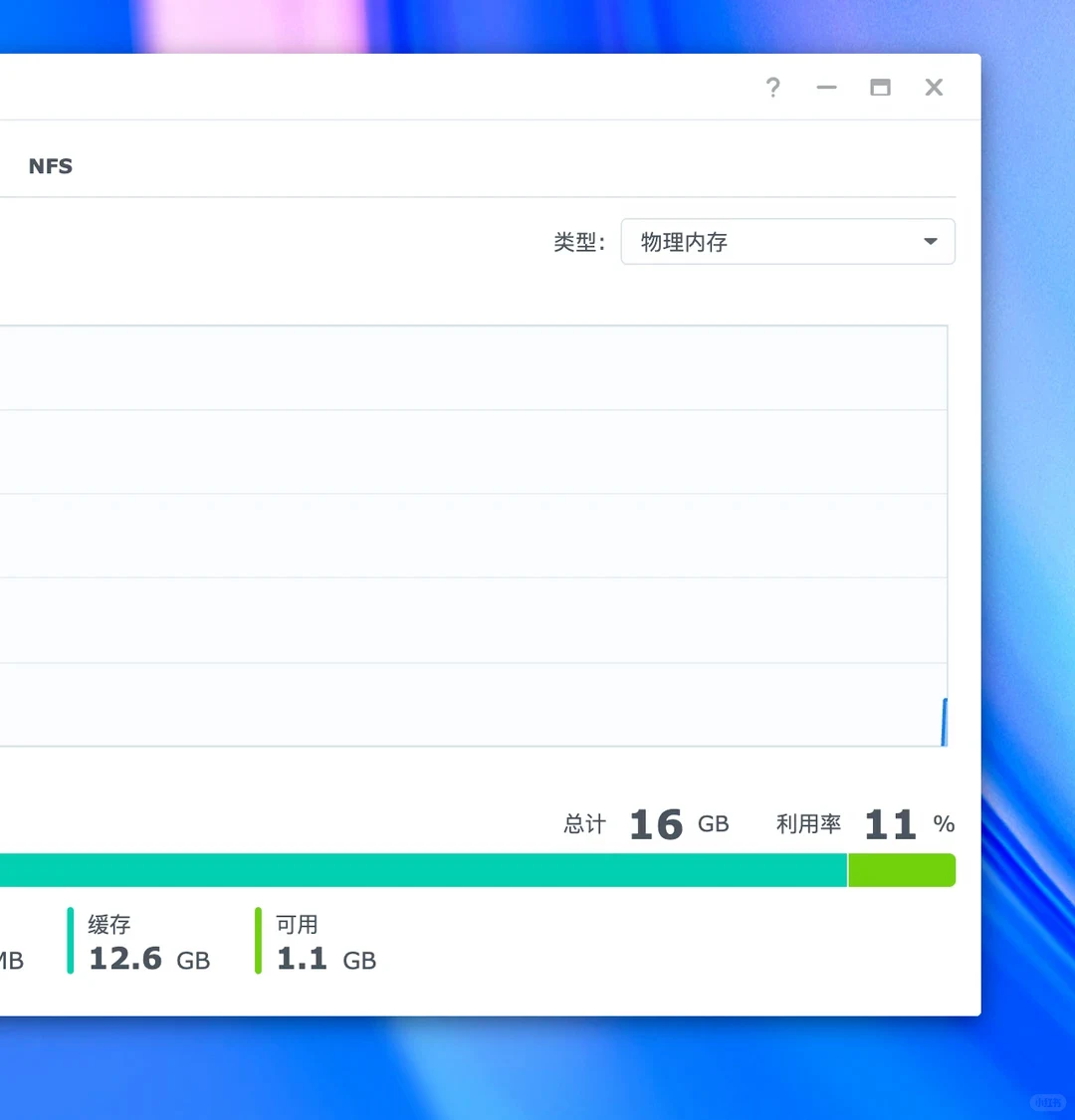
The DS923+ screenshot shows 16GB total, 11% utilization, 12.6GB cached and 1.1GB available. That snapshot is not a performance test and does not by itself establish how much memory the usual services require.
Check the QNAP model and memory limit before copying the upgrade
The owner identifies the QNAP as a TS-464C2. QNAP’s China-market specification lists two memory slots and a maximum of 16GB (2 × 8GB), so the reported 32GB setup is beyond the published limit; the account does not establish that this configuration is approved or will work for other units. The installed memory’s exact part number and layout are not shown.
The US TS-464 is a related four-bay NAS, not a verified regional-identical name for the TS-464C2. Its US specification lists two M.2 slots with PCIe 3.0 x1 links and HDMI 2.1, while the China TS-464C2 specification lists two M.2 slots with PCIe 3.0 x2 links and HDMI 2.0. Those differences make it important to check the exact model and local specifications rather than transfer the 32GB result to the US TS-464.
The DS923+ allows more headroom, but the module still matters
Synology’s US specification for the DS923+ lists 4GB of DDR4 ECC memory, two slots and a maximum of 32GB. That supports the model’s published capacity, but it does not verify the added module: the source does not show its part number or confirm its ECC configuration. Check the module requirements for the specific unit before treating the 16GB result as a compatibility guarantee.
Related Reading

Reviews & Guides · Computing & Networking
TP-Link Deco X55 in a two-storey Australian home: Wi-Fi across 300 m²
I installed two TP-Link Deco X55 units in my 300 m², two-storey home; bedrooms that often lost Wi-Fi now had a signal throughout the house.

Reviews & Guides · Computing & Networking
TP-Link Deco X55: DNS pauses stopped for six days in access-point mode
I switched my Deco X55 to access-point mode and restored my older router to the front of the network. The DNS-like pauses stayed away for six days.
Reviews & Guides · Computing & Networking
TP-Link Deco X55 after nearly a year: six units, Teams and gaming
I’ve used six TP-Link Deco X55 units for nearly a year, including daily Teams calls and online gaming; I’ve had only one or two connectivity issues.