
Reviews & Guides · Computing & Networking
TP-Link TL-7DR7290 with seven cameras: mesh fixes, then TV-box stutter
Reviewed: TP-Link TL-7DR7290Regional reference: TP-Link TL-7DR7290 (Mainland China); TP-Link Archer BE550 (US); TP-Link Archer BE550 (UK)
I ran seven wireless cameras on a wired TP-Link mesh; IP and router bindings helped, but a TV box later slowed devices on the main router.
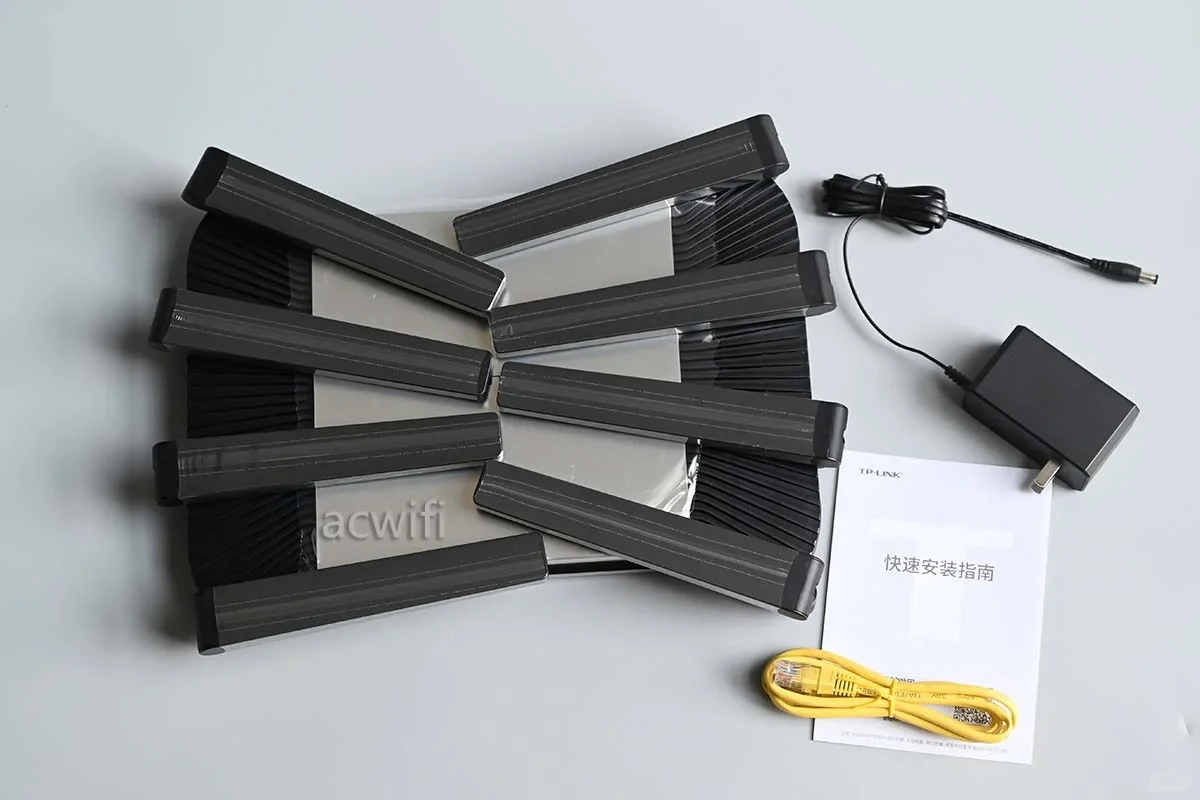
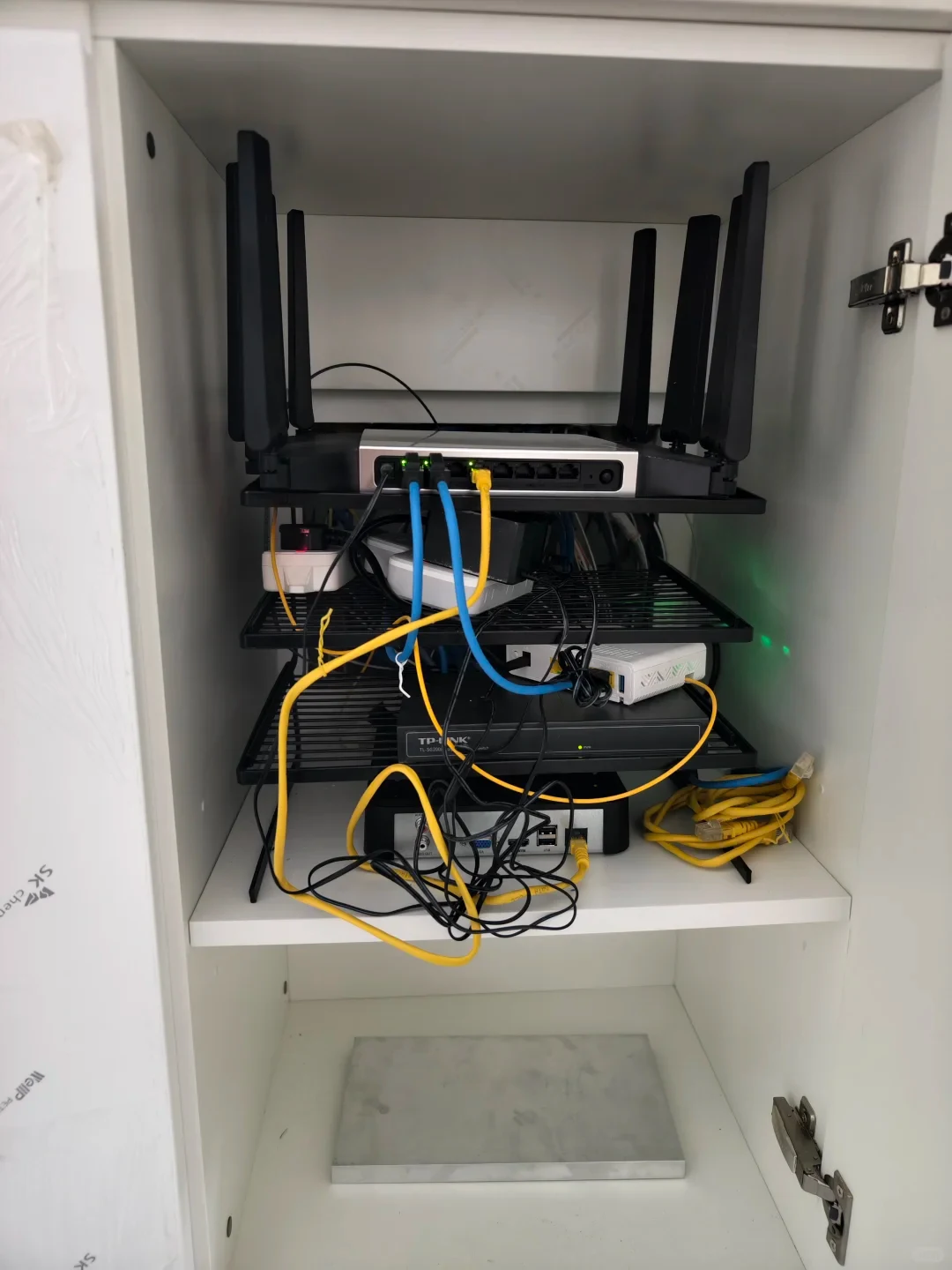
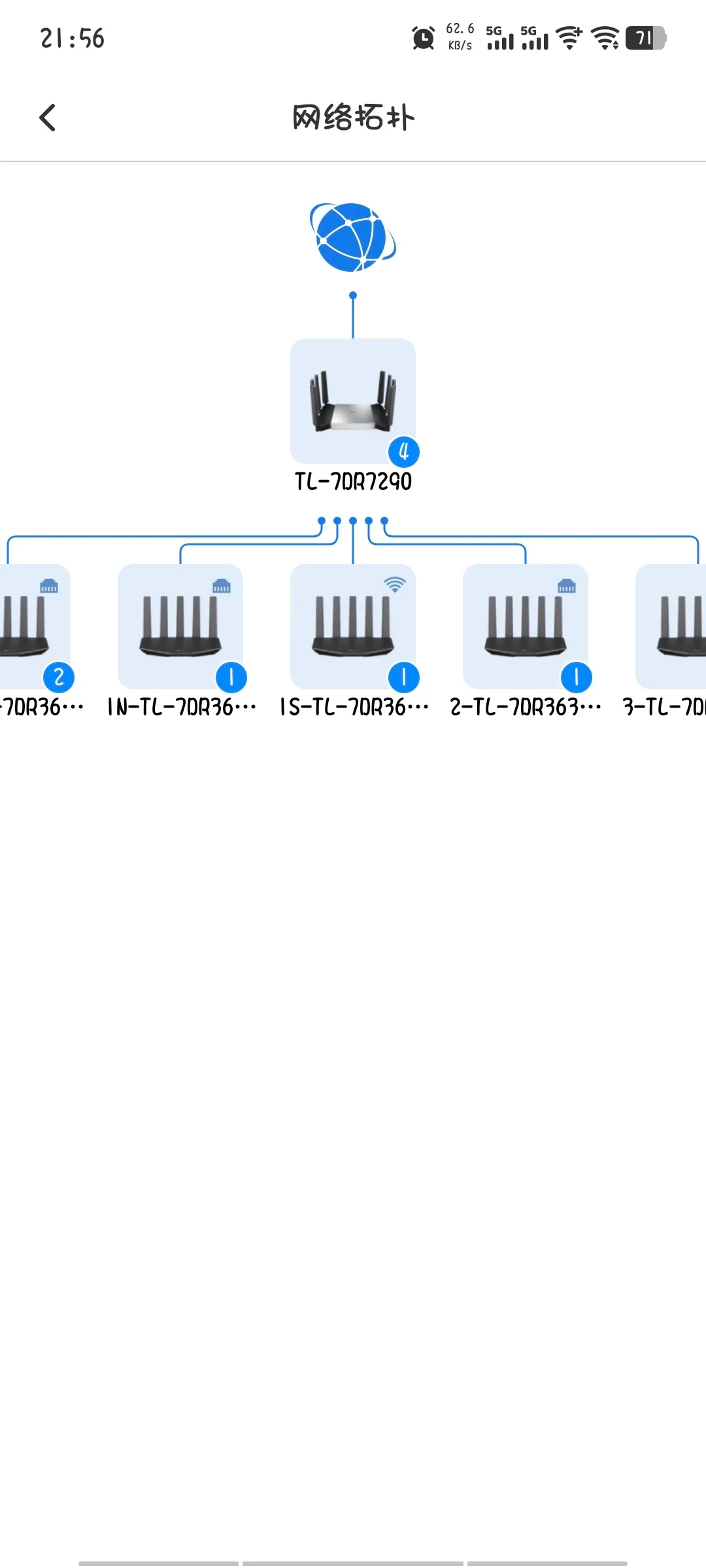


TP-Link throughout: cameras, routers, a switch and an NVR with a 4 TB Western Digital Purple hard drive.
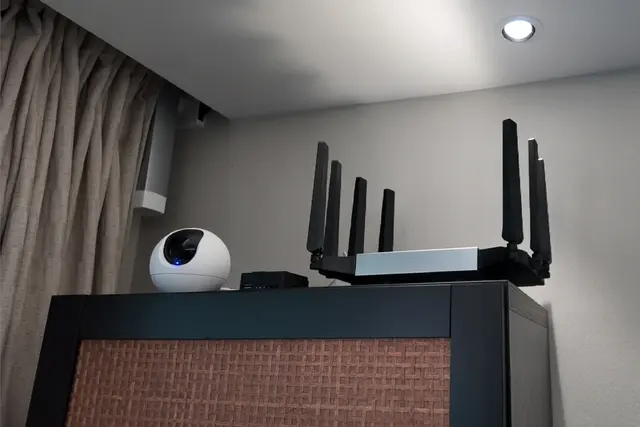
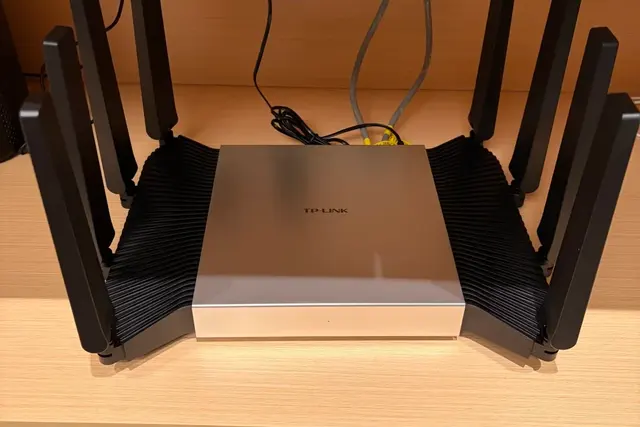
Layout: China Mobile gigabit ONT handles routing and connects to the main router; I did not set the ONT to bridge mode or have the main router dial in. One cable from the main router goes to the NVR and another to the switch. Shielded Shanze Cat 6A cables, properly grounded, run from the switch to the secondary routers, making a wired mesh. All seven cameras connect wirelessly and run steadily. The TP-Link IoT app makes management convenient.
Downside: After about three weeks of continuous operation, surveillance video started stuttering. Restarting the router fixed it, so I set the cameras, routers, switch and NVR to restart once a week. By comparison, I installed my old Netgear router and then left it alone for 12 years; it was rock-solid. Sadly, Netgear routers are no longer available now.
- The cameras need a strong signal, especially the one outside the front door. One wall is fine, but two walls cause stuttering, so I added another router. There was no Ethernet run there, so one router uses wireless mesh to serve a single outdoor camera. That solved the problem.
- At first, connecting one of the two outdoor cameras meant I could not view the other. Binding each device's IP address to its MAC address solved it.
- The cameras do not choose the router with the best signal when connecting wirelessly. After a device restarts, it may connect to the wrong one and the video stutters. I selected and bound each camera to a router, which solved the problem.
- The yellow Ethernet cable included with the router is not a 100 Mbps cable; it should be a gigabit Cat 5e cable. I used my phone to test Wi-Fi speeds with the included yellow cables between the ONT, main router, switch and NVR. Then I tested again with the blue Shanze Cat 6A shielded cable between the ONT and main router and between the main router and switch, while keeping the yellow cable between the main router and NVR. The speeds and latency differed, but not by much.
- TP-Link could be a little more ambitious. I am not asking it to make everything like Xiaomi does, but it could at least make a mobile monitoring robot that can roam around the whole house.
Overall, I am satisfied with this TP-Link setup. It offers good value for money.
September 7, continued update. After I connected more devices, including an Aurora TV box wirelessly to the main TL-7DR7290 router, the box stuttered on 2.4 GHz, and some dual-lens cameras stuttered too. Switching the box to 5 GHz made the box run smoothly, but the dual-lens cameras still stuttered. All devices on the main router's 2.4 GHz network became sluggish; I could barely operate devices such as the gas water heater through their phone apps. Devices connected to the secondary routers had no problem. After I turned off the box, the network returned to normal.
I initially thought the ONT's routing was the problem, so I contacted the ISP and had it set to bridge mode, with the TL-7DR7290 handling the connection. The problem remained. Another curious thing: after switching to bridge mode, a Wi-Fi speed test from my phone on the main router was worse than on a secondary router—download speed was a third lower and latency was higher. The secondary router did better than the main one?
My own guess is that the TL-7DR7290 does not have enough performance for this setup. With so many mesh routers and network devices, the TL-7DR7290 may not be able to keep up as the main router; after all, it has only a dual-core processor and is relatively low-end.
When I have the energy to tinker with it, I will replace it with a quad-core TL-7DR7299 as the main router and report back.
Source: hurrydna · Xiaohongshu · 2026-08-01 · tp-link全家桶,不吹不黑,监控、路由器…. Search this Chinese title in Xiaohongshu to find the original post.
Before You Buy
Models in your region
The owner’s experience is with the mainland-China TP-Link TL-7DR7290. TP-Link’s US and UK Archer BE550 are different, similar-category routers, not regional relabels of the TL-7DR7290, so the camera and TV-box results here do not establish how either BE550 performs.
| Model in this review | Related regional model | What to know |
|---|---|---|
| TP-Link TL-7DR7290 | TP-Link TL-7DR7290 (Mainland China) | This is the mainland-China model used in the account. Its official page lists dual-band BE7200 Wi-Fi and four 2.5GbE plus four Gigabit adaptive WAN/LAN ports. TP-Link says features and services are designed for mainland China and may not be available abroad. |
| TP-Link TL-7DR7290 | TP-Link Archer BE550 (US) | A separate US-market product, not a regional version of the TL-7DR7290. It is tri-band BE9300 with 6 GHz and five 2.5GbE ports; the owner’s mesh and camera experience does not test it. |
| TP-Link TL-7DR7290 | TP-Link Archer BE550 (UK) | A separate UK-market product, not a regional version of the TL-7DR7290. It is tri-band BE9300 with 6 GHz and five 2.5GbE ports; country and hardware revision matter when checking the exact unit. |
- Model in this review
- TP-Link TL-7DR7290
- Related regional model
- TP-Link TL-7DR7290 (Mainland China)
- What to know
- This is the mainland-China model used in the account. Its official page lists dual-band BE7200 Wi-Fi and four 2.5GbE plus four Gigabit adaptive WAN/LAN ports. TP-Link says features and services are designed for mainland China and may not be available abroad.
- Model in this review
- TP-Link TL-7DR7290
- Related regional model
- TP-Link Archer BE550 (US)
- What to know
- A separate US-market product, not a regional version of the TL-7DR7290. It is tri-band BE9300 with 6 GHz and five 2.5GbE ports; the owner’s mesh and camera experience does not test it.
- Model in this review
- TP-Link TL-7DR7290
- Related regional model
- TP-Link Archer BE550 (UK)
- What to know
- A separate UK-market product, not a regional version of the TL-7DR7290. It is tri-band BE9300 with 6 GHz and five 2.5GbE ports; country and hardware revision matter when checking the exact unit.
What the camera fixes do—and do not—show
For this seven-camera installation, adding a wireless mesh node helped the outdoor camera that struggled through two walls. Binding each camera to its IP/MAC address and selected router also addressed specific connection and roaming problems. These are fixes observed in this setup, not evidence that every camera or mesh network will need the same settings.
The owner also began scheduling weekly restarts after video stutter appeared following roughly three weeks of continuous operation; a restart cleared that incident. The account does not establish why it happened or whether scheduled restarts prevent future interruptions, so treat that routine as this owner's workaround rather than a confirmed maintenance requirement.
The TV-box slowdown remains unexplained
In the owner's later setup, moving the Aurora TV box from 2.4 GHz to 5 GHz made the box run smoothly, but did not stop stuttering on some dual-lens cameras or sluggishness among devices on the main router's 2.4 GHz network. Those devices returned to normal when the box was switched off; devices on secondary routers had remained unaffected.
Changing the ONT to bridge mode and having the TL-7DR7290 handle the connection did not resolve the issue. The owner's phone also recorded lower speed and higher latency on the main router than on a secondary router after that change, but the post gives no test controls or repeat measurements. The suspected processing limit is the owner's theory, not a confirmed diagnosis, and the planned TL-7DR7299 replacement has not yet been tested.
Check the regional model before applying this experience
The mainland-China TL-7DR7290 is listed as a dual-band BE7200 router with four 2.5GbE ports and four Gigabit adaptive WAN/LAN ports. TP-Link’s page cautions that its features and services are designed for mainland China and are not guaranteed to be available elsewhere; check local availability and support before importing or relying on those services.
The US and UK Archer BE550 are not the same model under another regional name: each is listed as a tri-band BE9300 router with 6 GHz and five 2.5GbE ports. Those differences make the BE550s relevant alternatives to compare, but the owner's TL-7DR7290 findings cannot establish how they handle this camera-and-TV-box workload. For the UK model, verify the country and hardware revision when checking the product.
Related Reading
Reviews & Guides · Computing & Networking
TP-Link TL-7DR7290 and TL-7DR7270 wired mesh: coverage across two floors
I use two wired TP-Link routers as access points, with a TL-R5005PE-AC as the main router. Coverage is strong except in awkward corners, and my phone switches as I walk between floors.
Reviews & Guides · Computing & Networking
TP-Link TL-7DR7290: 610 Mbps at the closed-door bathroom corner
I tested one TP-Link TL-7DR7290 on a 500 Mbps China Unicom line with every room door shut; my bathroom-corner speed test reached 610 Mbps.
Reviews & Guides · Computing & Networking
TP-Link TL-7DR7290: smoother door-camera video, but noticeable heat
I replaced my Xiaomi mesh setup with a TP-Link TL-7DR7290 system. My door camera stopped buffering, but the main router felt very hot.