
Reviews & Guides · Computing & Networking
TP-Link TL-7DR7290 wired mesh: a two-cable living-room setup
Reviewed: TP-Link TL-7DR7290Regional reference: TP-Link TL-7DR7290 (Mainland China); TP-Link Archer BE550 (US); TP-Link Archer BE550 (UK)
I replaced my planned single-cable VLAN setup with two Ethernet runs to the living-room router; my wired mesh reached over 1 Gbps, but the router runs hot.
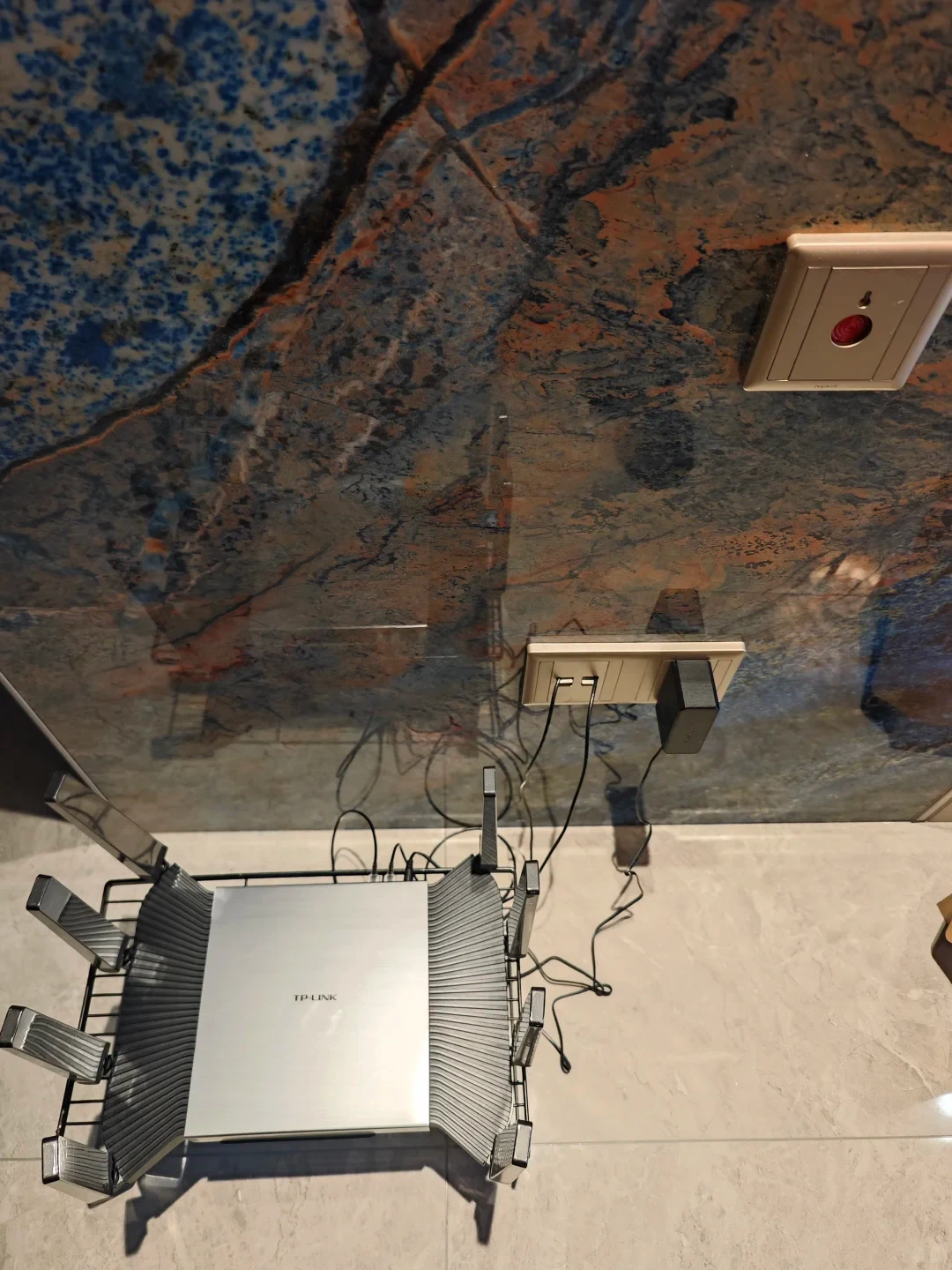
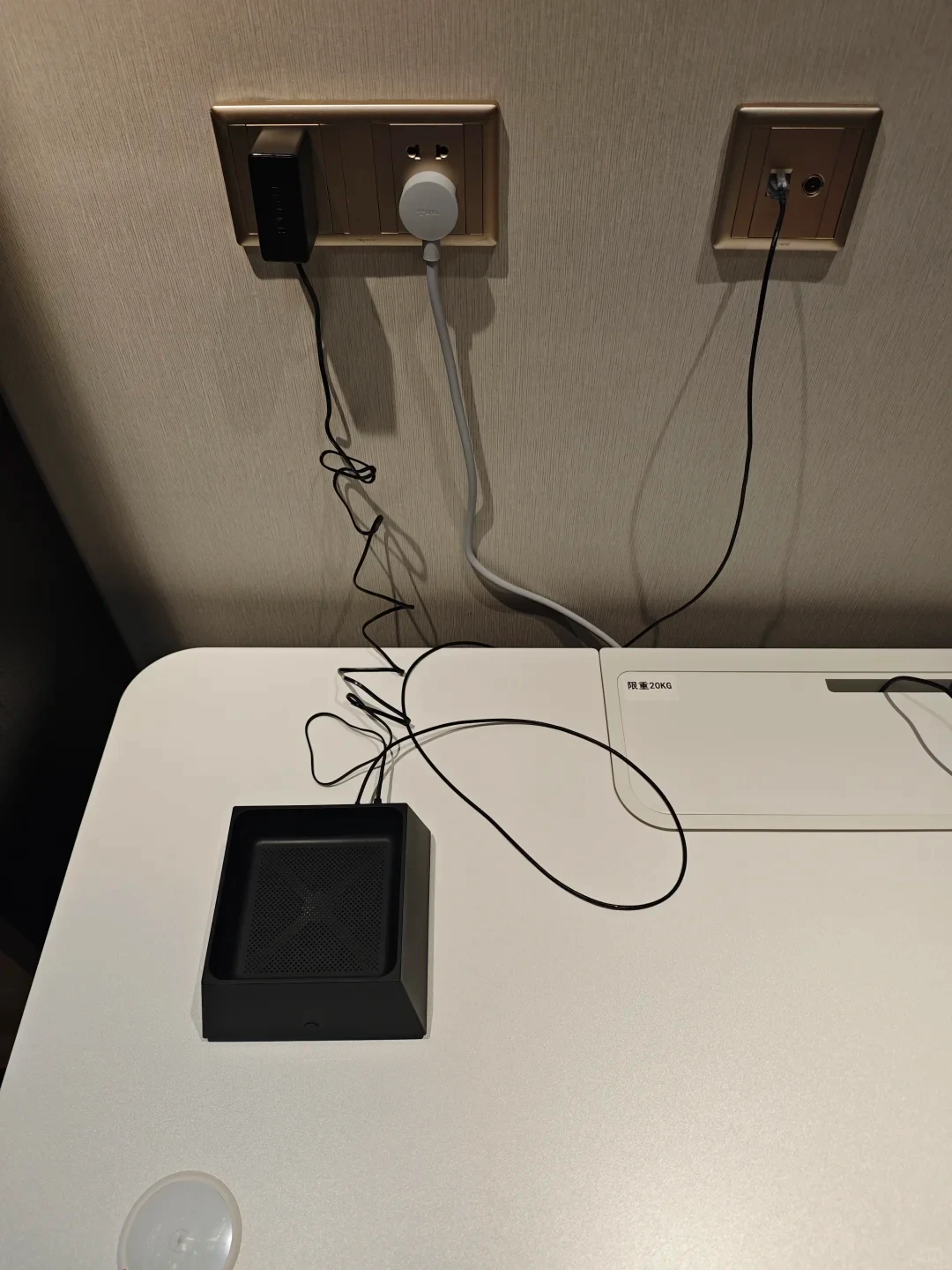
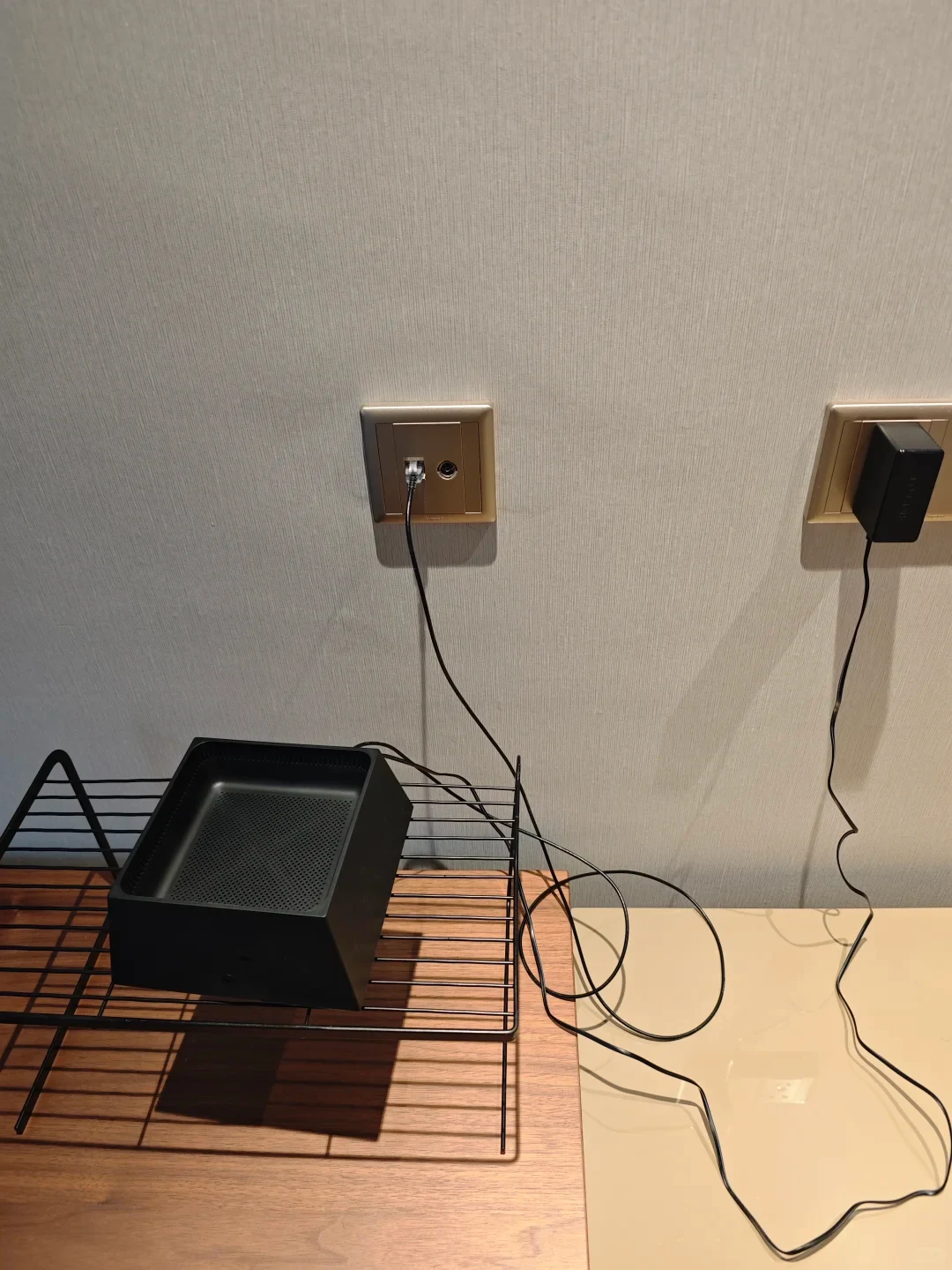
Once the renovation was nearly finished, I started planning the network. I had used wireless mesh before for convenience, but wireless backhaul uses bandwidth and affects speed, so this time I wanted wired mesh throughout the home to make full use of the available speed.
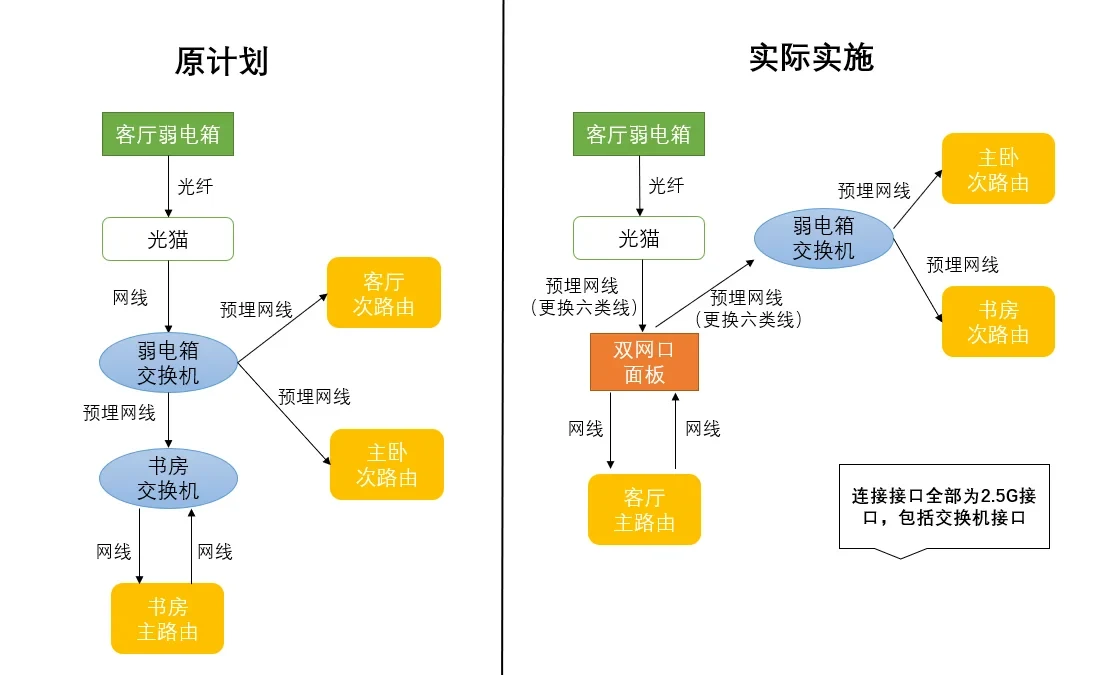
The biggest challenge with wired mesh in a finished apartment was that the developer had installed only one Ethernet run. After researching the setup, I learned that VLAN switches could provide backhaul over a single cable. My initial plan was to put the main router in the study: the optical network terminal (ONT) would connect to a switch in the low-voltage cabinet, then the preinstalled cable would connect to a study switch, which would connect to the main router over two Ethernet runs for backhaul. The living-room and main-bedroom satellite routers would connect by their preinstalled cables to the cabinet switch to form the wired mesh (P2).
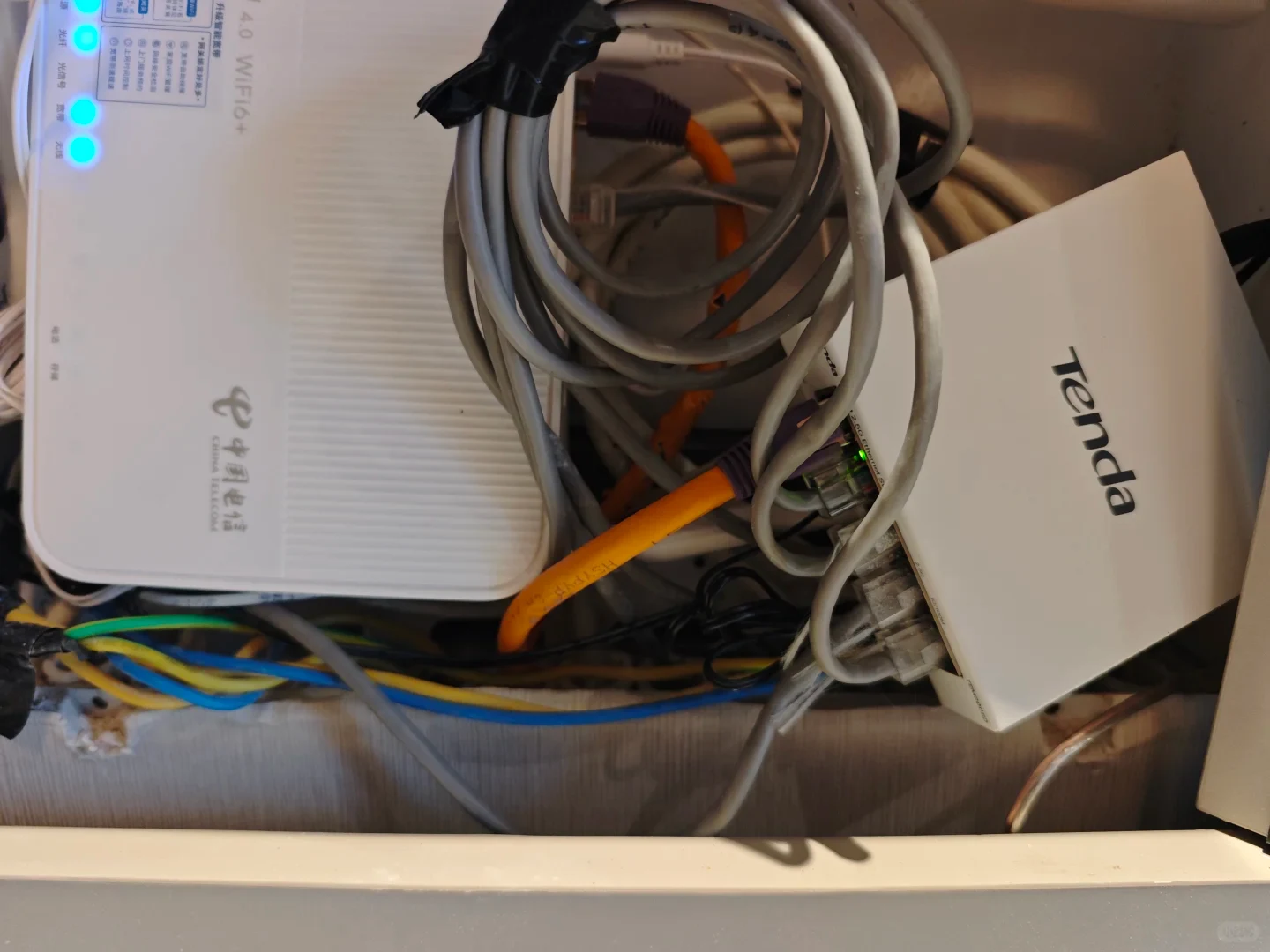
After I consulted the low-voltage wiring technician, he suggested putting the main router directly in the living room. The wall plate there has two network ports (P4), so two Ethernet runs could carry the backhaul to the switch in the low-voltage cabinet, which would distribute the connection to the other rooms (P3). That became the final plan (P2). The developer-installed cables were poor, so I pulled them out and replaced them with two Category 6 cables. The living-room plate combines network and power and could not be replaced separately, so I changed the modules behind it and pulled the cables out through the plate (P4).
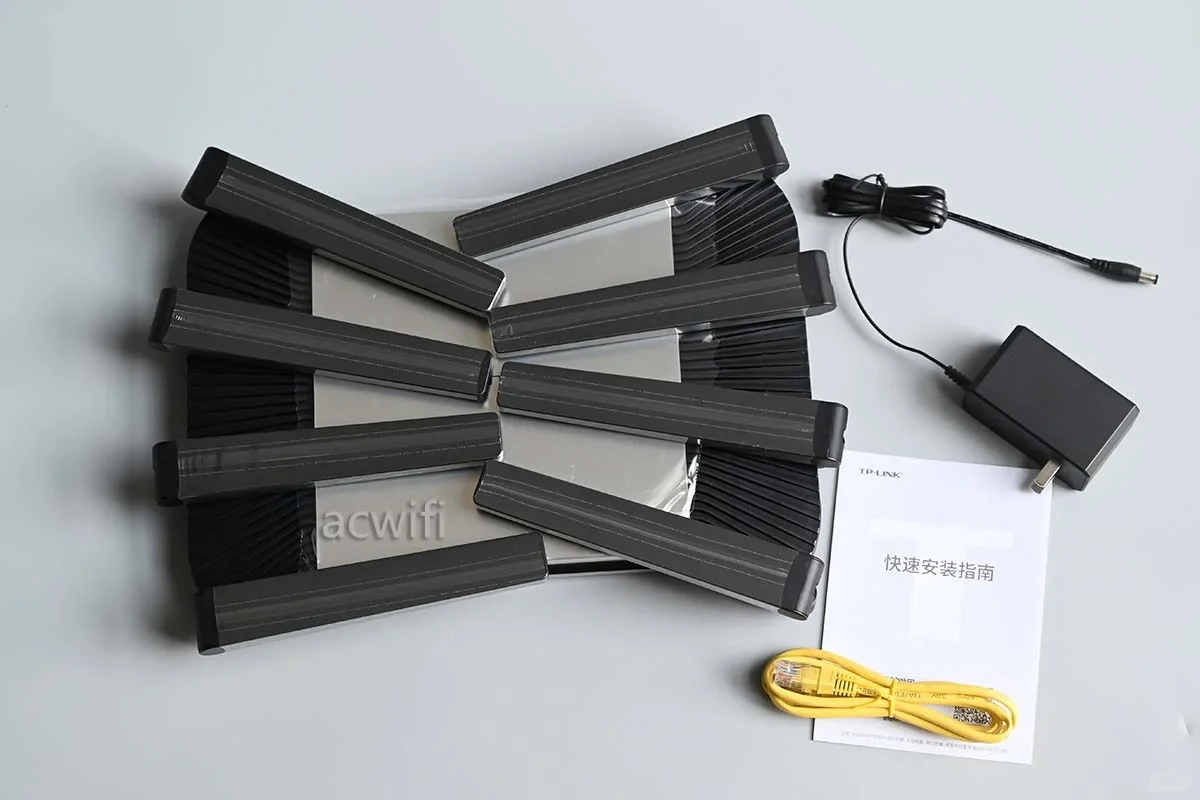
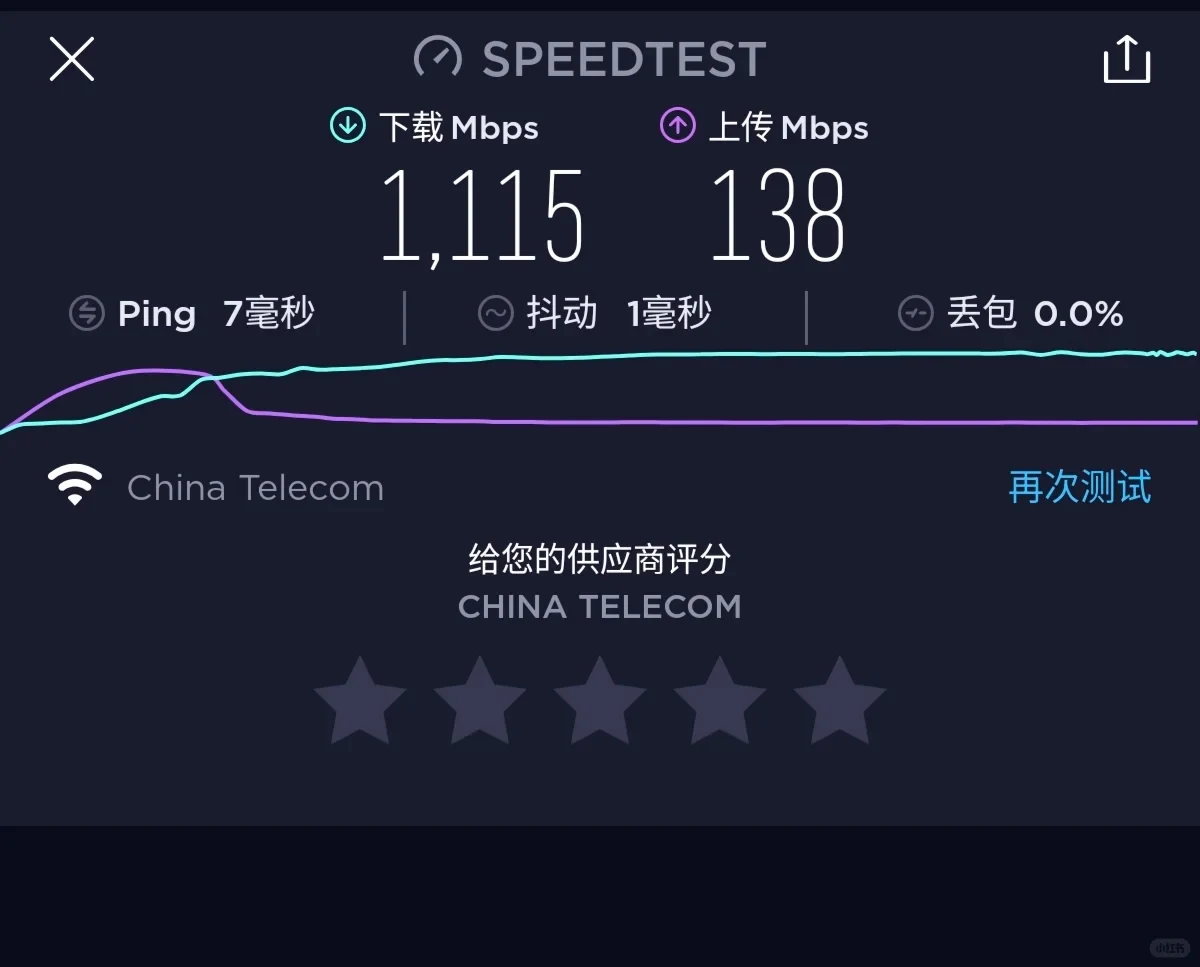
The installation worked well. Every device was connected through 2.5G ports, and the speed test topped 1 Gbps (P1). Because wired mesh puts more demands on the main router, I chose TP-Link's capable BE7200 (7290); it gets quite hot, so I may add cooling later. I chose TP-Link BE6400 units as the satellite routers. Their antenna-free design takes up less space. TP-Link's one-touch mesh pairing was very quick: pairing took a few seconds. Even with wired mesh, the units need to be paired wirelessly first, then connected by Ethernet.
Source: Stan · Xiaohongshu · 2026-07-20 · 精装房有线mesh方案. Search this Chinese title in Xiaohongshu to find the original post.
Before You Buy
Models in your region
Stan's main router is the mainland China TP-Link TL-7DR7290, identified by the official product listing; his BE6400 satellite units are not identified by an exact SKU. The Archer BE550 sold in the US and UK is a different router, not a regional rename, so the installation results apply to the TL-7DR7290 rather than the BE550.
| Model in this review | Related regional model | What to know |
|---|---|---|
| TP-Link TL-7DR7290 | TP-Link TL-7DR7290 (Mainland China) | The official listing identifies the mainland China model used as the main router. It is a dual-band BE7200 router with four 2.5GbE and four Gigabit adaptive WAN/LAN ports. TP-Link notes that features and services are designed for mainland China and may not be available abroad. |
| TP-Link TL-7DR7290 | TP-Link Archer BE550 (US) | The US Archer BE550 is a different, tri-band BE9300 router with 6GHz and five 2.5GbE ports, not a regional version of the TL-7DR7290. Stan’s installation experience does not establish its mesh behavior or performance. |
| TP-Link TL-7DR7290 | TP-Link Archer BE550 (UK) | The UK Archer BE550 is also a different tri-band BE9300 model with 6GHz and five 2.5GbE ports. Country and hardware revision matter; it is not the TL-7DR7290 used in this account. |
- Model in this review
- TP-Link TL-7DR7290
- Related regional model
- TP-Link TL-7DR7290 (Mainland China)
- What to know
- The official listing identifies the mainland China model used as the main router. It is a dual-band BE7200 router with four 2.5GbE and four Gigabit adaptive WAN/LAN ports. TP-Link notes that features and services are designed for mainland China and may not be available abroad.
- Model in this review
- TP-Link TL-7DR7290
- Related regional model
- TP-Link Archer BE550 (US)
- What to know
- The US Archer BE550 is a different, tri-band BE9300 router with 6GHz and five 2.5GbE ports, not a regional version of the TL-7DR7290. Stan’s installation experience does not establish its mesh behavior or performance.
- Model in this review
- TP-Link TL-7DR7290
- Related regional model
- TP-Link Archer BE550 (UK)
- What to know
- The UK Archer BE550 is also a different tri-band BE9300 model with 6GHz and five 2.5GbE ports. Country and hardware revision matter; it is not the TL-7DR7290 used in this account.
Two Ethernet runs avoided the planned VLAN layout
A living-room wall plate with two network ports let the installer put the main router there and route two Ethernet runs back to the cabinet switch. That replaced Stan's initial plan to use VLAN switches for backhaul over the single preinstalled run. In this apartment, the completed arrangement used one cabinet switch, not the two switches shown in the original proposal.
The installation also required replacing the developer's cables with two Category 6 runs and changing modules behind the combined network-and-power wall plate. The account does not establish that every finished apartment has the same wiring or access, so check the number and route of existing Ethernet runs before choosing between a two-cable return path and a VLAN-based design.
Speed and case heat after installation
Stan reported 2.5G connections between devices and a speed-test result above 1 Gbps after installation. The screenshot shows 1,115 Mbps down, 138 Mbps up, 7 ms ping, 1 ms jitter and 0.0% packet loss on China Telecom. This is a result from that connection and test, not a guarantee of internet speed for other lines or homes.
The TL-7DR7290's official listing specifies four 2.5GbE ports and four Gigabit adaptive WAN/LAN ports. Stan described the router as quite hot, but did not measure its case temperature or report long-term stability; the account therefore supports treating heat as a consideration for this unit, not as a measured thermal finding for every TL-7DR7290.
Check regional model differences before buying
The mainland China TL-7DR7290 is a dual-band BE7200 model, while the US and UK Archer BE550 is tri-band BE9300 and adds 6GHz; the BE550 also has five 2.5GbE ports. These are distinct products, so the TL-7DR7290 installation cannot confirm the BE550's mesh features or results. TP-Link says TL-7DR7290 features and services are designed for mainland China and does not promise availability abroad.
The satellite units in Stan's setup are identified only as TP-Link BE6400, without an exact SKU. Their reported compact, antenna-free design and quick wireless-first pairing describe the units he used, but do not establish the configuration, compatibility or pairing behavior of every BE6400 product sold in other markets.
Related Reading
Reviews & Guides · Computing & Networking
TP-Link TL-7DR7290 and TL-7DR7270 wired mesh: coverage across two floors
I use two wired TP-Link routers as access points, with a TL-R5005PE-AC as the main router. Coverage is strong except in awkward corners, and my phone switches as I walk between floors.
Reviews & Guides · Computing & Networking
TP-Link TL-7DR7290: 610 Mbps at the closed-door bathroom corner
I tested one TP-Link TL-7DR7290 on a 500 Mbps China Unicom line with every room door shut; my bathroom-corner speed test reached 610 Mbps.
Reviews & Guides · Computing & Networking
TP-Link TL-7DR7290: smoother door-camera video, but noticeable heat
I replaced my Xiaomi mesh setup with a TP-Link TL-7DR7290 system. My door camera stopped buffering, but the main router felt very hot.