
Reviews & Guides · Computing & Networking
Five-floor Xiaomi mesh setup: closer nodes went unused
Regional reference: Xiaomi Router BE3600 (UK)
I put a Xiaomi router on each of five floors, but most clients stayed on the main router, and setup took two full resets before the mesh formed.
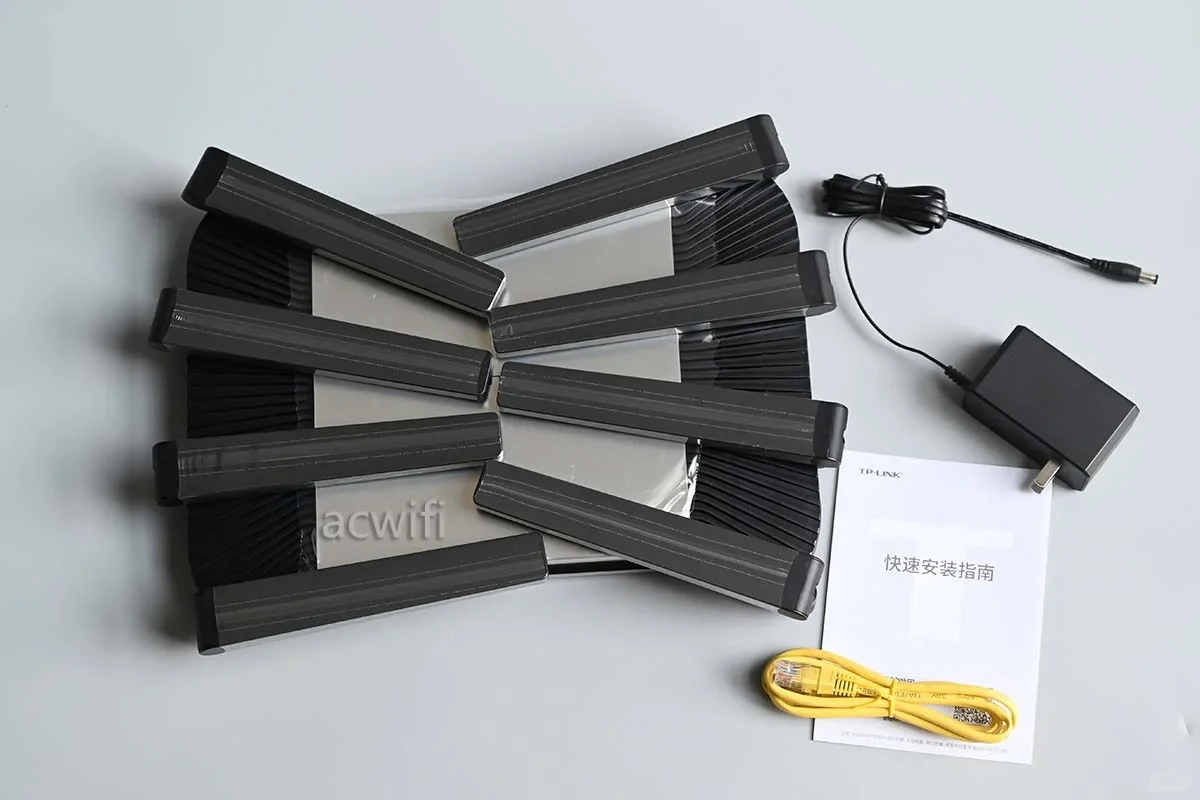
I put a router on each of five floors, but the only one that could beat the main router’s signal was the cheapest router, two floors away. Why couldn’t devices automatically choose a closer router? The new BE10000 surely shouldn’t have a weak signal, but even when I was closer to it, my devices wouldn’t connect.
And at the start, I just couldn’t get the mesh network to form. The online advice to set up wireless mesh first and then switch to wired didn’t work either. I finally got it working only after resetting every router twice. What a hassle.
Source: momo · Xiaohongshu · 2025-12-18 · 小米Mesh路由器真的不太好用. Search this Chinese title in Xiaohongshu to find the original post.
Before You Buy
Models in your region
The account describes a five-router Xiaomi mesh setup, but it does not establish the full model or exact SKU of the routers; “BE10000” is the author’s shorthand for one node. The UK Xiaomi Router BE3600 is a related regional product, not a confirmed match, so its specifications should not be assumed to describe this setup.
| Model in this review | Related regional model | What to know |
|---|---|---|
| Xiaomi mesh setup (five routers; exact models and configuration unknown) | Xiaomi Router BE3600 (UK) | The source’s “BE10000” node cannot be identified more precisely, so its features and compatibility are unknown. The UK Xiaomi Router BE3600 is a related Wi-Fi 7 router, not a verified regional version of the source unit; its specifications do not establish the source setup’s capabilities. |
- Model in this review
- Xiaomi mesh setup (five routers; exact models and configuration unknown)
- Related regional model
- Xiaomi Router BE3600 (UK)
- What to know
- The source’s “BE10000” node cannot be identified more precisely, so its features and compatibility are unknown. The UK Xiaomi Router BE3600 is a related Wi-Fi 7 router, not a verified regional version of the source unit; its specifications do not establish the source setup’s capabilities.
What the five-floor account can tell you
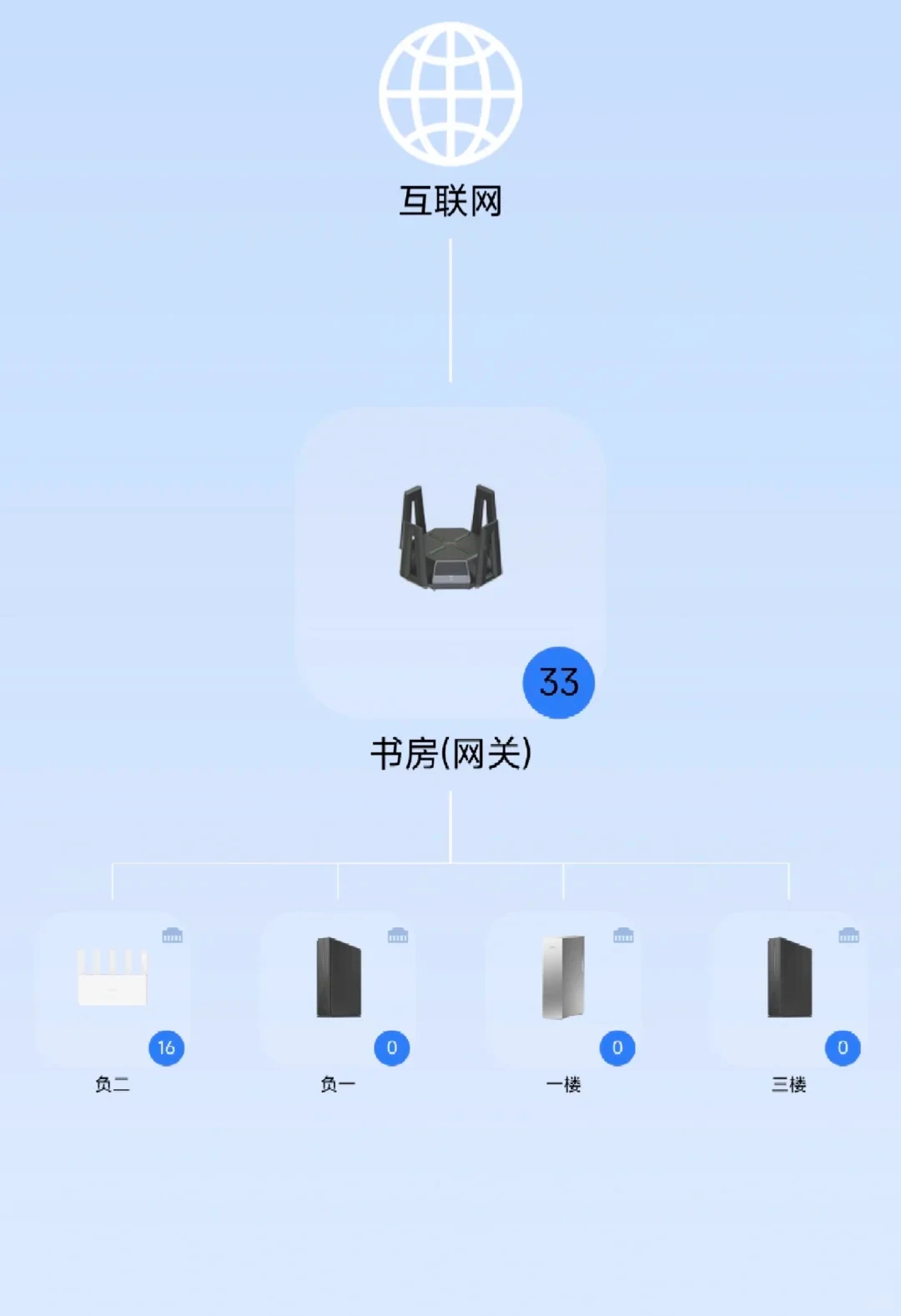
The author’s five-floor setup did not reliably steer devices to the nearest node: the author says only the least expensive router, two floors away, could beat the main router’s signal, while a closer node identified only as “BE10000” remained unused. A captured topology screen shows a gateway and four floor devices, with 33 devices shown at the gateway and counts of 16, 0, 0 and 0 on the listed floor nodes. Those are app-screen counts, not a roaming trace, signal measurement or throughput test, so they cannot establish why devices stayed connected to the gateway or how performance varied.
The account also does not identify the client devices, router SKUs or firmware, so it cannot establish whether the behavior was caused by the routers, client-device choices or another setup factor. Treat the experience as a report about this particular network rather than a general measure of Xiaomi mesh performance.
Check one client’s association before another reset
Use one phone or laptop to check which node it joins on each floor, then record the connection quality at those positions. The screenshot’s 33 and 16 device counts show where clients were attached at that moment; they do not show a particular device moving between nodes. Pairing succeeded after two resets in this account, but improved roaming was not reported.
Identify all five routers before changing settings
Record the full model and firmware version of each node, plus the device that remains attached to the distant gateway. The author’s BE10000 label does not establish the model’s full suffix, and the other node models are not shown. That information is needed for support to check the actual combination rather than a generic Xiaomi mesh setup.
The UK BE3600 is a separate regional reference with one 2.5GbE and three 1GbE ports. Its specifications do not identify these five routers or establish that they share its firmware or roaming features. Follow the instructions for the identified models if you decide to reset or reconfigure them.
Related Reading

Reviews & Guides · Computing & Networking
TP-Link Deco X55 in a two-storey Australian home: Wi-Fi across 300 m²
I installed two TP-Link Deco X55 units in my 300 m², two-storey home; bedrooms that often lost Wi-Fi now had a signal throughout the house.

Reviews & Guides · Computing & Networking
TP-Link Deco X55: DNS pauses stopped for six days in access-point mode
I switched my Deco X55 to access-point mode and restored my older router to the front of the network. The DNS-like pauses stayed away for six days.
Reviews & Guides · Computing & Networking
TP-Link Deco X55 after nearly a year: six units, Teams and gaming
I’ve used six TP-Link Deco X55 units for nearly a year, including daily Teams calls and online gaming; I’ve had only one or two connectivity issues.